
1. Product Overview
The BrizLabs Smart Christmas Fairy Lights are designed to provide customizable lighting for various indoor and outdoor settings. These 33ft string lights feature 100 LED bulbs with color-changing capabilities, smart app control, voice control compatibility with Amazon Alexa and Google Assistant, and music synchronization.

Image 1: BrizLabs Smart Christmas Fairy Lights packaging, showing the lights, remote, and app interface.
2. What's in the Box
- 1 x 100 LED Smart Fairy Lights (Green Wire)
- 1 x User Manual
3. Specifications
| Feature | Detail |
|---|---|
| Color | 100 LED Smart (Green Wire) |
| Brand | BrizLabs |
| Indoor/Outdoor Usage | Indoor, Outdoor |
| Special Features | 16 Million Colors, APP & Voice Control, Dimmable, Smart Timer, Waterproof (IP44) |
| Light Source Type | LED |
| Power Source | Corded Electric |
| Material | Plastic |
| Item Weight | 6.7 ounces |
| Total Length | 49.5ft |
| Lighted Length | 33ft |
| Lead Length | 16.4ft |
| Bulb Spacing | 0.33ft |
4. Setup Instructions
- Unpack the Lights: Carefully remove the fairy lights from their packaging. The wire is designed to be flexible and tangle-free for easy handling.
- Placement: Determine your desired location for the lights. The IP44 waterproof rating allows for both indoor and outdoor use.
- Power Connection: Plug the lights into a standard electrical outlet.
- Download the BrizLabs App: Search for and download the 'BrizLabs' app from your smartphone's app store (iOS or Android).
- Network Connection: Ensure your smartphone is connected to a 2.4GHz Wi-Fi network. The lights require a 2.4GHz network for optimal performance and connectivity.
- Pairing with App: Follow the in-app instructions to pair your BrizLabs Smart Fairy Lights with the application. This typically involves putting the lights into pairing mode and confirming the connection within the app.

Image 2: The tangle-free design of the BrizLabs fairy lights for easy setup and storage.
5. Operating Instructions
5.1. Smart App Control
The BrizLabs app provides comprehensive control over your fairy lights:
- Color Customization: Choose from 16 million colors to match any mood or occasion.
- Dynamic Modes: Select from multiple pre-set lighting modes for various effects.
- Group Control: If you have multiple sets of BrizLabs smart lights, group them together in the app to control them simultaneously.
- Scheduling & Timer: Set custom timers and schedules for the lights to turn on/off automatically. Utilize the countdown feature for specific events.

Image 3: Lights showcasing multiple scenes and DIY color options via the app.
5.2. Voice Control
Integrate your BrizLabs Smart Fairy Lights with Amazon Alexa or Google Assistant for hands-free operation:
- Connect to Voice Assistant: Follow the instructions in your Alexa or Google Home app to link your BrizLabs account.
- Voice Commands: Use simple commands such as "Alexa, turn on the fairy lights," "Hey Google, change fairy lights to blue," or "Alexa, dim the fairy lights to 50%."

Image 4: Demonstrating hands-free voice control with smart assistants.
5.3. Music Synchronization
The built-in high-sensitivity microphone allows the lights to sync with the rhythm of your music:
- Activate Music Mode: Select the music synchronization mode within the BrizLabs app.
- Enjoy Dynamic Lighting: The lights will respond to sound, creating a dynamic visual experience.
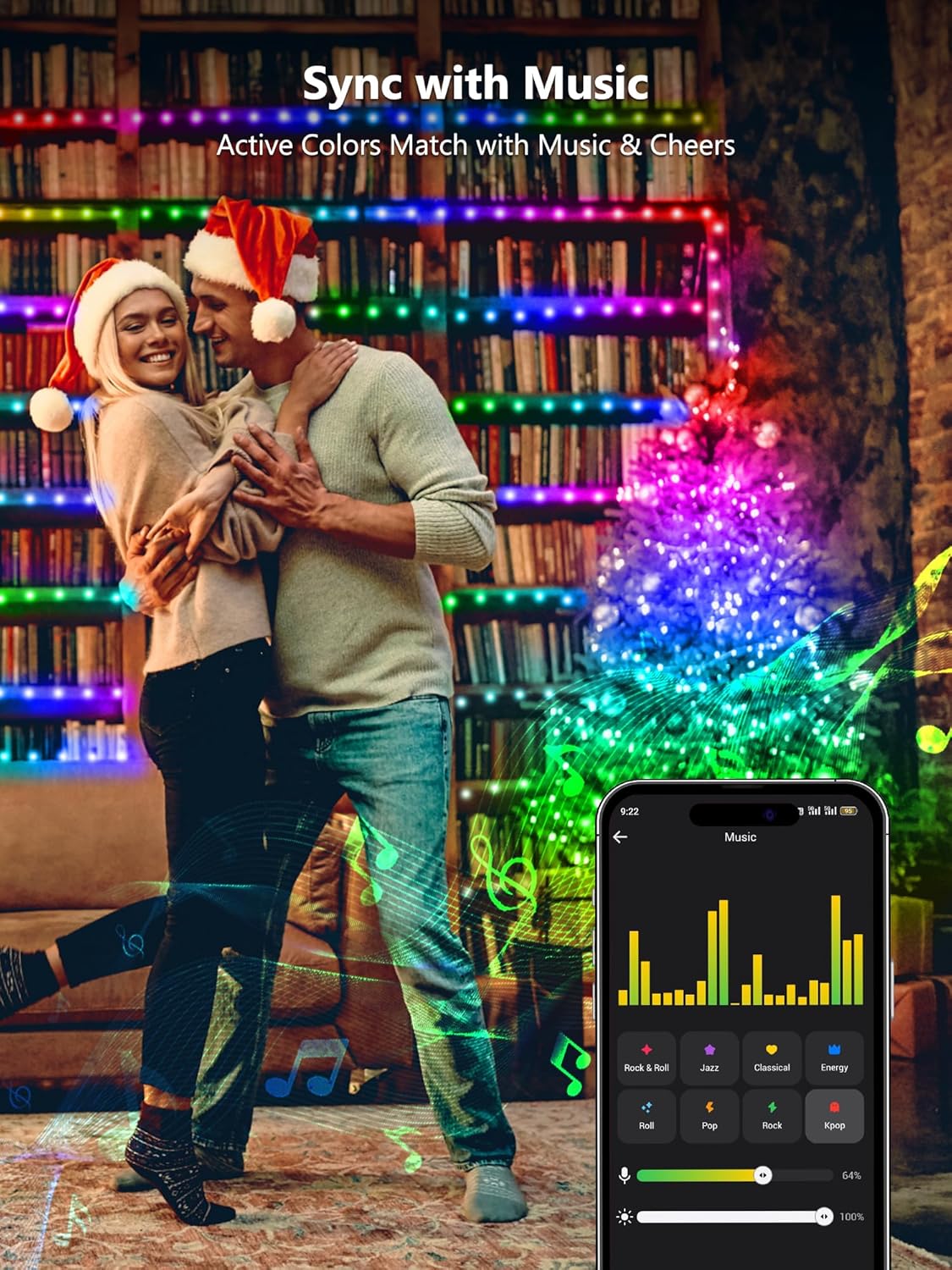
Image 5: Lights syncing with music for an enhanced atmosphere.
5.4. Adjustable Brightness
Adjust the brightness of the lights to your preference using the BrizLabs app or voice commands.

Image 6: Illustrating the 16 million colors and adjustable brightness feature.
6. Maintenance
- Cleaning: Gently wipe the lights with a soft, dry cloth if they become dusty. Do not use harsh chemicals or abrasive materials.
- Storage: When not in use, carefully coil the lights to prevent tangling. Store them in a cool, dry place away from direct sunlight.
- Inspection: Periodically inspect the wire and bulbs for any signs of damage. Discontinue use if any damage is found.
7. Troubleshooting
- Lights Not Turning On:
- Ensure the power adapter is securely plugged into a working outlet.
- Check if the lights are turned on via the app or remote control.
- Connectivity Issues (App/Voice Control):
- Verify your Wi-Fi network is 2.4GHz. These lights are not compatible with 5GHz networks.
- Ensure your smartphone and the lights are within range of your Wi-Fi router.
- Restart your Wi-Fi router, the lights, and your smartphone, then attempt to reconnect.
- Re-pair the lights with the BrizLabs app if the issue persists.
- Remote Control Not Working:
- Ensure there are no obstructions between the remote and the light receiver.
- Check and replace the remote control battery if necessary.
- Lights Not Syncing with Music:
- Ensure the music synchronization mode is activated in the app.
- Verify the microphone on the light controller is not obstructed.
8. Warranty and Support
For warranty information or technical support, please refer to the contact details provided on the product packaging or visit the official BrizLabs website. Keep your purchase receipt for any warranty claims.