Introduction
Thank you for choosing the Zivron EM3378UC Wireless Weather Station. This device provides comprehensive environmental data, including indoor and outdoor temperature and humidity, weather forecasts, atomic clock functionality, and moon phases. Designed for clear readability and ease of use, this manual will guide you through the setup, operation, and maintenance of your new weather station.
What's in the Box
- 1 x Zivron EM3378UC Main Display Unit
- 1 x Wireless Remote Sensor
- 1 x AC/DC Power Adapter
- 1 x User Manual
Setup
Follow these steps to set up your Zivron Wireless Weather Station:
- Power the Main Unit: Insert 3 new AAA batteries (not included) into the main display unit. For continuous backlight, plug the unit into a power outlet using the provided AC/DC power adapter.
- Prepare the Remote Sensor: Set the sensor channel to CH1 (or desired channel if using multiple sensors) before installing batteries. Insert 2 new AAA batteries (not included) into the outdoor sensor.
- Synchronize Units: Place the main weather station and the outdoor sensor together for 2-3 minutes to allow them to synchronize. Confirm that temperature and humidity readings appear on the main display. If not, press and hold the "CH" button on the main unit to manually initiate signal reception.
- Set Time and Date: In normal display mode, press and hold the "MODE" button to enter setting mode. Use the "UP" and "DOWN" buttons to adjust values for 12H/24H format, Time, Year, Month/Date format, Month, Date, Weekday, and Language. Press "MODE" to confirm each setting.
- Sensor Placement: Place the outdoor sensor under a shelter to avoid direct sunlight and rain. The wireless transmission range is approximately 200ft (60m) without obstruction.
Video: Step-by-step guide on how to set up the Geevon 208665 Weather Station, including battery installation and initial synchronization.
Video: Detailed instructions for setting up the Geevon 208665 Color Display Weather Station, covering all essential functions and settings.
Operating Instructions
Display Overview
The 7.5'' HD VA display provides wide viewing angles and clearly partitioned information. It shows indoor/outdoor temperature, humidity, date, time, weather forecast, barometric pressure, and moon phase.
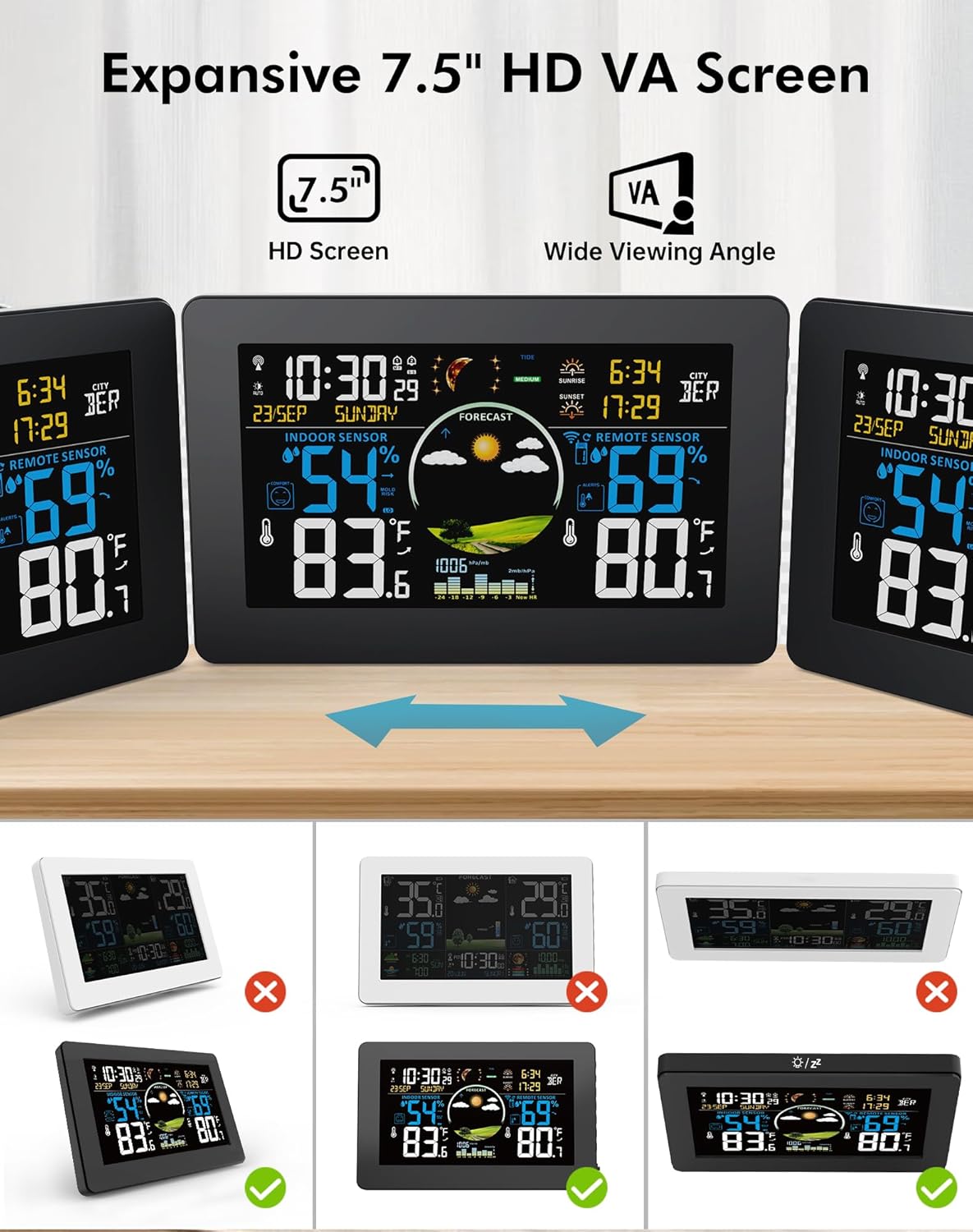
Image: The Zivron Weather Station's 7.5-inch HD VA display showing indoor and outdoor temperature, humidity, time, date, and weather forecast.
Adjusting Brightness
When powered by the AC adapter, the screen stays constantly lit with 5 adjustable brightness levels. On battery power alone, a quick tap on the top button activates the backlight for 15 seconds before auto-shutoff to conserve energy.
Personal Weather Forecast
The weather station analyzes barometric pressure trends to predict weather conditions for the next 12 hours. After a 7-10 day calibration period, it precisely predicts microclimates within an 8-12 mile radius.

Image: The Zivron Weather Station displaying a local weather forecast with icons for sunny, cloudy, rainy, stormy, and snowy conditions.
Dual Alarm with Snooze
The unit features 2 alarms, each with a snooze function. To set an alarm, press the "ALARM" button to switch to alarm clock mode. Press "ALARM" again to turn it on/off. Hold "ALARM" to set the desired time using the "UP" and "DOWN" buttons. In normal display mode, press any button except "SNZ/LIGHT" to turn off a sounding alarm.
3-Channel Wireless Sensors
Monitor real-time conditions in up to 3 locations simultaneously. The package includes 1 sensor, but additional sensors can be purchased. The main unit cycles through channels 1 to 3. If only one sensor is connected, the display will show readings from that sensor. Press the "CH" button to cycle through channels or cancel cycle mode.

Image: The Zivron Weather Station main unit shown with three remote sensors placed in different indoor environments (nursery, kitchen, bedroom), illustrating its multi-channel monitoring capability.
USB Output Charging
The main unit includes a USB output charging port (5V, 1A) to conveniently charge your smartphone or other USB-powered devices.
Maintenance
- Clean the display and sensor with a soft, damp cloth. Do not use abrasive cleaners or solvents.
- Avoid exposing the main unit to direct sunlight, extreme temperatures, or moisture.
- Replace batteries in both the main unit and remote sensor when the low battery indicator appears on the display.
- Ensure the remote sensor is placed in a location protected from direct weather elements to prolong its lifespan and accuracy.
Troubleshooting
- No outdoor readings: Ensure the remote sensor batteries are fresh and correctly inserted. Verify the remote sensor is set to the same channel as displayed on the main unit. Move the sensor closer to the main unit to improve signal strength.
- Incorrect time/date: The weather station supports multiple North American time zones. If the WWVB signal is weak in your area, you may need to set the time and date manually. Refer to the "Set Time and Date" section in Setup.
- Display not continuously lit: Ensure the main unit is powered by the AC adapter. On battery power alone, the backlight activates for 15 seconds with a button press to conserve energy.
- Inaccurate temperature/humidity: Allow 7-10 days for the weather forecast to calibrate to your microclimate. Ensure sensors are not exposed to direct heat sources, sunlight, or extreme drafts.
Specifications
| Manufacturer | Zivron |
| Model Number | EM3378UC |
| Item Weight | 540 g |
| Product Dimensions | 20.32 x 12.95 x 2.79 cm |
| Colour | Black |
| Material | Plastic |
| Power Source | AC/DC Power Adapter or Battery Powered |
| Display Style | LCD (VA Screen) |
| Special Features | VA Screen, Adjustable Brightness, Alarm, Atomic Clock, Customizable Alert, Large Display, Weather Forecast |
| Batteries Required | Yes (Not Included) |
Warranty & Support
Zivron is committed to providing reliable products and excellent customer service.
- 30-Day Money Back Guarantee: If you are not satisfied with your purchase, you may return it within 30 days for a full refund.
- 24-Month Free Replacement/Repair: Your weather station is covered by a 24-month warranty for replacement or repair due to manufacturing defects.
- 24/7 Customer Support: For any questions, troubleshooting assistance, or warranty claims, please contact Zivron customer support.