
Oulice Zj250707DJ55-ou
Oulice Replacement Normal Nozzle User Manual
For Panasonic Water Dental Flossers EW-DJ55-W, EW-DJ54-W, EW-DJ75-W
1. Introduction
Thank you for choosing the Oulice Replacement Normal Nozzle. This nozzle is designed to be fully compatible with Panasonic Electric Cordless Water Dental Flossers models EW-DJ55-W, EW-DJ54-W, and EW-DJ75-W. It provides an effective solution for maintaining optimal oral hygiene, targeting plaque removal and gum health.
This manual provides essential information for the proper installation, use, and maintenance of your replacement nozzle to ensure its longevity and performance.
2. Product Overview
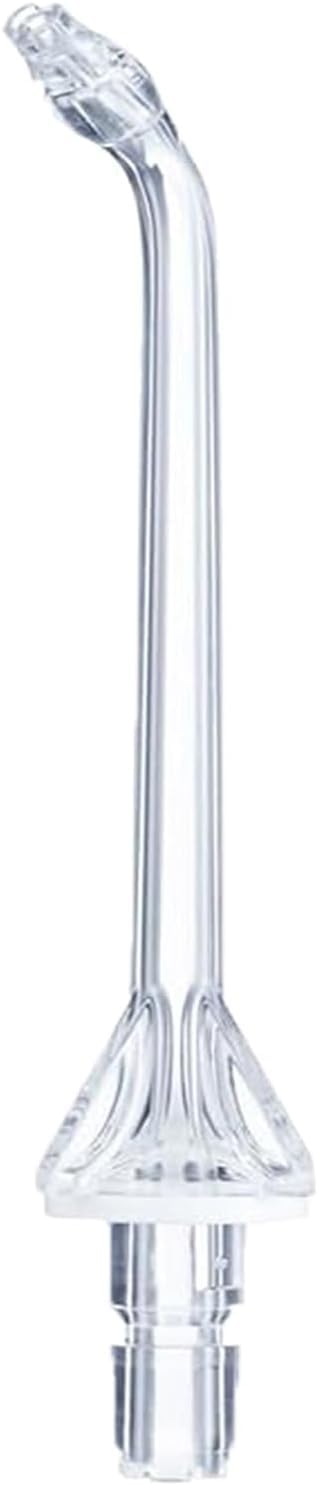
Image 1: Oulice Replacement Normal Nozzle. This image shows the transparent replacement nozzle, designed for compatibility with specific Panasonic water flosser models.
The Oulice Replacement Normal Nozzle is engineered to deliver a precise water jet for effective cleaning between teeth and below the gumline. Its design ensures compatibility and performance comparable to original equipment, aiding in the removal of up to 99.9% of plaque from treated areas.
Key Features:
- Compatibility: Specifically designed for Panasonic EW-DJ55-W, EW-DJ54-W, and EW-DJ75-W models.
- Effective Cleaning: Helps remove plaque and food debris from hard-to-reach areas.
- Gum Health: Massages and stimulates gums to promote blood circulation and overall gum health.
- Versatile Use: Beneficial for individuals with braces, implants, crowns, bridges, and other dental restorations.
3. Setup and Installation
Follow these steps to correctly install the replacement nozzle onto your Panasonic water flosser.
- Ensure Power Off: Before installation, ensure your Panasonic water flosser is turned off and unplugged from its power source.
- Remove Old Nozzle (if applicable): If replacing an existing nozzle, gently pull the old nozzle straight up from the flosser handle until it detaches.
- Insert New Nozzle: Align the base of the Oulice replacement nozzle with the opening on the flosser handle. Push the nozzle firmly down until it clicks securely into place. A click indicates proper seating.
- Verify Secure Fit: Gently tug on the nozzle to ensure it is firmly attached and does not wobble.
Note: Never force the nozzle. If it does not fit easily, re-check alignment. Refer to your Panasonic water flosser's original manual for specific instructions on nozzle attachment if needed.
4. Operating Instructions
Once the nozzle is installed, you can begin using your water flosser. Always refer to your Panasonic water flosser's main instruction manual for complete operating procedures.
- Fill Reservoir: Fill the water flosser's reservoir with lukewarm water. You may add a small amount of mouthwash if desired.
- Select Pressure Setting: Choose your desired water pressure setting on the flosser unit. Start with a low setting and gradually increase as you become accustomed to the sensation.
- Position Nozzle: Place the nozzle tip into your mouth, aiming it at the gumline at a 90-degree angle. Lean over a sink to avoid splashing.
- Begin Flossing: Turn on the water flosser. Guide the water jet along your gumline, pausing briefly between teeth. Ensure you clean both the front and back surfaces of your teeth.
- Complete Session: Continue until you have cleaned all areas of your mouth or the reservoir is empty.
- Turn Off: Turn off the water flosser and empty any remaining water from the reservoir.
Caution: Do not operate the water flosser without water in the reservoir. Avoid aiming the water jet directly into your eyes, nose, or ears.
5. Maintenance and Care
Proper maintenance ensures the hygiene and longevity of your replacement nozzle.
- After Each Use: Rinse the nozzle thoroughly under running water to remove any debris or mouthwash residue.
- Weekly Cleaning: For a deeper clean, you can soak the nozzle in a solution of 1 part white vinegar to 2 parts water for 10-15 minutes. Rinse thoroughly afterward.
- Storage: Store the nozzle in a clean, dry place when not in use. Many Panasonic models include a nozzle storage compartment.
- Replacement: Dental professionals recommend replacing water flosser nozzles every 3 to 6 months, or sooner if the tip becomes damaged or worn.
6. Troubleshooting
If you encounter issues with your Oulice replacement nozzle, consider the following common solutions:
| Problem | Possible Cause | Solution |
|---|---|---|
| Nozzle not fitting securely | Incorrect alignment; debris in connection point | Ensure the nozzle is aligned correctly and pushed firmly until it clicks. Check for and remove any debris from the connection point on both the nozzle and the flosser handle. |
| Weak water stream | Clogged nozzle tip; low water level; flosser unit issue | Clean the nozzle tip as described in the Maintenance section. Ensure the reservoir is adequately filled. If the problem persists, consult your Panasonic water flosser's manual for unit-specific troubleshooting. |
| Water leakage from nozzle base | Nozzle not fully seated; damaged O-ring | Re-seat the nozzle firmly until it clicks. Inspect the O-ring at the base of the nozzle for any visible damage. If damaged, the nozzle may need replacement. |
If troubleshooting steps do not resolve the issue, please contact Oulice customer support or refer to your Panasonic water flosser's original manual for further assistance.
7. Specifications
- Product Name: Oulice Replacement Normal Nozzle
- Model Number: Zj250707DJ55-ou
- Compatibility: Panasonic EW-DJ55-W, EW-DJ54-W, EW-DJ75-W Electric Cordless Water Dental Flossers
- Material: Food-grade plastic (Transparent)
- Recommended Replacement: Every 3-6 months
8. Warranty and Support
Oulice stands behind the quality of its products. For information regarding warranty coverage, returns, or technical support for your replacement nozzle, please refer to the seller's policy on the platform where the purchase was made or contact Oulice customer service directly.
For operational issues related to the Panasonic water flosser unit itself, please consult the original Panasonic product manual or their customer support.
Ask a question about this manual
Ask about setup, troubleshooting, compatibility, parts, safety, or missing instructions. Manuals+ will review the question and use this page’s manual context to help answer it.