
1. Introduction
Thank you for choosing the Tolatoyus TL16LCD Drone. This advanced mini quadcopter features a 4K camera, GPS auto-return, brushless motors, and intelligent flight modes, designed for both beginners and experienced pilots. This manual provides essential information for safe operation, setup, maintenance, and troubleshooting to ensure you get the most out of your drone.
2. Safety Guidelines
Always prioritize safety when operating your drone. Failure to follow these guidelines may result in injury, damage to property, or legal issues.
- Pre-Flight Check: Ensure the drone, remote control, and batteries are fully charged and in good working condition before each flight.
- Environmental Conditions: Fly in open areas, away from people, animals, buildings, and obstacles. Avoid flying in strong winds, rain, snow, or fog.
- Line of Sight: Always maintain visual line of sight with your drone.
- Respect Privacy: Do not use the drone to photograph or record individuals without their consent.
- Local Regulations: Be aware of and comply with all local laws and regulations regarding drone operation.
- Battery Safety: Use only approved chargers and batteries. Do not overcharge or puncture batteries.
- Age Recommendation: This product is suitable for children and adults. Adult supervision is recommended for younger users.
3. Package Contents
Verify that all items are present in your package:
- Tolatoyus TL16LCD Drone x 1
- Remote Control with LCD Screen x 1
- Drone Battery (Lithium-polymer) x 1
- Spare Propellers x 4
- USB Charging Cable x 1
- Screwdriver x 1
- User Manual x 1
- 8GB Memory Card x 1
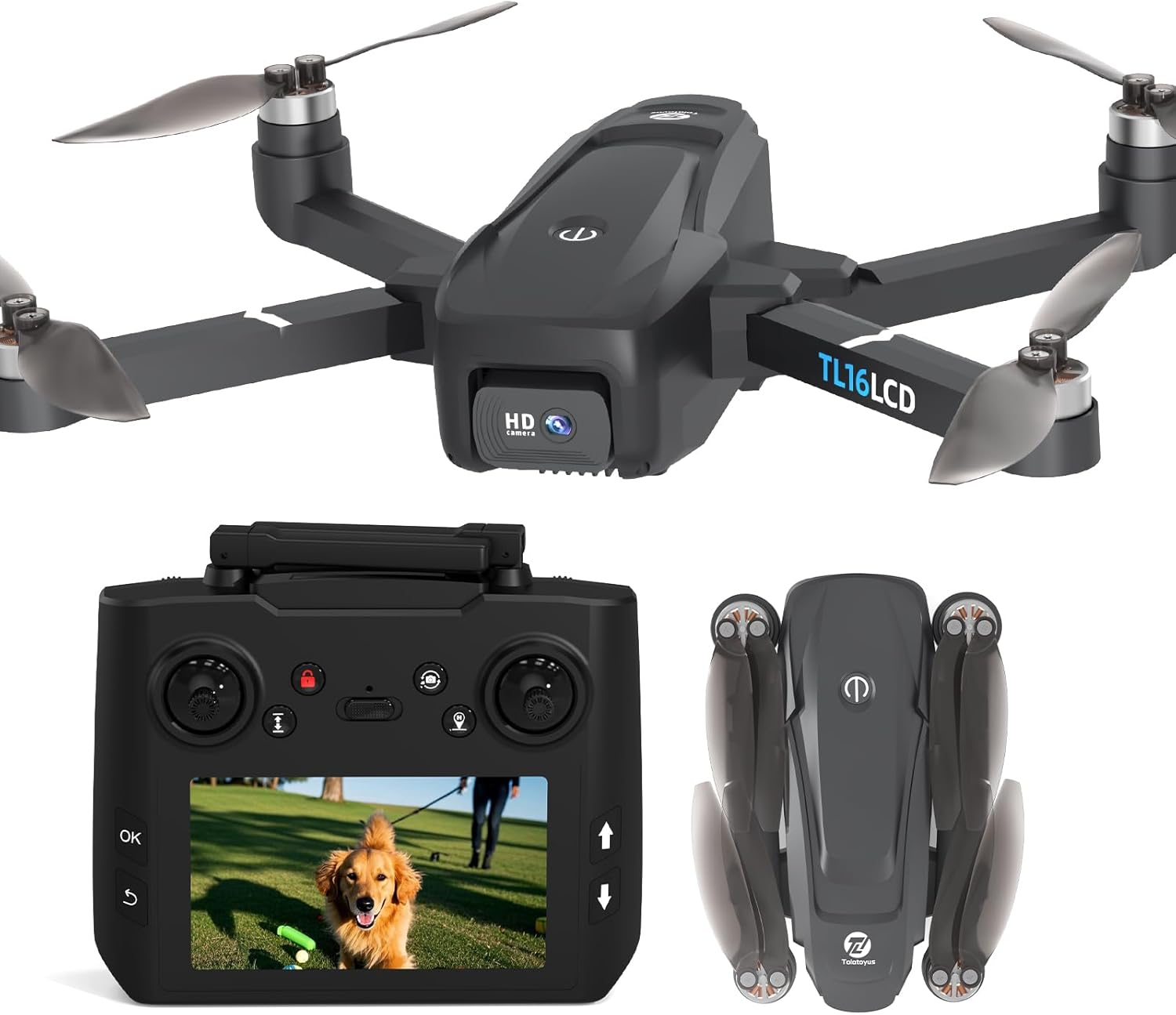
This image displays the Tolatoyus TL16LCD drone in its unfolded state, alongside its remote control featuring an integrated LCD screen for real-time viewing. A folded version of the drone is also shown, highlighting its portability.
4. Product Overview
4.1 Drone Components
Familiarize yourself with the main parts of your TL16LCD drone:
- Foldable Arms: For compact storage and transport.
- Brushless Motors: Provide powerful and stable flight performance.
- Propellers: Generate lift for flight.
- 4K Camera: Records high-resolution video and photos, with a 45-degree motorized adjustable angle.
- Battery Compartment: Houses the modular Lithium-polymer battery.
- LED Lights: Indicate drone status and aid visibility.

The drone's 4K camera, highlighting its 45-degree motorized adjustable angle for flexible shooting perspectives. Example shots from the camera are shown below.
4.2 Remote Control
The remote control allows precise command over the drone and features an integrated LCD screen for real-time FPV (First Person View) transmission.
- Control Sticks: For flight direction and altitude.
- LCD Screen: Displays live video feed from the drone's camera.
- Function Buttons: For one-key takeoff/landing, GPS return, photo/video capture, and speed adjustments.
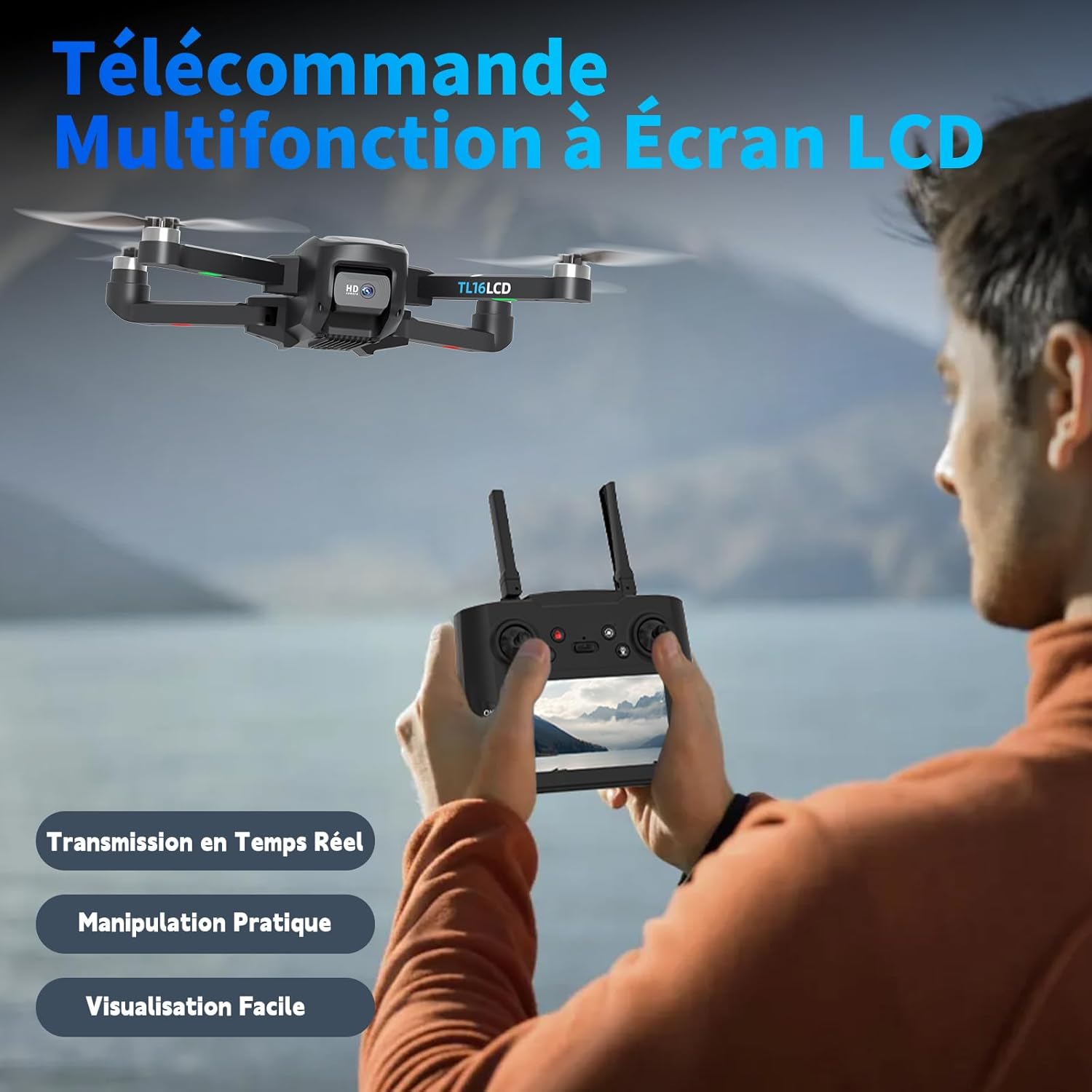
A close-up of the drone's multifunction remote control, emphasizing its LCD screen for real-time video transmission and easy operation.
5. Setup
5.1 Unfolding the Drone
- Gently unfold the front arms first, then the rear arms until they click into place.
- Ensure all arms are fully extended and locked.
5.2 Battery Installation
- Drone Battery: Insert the fully charged modular battery into the drone's battery compartment until it clicks securely.
- Remote Control Battery: Install the required batteries (not specified in input, assume standard AA/AAA or internal rechargeable) into the remote control.
5.3 Propeller Installation/Replacement
If propellers are not pre-installed or need replacement:
- Match the propellers with the corresponding motor shafts (usually marked A and B).
- Securely attach the propellers using the provided screws and screwdriver. Ensure they are tight but not overtightened.
5.4 App Download and Connection
- Scan the QR code in the quick start guide (if provided) or search for the official Tolatoyus drone app in your device's app store.
- Install the app on your smartphone.
- Power on the drone and the remote control.
- On your smartphone, connect to the drone's Wi-Fi network (e.g., "Tolatoyus-TL16LCD-XXXX").
- Open the app to establish a connection and view the live feed.
5.5 Calibration
Perform compass and gyroscope calibration before the first flight and whenever flying in a new location.
- Place the drone on a flat, level surface.
- Follow the calibration instructions provided in the app or the quick start guide. This typically involves rotating the drone horizontally and vertically.
6. Operating Instructions
6.1 Basic Flight Controls

Visual representation of the drone's three adjustable speed modes, altitude hold function for stable flight, and the convenient one-key takeoff and landing feature.
- One-Key Takeoff/Landing: Press the dedicated button on the remote control for automatic takeoff or landing.
- Altitude Hold: The drone maintains a stable altitude, allowing for easier control and steady aerial photography.
- Headless Mode: In this mode, the drone's orientation is irrelevant; it will move relative to the pilot's position, simplifying control for beginners.
6.2 Advanced Flight Modes
- GPS Auto Return: The drone can automatically return to its takeoff point in case of low battery, loss of signal, or by pressing the return-to-home button.
- Follow-Me Mode: The drone will intelligently follow your smartphone, maintaining a set distance and capturing your activities.
- Waypoint Flight: Define a custom flight path by tapping points on the app map, and the drone will fly along the specified route automatically.
- Orbit Flight: Mark a point on the map, define the flight diameter, and the drone will automatically fly in a circle around the defined position.
- 3D Flip: Execute impressive aerial stunts with a single button press.
- Optical Flow Positioning: For stable hovering and precise positioning, especially useful in indoor environments where GPS signals may be weak.

An illustration of the drone's intelligent return features, including low signal return, low battery return, and one-touch return, all powered by GPS for safe flight.

This image illustrates the waypoint flight mode, where users can define a custom flight path on the app map for the drone to follow automatically.
6.3 Camera Operation
- Photo/Video Capture: Use the dedicated buttons on the remote or within the app to take 4K photos or start/stop video recording.
- Adjustable Camera: The 45-degree motorized camera allows you to adjust the shooting angle during flight for optimal views.
- Live FPV: View the real-time video feed on the remote's LCD screen or your connected smartphone.
6.4 Speed Modes
The drone offers three adjustable speed settings to suit different skill levels and flight conditions. Select a lower speed for beginners or indoor flight, and a higher speed for outdoor and experienced piloting.
7. Maintenance
7.1 Cleaning
- Wipe the drone body with a soft, dry cloth after each flight.
- Ensure no dust or debris accumulates in the motors or camera lens.
7.2 Propeller Replacement
Inspect propellers regularly for damage. Replace any bent, cracked, or chipped propellers immediately to ensure stable flight.
- Use the provided screwdriver to remove the screw securing the damaged propeller.
- Carefully remove the damaged propeller.
- Install a new propeller, ensuring it matches the correct motor (A or B).
- Secure it with a screw, tightening gently.
7.3 Battery Care
- Charge batteries fully before storage if not used for an extended period.
- Store batteries in a cool, dry place, away from direct sunlight and extreme temperatures.
- Do not use damaged or swollen batteries.

This image emphasizes the drone's extended 20-minute flight time, powered by its durable and efficient brushless motors.
8. Troubleshooting
If you encounter issues, refer to the following common problems and solutions:
| Problem | Possible Cause | Solution |
|---|---|---|
| Drone does not power on | Low battery; Battery not properly installed | Charge drone battery; Reinstall battery securely |
| Remote control does not connect | Remote control battery low; Not paired correctly | Replace/charge remote batteries; Re-pair drone and remote (refer to quick start guide) |
| Unstable flight/Drifting | Not calibrated; Damaged propellers; Strong wind | Perform calibration; Replace damaged propellers; Fly in calm conditions |
| No FPV video feed | App not connected to drone Wi-Fi; App error | Ensure phone is connected to drone's Wi-Fi; Restart app and drone |
| GPS features not working | Poor GPS signal; Not enough satellites locked | Fly in an open outdoor area; Wait for sufficient GPS satellite lock (indicated by LED status) |
If the problem persists, please contact Tolatoyus customer support.
9. Specifications
| Feature | Specification |
|---|---|
| Manufacturer | Tolatoyus |
| Brand | Tolatoyus |
| Model | TL16LCD |
| Item Weight | 970 g |
| Product Dimensions (L x W x H) | 22.35 x 18.29 x 5.33 cm |
| Battery Type | 1 Lithium-polymer (included) |
| Special Features | GPS Auto Return, 4K Camera, Brushless Motors, Follow-Me Mode |
| Video Recording Resolution | 4K |
| Connectivity Technology | Wi-Fi |
| Included Components | Remote Control, 8GB Card, Propellers (4), Battery |
| Battery Capacity | 2201 mAh |
| Video Capture Format | MP4 |
| Age Range (Description) | Child, Adult |
| Color | Black |
10. Warranty and Support
Tolatoyus is committed to providing professional assistance. If you encounter any difficulties with your drone, our qualified support team offers prompt and professional help. Whether it's usage advice or technical assistance, we are dedicated to resolving your issues quickly so you can resume your flights. Your satisfaction is our absolute priority.
For support, please refer to the contact information provided with your product packaging or visit the official Tolatoyus website.