
Introduction
This manual provides instructions for the PZL RF396B Replacement Remote Control, designed for use with Tempur-Pedic Ergo Keeson JLDK.111.13.01 adjustable beds. Please read this manual carefully before using the remote control to ensure proper operation and longevity.

Image: Front and back view of the PZL RF396B remote control. The front shows various control buttons for bed adjustments, while the back shows the battery compartment.
Setup
Battery Installation
- Locate the battery compartment on the back of the remote control.
- Slide the battery compartment cover downwards to open it.
- Insert two (2) 1.5V AAA batteries, ensuring correct polarity (+ and - terminals).
- Slide the battery compartment cover back into place until it clicks securely.

Image: Detailed view of the battery compartment on the back of the remote control, illustrating where to insert two AAA batteries with correct polarity markings.
Initial Use
The PZL RF396B remote control does not require any programming or pairing. Once batteries are installed, it is ready for immediate use with compatible adjustable beds.
Operating Instructions
Point the remote control towards the adjustable bed's receiver and press the desired function button. The remote utilizes infrared (IR) technology for signal transmission.

Image: A hand holding the PZL RF396B remote control, demonstrating typical usage in a bedroom with an adjustable bed in the background.
Button Functions
The remote control features various buttons for adjusting your bed. Refer to the image below for a visual guide to button functions:

Image: The PZL RF396B remote control with dotted lines pointing to specific buttons, indicating their respective functions for bed adjustment, lighting, and preset positions.
- Lock/Unlock (3s): Press and hold for 3 seconds to lock or unlock the remote to prevent accidental presses.
- Light Bulb: Controls under-bed lighting or other integrated lights.
- Star (Favorite): Activates a user-defined favorite bed position.
- Head Up/Down Arrows: Adjusts the head section of the bed upwards or downwards.
- Foot Up/Down Arrows: Adjusts the foot section of the bed upwards or downwards.
- Zero G: Activates the Zero Gravity preset position.
- Wave (Massage): Controls the massage function (if available on your bed model).
- Flat Line: Returns the bed to a flat position.
- Zzz (Sleep): Activates a sleep preset position.
Operational Range
The remote control has an effective operational distance of over 26 feet (approximately 8 meters) and an angle of more than 120 degrees, providing flexible control from various positions in the room.

Image: The remote control positioned near an adjustable bed, with an overlay indicating an operational distance of 8 meters, demonstrating its range.
Maintenance
Battery Replacement
Replace batteries when the remote control's response becomes sluggish or stops functioning. Always use two new 1.5V AAA batteries. Do not mix old and new batteries or different types of batteries.
Cleaning
Wipe the remote control with a soft, dry cloth. Avoid using liquid cleaners or abrasive materials, as these can damage the surface or internal components.
Material Quality
The remote control is constructed from new ABS material with soft silicone buttons, designed for durability and comfortable use.
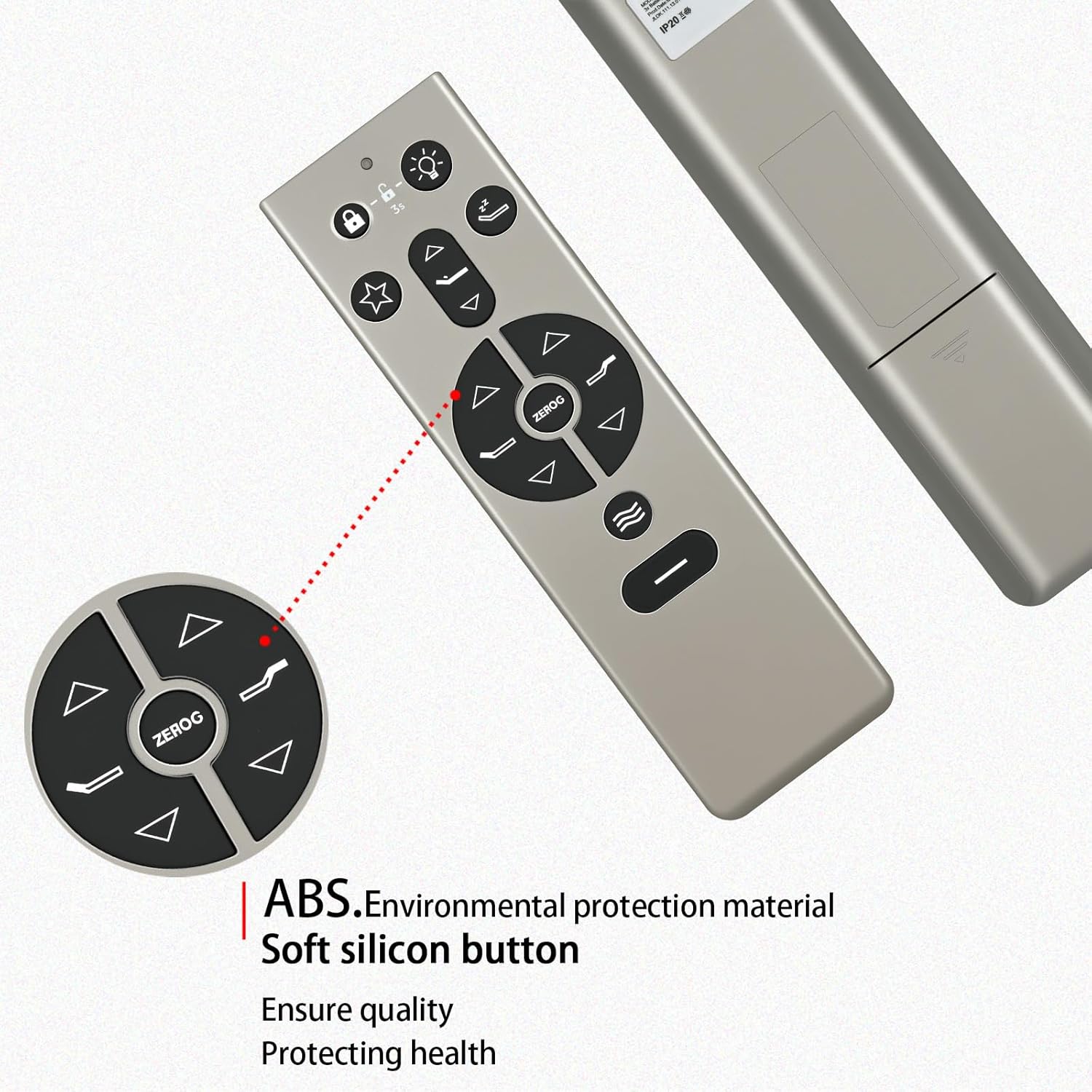
Image: A close-up of the remote control, emphasizing its construction from ABS environmental protection material and soft silicone buttons for user comfort and durability.
Troubleshooting
- Remote not responding:
- Check if the batteries are correctly inserted and have sufficient charge. Replace if necessary.
- Ensure there are no obstructions between the remote control and the bed's receiver.
- Verify the remote is not in "Lock" mode (if applicable, press and hold the lock button for 3 seconds to unlock).
- Intermittent response:
- Move closer to the bed.
- Ensure the remote is pointed directly at the bed's receiver.
- Replace batteries.
Specifications
| Feature | Detail |
|---|---|
| Brand | PZL |
| Model Number | RF396B |
| Compatible Devices | Adjustable Bed (Tempur-Pedic Ergo Keeson JLDK.111.13.01) |
| Power Source | 2 x 1.5V AAA Batteries (not included) |
| Connectivity Technology | Infrared (IR) |
| Operational Distance | Over 26 feet (8 meters) |
| Material | ABS (Acrylonitrile Butadiene Styrene) |
| Color | Silver |
| Item Weight | 1.92 ounces |
| Package Dimensions | 1.5 x 1 x 0.6 inches |
Support
For any questions regarding your PZL RF396B remote control or its compatibility, please contact PZL customer service. We aim to provide timely service within 24 hours for all inquiries.
For more information, you may visit the PZL Store on Amazon.