
1. Introduction
Welcome to the JISULIFE family! This manual provides detailed instructions for the safe and efficient use of your new JISULIFE Portable Handheld Fan Ultra2 and JISULIFE Table Fan Pro3. Please read this manual thoroughly before use and retain it for future reference.
1.1 Package Contents
Please verify that all items listed below are included in your package:
- JISULIFE Portable Handheld Fan Ultra2 x 1
- JISULIFE Table Fan Pro3 x 1
- USB Charging Cable(s)
- User Manual
- Handheld Fan Accessories (brush, nozzle)

Image 1.1: The JISULIFE Portable Handheld Fan Ultra2 and Table Fan Pro3 included in your package.
2. Safety Instructions
To ensure safe operation and prevent damage, please observe the following safety precautions:
- Do not insert fingers or foreign objects into the fan grille.
- Keep the device away from water and high humidity.
- Do not disassemble, repair, or modify the device yourself. Contact customer support if service is required.
- Use only the specified charging cable and power adapter.
- Keep out of reach of children and pets.
- Avoid dropping or subjecting the device to strong impacts.
- Do not block the air inlets or outlets during operation.
3. Product Overview
3.1 JISULIFE Portable Handheld Fan Ultra2
The Ultra2 is a versatile 5-in-1 device designed for portability and powerful cooling. It features a 100-speed adjustable wind, a 43,000 RPM ultra motor, and can function as a hand fan, power bank, flashlight, jet fan, and air pump.

Image 3.1.1: The JISULIFE Portable Handheld Fan Ultra2, showcasing its compact design and included accessories.
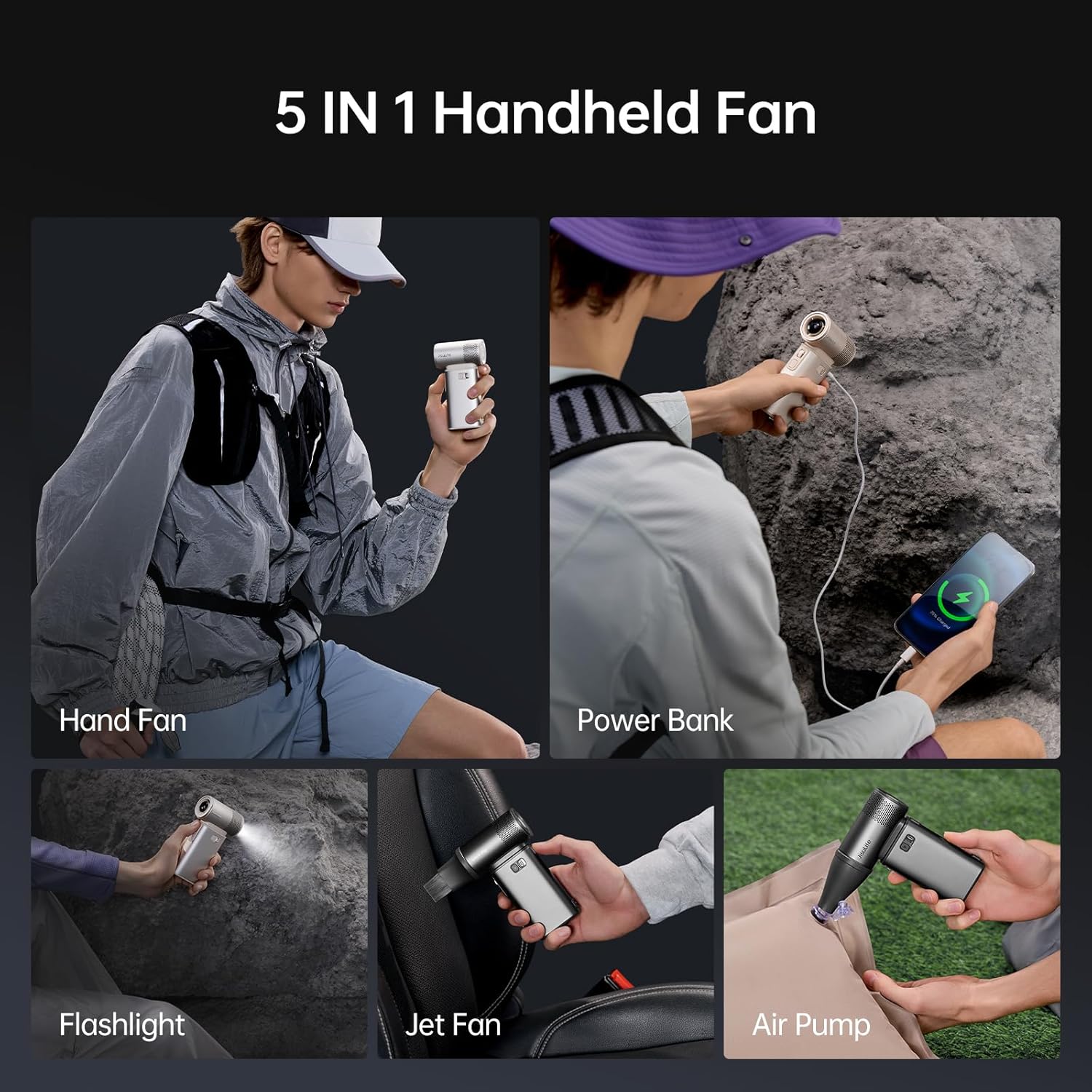
Image 3.1.2: The five versatile functions of the Handheld Fan Ultra2, including its use as a power bank and air pump.

Image 3.1.3: The powerful internal motor of the Ultra2, capable of 43,000 RPM for instant cooling.

Image 3.1.4: The Ultra2 functioning as a backup power bank with 18W reverse fast charging.
3.2 JISULIFE Table Fan Pro3
The Pro3 is a 3-in-1 turbo oscillating desk fan that integrates a high-speed fan, an H11 HEPA air purifier, and a customizable RGB mood light, designed to enhance your personal space.

Image 3.2.1: A detailed view of the JISULIFE Table Fan Pro3, highlighting its sleek design.
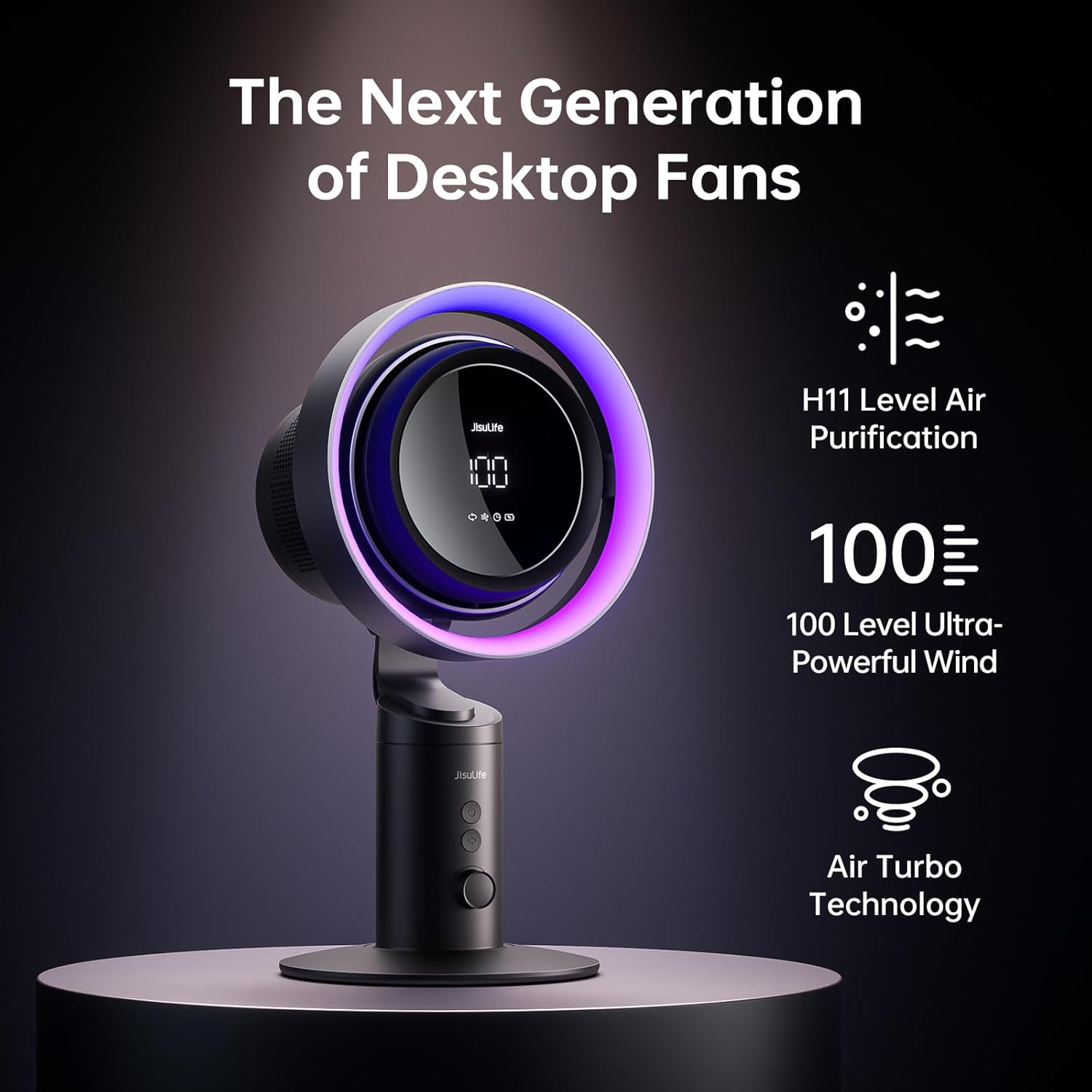
Image 3.2.2: Key features of the Table Fan Pro3, including H11 air purification and powerful airflow.

Image 3.2.3: The advanced Air Turbo Technology of the Pro3, significantly improving wind performance.

Image 3.2.4: The Pro3's LED display, 18W fast charging capability, and large 10000mAh battery.
4. Setup
4.1 Initial Charging
Before first use, fully charge both the Handheld Fan Ultra2 and the Table Fan Pro3. Connect the provided USB charging cable to the charging port of each fan and plug the other end into a compatible USB power source (e.g., wall adapter, computer USB port). The charging indicator will show progress and turn off or change color when fully charged.
4.2 Handheld Fan Ultra2 Accessory Attachment
To use the Ultra2 as an air pump or jet fan, attach the appropriate nozzle or brush accessory to the fan's air outlet. Ensure it is securely fitted.
4.3 Table Fan Pro3 Placement
Place the Table Fan Pro3 on a stable, flat surface. Ensure there is adequate space around the fan for proper airflow and oscillation.
5. Operating Instructions
5.1 JISULIFE Portable Handheld Fan Ultra2
- Power On/Off: Press and hold the power button for 2 seconds to turn the fan on or off.
- Adjusting Wind Speed: Rotate the scroll wheel to adjust the wind speed from 1 to 100 levels. The current speed will be displayed on the screen.
- Storm Mode: Press and hold the scroll wheel for 3 seconds to activate Storm Mode (100 speed). Release to return to the previous speed setting.
- Flashlight: Double-press the power button to turn the flashlight on or off.
- Power Bank Function: Connect your device to the USB-A output port using a compatible charging cable. The fan will automatically begin charging your device.
5.2 JISULIFE Table Fan Pro3
- Power On/Off: Press the power button to turn the fan on or off.
- Adjusting Wind Speed: Use the speed control button to cycle through different wind speeds. The current speed will be indicated on the display.
- Oscillation: Press the oscillation button to enable or disable the fan's oscillating function.
- Air Purification: The H11 HEPA air purifier operates automatically when the fan is on. Ensure the filter is clean for optimal performance.
- RGB Mood Light: Press the light button to cycle through different RGB light modes or turn the light off.
6. Maintenance
6.1 Cleaning
- Ensure the fan is turned off and unplugged before cleaning.
- Use a soft, dry cloth to wipe the exterior of the fan.
- For the Handheld Fan Ultra2, use the provided brush to clean dust from the air inlet/outlet.
- For the Table Fan Pro3, regularly check and clean or replace the H11 HEPA filter as needed. Refer to the filter replacement instructions (if applicable, usually found on the filter itself or packaging).
- Do not use abrasive cleaners or immerse the fan in water.
6.2 Storage
When not in use for extended periods, store the fans in a cool, dry place, away from direct sunlight and extreme temperatures. Ensure they are fully charged before storage to prolong battery life.
7. Troubleshooting
- Q: The fan does not turn on.
- A: Ensure the fan is fully charged. If the battery is low, connect it to a power source and charge it. Check if the power button is pressed correctly.
- Q: The wind speed is weak.
- A: For Ultra2, rotate the scroll wheel to increase the speed. For Pro3, press the speed button. Ensure the air inlets/outlets are not blocked. Clean any dust accumulation.
- Q: The Table Fan Pro3's air purification seems ineffective.
- A: Check and clean or replace the H11 HEPA filter. A clogged filter will reduce purification efficiency.
- Q: The Handheld Fan Ultra2 is not charging my phone.
- A: Ensure the fan has sufficient battery charge. Check the charging cable and connection. Try a different cable or device to rule out compatibility issues.
- Q: The RGB light on the Table Fan Pro3 is not working.
- A: Press the light button to cycle through modes. If it still doesn't work, ensure the fan is powered on and charged.
8. Specifications
| Feature | JISULIFE Portable Handheld Fan Ultra2 | JISULIFE Table Fan Pro3 |
|---|---|---|
| Battery Capacity | 9000mAh | 10000mAh |
| Wind Speed Levels | 1-100 adjustable | Multiple (Turbo Oscillating) |
| Max Motor RPM | 43,000 RPM | Not specified (Turbo) |
| Max Wind Speed | 17m/s | Not specified |
| Functions | Hand Fan, Power Bank, Flashlight, Jet Fan, Air Pump | High-speed Fan, H11 HEPA Air Purifier, RGB Mood Light |
| Charging | 18W Reverse Fast Charging (PD/QC) | 18W Fast Charging (PD/QC) |
9. Warranty and Support
JISULIFE products come with a standard manufacturer's warranty. For detailed warranty information, product support, or service inquiries, please refer to the warranty card included in your package or visit the official JISULIFE website. Do not attempt to repair the device yourself, as this may void the warranty.