
Introduction
Thank you for choosing the Efflemour Wireless Double Din Car Stereo. This manual provides essential information for the proper installation, operation, and maintenance of your new car stereo system. Please read it thoroughly before use to ensure optimal performance and safety.
Key features of your Efflemour Car Stereo include:
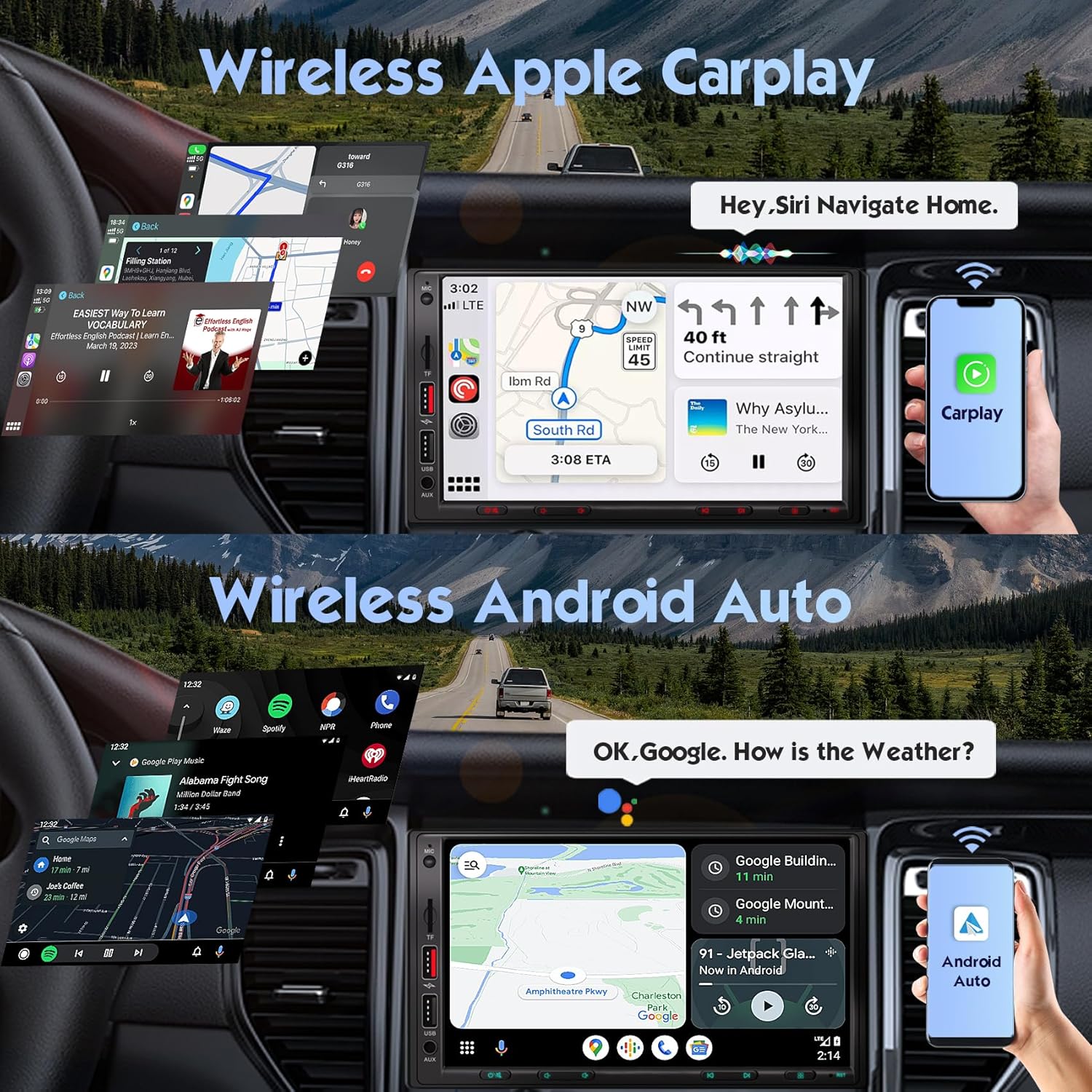
- Wireless Apple CarPlay & Android Auto for seamless smartphone integration.
- Enhanced DSP Chip with a 30-position equalizer for superior audio customization.
- Upgraded Dual-Channel Bluetooth 5.3 and HD Microphone for clear hands-free communication.
- Phone Mirror-Link function supporting iOS Airplay and Android devices.
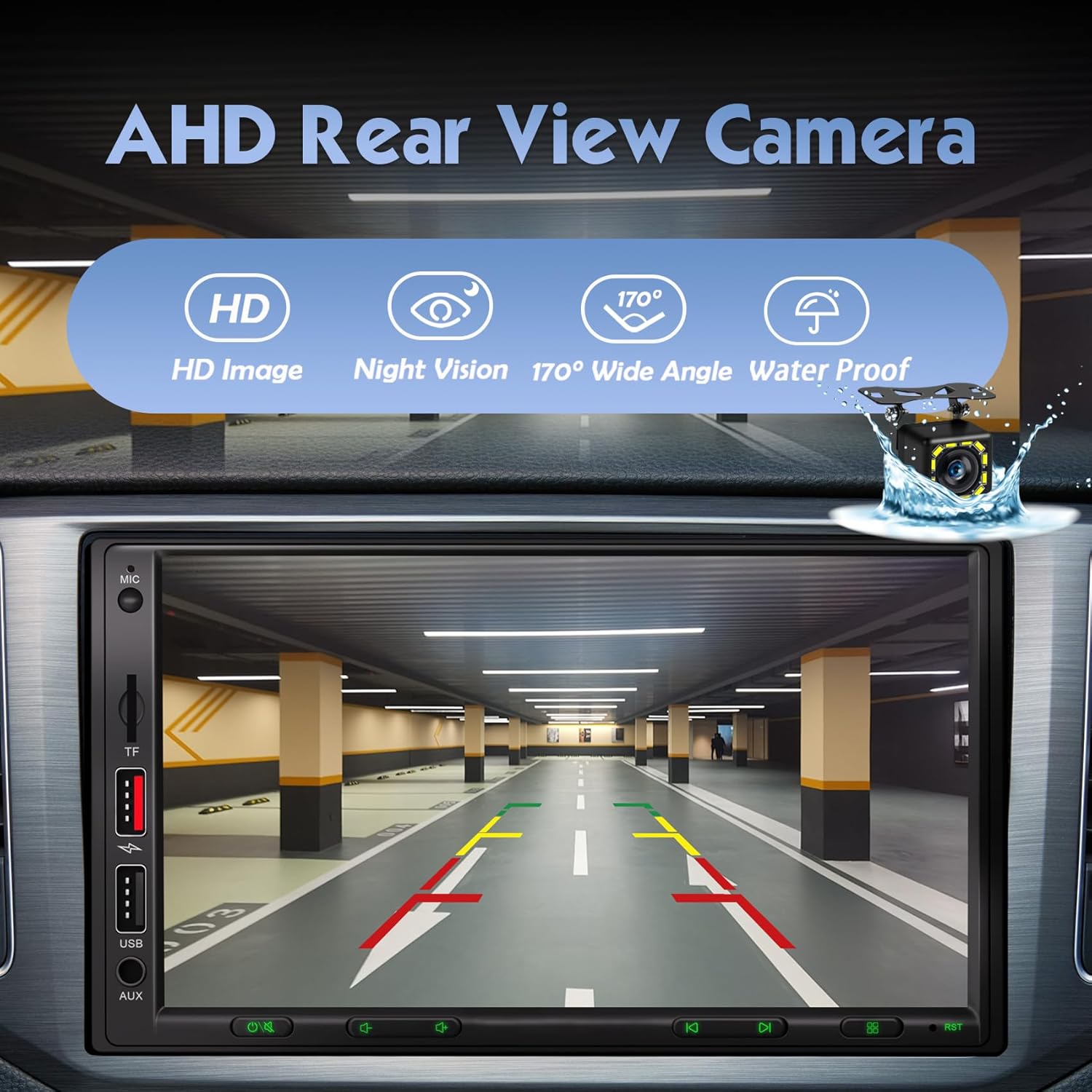
- Included 12LED Waterproof Backup Camera with night vision for safer parking.
- Optimized 7-Color Backlight with intelligent headlight detection.
- Dual USB ports, including a Super Fast Charging port (up to 5A).

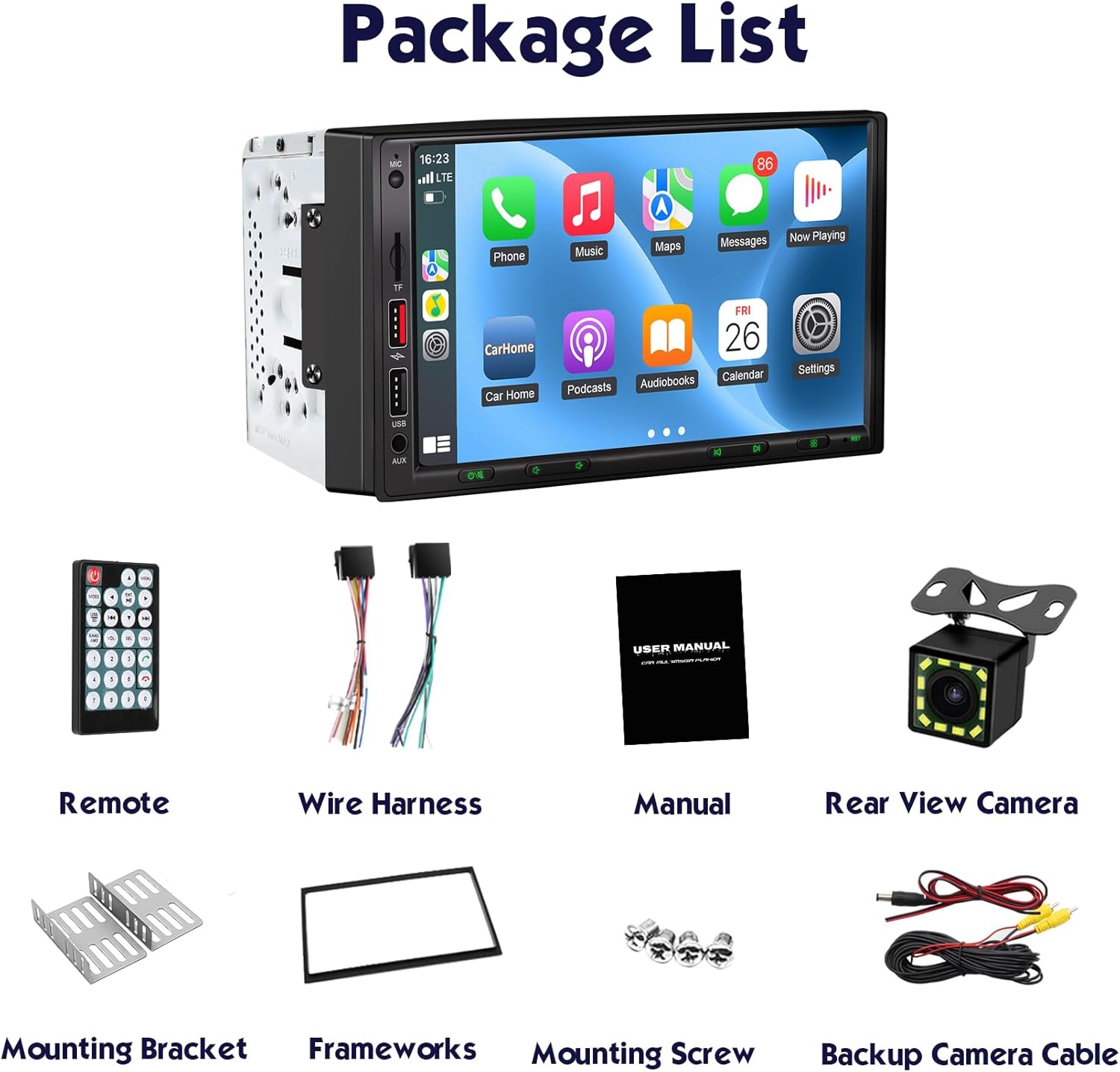
Package Contents
Please verify that all items listed below are included in your package:
- Wireless Double Din Car Stereo Unit
- 12LED Backup Camera
- Remote Control (batteries not included)
- Metal Mounting Bracket & Decorative Frame
- Wiring Harness
- User Manual
- Mounting Screws
- Backup Camera Cable
Important Safety Information
To prevent injury, fire, or damage to your vehicle, observe the following precautions:
- Professional installation is highly recommended. Incorrect wiring can cause damage to the unit or your vehicle.
- Do not operate the car stereo in a way that distracts you from driving. Always prioritize road safety.
- Ensure all connections are secure and properly insulated to prevent short circuits.
- Avoid exposing the unit to extreme temperatures, direct sunlight for prolonged periods, or excessive moisture.
- Before installation, confirm that your vehicle's dash size, factory wiring harness, and radio antenna adapter are compatible. The installation dimensions of this radio are: width 7.01'' (178mm), height 3.94'' (100mm).
Setup and Installation
Pre-Installation Checks
Before beginning installation, measure your vehicle's dashboard opening to ensure compatibility. If your vehicle requires a special harness, dash kit, or antenna adapter, these may need to be purchased separately.
Wiring Diagram
Refer to the following diagram for proper wiring connections. Incorrect wiring can lead to malfunction or damage.
- Power Connections: Connect the yellow wire (B+) to constant 12V power, the red wire (ACC) to switched 12V power, and the black wire (GND) to vehicle ground.
- Speaker Connections: Connect the speaker wires (White, White/Black, Gray, Gray/Black, Green, Green/Black, Purple, Purple/Black) to their corresponding vehicle speaker wires.
- Reverse Camera: Connect the reverse camera's power wire to the vehicle's reverse light and the video RCA cable to the 'Rear View Input' on the stereo. The brown/black wire (REVERSE) from the stereo should connect to the reverse light trigger.
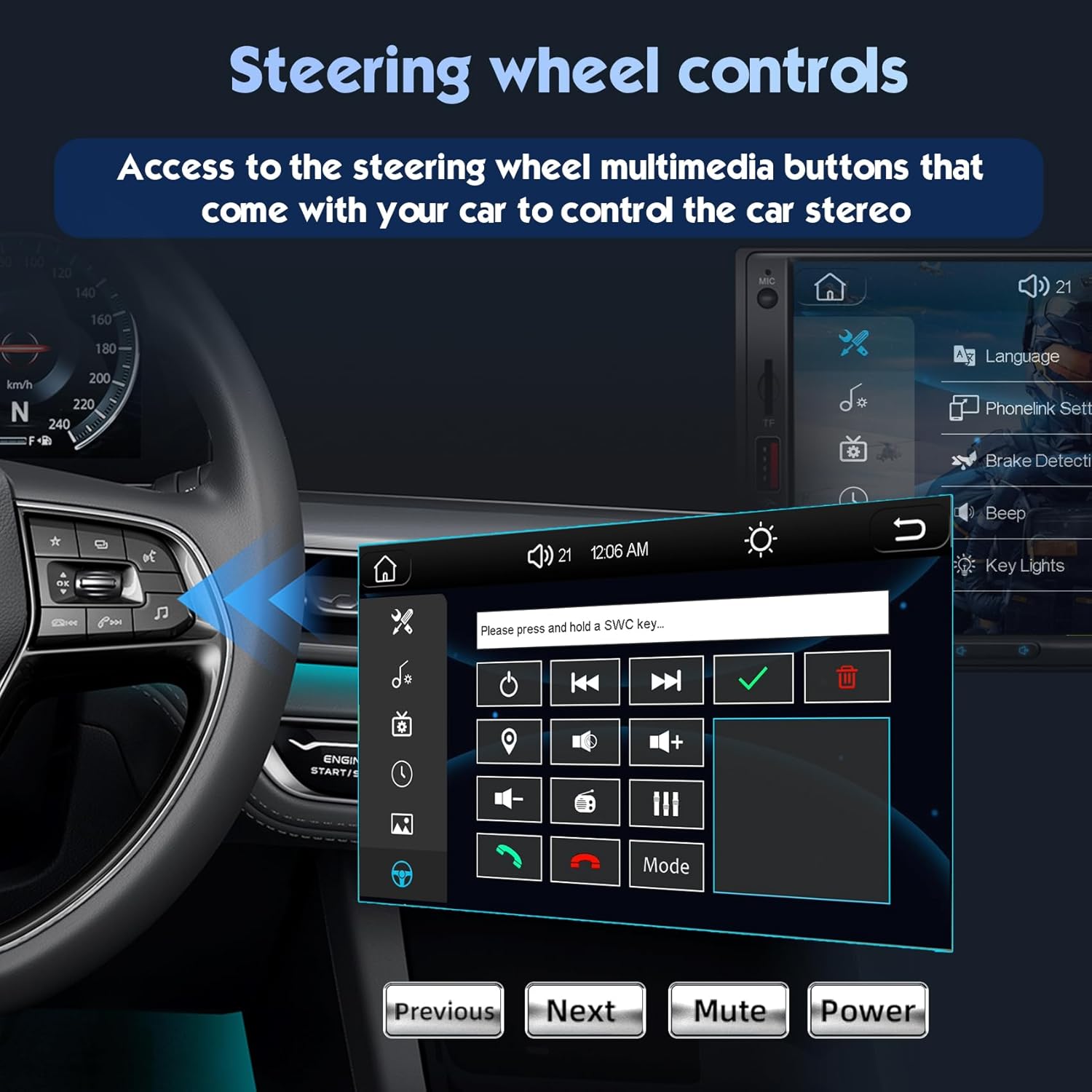
- Steering Wheel Controls (SWC): Connect KEY1 and KEY2 wires to your vehicle's steering wheel control wires. Configuration may be required in the stereo settings.
Backup Camera Installation
The included 12LED waterproof backup camera provides enhanced visibility. Mount the camera securely at the rear of your vehicle. Connect its power cable to the vehicle's reverse light circuit and run the video cable to the 'Rear View Input' on the car stereo. The stereo will automatically display the reverse image when the vehicle is shifted into reverse gear.
Operating Instructions
Power On/Off
Press the power button on the front panel or remote control to turn the unit on or off. The unit will automatically power on when the vehicle's ignition is turned on.
Touchscreen Interface
Navigate through menus and functions by touching the icons on the 7-inch IPS display. Swipe gestures may also be supported for certain functions.
Wireless Apple CarPlay & Android Auto
To use Wireless Apple CarPlay or Android Auto, ensure your smartphone's Wi-Fi and Bluetooth are enabled. The system will automatically connect when you start your car after initial pairing. Use voice commands like "Hey Siri" or "Okay Google" for navigation, calls, messages, and music playback.
Phone Mirror-Link
The Mirror-Link function allows you to display your smartphone's screen on the car stereo. For iOS devices, activate the wireless screen mirroring option on your iPhone after a Wi-Fi handshake with the radio. Android devices require a data cable connection and a specific app for this feature.

Bluetooth Hands-Free & Music
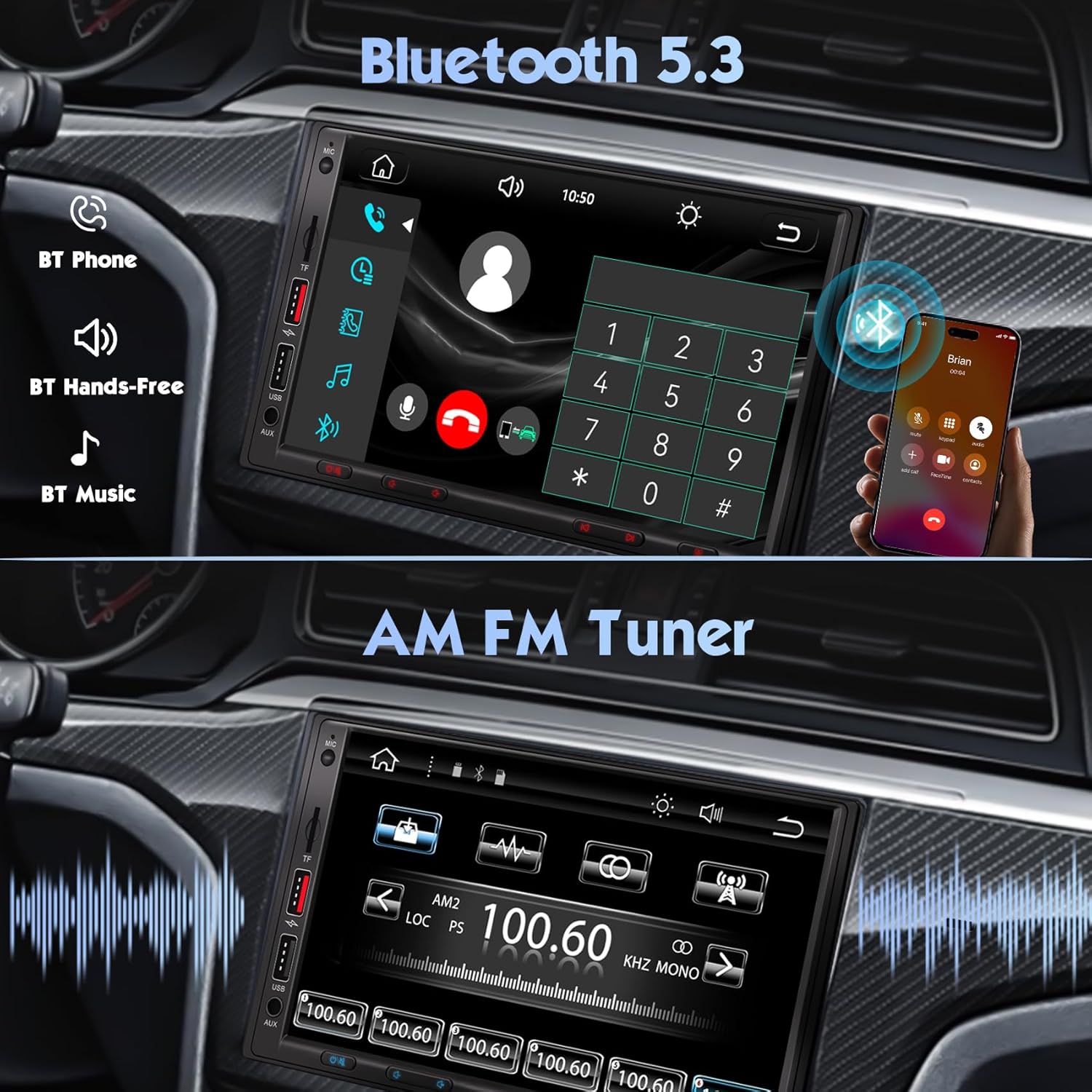
Pair your smartphone via Bluetooth 5.3 for hands-free calling and wireless audio streaming. Access the Bluetooth menu on the stereo, search for your device, and pair. The built-in HD microphone ensures clear call quality.
DSP Sound Settings
Utilize the upgraded DSP chip with its 30-band equalizer to fine-tune your audio experience. Access the sound settings to adjust frequencies, simulate various sound scenes (pop, jazz, classical), and suppress noise for clearer sound effects.

Steering Wheel Controls
If your vehicle supports steering wheel controls, connect the appropriate wires during installation. Access the steering wheel control settings in the stereo menu to program and customize the buttons for functions like volume, track skipping, and mode selection.
Fast Charging USB Ports
The stereo features dual USB ports. The first port supports fast charging up to 5A, dynamically adjusting voltage and current for quick and safe power replenishment of your mobile devices. The second USB port can be used for reading external USB drives or for wired CarPlay/Android Auto connections.

Maintenance
Care and Cleaning
- Screen Cleaning: Use a soft, lint-free cloth to gently wipe the touchscreen. For stubborn smudges, slightly dampen the cloth with water or a screen-safe cleaner. Avoid abrasive materials or harsh chemicals.
- General Cleaning: Wipe the unit's exterior with a soft, dry cloth. Do not use solvents or detergents.
- Avoid Moisture: Keep the unit dry. Exposure to moisture can cause damage.
Troubleshooting
If you encounter issues with your car stereo, refer to the table below for common problems and solutions.
| Problem | Possible Cause | Solution |
|---|---|---|
| No power to the unit. | Incorrect power wiring; blown fuse. | Check B+ (yellow) and ACC (red) wire connections. Verify vehicle fuse and stereo fuse. |
| No sound from speakers. | Incorrect speaker wiring; volume too low; mute activated. | Check all speaker wire connections. Increase volume. Ensure mute function is off. |
| Wireless CarPlay/Android Auto not connecting. | Bluetooth/Wi-Fi off on phone; incorrect pairing. | Ensure phone's Bluetooth and Wi-Fi are on. Re-pair the device in the stereo's settings. |
| Backup camera not displaying image. | Incorrect camera wiring; camera power issue. | Check camera power connection to reverse light. Verify video RCA cable is securely connected to 'Rear View Input'. Ensure reverse trigger wire is connected. |
| Steering wheel controls not working. | Incorrect SWC wiring; not configured. | Check KEY1/KEY2 wire connections. Configure SWC in the stereo's settings menu. |
Specifications
- Product Dimensions: 3.86 x 7.01 x 3.94 inches
- Item Weight: 2.2 pounds
- Model Number: 7255
- Screen Size: 7 inches (18 cm)
- Connectivity: Auxiliary, Bluetooth 5.3, USB, Wi-Fi, Wireless Apple CarPlay / Android Auto
- Controller Type: Google Assistant, Siri
- Special Features: AM / FM Tuner, Android Auto, Apple CarPlay, DSP, Equalizer, Voice Control
- Audio Output Mode: Stereo
- Surround Sound Channel Configuration: 4
- Video Encoding Support: H263/H264/H265/DIVX HD(720P 1080I 1080P)AVI/FLV/MKV/RMVB/MPEG/MP4/WMV9/VC/ASF/TS/QT
Warranty and Support
Warranty Information
Your Efflemour Wireless Double Din Car Stereo is covered by a manufacturer's warranty. Please refer to the warranty card included in your package for specific terms and conditions. Retain your proof of purchase for any warranty claims.
Customer Support
For technical assistance, installation questions, or any other inquiries, please contact Efflemour customer support. You can typically find contact information on the product packaging or the official Efflemour website. It is recommended to write to the seller with any questions about the installation for prompt assistance.