
Introduction
This manual provides detailed instructions for the operation and maintenance of your Sunoony Portable CD Player. Please read this manual thoroughly before using the device to ensure proper function and to extend its lifespan.
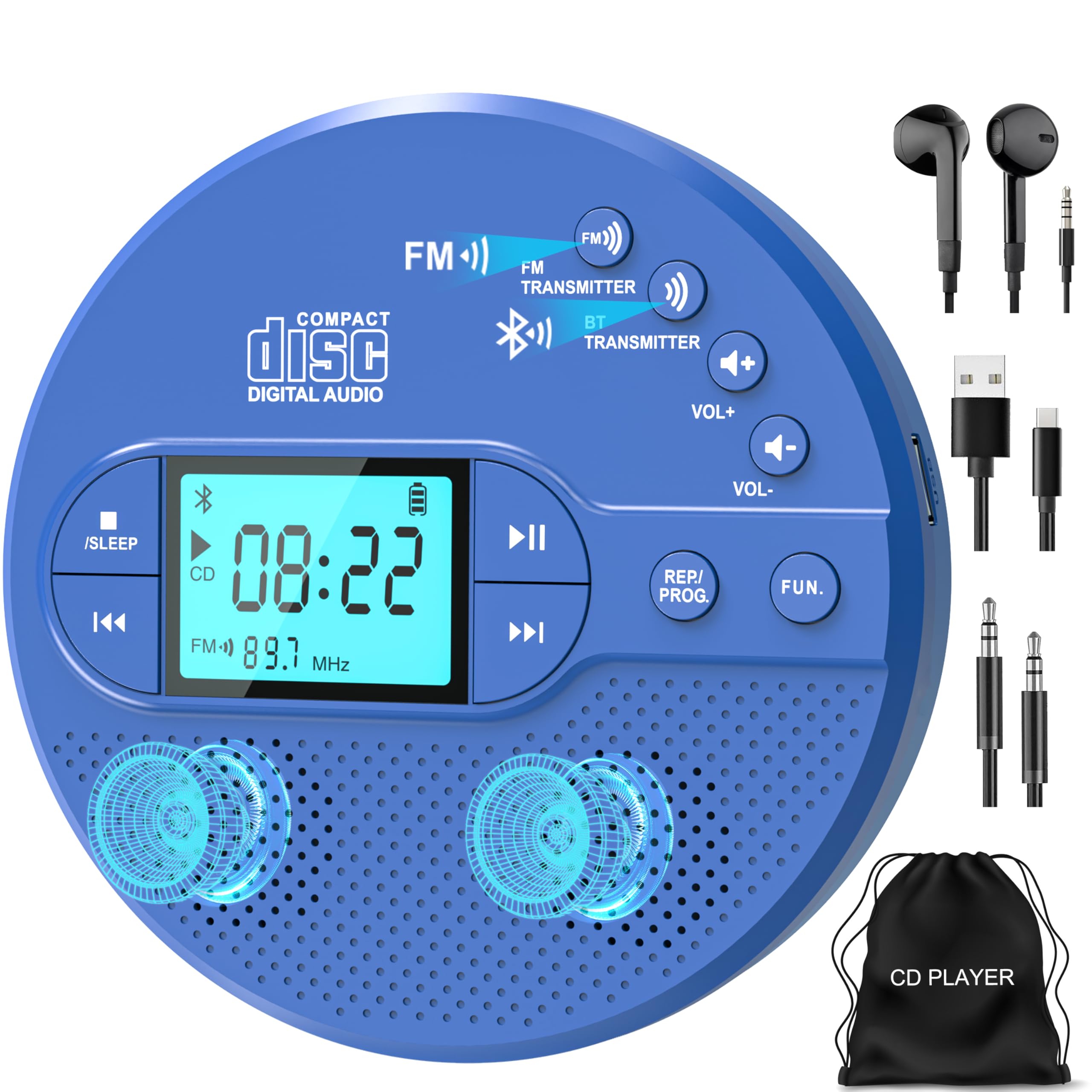
The Sunoony Portable CD Player in blue, showcasing its compact design.
Package Contents
Verify that all items are present in the package:
- CD Player x1
- Type-C Charging Cable x1
- User Manual x1
- Earphone x1
- Storage Bag x1
- AUX Cable x1
Setup
Charging the Device
The CD player features a built-in 2000mAh rechargeable battery, providing approximately 9 hours of playtime. Charge the device using the provided Type-C cable.
- Connect the Type-C cable to the player's charging port.
- Connect the other end to a compatible USB power source (e.g., wall charger, power bank, car charger, computer USB port).
- The battery indicator on the LCD will show charging status.

The CD player's 2000mAh battery can be charged via wall adapter, power bank, car charger, or computer USB port.
Loading a CD
To load a CD:
- Gently slide the 'OPEN' switch to open the CD compartment lid.
- Place the CD with the label side facing up onto the center spindle. Ensure the CD is securely seated.
- Close the CD compartment lid until it clicks into place.
Video demonstrating the correct procedure for placing and removing CDs from the player.
Operation
Basic Controls
The CD player features intuitive controls for playback, volume, and mode selection. Refer to the device's button layout for specific functions.
CD Playback and Anti-Skip Protection
Insert a CD (CD, CD-R, CD-RW, MP3 format) and the player will automatically begin playback. The device includes anti-skip protection to prevent interruptions during movement:
- 60 seconds for standard audio CDs.
- 120 seconds for MP3 CDs.

The CD player features anti-skip technology for uninterrupted audio playback during movement.
Bluetooth Functionality (Dual Mode)
The CD player supports Bluetooth 5.1, functioning as both a transmitter and a receiver.

The device offers dual Bluetooth modes: transmitter for output to headphones/speakers and receiver for input from phones/laptops.
Bluetooth Transmitter Mode
To transmit audio to Bluetooth headphones or speakers:
- Ensure your Bluetooth headphones/speakers are in pairing mode.
- On the CD player, press the 'BT Transmitter' button. The Bluetooth icon on the LCD will blink.
- Once connected, the Bluetooth icon will stop blinking.
Note: This mode does not support connection to car Bluetooth systems.
Video demonstrating how to connect the CD player to Bluetooth headphones or speakers.
Bluetooth Receiver Mode
To receive audio from a phone or laptop:
- On the CD player, ensure it is in Bluetooth receiver mode (indicated by the Bluetooth icon).
- On your phone or laptop, search for Bluetooth devices and select 'CD-35' to pair.
- Once connected, audio from your device will play through the CD player's speakers or connected headphones.
Video demonstrating how to connect the CD player to a mobile phone via Bluetooth as a receiver.
FM Transmitter for Car Audio
To play CDs through your car stereo using the FM transmitter:
- In CD or USB mode, press the 'FM Transmitter' button on the CD player.
- Use the 'Previous' or 'Next' buttons to select an FM frequency between 87.5-108MHz that is not in use.
- Press the 'FM Transmitter' button again to confirm the frequency.
- Tune your car radio to the same FM frequency.
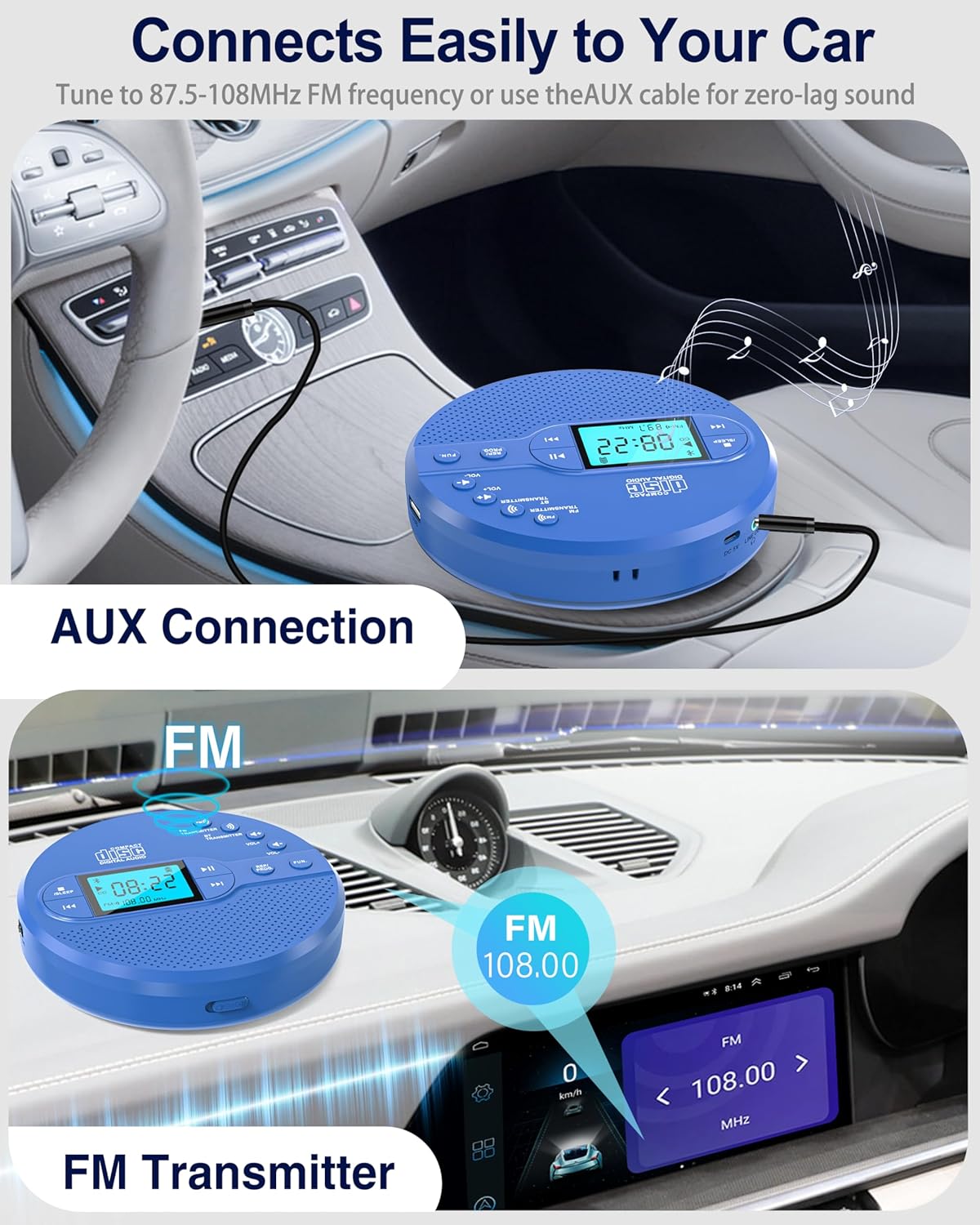
The CD player can connect to a car stereo using either the FM transmitter or an AUX cable.
Video demonstrating how to use the FM transmitter function in a car.
AUX Connection for Car or External Speakers
To connect the CD player to your car stereo or external speakers via AUX cable:
- Plug one end of the included AUX cable into the CD player's 3.5mm AUX-OUT port.
- Plug the other end into your car's AUX-IN port or an external speaker's AUX-IN port.
- Switch your car stereo or external speaker to AUX mode.

The CD player can be connected to a car's audio system using the provided AUX cable.
USB Playback
The device supports USB flash drive playback. Insert a USB flash drive into the USB port to play compatible audio files.

The CD player supports USB mode for playing music from a USB flash drive.
Programmable Playback and Repeat Functions
The player offers various playback modes:
- Repeat One: Repeats the current track.
- Repeat All: Repeats all tracks on the disc/USB.
- Random: Plays tracks in a random order.
- PROG (Program): Allows you to program a specific playback order for tracks.

The CD player includes repeat and program functions for customized listening experiences.
Sleep Timer
The sleep timer function allows you to set a duration after which the player will automatically turn off. This is useful for listening before sleep.

The large LCD display shows the sleep timer settings, allowing for automatic power-off after a set duration.
Maintenance
Cleaning the Device
To maintain optimal performance and appearance:
- Wipe the exterior of the player with a soft, dry cloth.
- Do not use abrasive cleaners, waxes, or solvents.
- For the optical lens, use a specialized CD lens cleaning kit. Avoid touching the lens directly.
Storage
When not in use, store the CD player in a cool, dry place, away from direct sunlight and extreme temperatures. Use the provided storage bag to protect it from dust and scratches.
Troubleshooting
If you encounter issues with your CD player, refer to the following common problems and solutions:
| Problem | Possible Cause | Solution |
|---|---|---|
| CD does not play or is not recognized. | CD is dirty, scratched, or inserted incorrectly. Incorrect disc format. | Clean the CD with a soft cloth. Ensure the CD is inserted label-side up and seated correctly. Verify the disc is a supported format (CD, CD-R, CD-RW, MP3). Try a different CD. |
| No sound from speakers/headphones. | Volume is too low. Headphones/speakers not connected properly. Bluetooth not paired. | Increase the volume. Ensure headphones are fully plugged into the 3.5mm jack. Re-pair Bluetooth devices if using wireless. |
| FM Transmitter not working in car. | Incorrect FM frequency selected. Car radio not tuned to the correct frequency. Interference. | Select a clear, unused FM frequency on the CD player and tune your car radio to the exact same frequency. Try a different frequency if interference occurs. |
| Bluetooth connection issues. | Device not in pairing mode. Out of range. Already connected to another device. | Ensure the CD player and target device are in pairing mode. Keep devices within 10 meters. Disconnect from other devices if necessary. |
| Battery not charging. | Charging cable faulty. Power source issue. | Check the Type-C charging cable for damage. Try a different USB power source. |
Specifications
| Feature | Detail |
|---|---|
| Brand | Sunoony |
| Model Number | BX-CD35 |
| Color | Blue |
| Connectivity Technology | Auxiliary, Bluetooth, USB |
| Special Features | Anti-Skip Protection, FM Transmitter, Lightweight, Portable, Rechargeable |
| Number of Discs | 1 |
| Supported Audio Format | CD/CD-R/CD-RW/MP3 |
| Connector Type | 3.5mm Jack |
| Specific Uses | For Home & Car |
| Number of Channels | 2 |
| Media Format Type | USB Flash Drive |
| Battery Average Life | 9 Hours |
| Compatible Devices | Bluetooth speaker/headphone, phones/laptops |
| Headphones Jack | 3.5mm Jack |
| MP3 Player | Yes |
| Item Dimensions (L x W x H) | 5.75"L x 1.32"W x 5.75"H |
| Item Weight | 0.71 Pounds |
Warranty and Support
Warranty Information
This product is covered by a 12-month warranty from the date of purchase. Please retain your proof of purchase for warranty claims.
Customer Support
For any questions, troubleshooting assistance, or warranty inquiries, please contact Sunoony customer support. Our team is available to provide lifelong assistance.