
1. Safety Information
Please read all instructions carefully before installing and operating the solar street light. Retain this manual for future reference.
- Do not look directly into the LED light when it is illuminated, as this may cause eye strain or damage.
- Ensure the mounting surface or pole is sturdy enough to support the weight of the light unit.
- Install the solar panel in a location that receives maximum direct sunlight for optimal charging performance.
- Keep the product away from flammable materials.
- Do not attempt to disassemble or modify the product, as this will void the warranty and may cause damage or injury.
- Dispose of batteries (if applicable for remote control) according to local regulations.
2. Package Contents
Verify that all components are present and undamaged upon opening the package:
- 1 x YACAISI Solar Street Light Unit
- 1 x Mounting Bracket
- 1 x Remote Control
- Mounting Hardware (screws, nuts, washers)
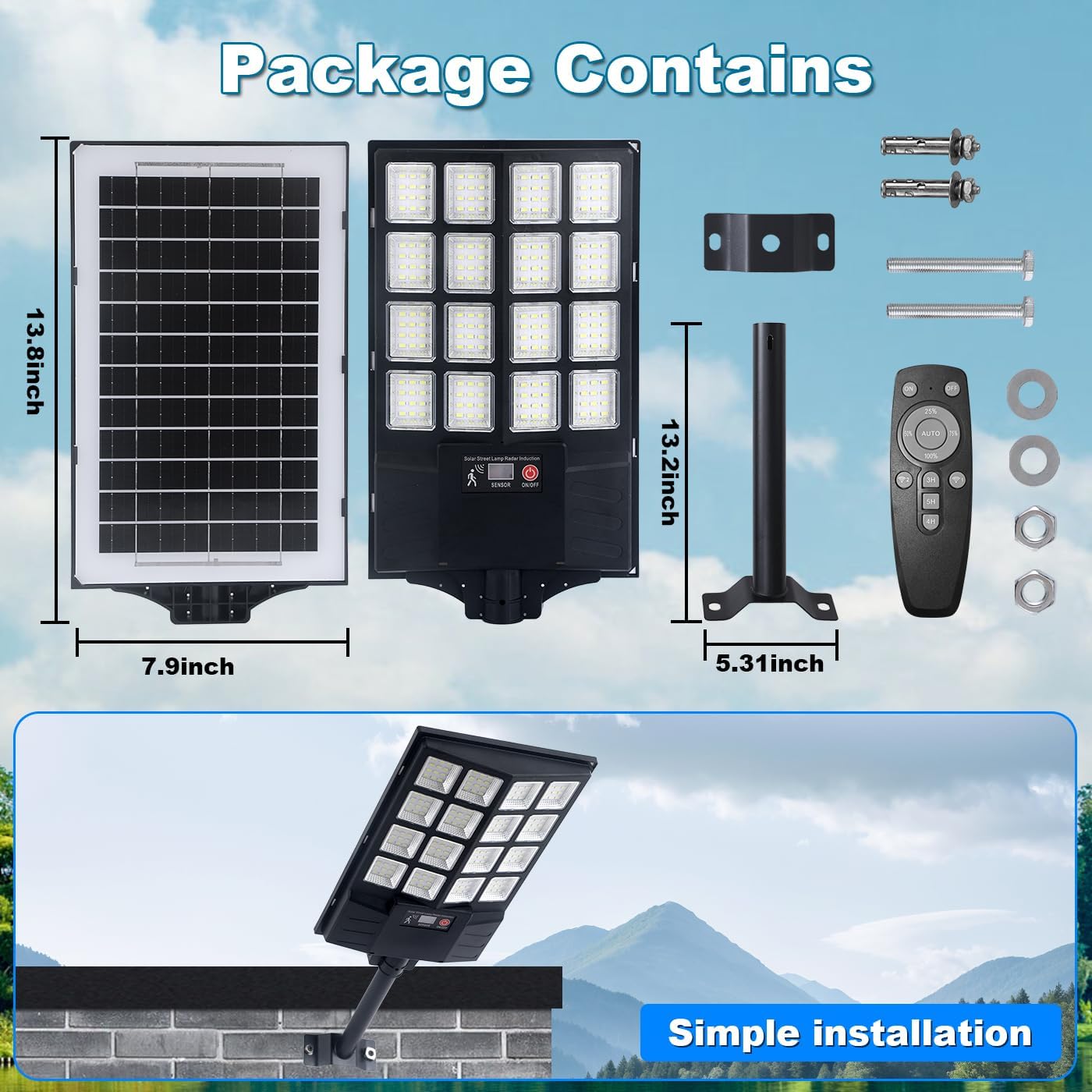
Image: Package contents showing the solar street light, solar panel, remote, mounting bracket, and hardware. Dimensions are indicated for the light unit (13.2 inches) and solar panel (13.8 x 7.9 inches).
3. Product Overview
The YACAISI Solar Outdoor Street Light is designed for efficient and reliable outdoor illumination. It features a high-brightness LED array, an integrated solar panel for energy harvesting, and a motion sensor for intelligent lighting control. The light provides 10,000 lumens of 8500K cool white light with a 270-degree wide-angle illumination.
Key Features:
- High Brightness: 10,000 lumens with 195 LED beads.
- Wide Coverage: 270-degree ultra-wide-angle lighting, covering up to 1300 sq.ft.
- Motion Sensor: Automatically adjusts brightness based on detected movement.
- Dusk-to-Dawn Operation: Charges during the day and illuminates automatically at night.
- Durable Design: IP65 weatherproof, lightningproof, frost-resistant, and sunscreen protected.
- Remote Control: For convenient mode selection and power management.
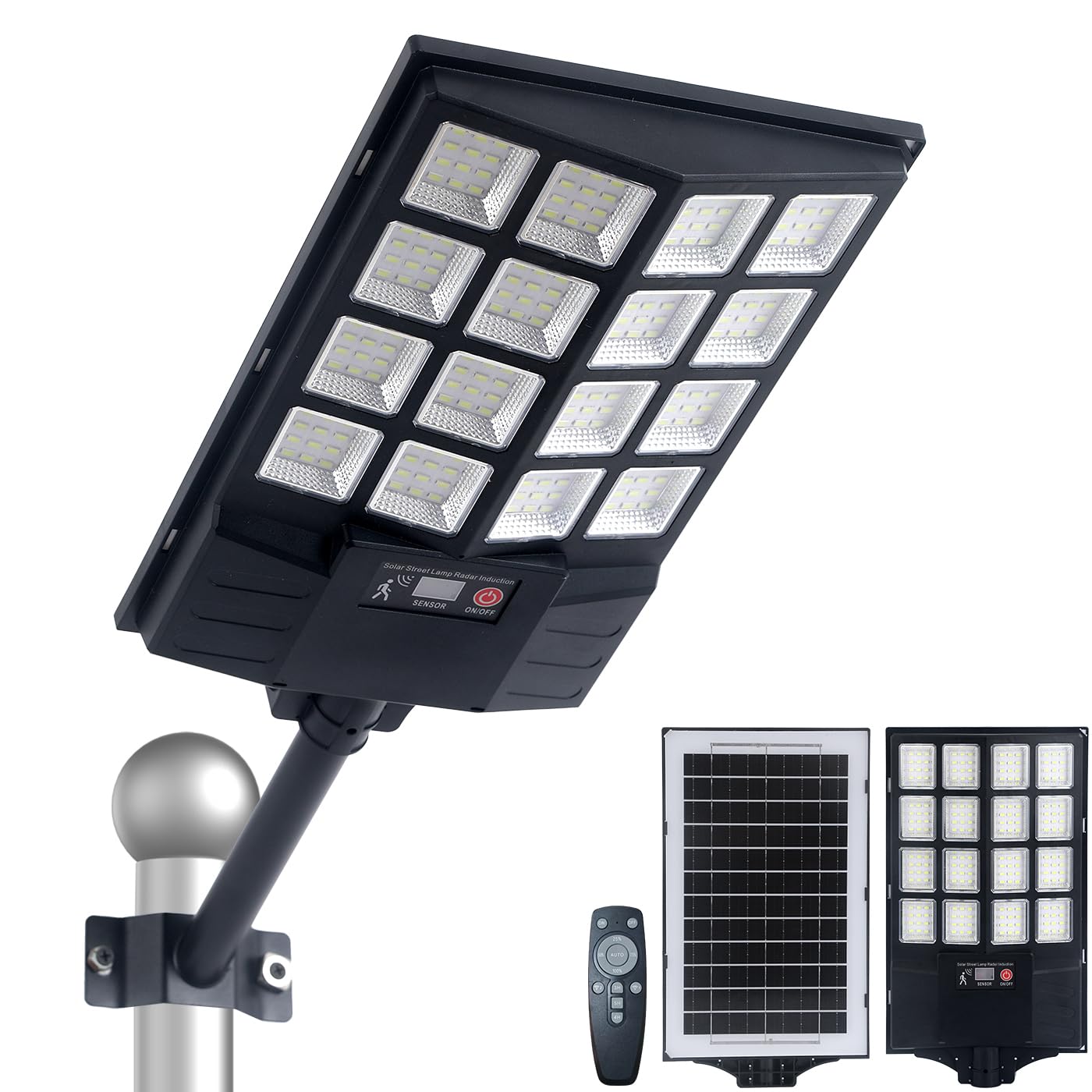
Image: The solar street light shown in both daytime (charging for 6-8 hours) and nighttime (lighting for 8-10 hours).
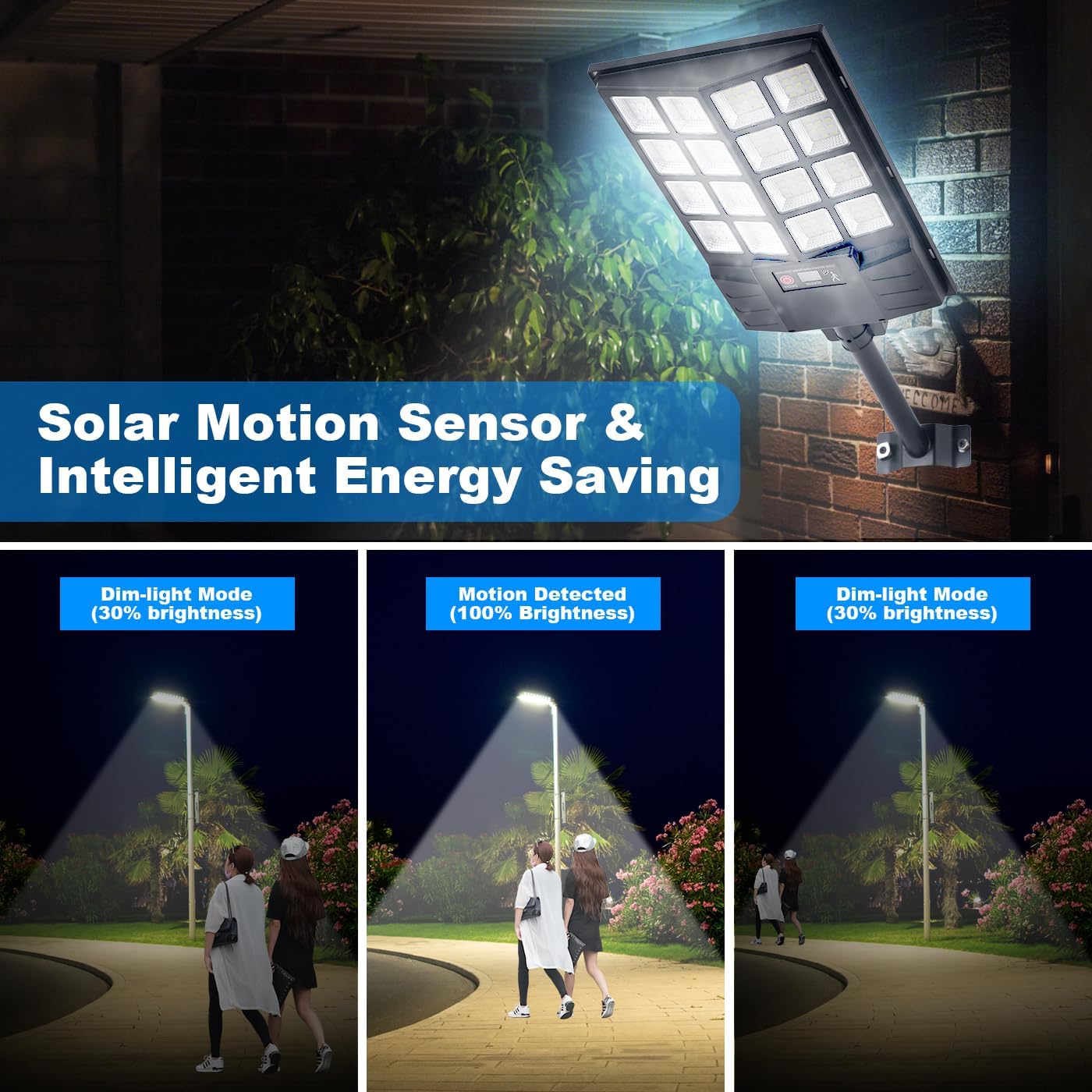
Image: Illustration of the motion sensor functionality, showing the light in dim mode (30% brightness) and switching to full brightness (100%) when motion is detected.

Image: The solar street light depicted under various weather conditions, highlighting its IP65 weatherproof, lightningproof, frost-resistant, and sunscreen features.

Image: A close-up view of the light unit, showing the sensor and the ON/OFF button.
Video: This video demonstrates the internal components of the light, assembly process, pole and wall installation methods, motion sensor functionality with different modes, and the light's resilience to rain and snow.
4. Installation
Proper installation is crucial for the optimal performance of your solar street light. Follow these steps carefully:
4.1 Choose an Installation Location
- Select a location where the solar panel can receive 6-8 hours of direct sunlight daily, free from obstructions like trees or buildings.
- The recommended installation height is between 10 to 16 feet (3 to 5 meters) for optimal light distribution and motion sensor effectiveness.
4.2 Mounting Methods
The YACAISI Solar Street Light supports two primary installation methods:
- Pole Mounting:
- Attach the mounting bracket to a suitable pole using the provided screws and nuts.
- Secure the solar street light unit to the mounting bracket, ensuring it is firmly attached and can be adjusted to the desired angle.
- Wall Mounting:
- Mark the drilling points on the wall using the mounting bracket as a template.
- Drill holes and insert wall anchors if necessary.
- Attach the mounting bracket to the wall using the provided screws.
- Secure the solar street light unit to the mounting bracket.

Image: Visual representation of the two installation methods: mounting on a pole and mounting directly onto a wall.
5. Operation
The solar street light is designed for automatic operation, but can be controlled via the included remote.
5.1 Initial Setup
- After installation, ensure the light is switched ON using the button on the unit or the remote control.
- Allow the solar panel to charge for at least 6-8 hours in direct sunlight before the first use to ensure the internal battery is fully charged.
5.2 Automatic Operation (Dusk-to-Dawn)
The light features a built-in light sensor that automatically turns the light on at dusk and off at dawn, provided there is sufficient charge.
5.3 Remote Control Functions
Use the remote control to select different lighting modes and manage power:
- ON/OFF: Power the light on or off.
- Mode 1 (Motion Sensor Mode): The light stays at 30% brightness. When motion is detected, it switches to 100% brightness for a set duration, then returns to 30%.
- Mode 2 (Full Motion Sensor Mode): The light remains off. When motion is detected, it switches to 100% brightness for a set duration, then turns off.
- Mode 3 (Constant Light Mode): The light stays at a constant 30% brightness from dusk until dawn.
- Timer Functions: The remote may include options for 3H, 4H, or 5H constant lighting, overriding the dusk-to-dawn sensor for a specific duration.
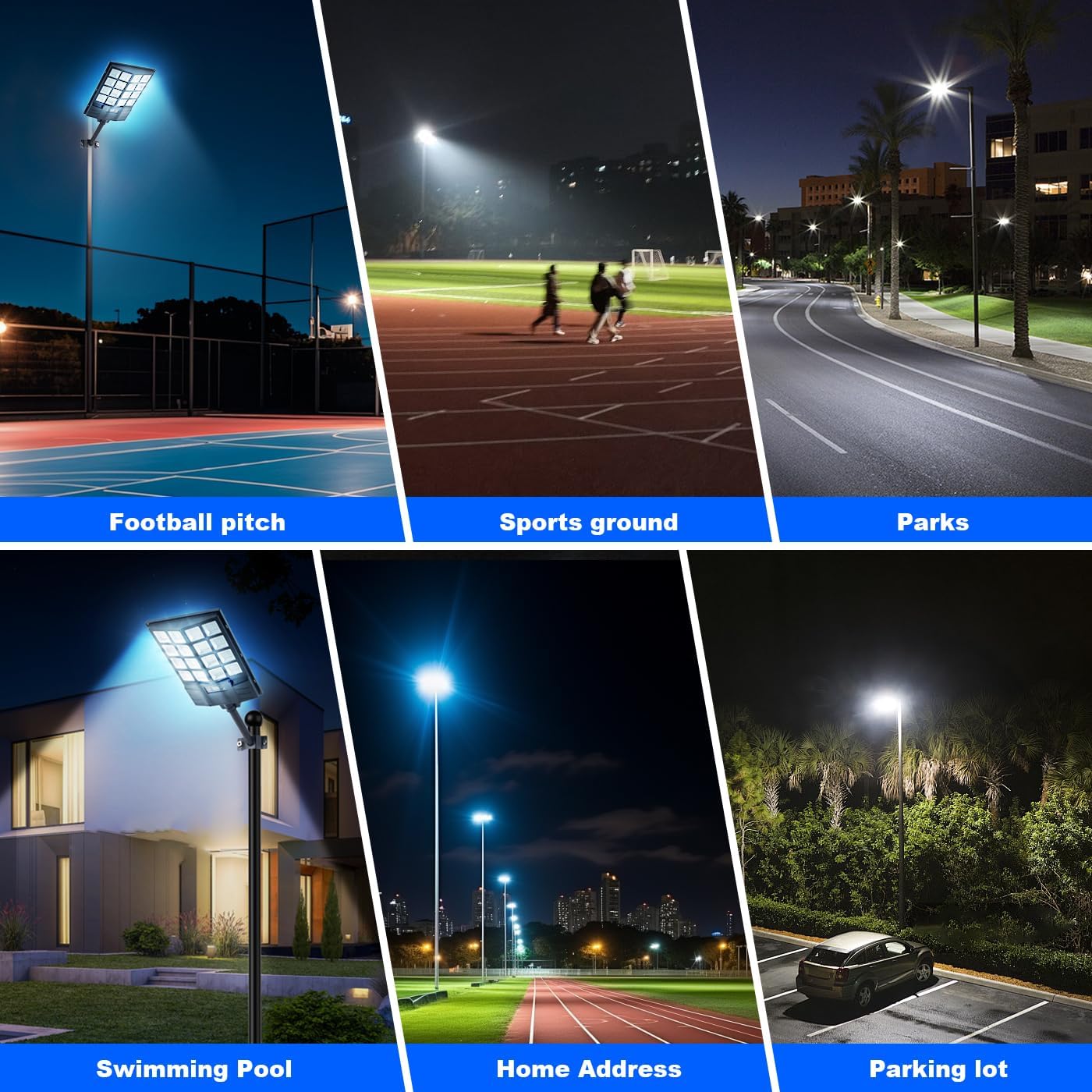
Image: Examples of where the solar street light can be used, including sports fields, parks, and residential areas.
6. Maintenance
Regular maintenance ensures the longevity and optimal performance of your solar street light.
- Clean Solar Panel: Periodically wipe the solar panel with a soft, damp cloth to remove dust, dirt, leaves, or snow. A clean panel ensures efficient charging.
- Check Mounting: Inspect the mounting bracket and hardware regularly to ensure they remain secure and stable. Tighten any loose screws if necessary.
- Clear Obstructions: Ensure no new obstructions (e.g., growing tree branches) are blocking direct sunlight from reaching the solar panel.
- Remote Control Battery: If the remote control stops responding, replace its 9V battery (not included).
7. Troubleshooting
If you encounter issues with your solar street light, refer to the following common problems and solutions:
| Problem | Possible Cause | Solution |
|---|---|---|
| Light does not turn on at night. | Insufficient solar charge; ON/OFF switch is off; Solar panel obstructed. | Ensure the light is switched ON. Relocate the light or clear obstructions to allow 6-8 hours of direct sunlight. Allow several sunny days for full charge. |
| Light is dim or only stays on for a short period. | Insufficient solar charge; Dirty solar panel; Weather conditions (cloudy days). | Clean the solar panel. Ensure the light receives maximum direct sunlight. Performance may vary with weather. |
| Motion sensor is not working correctly. | Sensor obstructed; Incorrect mode selected; Installation height too high/low. | Clear any obstructions from the sensor. Use the remote to select the desired motion sensor mode. Verify installation height is within 10-16 ft. |
| Remote control is unresponsive. | Remote battery is dead or incorrectly inserted. | Replace the 9V battery in the remote control, ensuring correct polarity. |
8. Specifications
| Feature | Specification |
|---|---|
| Brand | YACAISI |
| Model Number | AU-APL-BC-400W-2Pieces-new |
| Light Unit Dimensions (L x W x H) | 34 x 11 x 10 cm (approx. 13.4 x 4.3 x 3.9 inches) |
| Weight | 300 g (approx. 0.66 lbs) |
| Light Source | 195 LED beads (SMD 5730) |
| Luminous Flux | 10,000 lm |
| Color Temperature | 8500 Kelvin (Cool White) |
| Equivalent Power | 1200 Watts |
| Material | Metal (body), Plastic (lampshade) |
| Waterproof Rating | IP65 |
| Power Source | Solar Powered |
| Remote Control Battery | 1 x 9V (not included) |
| Charging Time | 6-8 hours (direct sunlight) |
| Lighting Duration | 8-10 hours (on full charge) |
| Recommended Installation Height | 10-16 ft (3-5 meters) |
| Lighting Area Range | Max 1300 sq.ft. |
| Certification | CE |
9. Warranty and Support
For warranty information, technical assistance, or any product-related inquiries, please contact YACAISI customer service through the retailer where the product was purchased. Please have your model number (AU-APL-BC-400W-2Pieces-new) and purchase details ready.


