1. Introduction
Thank you for choosing the CypBed SYPBF01 Queen Bed Frame. This manual provides detailed instructions for the safe assembly, operation, and maintenance of your new bed frame. Please read all instructions carefully before beginning assembly and retain this manual for future reference.
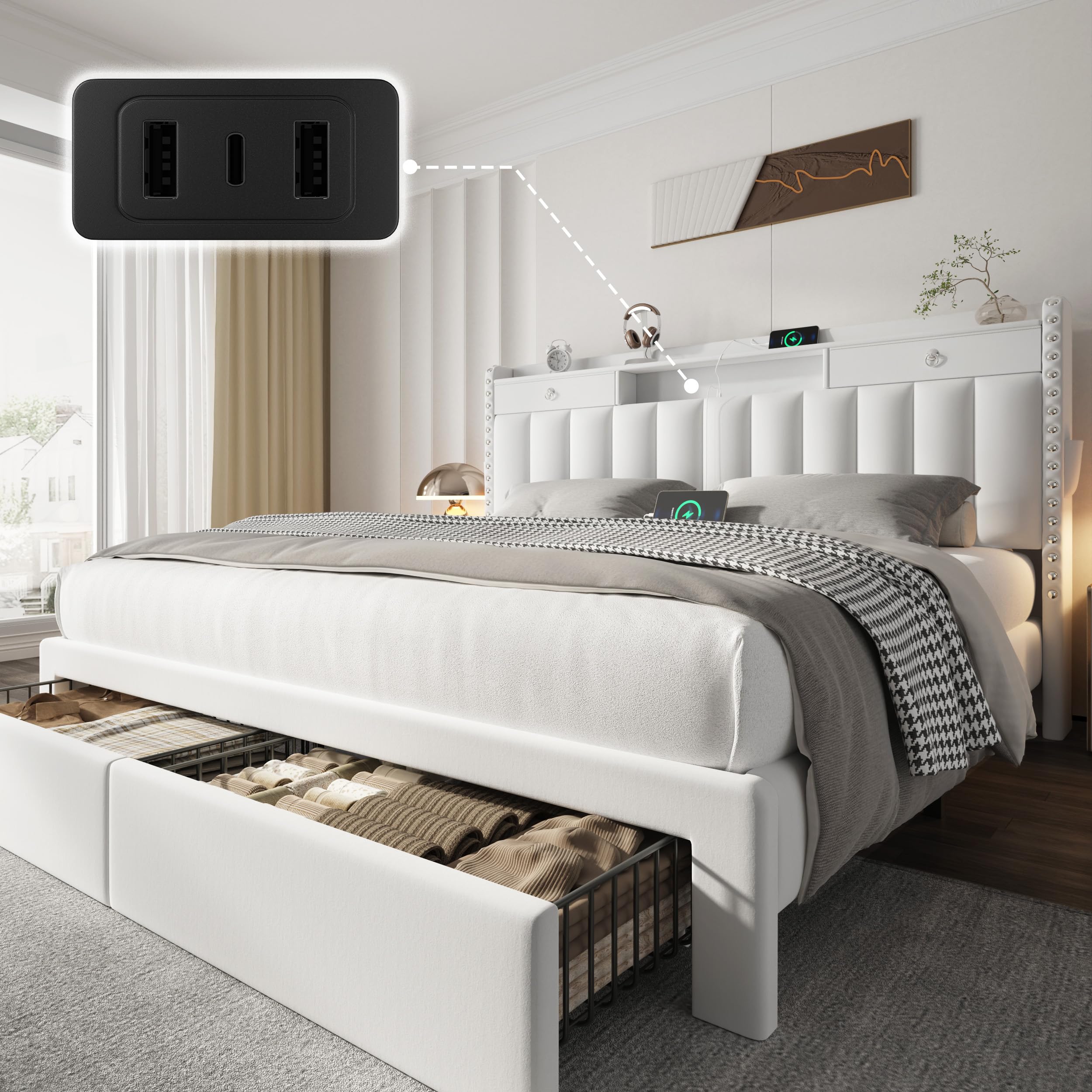
Image 1.1: CypBed SYPBF01 Queen Bed Frame, showcasing its elegant design and integrated headboard storage.
2. Safety Information
WARNING: Ensure proper assembly to avoid injury. Do not exceed weight limits. Use only with a mattress of appropriate size and weight.
- Always follow assembly instructions step-by-step.
- Do not overtighten screws, as this may damage components.
- Keep small parts away from children during assembly.
- Ensure all connections are secure before use.
- Regularly check and retighten all fasteners to ensure stability.
3. Package Contents
Before assembly, verify that all components and hardware are present. Refer to the detailed parts list provided in the assembly video for identification.
Video 3.1: Detailed breakdown of all bed frame components and accessories for the CypBed SYPBF01 Queen Bed Frame.
4. Setup and Assembly
Assembly is recommended for two adults. Please follow the steps outlined in the video and accompanying images carefully.
Video 4.1: Comprehensive bed frame installation guide for the CypBed SYPBF01 Queen Bed Frame.
4.1 Headboard Assembly
- Attach the headboard side panels to the main headboard section using the provided hardware. Ensure all screws are tightened securely.
- Install the headboard top shelf and internal storage compartments.
- Connect the USB and Type-C charging module into its designated slot on the headboard. Secure with screws and cover with the provided plate.

Image 4.1: The headboard features two hidden drawers and side storage pockets for convenient access to small items.
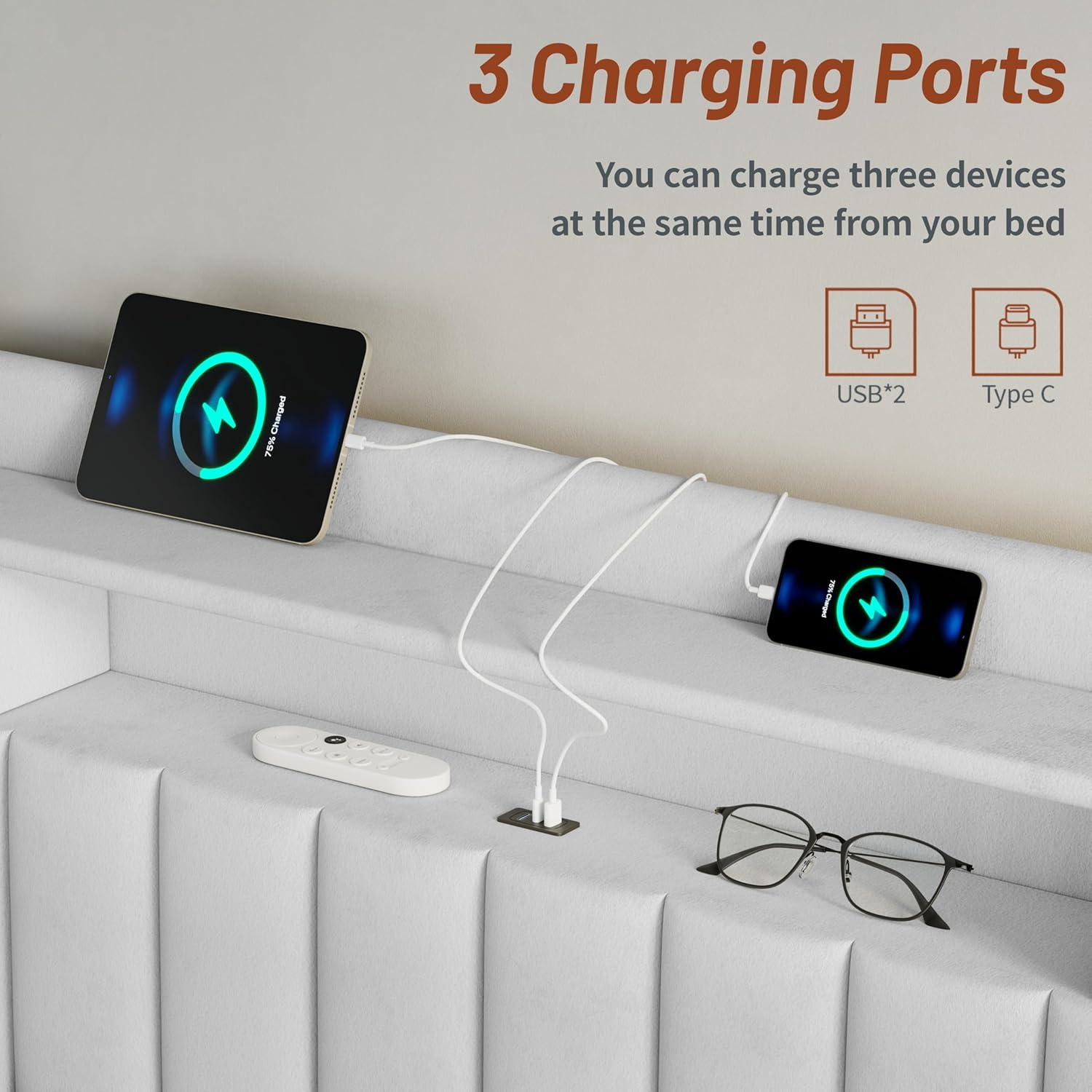
Image 4.2: Integrated USB and Type-C charging ports on the headboard for easy device charging.
4.2 Bed Frame Assembly
- Assemble the side rails and footboard, ensuring all connections are firm.
- Attach the central support beams and legs to the bed frame.
- Connect the assembled headboard to the bed frame using the appropriate hardware.
- Place the solid wood slats across the bed frame. The Velcro strips on the slats will help secure them in place.

Image 4.3: Components illustrating the solid wood slats, strong metal support feet, and heavy-duty metal frame for stability.
4.3 Storage Drawer Assembly
- Assemble the metal wire baskets for the under-bed storage drawers.
- Attach the fabric-covered front panels to the assembled baskets.
- Insert the assembled drawers into the designated slots under the bed frame.

Image 4.4: The bed frame includes two large-capacity storage drawers, ideal for bedding or clothing.
5. Operating Instructions
5.1 Using the Storage Drawers
The bed frame features two large-capacity storage drawers at the footboard and two hidden headboard drawers. The footboard drawers are equipped with smooth-glide tracks and mesh bottoms for easy access and organization. The headboard drawers are perfect for smaller items like books, glasses, or remotes.
Video 5.1: Demonstration of the bed frame's storage features, including headboard drawers and under-bed drawers.
5.2 Using the Charging Ports
The headboard includes built-in USB and Type-C charging ports. Simply plug your devices into the ports to charge them conveniently while in bed. This eliminates the need for extra extension cords or searching for outlets.
Video 5.2: Visual guide to the integrated charging ports and headboard storage.
6. Maintenance
To maintain the quality and appearance of your bed frame:
- Cleaning: Care with a dry cloth. Avoid harsh chemicals or abrasive cleaners.
- Fasteners: Periodically check all screws and bolts to ensure they remain tight. Retighten as necessary.
- Fabric: For velvet upholstery, gently brush with a soft brush to remove dust and maintain pile direction.
7. Troubleshooting
7.1 Noise or Wobbling
If the bed frame makes noise or wobbles, check the following:
- Ensure all assembly screws are fully tightened.
- Verify that the central support legs are properly aligned and making contact with the floor.
- Confirm that the wooden slats are correctly positioned and secured by their Velcro strips.
7.2 Charging Ports Not Working
If the USB or Type-C charging ports are not functioning:
- Check that the bed frame's power cord is securely plugged into a working wall outlet.
- Ensure the charging module is correctly installed in the headboard and its internal connections are secure.
- Test with a different device and charging cable to rule out device-specific issues.
8. Specifications
| Feature | Detail |
|---|---|
| Size | Queen |
| Material | Wood, Metal, Velvet |
| Product Dimensions | 86"L x 62"W x 45"H |
| Style | Modern |
| Special Features | Charging Station & Queen Bed Frame with Storage, Classic & Modern Design, No Box Spring Needed, Upholstered & Storage Drawer |
| Included Components | Charging Station, Drawer, Headboard, Storage Box, USB Ports |
| Weight Capacity | 900 LBS |
| Model Number | SYPBF01 |
| Assembly Required | Yes |

Image 8.1: Detailed dimensions of the CypBed SYPBF01 Queen Bed Frame.
9. Warranty and Support
For warranty information or customer support, please refer to the documentation included with your purchase or contact CypBed customer service directly. Keep your purchase receipt for warranty claims.