1. Product Overview
This manual provides instructions for the installation and care of your Frgnie Screen Protector, designed specifically for the KIBFLE TGW01 Smartwatch 1.85". This product offers robust protection for your smartwatch screen, ensuring clarity and durability.
The screen protector is made of soft TPU material, precisely cut for full coverage, and features self-healing technology to automatically eliminate minor scratches and bubbles within 24 hours.

Image: The Frgnie screen protector packaging, showing a 6-pack of clear TPU films alongside a smartwatch, indicating its purpose.
2. Compatibility
This screen protector is specifically designed for the KIBFLE TGW01 Smartwatch 1.85". Please verify your smartwatch model and screen size before installation to ensure proper fit.

Image: Two smartwatches, one black and one rose gold, with a checkmark indicating compatibility for the TGW01 Smart Watch 1.85".
3. What's in the Box
- Frgnie Screen Protector (6 Pack)
- Installation Guide
- Squeegee for bubble removal
- Wet wipes (Note: The package includes 3 wet wipes for 6 protectors, so you may need additional wipes for multiple installations.)
4. Installation Guide
For optimal results, it is highly recommended to watch the official installation guide video before beginning the process. (Note: No video provided in data, so this will be a placeholder for instruction to watch a video if one existed).
Preparation:
- Ensure your smartwatch screen is clean and free of dust, fingerprints, and smudges. Use a wet wipe provided, then dry thoroughly.
- Work in a dust-free environment.
Application Steps:
- Carefully peel off the protective film from the adhesive side of the screen protector.
- Align the screen protector precisely with your smartwatch screen. It is crucial to center the protector during application to avoid edge misalignment.
- Once aligned, gently lay the protector onto the screen.
- Use the provided squeegee to smooth out any air bubbles, pushing them towards the edges of the screen.
- Small bubbles that remain will disappear automatically within 24 hours due to the gel adsorption technology. Do not attempt to forcefully remove them immediately after application.
- Ensure the protector adheres fully to the screen, including the curved edges, for full coverage.

Image: A hand using a squeegee tool to apply the screen protector onto a smartwatch screen, illustrating the ease of installation.

Image: A smartwatch screen with visible bubbles and scratches on the left, transitioning to a clear screen on the right, illustrating the 24-hour automatic repair feature.

Image: A smartwatch with the screen protector applied, highlighting its soft film coverage that extends to the screen edges.
5. Key Features and Operation
- Soft TPU Material: Made of soft and tough Thermoplastic Polyurethane with precise cutting, ensuring full coverage without warping or falling off.
- HD Transparent: The protector provides ultra-clear viewing, maintaining the original display quality of your smartwatch.
- Self-Healing Technology: Minor scratches and small bubbles will automatically disappear within 24 hours due to the advanced gel adsorption technology. This feature helps maintain the pristine look of your screen over time.
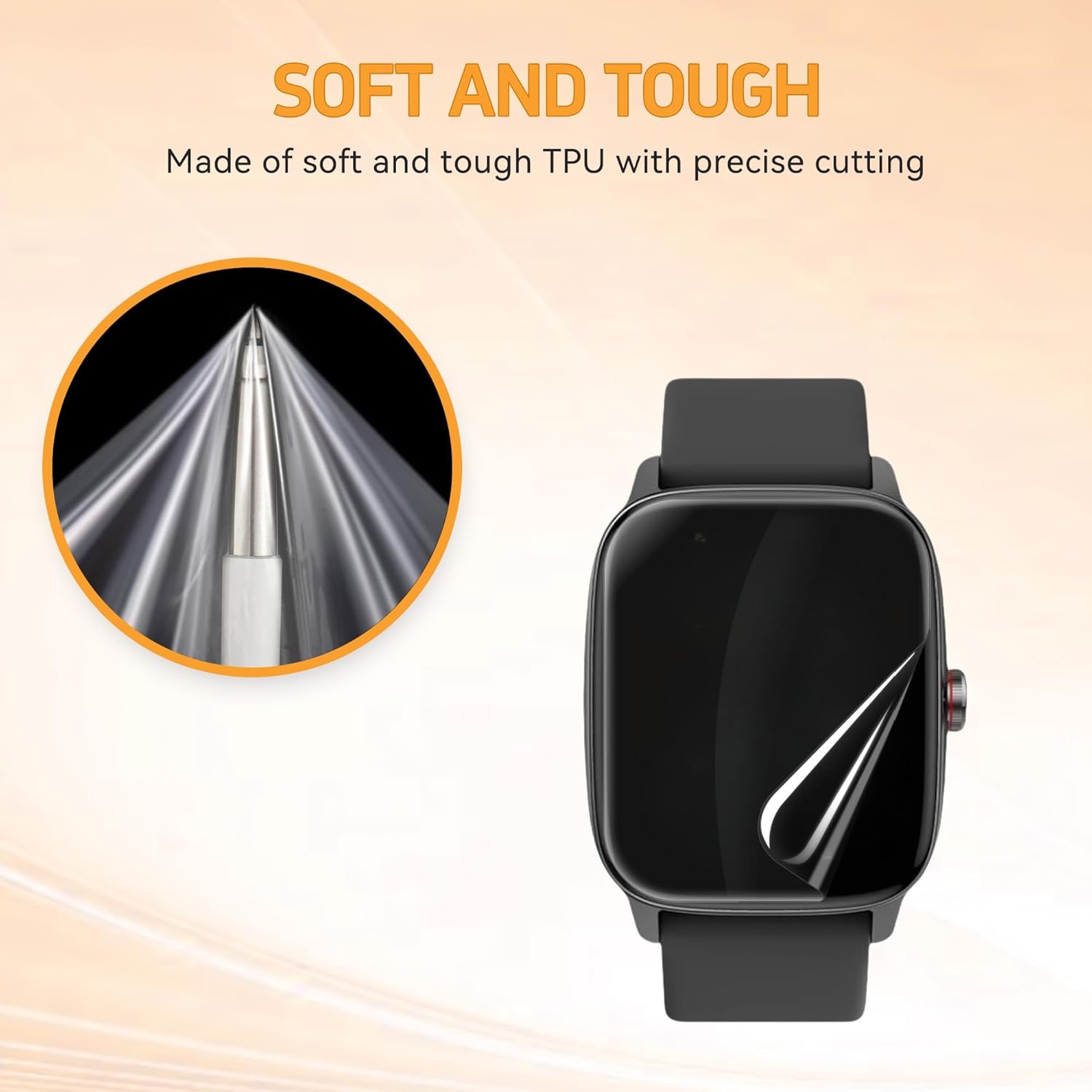
Image: A close-up of the flexible TPU material and a smartwatch with the protector applied, demonstrating its soft and tough properties.

Image: A close-up of the clear, transparent screen protector material, emphasizing its high-definition clarity.
6. Maintenance
The Frgnie Screen Protector requires minimal maintenance due to its self-healing properties. To ensure longevity and clarity:
- Avoid sharp objects that could cause deep cuts.
- Wipe the screen gently with a soft, lint-free cloth to remove smudges or dirt.
- Allow 24 hours for any minor scratches or bubbles to self-repair after initial application or minor damage.
7. Troubleshooting
Bubbles After Installation:
If small bubbles remain after initial application, do not worry. The screen protector features gel adsorption technology that will cause these bubbles to disappear automatically within 24 hours. Avoid pressing or trying to force them out after the initial squeegee application.
Scratches Appearing:
Minor scratches will self-heal and disappear within 24 hours. For deeper scratches, the protector may need replacement. The 6-pack provides multiple replacements.
Edge Lifting:
Ensure the screen protector is perfectly centered during installation. If edges lift, gently press them down with your finger or the squeegee. If lifting persists, it may indicate misalignment or a need for reapplication with a new protector from the pack.
8. Specifications
| Attribute | Detail |
|---|---|
| Product Name | Frgnie Screen Protector |
| Compatible Devices | KIBFLE TGW01 Smartwatch 1.85" |
| Material | Thermoplastic Polyurethane (TPU) |
| Item Hardness | 4H |
| Color | Clear |
| Special Features | HD Transparent, Self-Healing, Full Coverage |
| Number of Items | 6 Pack |
| Product Dimensions | 4.8"L x 4.2"W (Packaging) |
| Item Weight | 0.705 ounces |
9. Customer Support
Frgnie is committed to providing excellent customer service. If you encounter any issues or have questions regarding the installation or performance of your screen protector, please do not hesitate to contact our support team. We offer assistance both pre-purchase and post-purchase.
For support, please refer to the contact information provided on the product packaging or the retailer's website where you purchased the item.