
Introduction
This manual provides detailed instructions for the Mingdaln GPS Military Smart Watch. It covers setup, operation, maintenance, and troubleshooting to ensure optimal use of your device. This smartwatch is designed for durability and functionality, featuring advanced GPS, health monitoring, and smart communication capabilities.
What's in the Box
Upon opening the package, please verify that all components are present:
- Mingdaln GPS Military Smart Watch (1 unit)
- Black Silicone Band (1 unit)
- Camouflage Silicone Band (1 unit)
- USB Magnetic Charging Cable (1 unit)
- English User Manual (1 unit)

Image: Contents of the Mingdaln Smart Watch package, showing the watch, two interchangeable bands, a USB magnetic charging cable, and the user manual.
Setup
1. Charging the Device
Before initial use, fully charge your smartwatch. Connect the USB magnetic charging cable to the charging contacts on the back of the watch and to a standard USB power source. The watch display will indicate charging status.
2. App Installation and Pairing
To unlock the full functionality of your smartwatch, download and install the companion application on your smartphone.
- Download the DaFit App: Search for "DaFit" in your smartphone's app store (Google Play Store for Android or Apple App Store for iOS) and install it.
- Enable Bluetooth: On your smartphone, navigate to your settings and ensure Bluetooth is turned on.
- Open DaFit App: Launch the DaFit application and follow the on-screen prompts.
- Add Device: Within the DaFit app, select the option to "Add a Device". The app will search for nearby smartwatches.
- Select and Pair: From the list of found devices, select "KR92" (or similar model identifier) to initiate pairing. Confirm the pairing request on both your phone and the smartwatch if prompted.

Image: Visual guide demonstrating the five steps to connect the smartwatch: download DaFit app, enable Bluetooth, open DaFit, add device (KR92), and successful pairing.
Operating Instructions
2.01" HD Display and Navigation
The smartwatch features a 2.01-inch capacitive full-screen touch display. Navigate through menus and functions by swiping across the screen and tapping icons. The display offers a wide color gamut and clear picture quality.
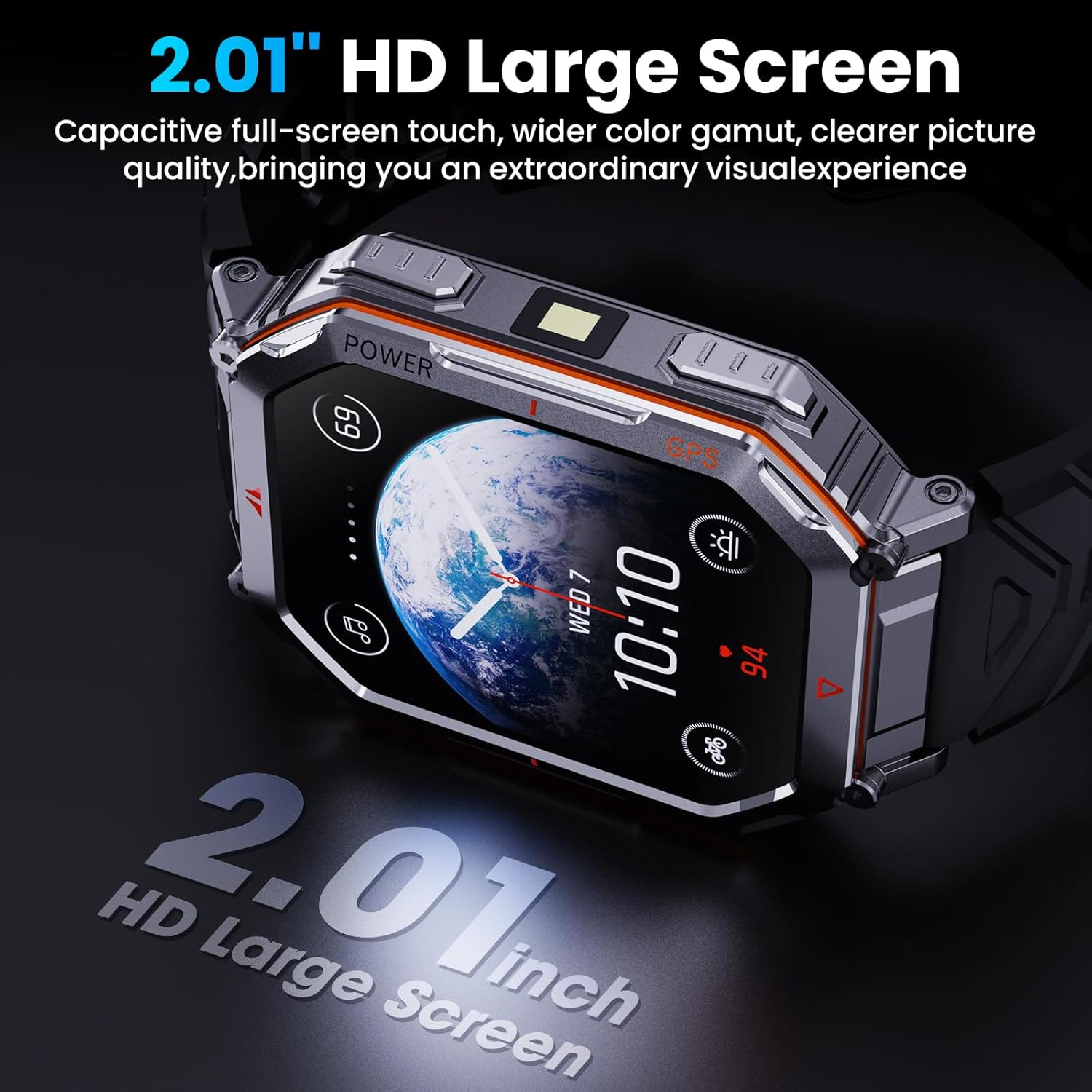
Image: The smartwatch display, highlighting its 2.01-inch size and high-definition clarity, showing a watch face with time, date, and weather information.
GPT Voice Assistant & AI Watch Faces
Access the GPT Voice Assistant by tapping its interface on the watch. Speak your commands or questions, and the watch will process and deliver answers. The DaFit app also allows for the creation of AI-powered custom watch faces using your personal photos.
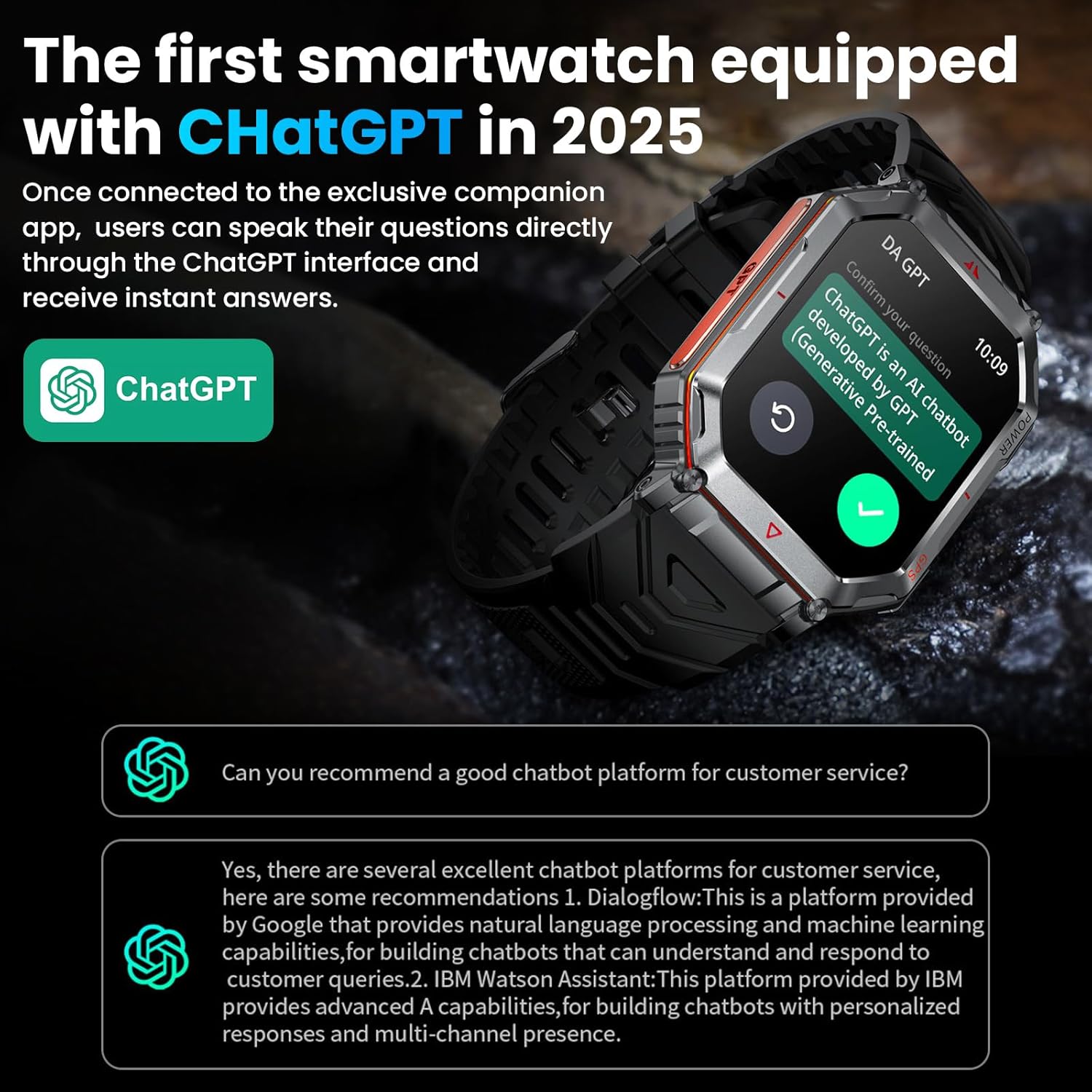
Image: The smartwatch screen showing the ChatGPT interface, demonstrating how users can ask questions and receive instant answers directly on the watch.

Image: The smartwatch showcasing a variety of AI watch faces, illustrating the customization options available through the DaFit app to personalize the watch's appearance.
GPS & Compass
The watch is equipped with multi-satellite positioning (GPS, GLONASS, BeiDou, Galileo, NAVIC, QZSS) for accurate location tracking and route logging. The built-in compass provides directional guidance, locking onto a direction after three seconds of stillness. For optimal GPS precision, avoid magnetic or steel straps.

Image: The smartwatch showing GPS tracking during an outdoor activity, with icons for GPS tracks, air pressure, and compass, indicating its outdoor navigation capabilities.
Multiple Sports Modes
The smartwatch supports over 100 sports modes, including running, cycling, hiking, and skiing. It tracks steps, distance, and calories burned, providing insights into your performance. Set goal reminders and sync activity data with the app. Note: This device is not suitable for swimming.
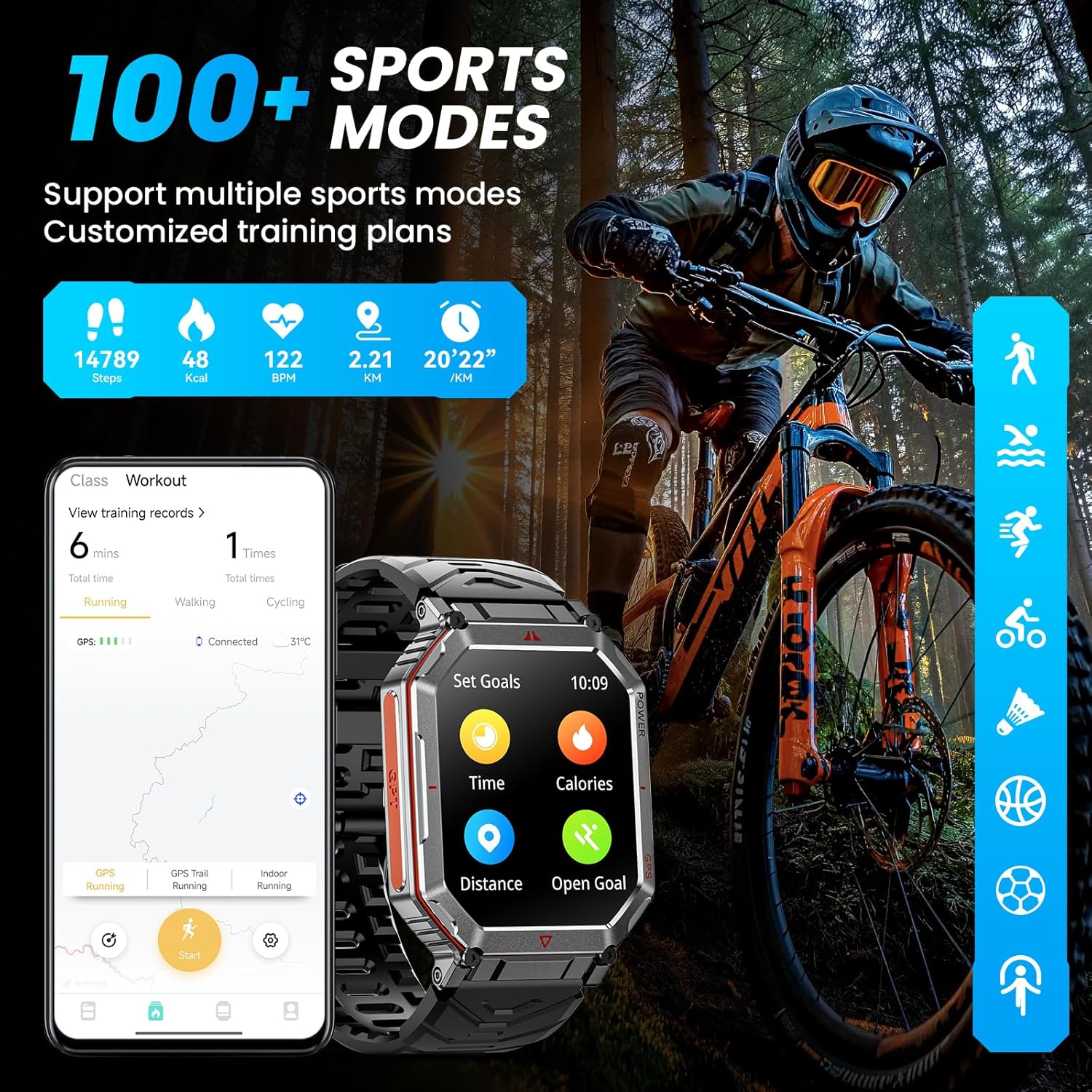
Image: The smartwatch interface displaying multiple sports modes and fitness tracking metrics, such as steps, calories, and heart rate, with a person cycling in the background.
24/7 Health Monitoring
Monitor your health continuously with features such as heart rate tracking, blood oxygen (SpO2) monitoring, and sleep analysis. Data is recorded and can be synced with the mobile application for detailed insights.
- Heart Rate: Real-time heart rate monitoring.
- Blood Oxygen (SpO2): Measures blood oxygen saturation levels.
- Sleep Monitor: Tracks sleep stages (deep, light, REM) and provides sleep quality analysis.

Image: The smartwatch screens showing health monitoring data for heart rate, blood oxygen saturation (SpO2), and sleep patterns, with outdoor activity scenes.
Bluetooth Calls & Notifications
Pair your smartwatch with your phone to make and receive calls directly from your wrist. The watch also displays instant notifications from social media apps and messages. Customize vibration strength and ringtones via the app.
LED Flashlight
The built-in side-emitting LEDs offer three lighting modes: standard illumination (High/Low beam), SOS mode for emergencies (three long, three short flashes), and a warning mode (alternating flashes). Activate with a quick touch.
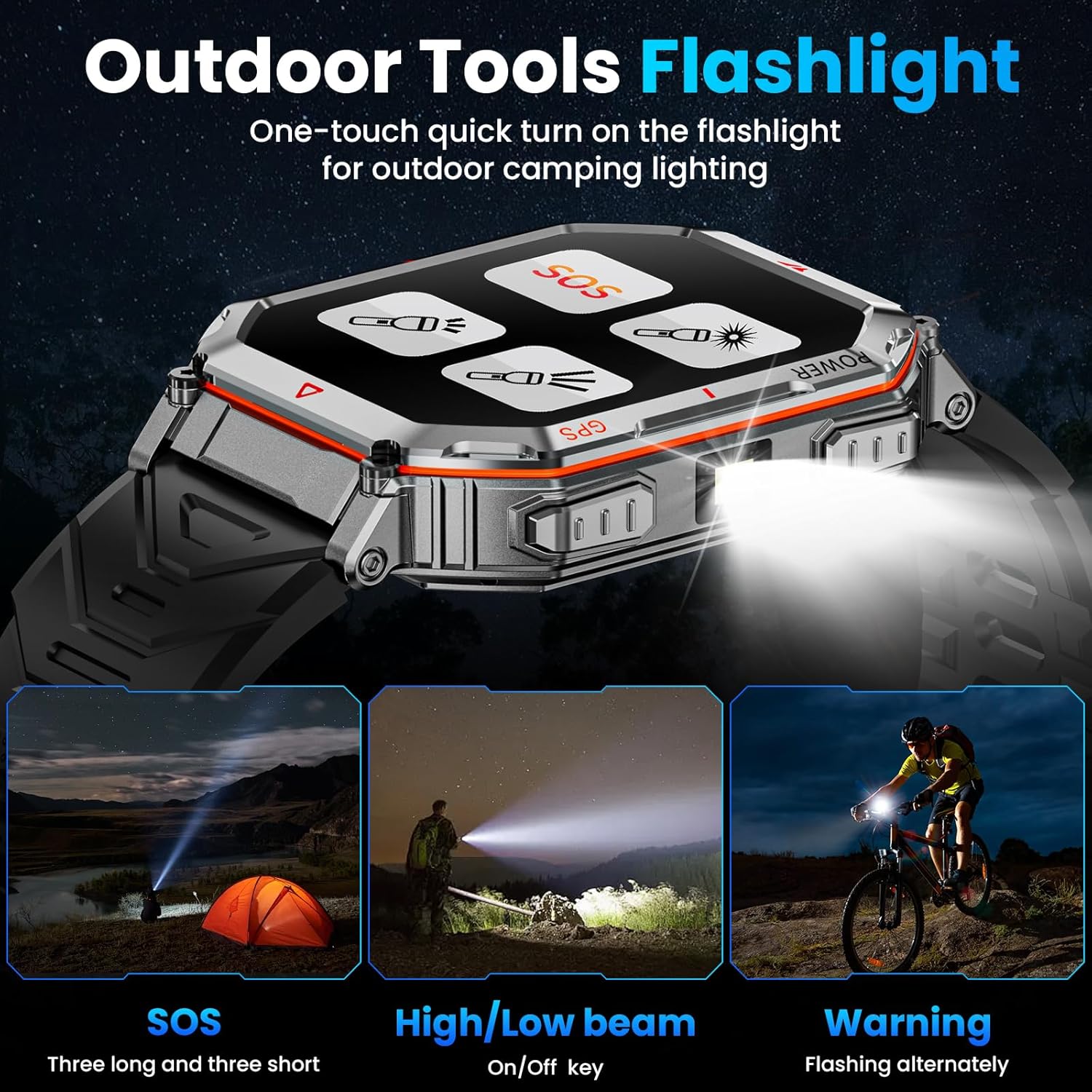
Image: The smartwatch highlighting its LED flashlight function, showing the watch emitting light and examples of its SOS, high/low beam, and warning light modes in outdoor settings.
Additional Functions
The smartwatch includes various other useful features:
- Music Control
- Remote Camera Shutter
- Weather Updates
- Stopwatch
- Stress-relief & Sleep-aid functions
- Calculator
- Find Phone
- Barometer/Altitude
Maintenance
Durability and Water Resistance
The Mingdaln Smart Watch is constructed with a full zinc-alloy chassis and features an IP68 waterproof rating, making it resistant to dust and immersion in water up to 1.5 meters for 30 minutes. It is suitable for daily use and exposure to splashes, rain, and hand washing. However, it is not recommended for swimming, diving, or hot water activities.
The watch is designed to withstand harsh environments, offering extreme-temperature tolerance, low-pressure operation, and resistance to impact and fluid corrosion.

Image: The smartwatch depicted in various challenging conditions, illustrating its resistance to water, impact, dust, high and low temperatures, vibration, and fluid corrosion.
Cleaning
To clean your smartwatch, wipe it with a soft, damp cloth. Avoid using harsh chemicals or abrasive materials, as these can damage the device's finish or functionality. Ensure the charging contacts are clean and dry before charging.
Troubleshooting
- Watch not turning on: Ensure the watch is fully charged. Connect it to the charging cable and a power source for at least 30 minutes.
- Cannot pair with phone:
- Ensure Bluetooth is enabled on your phone.
- Make sure the DaFit app is installed and open.
- Restart both your phone and the smartwatch.
- Ensure the watch is within Bluetooth range of your phone.
- If previously paired, try unpairing and re-pairing the device through your phone's Bluetooth settings and the DaFit app.
- Inaccurate GPS readings:
- Ensure you are in an open area with a clear view of the sky.
- Avoid wearing magnetic or steel straps, as these can interfere with GPS signals.
- Ensure the watch's GPS function is activated.
- Short battery life:
- Reduce screen brightness.
- Limit frequent use of power-intensive features like GPS or continuous heart rate monitoring.
- Activate power-saving mode if available.
- Ensure the watch is fully charged each time.
- Notifications not appearing:
- Check notification settings within the DaFit app to ensure they are enabled for desired applications.
- Verify that your phone's notification permissions allow the DaFit app to send alerts.
- Ensure the watch is connected via Bluetooth to your phone.
Specifications
| Model | B0FGJTT6DS |
| Brand | Mingdaln |
| Screen Size | 2.01 Inches |
| Display Type | HD Touch Screen |
| Operating System Compatibility | Android & iOS |
| Connectivity Technology | Bluetooth |
| GPS | Built-in GPS (GPS, GLONASS, BeiDou, Galileo, NAVIC, QZSS) |
| Special Features | GPT Voice Assistant, Compass, LED Flashlight, Activity Tracking, Music & Camera Control, IP68 Waterproof, Multiple Sports Modes, Calorie Tracking, Step Distance Tracking |
| Water Resistance | IP68 |
| Battery Capacity | 450 Milliamp Hours |
| Typical Usage Battery Life | Up to 5 days |
| Standby Battery Life | Up to 7 days (power-saving mode) |
| Memory Storage Capacity | 256 MB |
| Item Weight | 4.6 ounces (0.13 Kilograms) |
| Package Dimensions | 6.02 x 3.27 x 1.14 inches |
Warranty and Support
Customer Service
For any inquiries, technical assistance, or support, please contact Mingdaln customer service. Dedicated support is available 7 days a week, 24 hours a day. All inquiries are typically resolved within 24 hours.
Please refer to the contact information provided in your product packaging or on the official Mingdaln website for the most current support channels.
Warranty Information
Specific warranty details are typically included with your product documentation. Please retain your proof of purchase for warranty claims. The warranty covers manufacturing defects under normal use conditions.