
1. Introduction
This manual provides detailed instructions for the proper use and maintenance of your Pmjebe M9 MP3 Player. Please read this manual thoroughly before operating the device to ensure optimal performance and longevity. Keep this manual for future reference.
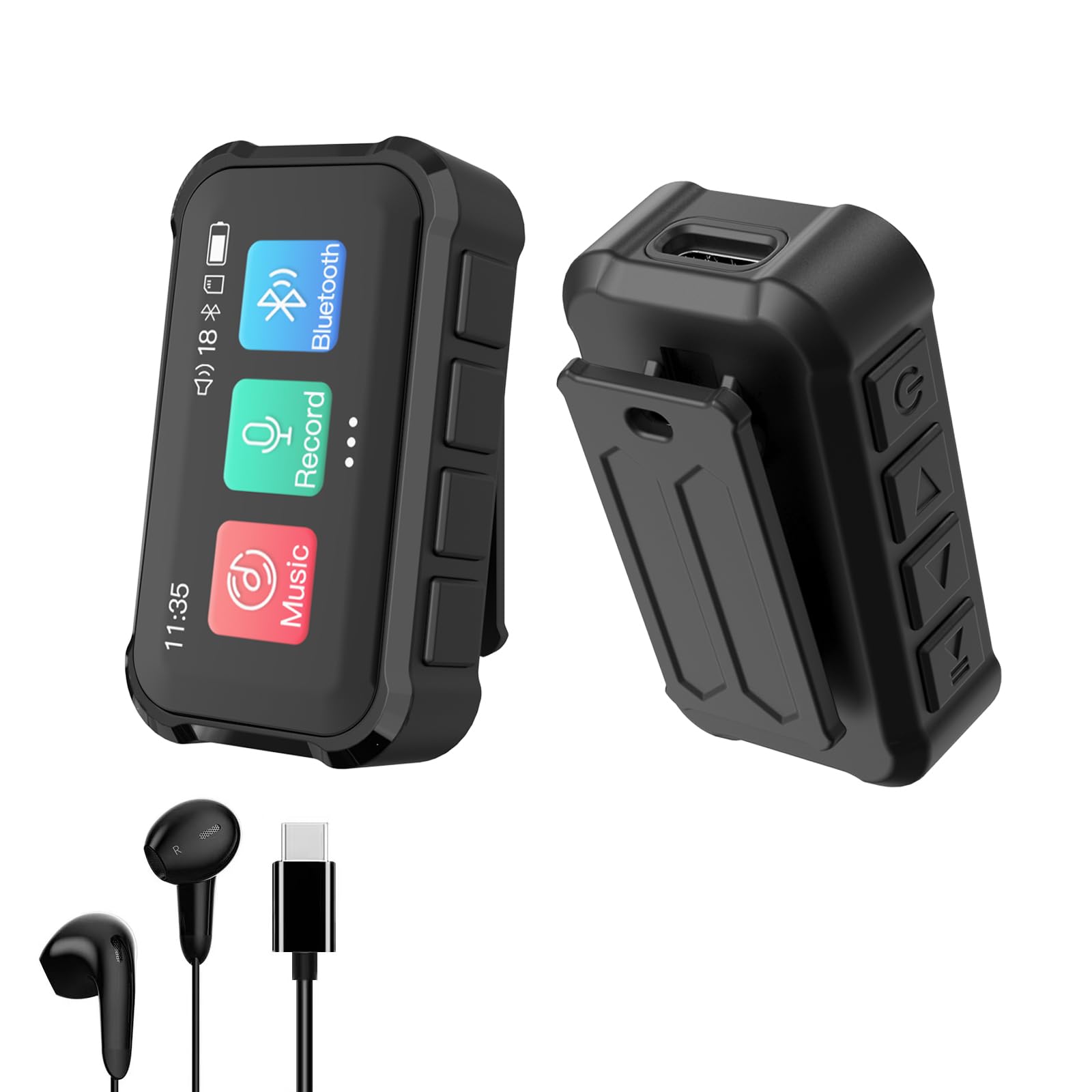
Image 1.1: Front view of the Pmjebe M9 MP3 Player.
2. Product Overview
The Pmjebe M9 is a compact and versatile digital music player designed for portability and ease of use. It features a 1.47-inch full touch screen, built-in speaker, Bluetooth 5.3 connectivity, and a digital voice recorder. Its mini back clip design makes it suitable for various activities.
Key Features:
- Compact Design: Lightweight and portable with a 1.47-inch full touch screen.
- High-Quality Audio: Supports lossless formats (MP3, WMA, OGG, WAV, APE, FLAC, AAC-LC, R4A, M4A) and features a built-in Hi-Fi speaker.
- Bluetooth 5.3: For stable wireless connection to Bluetooth headphones and speakers.
- Digital Voice Recorder: Equipped with dynamic noise reduction and PCM intelligent noise reduction for clear recordings up to 1536kbps.
- 32GB Internal Storage: Ample space for music, recordings, and e-books.
- Multi-functional: Includes music playback, FM radio, voice recording, e-book reader, and alarm clock.
- Built-in Sleep Music: Features a selection of ASMR, white noise, and other calming sounds.

Image 2.1: The compact size of the Pmjebe M9 MP3 Player, weighing 18g.
3. Setup
3.1 Charging the Device
Before first use, fully charge the MP3 player. Connect the provided Type-C charging cable to the device and a USB power source (e.g., computer USB port, wall adapter). A full charge typically takes approximately 2 hours.
3.2 Power On/Off
- To Power On: Press and hold the power button located on the side of the device until the screen illuminates.
- To Power Off: Press and hold the power button until a power-off option appears on the screen, then confirm.
3.3 Transferring Files (Music, E-books, etc.)
Connect the MP3 player to your computer using the Type-C USB cable. The device will appear as a removable disk. You can then drag and drop your music files, e-books (.txt format), and other compatible files into the appropriate folders on the device.
For direct transfer from Android smartphones, an OTG data cable and converter head (purchased separately) can be used. Ensure your Android device supports OTG functionality.

Image 3.1: Illustrates OTG interaction for file transfer from an Android smartphone.
4. Operating Instructions
4.1 Basic Navigation and Screen Operation
- The device features a 1.47-inch full touch screen for navigation.
- To wake the screen from sleep mode, press the power button.
- Swipe left/right or tap icons to navigate through menus and select functions.
- To adjust volume, tap the volume icon on the top right of the screen and use the slider.
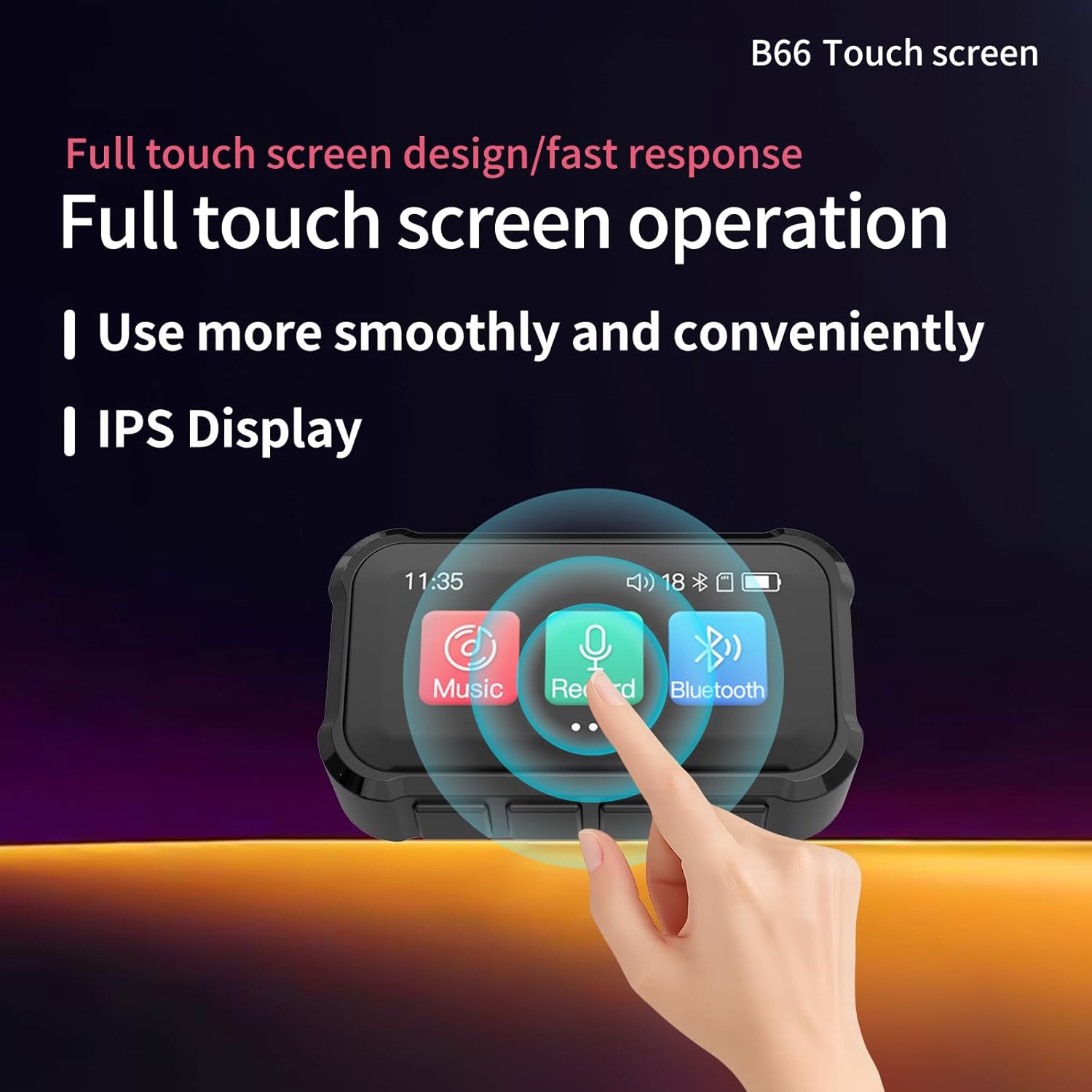
Image 4.1: The touch screen interface of the Pmjebe M9 MP3 Player.
4.2 Music Playback
- From the main menu, select the 'Music' icon.
- Browse your music library by artist, album, genre, or folder.
- Tap a song to begin playback.
- The player supports various lossless audio formats including MP3, WMA, OGG, WAV, APE, FLAC, AAC-LC, R4A, and M4A.
- Lyrics display is supported for files with synchronized .LRC lyric files. Ensure the lyric file has the same name as the audio file.

Image 4.2: The lyrics display feature during music playback.
4.3 Bluetooth Connectivity
The Pmjebe M9 features Bluetooth 5.3 for connecting to wireless audio devices.
- From the main menu, select the 'Bluetooth' icon.
- Turn on Bluetooth on the MP3 player.
- Ensure your Bluetooth headphones or speaker are in pairing mode.
- Select your device from the list of available devices to pair.
- Note: This MP3 player can only connect to Bluetooth headphones and Bluetooth speakers. It cannot connect to mobile phones or tablets.

Image 4.3: Bluetooth 5.3 connectivity with headphones and speakers.
4.4 Voice Recording
The built-in microphone allows for high-quality voice recordings.
- From the main menu, select the 'Record' icon.
- Tap the record button to start recording.
- Tap again to pause/resume, and hold to stop and save the recording.
- The device utilizes dynamic noise reduction and PCM intelligent noise reduction technology for clear audio capture up to 1536kbps.
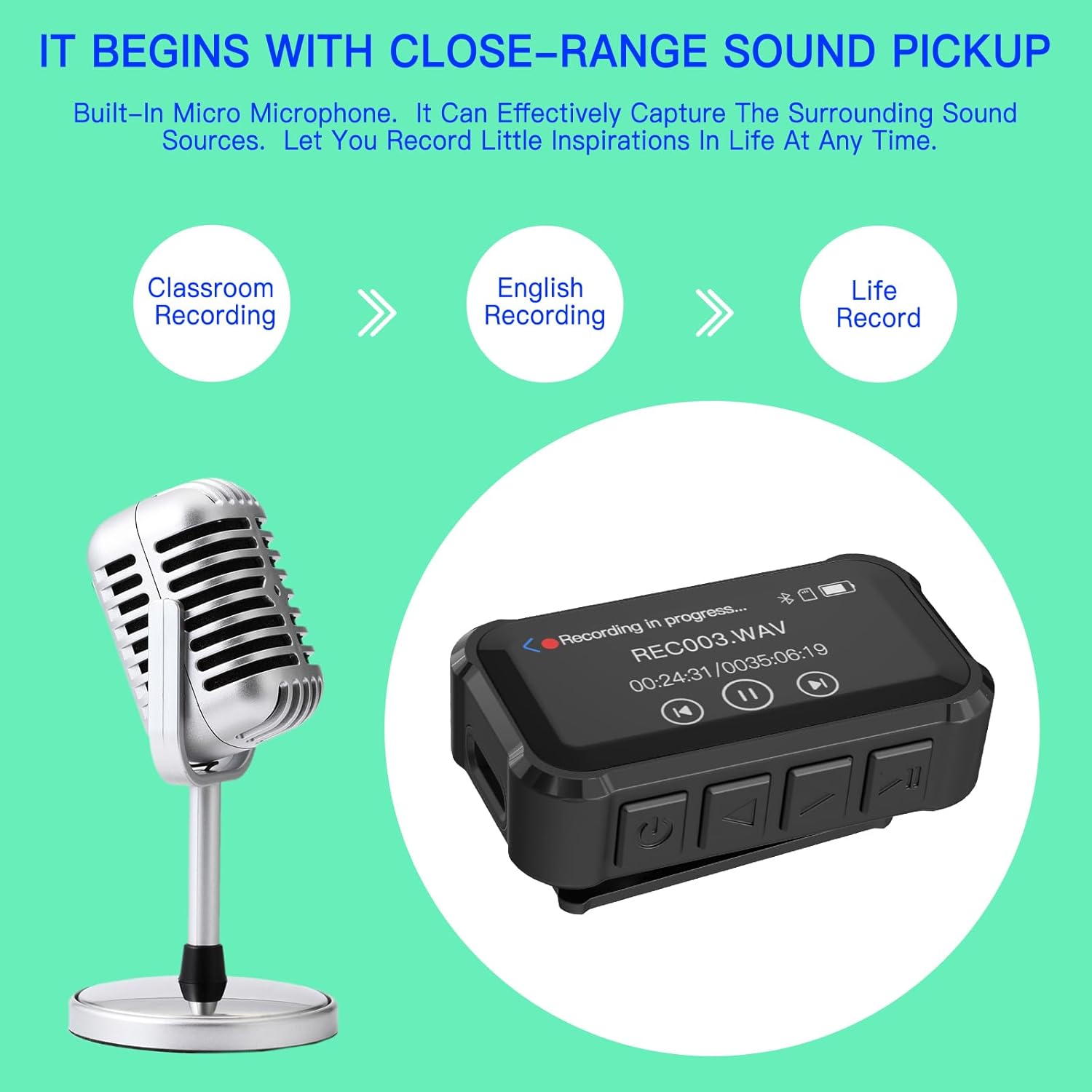
Image 4.4: The voice recording feature of the MP3 player.
4.5 FM Radio
To use the FM radio function, you must connect wired headphones to the 3.5mm audio jack. The wired headphones act as an antenna.
- Connect wired headphones.
- From the main menu, select the 'FM Radio' icon.
- Use the on-screen controls to scan for stations or manually tune.
4.6 E-Book Reader
The device supports reading e-books in .txt format.
- Transfer .txt files to the 'E-Book' folder on the device.
- From the main menu, select the 'E-Book' icon to access your library.
4.7 Sleep Music / Hypnosis Music
The device comes with pre-installed sleep-inducing sounds.
- From the main menu, navigate to the 'Sleep Music' or 'Hypnosis Music' section.
- Choose from various sounds such as ASMR, white noise, fast sleep tracks, waves, meditation, brain waves, and rain sounds.

Image 4.5: The sleep music feature, offering various calming sounds.
4.8 Using the Back Clip
The integrated back clip allows for convenient attachment to clothing or accessories, making it ideal for sports and on-the-go use.
- Attach the clip firmly to sleeves, trouser cuffs, collars, or armbands.
- Ensure the device is securely fastened before engaging in physical activity.

Image 4.6: The back clip design for hands-free use during activities.
5. Maintenance
- Cleaning: Use a soft, dry cloth to clean the device. Avoid liquid cleaners or abrasive materials.
- Storage: Store the device in a cool, dry place away from direct sunlight and extreme temperatures.
- Battery Care: To prolong battery life, avoid fully discharging the device frequently. Charge it regularly.
- Avoid Impact: Protect the device from drops and impacts, which can damage internal components or the screen.
6. Troubleshooting
6.1 Device Does Not Power On
- Ensure the device is fully charged. Connect it to a power source and allow it to charge for at least 15 minutes before attempting to power on again.
- Try holding the power button for an extended period (10-15 seconds) to force a restart.
6.2 Cannot Connect to Bluetooth Device
- Ensure the Bluetooth device (headphones/speaker) is in pairing mode.
- Verify that the MP3 player's Bluetooth is enabled.
- Confirm that you are attempting to connect to a Bluetooth headphone or speaker, not a mobile phone or tablet.
- Move the devices closer to each other to ensure they are within range.
6.3 Music Playback Issues
- Unsupported File Format: Ensure your music files are in a supported format (MP3, WMA, OGG, WAV, APE, FLAC, AAC-LC, R4A, M4A).
- No Sound: Check the volume level. Ensure headphones are properly connected or Bluetooth is paired correctly.
- Shuffle Mode: To enable shuffle playback, navigate to any song, then tap the '3 lines' icon (menu), select 'Repeat Playback', and choose 'Shuffle'.
6.4 Short Battery Life
- Battery life can vary based on usage (e.g., volume level, Bluetooth usage, screen brightness).
- Ensure the device is fully charged before use.
- Reduce screen brightness and turn off Bluetooth when not in use to conserve battery.
7. Specifications
| Feature | Specification |
|---|---|
| Model Number | M9 |
| Brand | Pmjebe |
| Memory Storage Capacity | 32 GB |
| Screen Size | 1.47 Inches |
| Bluetooth Version | 5.3 |
| Battery Type | 1 Lithium Polymer (included) |
| Charging Time | Approx. 2 hours (Type-C) |
| Playback Time | Up to 20 hours (varies with usage) |
| Supported Audio Formats | MP3, WMA, OGG, WAV, APE, FLAC, AAC-LC, R4A, M4A |
| Recording Quality | Up to 1536kbps |
| E-Book Format | .txt |
| Product Dimensions | 12D x 40W x 85H millimeters (1 x 4.5 x 8.5 cm) |
| Item Weight | 50 Grams |
| Origin | China |
8. Warranty and Support
8.1 Warranty Information
The Pmjebe M9 MP3 Player comes with a 1-year warranty from the date of purchase. This warranty covers manufacturing defects and malfunctions under normal use. It does not cover damage caused by misuse, accidents, unauthorized modifications, or normal wear and tear.
8.2 Customer Support
If you encounter any issues or have questions regarding your Pmjebe M9 MP3 Player, please contact our customer support team:
- Email: Support@manufacturer.com
Please provide your product model (M9) and a detailed description of the issue when contacting support for faster assistance.