
Introduction
The RayCue CyberAxon D3 is a versatile 13-in-1 docking station designed to enhance your workspace and streamline your digital workflow. This comprehensive manual provides detailed instructions for setting up, operating, and maintaining your device, ensuring you get the most out of its advanced features. With a 2.4-inch touchscreen, programmable macro keys, extensive port selection, and high-resolution display support, the CyberAxon D3 is engineered for seamless integration with Mac, Windows, and iPad devices.
Product Overview
The CyberAxon D3 combines a powerful docking station with a customizable stream control interface, offering unparalleled flexibility and efficiency. Its robust design and comprehensive connectivity options make it an ideal solution for professionals, content creators, and anyone seeking to optimize their multi-device setup.

Figure 1: RayCue CyberAxon D3 with detailed port labels including USB-A, USB-C, HDMI, Ethernet, and 3.5mm audio.

Figure 2: Overview of CyberAxon D3's 13-in-1 features, highlighting 2.4-inch IPS touchscreen, 12 custom keys, triple 4K@60Hz display, single 8K display, 10Gbps USB-C 3.2, 100W Max Fast Charging, and 1000 Mbps Gigabit Ethernet.
Key Features
- 13-in-1 Multifunctional Dock: Integrates a 2.4-inch touchscreen with 12 macro keys, 3x HDMI (up to 8K@30Hz), 3x USB-C (10Gbps), 2x USB-A (5Gbps), 2x USB 2.0, 100W PD charging, Gigabit Ethernet, and a 3.5mm audio jack.
- Stream Control Touchscreen: A 2.4-inch IPS touchscreen provides instant access to applications and settings. 12 customizable keys allow control over volume, media playback, display switching, app launching, and live stream management. Customization is available via the RayCue CyberAxon app.
- Triple/Dual Monitor Support: Connect up to three displays via 3x HDMI (4K@60Hz) for extended productivity or a single screen at 8K clarity. Windows supports Extend Mode (ABBB/ABCD) via MST/SST, while macOS supports Extend Mode (AAAA/ABBB) via SST.
- 100W Fast Charging & SuperSpeed Data: Delivers 100W Power Delivery (PD) for laptop charging and 10Gbps data transfer via USB-C. Plug-and-play compatibility with Windows, macOS, and over 2000 devices.
- Sleek Cyberpunk Design: Features a transparent casing with aluminum alloy cooling, LED lights, and a compact build for a modern aesthetic.

Figure 3: A hand demonstrates interaction with the 2.4-inch IPS touchscreen, showing various application icons for quick access.

Figure 4: A laptop is connected to a large 8K display, showcasing the single 8K display output capability of the CyberAxon D3.
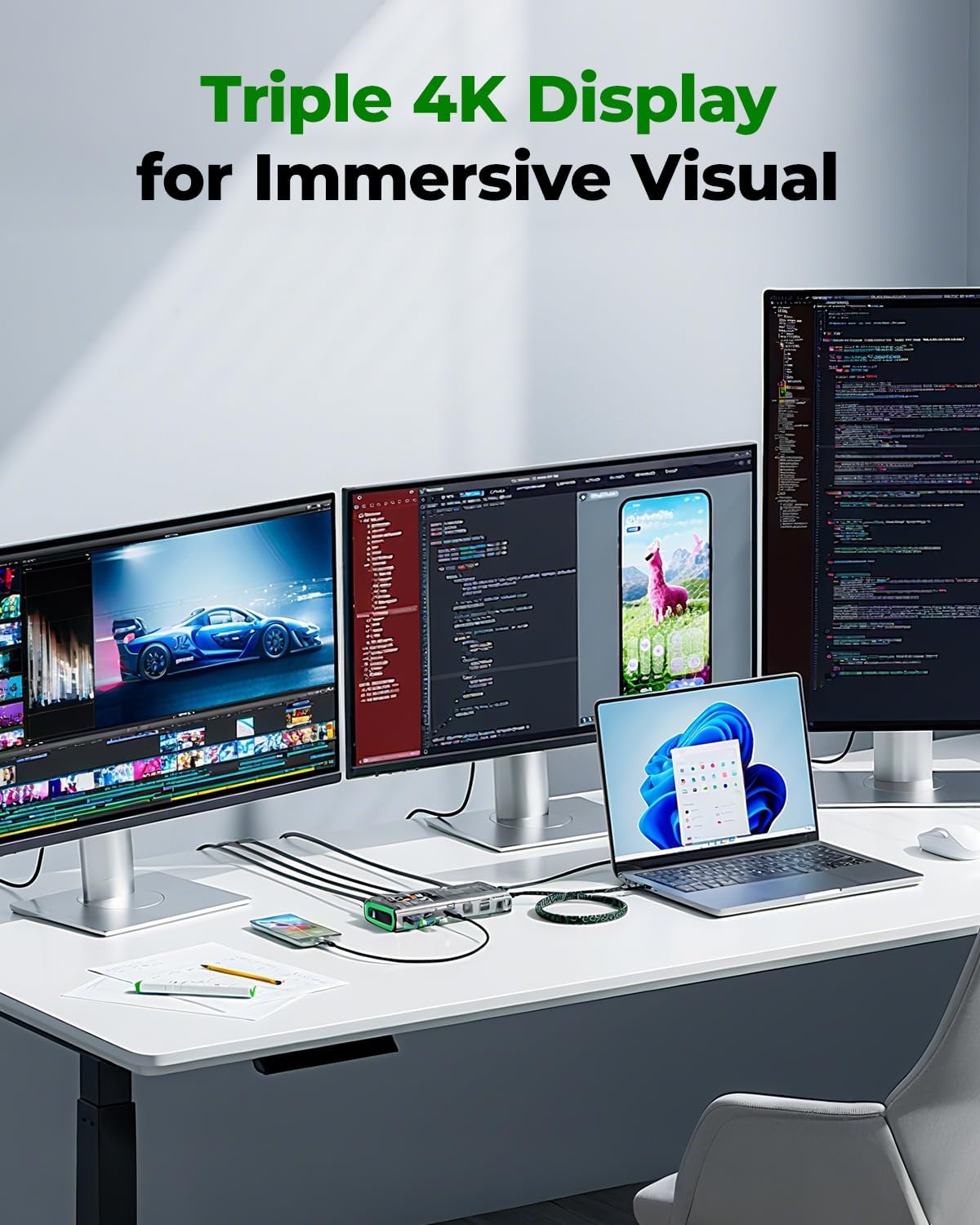
Figure 5: A laptop is connected to three external 4K displays, demonstrating the triple 4K display support for an immersive visual experience.

Figure 6: A laptop is shown charging at 100W via the CyberAxon D3, illustrating its fast charging capability.
Video 1: An official seller video showcasing the CyberAxon D3's 13-in-1 multifunctional capabilities and stream control features.
Setup Guide
- Power Connection: Connect the 100W PD input to a compatible power adapter (not included) to ensure stable power delivery to the dock and your connected devices.
- Host Connection: Use the provided USB-C to USB-C cable to connect the CyberAxon D3's host port to your laptop or compatible device.
- Display Connection: Connect your external monitors to the HDMI ports on the CyberAxon D3. For optimal performance, ensure your cables and monitors support the desired resolution and refresh rate (e.g., 4K@60Hz or 8K@30Hz).
- Network Connection: For a stable internet connection, plug an Ethernet cable into the Gigabit Ethernet port.
- Peripheral Connection: Connect your USB devices (keyboards, mice, external drives) to the available USB-A and USB-C data ports.
- Audio Connection: Plug your headphones or speakers into the 3.5mm audio jack.
- Software Installation: Download and install the RayCue CyberAxon app from the official website to customize the 12 macro keys and touchscreen functions.
Operating Instructions
- Power On/Off: The device powers on automatically when connected to a host device and power source.
- Touchscreen Navigation: Use the 2.4-inch IPS touchscreen to navigate through various applications and settings. Tap icons to launch functions or access menus.
- Macro Key Customization: Open the RayCue CyberAxon app on your computer to program the 12 macro keys. Assign functions such as volume control, media playback, display mode switching, application shortcuts, or streaming commands.
- Display Modes:
- Windows: Supports Extend Mode (ABBB/ABCD) via MST/SST.
- macOS: Supports Extend Mode (AAAA/ABBB) via SST.
- Data Transfer: Utilize the 10Gbps USB-C ports for high-speed data transfer with compatible devices.
Maintenance
- Cleaning: Use a soft, dry cloth to clean the device. Avoid liquid cleaners or abrasive materials.
- Storage: Store the device in a cool, dry place away from direct sunlight and extreme temperatures.
- Handling: Avoid dropping the device or subjecting it to strong impacts. Do not attempt to disassemble the unit.
Troubleshooting
- No Display Output:
- Ensure the host device is connected to the dock's host port.
- Verify that the dock is receiving adequate power (100W PD input).
- Check HDMI cables and monitor input settings.
- For macOS, ensure display settings are configured for extended mode (SST).
- Macro Keys Not Responding:
- Confirm the RayCue CyberAxon app is installed and running on your computer.
- Ensure the dock is properly connected to your computer.
- Check for any app updates or driver issues.
- Slow Data Transfer:
- Ensure connected devices and cables support 10Gbps USB-C speeds.
- Avoid connecting multiple high-bandwidth devices simultaneously if performance is critical.
- Power Delivery Issues:
- Use a 100W PD compatible power adapter for optimal charging.
- Verify the USB-C cable supports 100W PD.
Specifications
| Feature | Detail |
|---|---|
| Model | D3 |
| Ports | 3x HDMI (up to 8K@30Hz), 3x USB-C (10Gbps), 2x USB-A (5Gbps), 2x USB 2.0, 1x Gigabit Ethernet, 1x 3.5mm Audio Jack, 1x 100W PD Input |
| Touchscreen | 2.4-inch IPS, 12 Programmable Macro Keys |
| Power Delivery | 100W (input) |
| Data Transfer Speed | USB-C: 10Gbps, USB-A: 5Gbps |
| Display Support | Triple 4K@60Hz, Single 8K@30Hz |
| Compatibility | Windows, macOS, iPadOS, 2000+ devices |
| Dimensions | 8.58 x 5.35 x 2.05 inches |
| Item Weight | 10.6 ounces (300 Grams) |
What's in the Box
The CyberAxon D3 package includes the following items:
- 1x CyberAxon D3 13-in-1 Multifunctional Stream Dock
- 1x USB-C to USB-C cable
- 1x Instruction Manual

Figure 7: The CyberAxon D3 box contents, including the dock, USB-C cable, and instruction manual.
Warranty and Support
RayCue products are designed for reliability and performance. For warranty information, technical support, or customer service inquiries, please refer to the contact details provided in the included instruction manual or visit the official RayCue website. Please retain your proof of purchase for any warranty claims.