
1. Introduction
Thank you for choosing the ULANZI MT-80 Aluminum Tripod Stand. This versatile and portable stand is designed for various photography and videography needs, functioning as both a camera tripod and a light stand. It features an innovative auto pop-up leg design, extendable height, and a 360-degree adjustable ball head for flexible positioning. This manual provides detailed instructions for proper setup, operation, and maintenance to ensure optimal performance and longevity of your device.

Image 1.1: ULANZI MT-80 Tripod Stand showcasing its versatility.
2. Product Features
- Innovative Auto Pop-Up Legs: The tripod legs automatically deploy when the base touches the ground, simplifying setup.
- 7-Tier Extendable Design: Features a 6-section eccentric tube center axis, allowing the stand to extend up to 213 cm (7 feet) in height.
- Standard 1/4" Screw Mount: Compatible with a wide range of devices including cameras, LED video lights, ring lights, and smartphone clamps.
- 360° Rotation & 180° Tilt Ball Head: Provides comprehensive angle adjustment for precise positioning of your equipment.
- Robust Aluminum Alloy Construction: Designed for durability and stability, supporting a maximum load of up to 5 kg (11 lbs).
- Portable and Lightweight: Folds down to a compact size of 46 cm (18.11 inches) and weighs approximately 882g (1.94 lbs), ideal for travel.
- Reinforced Stability: Features peg holes on each leg for enhanced stability on uneven or windy outdoor surfaces.
3. Setup Instructions
3.1 Unpacking
Carefully remove the ULANZI MT-80 Tripod Stand and its accessories from the packaging. Verify that all components listed in the 'What's in the Box' section are present.
3.2 Deploying the Legs
To deploy the tripod legs, simply place the base of the stand on a flat surface. The innovative touch-to-open design will automatically extend the legs outwards. Ensure the legs are fully spread for maximum stability.

Image 3.1: Automatic leg deployment mechanism.
3.3 Adjusting Height
The MT-80 features a 7-tier extendable center column. To adjust the height:
- Grasp the desired section of the central column.
- Twist counter-clockwise to unlock the section.
- Extend the section to the desired height.
- Twist clockwise to lock the section firmly in place. Repeat for all sections until the desired height is achieved.
The stand can reach a maximum height of 213 cm.

Image 3.2: Height adjustment and locking mechanism details.
3.4 Attaching Devices
The MT-80 is equipped with a standard 1/4-inch screw mount. To attach your device:
- Ensure your camera, light, or phone clamp has a compatible 1/4-inch thread.
- Carefully screw your device onto the 1/4-inch screw at the top of the tripod head until it is secure. Do not overtighten.

Image 3.3: 1/4-inch screw mount and device compatibility.
4. Operating Instructions
4.1 Adjusting Angle (Ball Head)
The integrated ball head allows for 360° panoramic rotation and 180° tilt adjustment.
- Loosen the locking knob on the side of the ball head.
- Adjust your attached device to the desired pan or tilt angle.
- Tighten the locking knob to secure the position.

Image 4.1: Ball head rotation and tilt functionality.
4.2 Enhancing Stability on Uneven Surfaces
For increased stability on challenging terrain or in windy conditions, the MT-80 features reinforced peg holes on each leg. Use ground stakes (not included) through these holes to anchor the tripod securely.
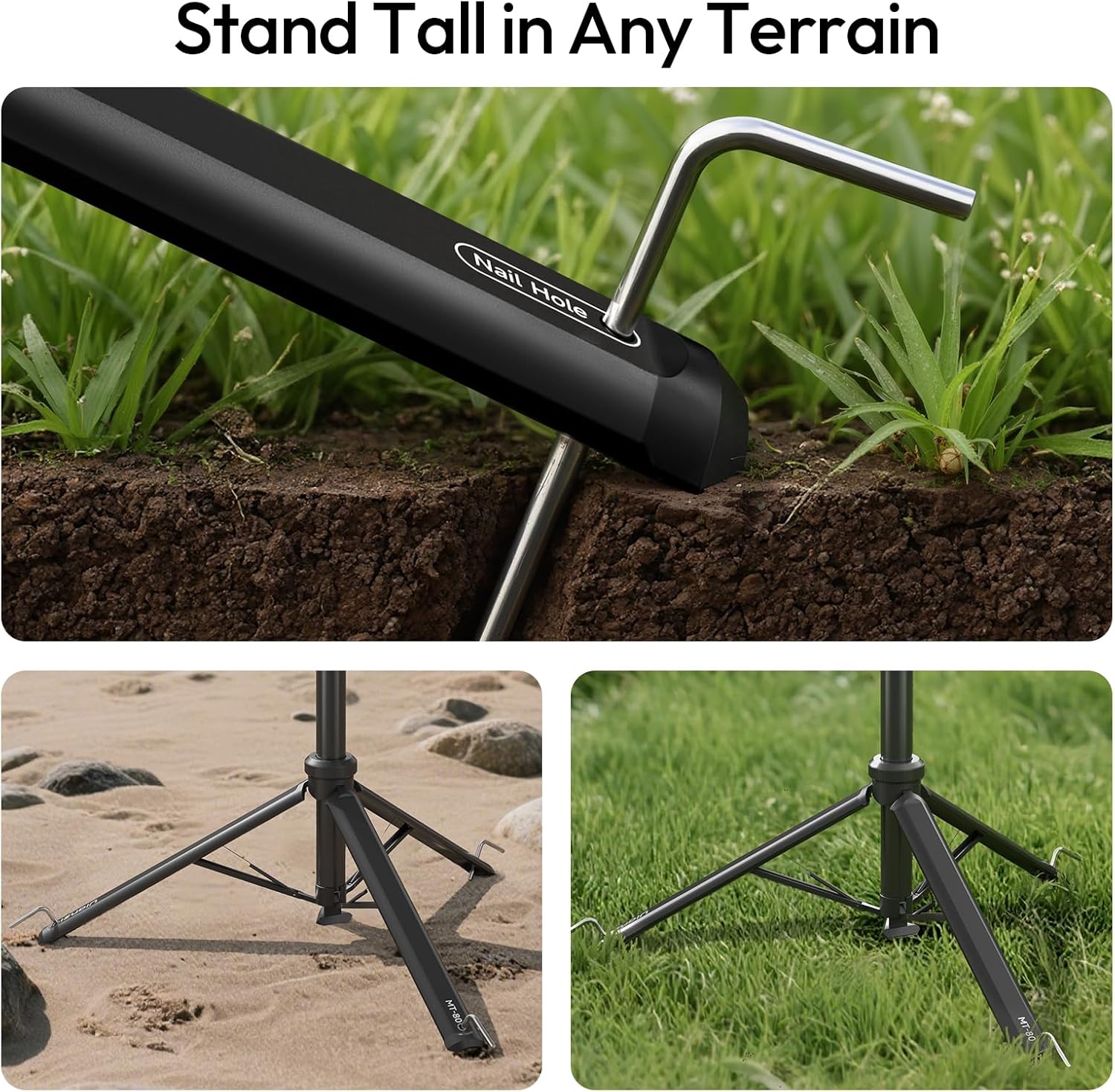
Image 4.2: Using peg holes for enhanced stability.
4.3 Application Scenarios
The ULANZI MT-80 is suitable for a variety of uses:
- Portrait Photography: Stable support for studio or outdoor portraits.
- Outdoor Photography: Lightweight and durable for on-location shoots.
- Livestreaming: Provides a steady platform for cameras or lights during live broadcasts.
- Video Production: Ideal for supporting video lights or cameras for stable footage.
- Camping: Portable design makes it easy to carry for outdoor lighting or photography needs.
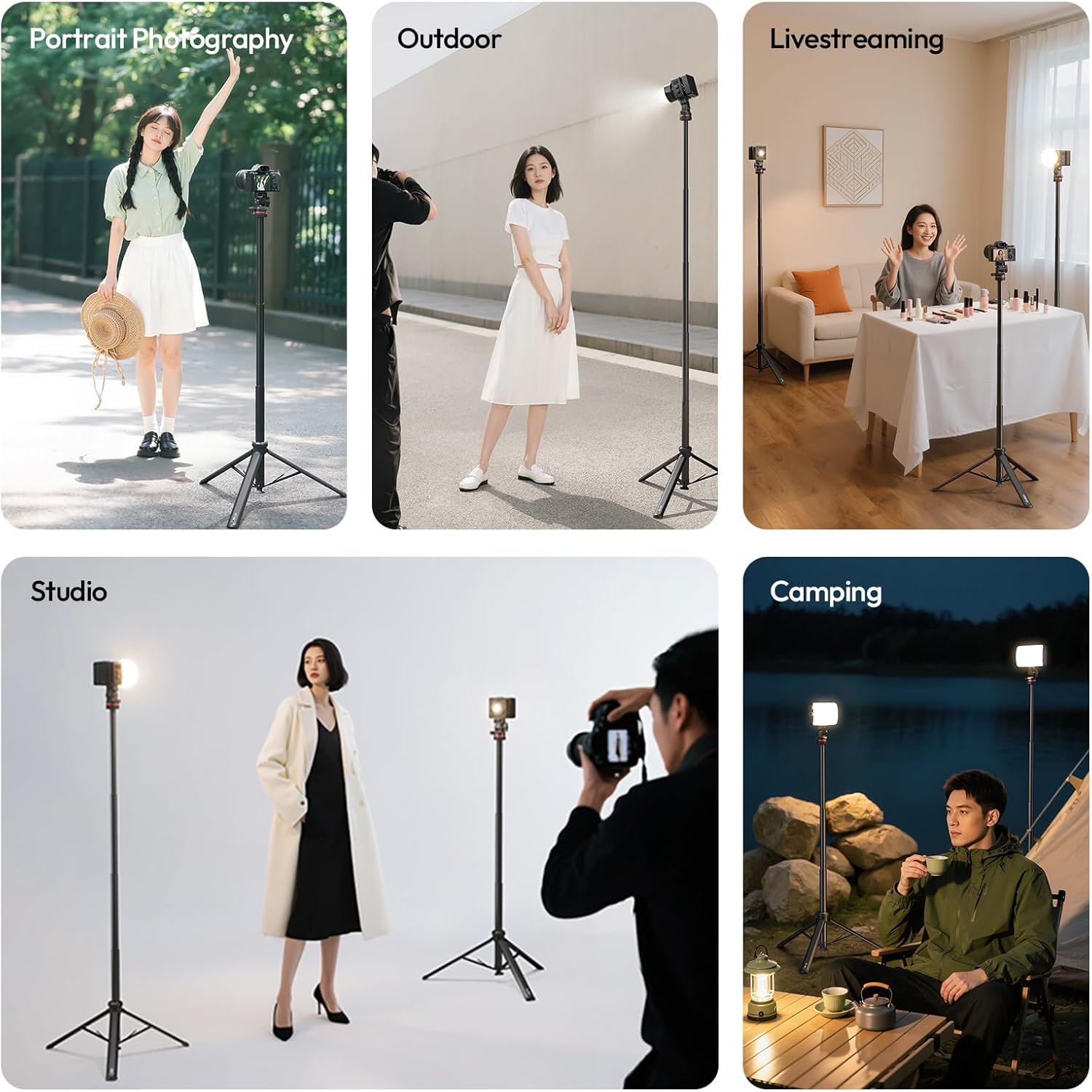
Image 4.3: Diverse application scenarios for the MT-80.
5. Maintenance
To maintain your ULANZI MT-80 Tripod Stand in optimal condition:
- Cleaning: Wipe the stand with a soft, dry cloth after each use to remove dust and dirt. For stubborn grime, use a slightly damp cloth and then dry thoroughly. Avoid harsh chemicals.
- Storage: Store the tripod in its provided storage bag in a cool, dry place away from direct sunlight and extreme temperatures.
- Inspection: Periodically check all locking mechanisms and screws for tightness. Ensure the legs deploy and retract smoothly.
- Lubrication: Do not apply lubricants to the extension tubes or locking mechanisms unless specifically instructed by the manufacturer, as this can attract dirt and impair function.
6. Troubleshooting
- Problem: Tripod legs do not deploy automatically.
Solution: Ensure the base is placed firmly on a flat surface. Check for any obstructions around the leg hinges. If the issue persists, manually extend the legs. - Problem: Extension sections are difficult to lock or unlock.
Solution: Ensure you are twisting the sections correctly (counter-clockwise to unlock, clockwise to lock). If a section feels stuck, apply gentle, even pressure. Avoid excessive force. - Problem: Stand feels unstable, especially at maximum height.
Solution: Ensure all sections are fully extended and securely locked. Verify that the legs are spread to their widest possible stance. For outdoor use, utilize the peg holes with ground stakes for added stability. Avoid placing heavy equipment beyond the 5 kg (11 lbs) weight limit. - Problem: Device attached to the ball head is loose or shifts.
Solution: Ensure the device is securely screwed onto the 1/4-inch mount. Tighten the ball head locking knob firmly after adjusting the angle.
7. Specifications
| Feature | Specification |
|---|---|
| Brand | ULANZI |
| Model Name | MT-80 |
| Material | Aluminum Alloy + ABS |
| Number of Sections | 6 |
| Maximum Height | 213 cm (83.86 inches) |
| Folded Size | 46 cm (18.11 inches) |
| Item Weight | 882g (1.94 lbs) |
| Weight Limit | 5 kg (11 lbs) |
| Tripod Head Type | 360° Ball & 180° Tilt |
| Compatible Devices | Camcorder, Camera, Ring Light, Smartphone, Video Light |
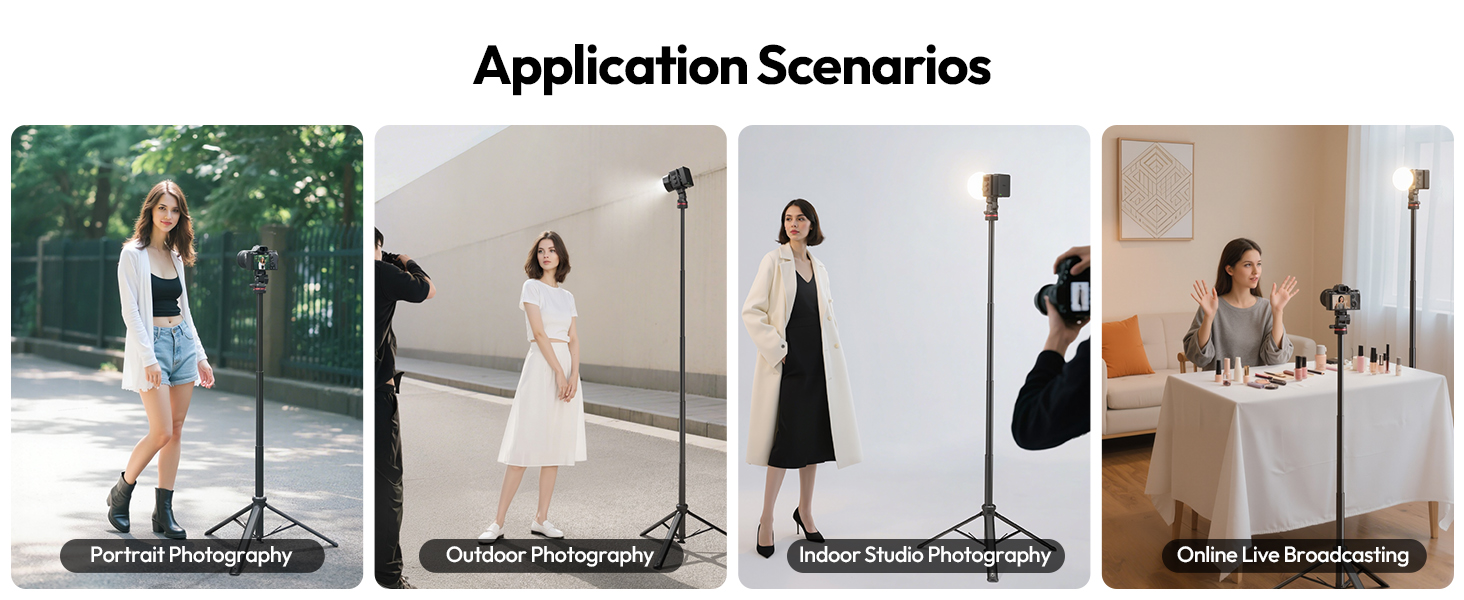
Image 7.1: Detailed product specifications.
8. What's in the Box
The ULANZI MT-80 package includes the following items:
- ULANZI MT-80 Light Tripod Stand x 1
- Storage Bag x 1
- Instruction Manual x 1
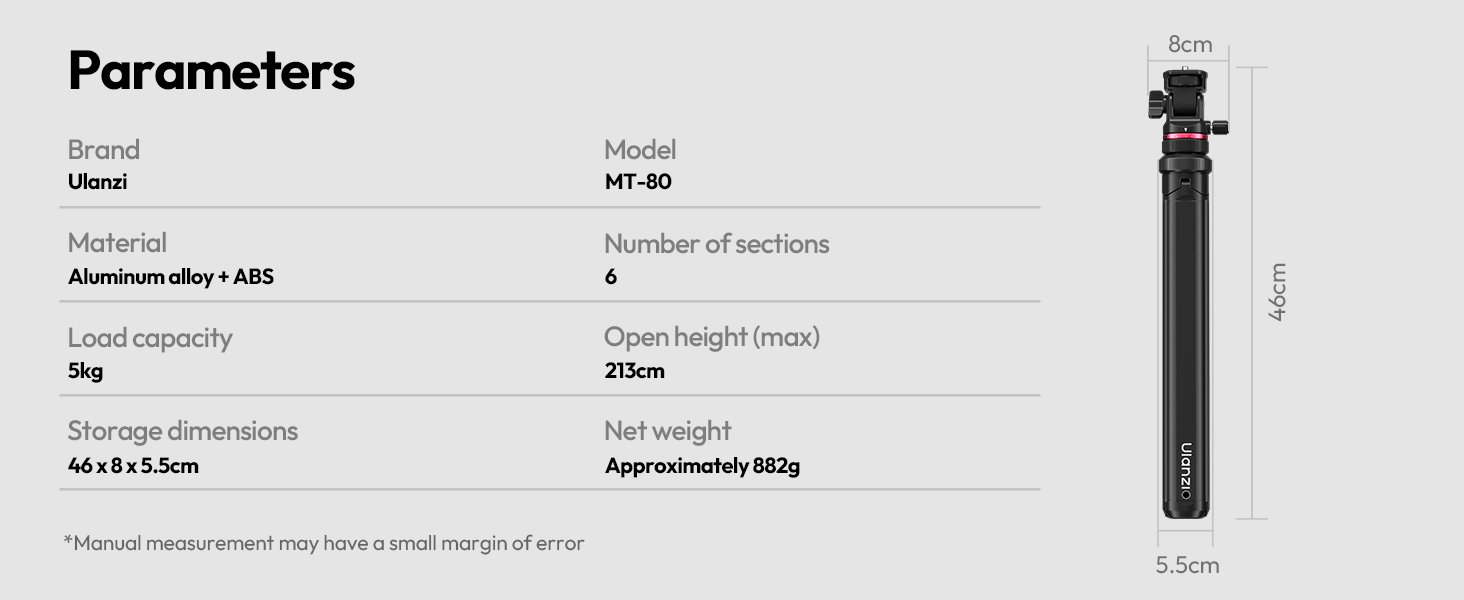
Image 8.1: Package contents.
9. Warranty and Support
For warranty information and customer support, please refer to the official ULANZI website or contact your retailer. Keep your purchase receipt for warranty claims.
For further assistance, visit the ULANZI Store: ULANZI Official Store