
Evopow M5
Evopow M5 Portable Charger Instruction Manual
Model: M5 | Brand: Evopow
1. Introduction
Thank you for choosing the Evopow M5 Portable Charger. This device is designed to provide reliable and fast charging for your electronic devices on the go. Please read this manual carefully to ensure proper use and to maximize the lifespan of your power bank.
What's in the Box:
- 2 x Evopow M5 10000mAh Portable Power Banks
- 2 x USB-C to USB-C Charging Cables
- 1 x User Manual
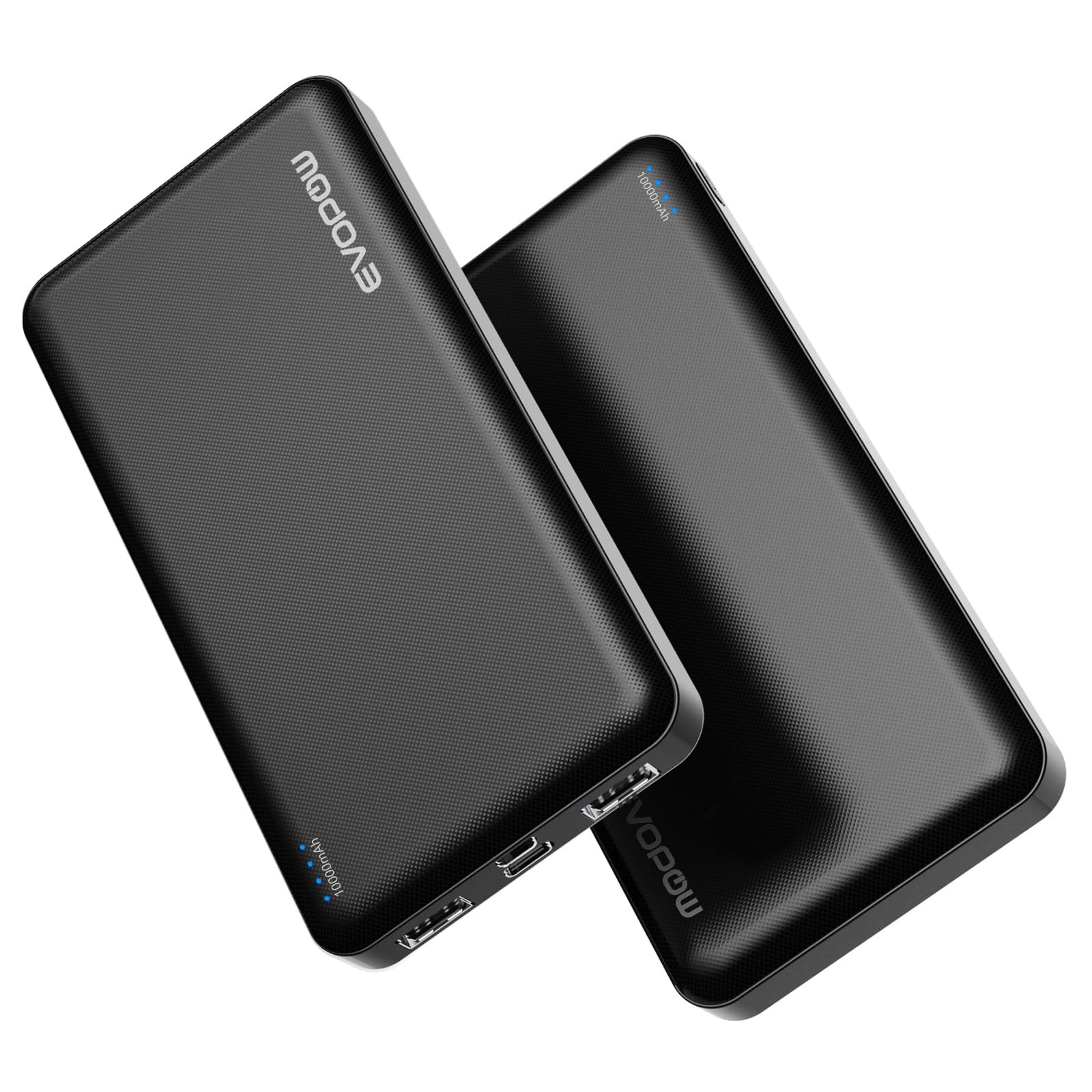
The Evopow M5 portable charger is a compact and efficient solution for keeping your devices powered. It features a slim design, multiple charging ports, and advanced safety protections.
2. Key Features
- Slim & Lightweight Design: At just 0.55 inches thick and weighing 219g, this power bank is highly portable.
- 10000mAh Capacity: Provides sufficient power to charge an iPhone 16 approximately 1.9 times, a Samsung S23 1.9 times, or AirPods Pro 11.5 times.
- Multiple Output Ports: Equipped with 3 USB output ports (2 x USB-A, 1 x USB-C) for charging multiple devices simultaneously.
- Dual Input Ports: Features both USB-C and Micro USB input ports for convenient recharging of the power bank.
- Fast Charging: Delivers up to 5V 2.4A output, charging devices faster than standard 2.1A chargers.
- USB-C In & Out: The USB-C port supports both input and output, allowing for versatile charging and recharging.
- Safety Protections: Built-in safeguards against overcurrent, overcharge, overdischarge, and short circuits.


3. Setup
Initial Charging of the Power Bank:
- Use the provided USB-C cable or a Micro USB cable to connect the power bank's input port to a USB wall charger (not included).
- The LED indicator lights will flash to show the charging status.
- The power bank is fully charged when all four LED lights are solid blue. This typically takes about 4 hours with a 5V 2A charger.

Checking Battery Level:
Press the power button once to check the remaining battery level. The LED indicator lights will illuminate to show the current charge:
- 1 Light: 0-25%
- 2 Lights: 25-50%
- 3 Lights: 50-75%
- 4 Lights: 75-100%
4. Operating Instructions
Charging Your Devices:
- Connect your device's charging cable to one of the power bank's output ports (USB-A or USB-C).
- Connect the other end of the cable to your device.
- The power bank will automatically begin charging your device. If it does not, press the power button once.
- The LED indicators will show the power bank's remaining charge during the charging process.

Simultaneous Charging:
The Evopow M5 allows you to charge up to three devices at once using its multiple output ports. The power bank will intelligently distribute the current to connected devices.

5. Maintenance
- Keep the power bank away from extreme temperatures, direct sunlight, and liquids.
- Store in a cool, dry place when not in use.
- Avoid dropping or subjecting the power bank to strong impacts.
- Clean the surface with a soft, dry cloth. Do not use harsh chemicals or abrasive materials.
- For optimal battery health, fully charge the power bank at least once every three months if not used regularly.
6. Troubleshooting
Power Bank Not Charging:
- Ensure the charging cable is securely connected to both the power bank's input port and the wall charger.
- Try using a different charging cable or wall adapter.
- Verify that the wall outlet is functioning correctly.
Device Not Charging from Power Bank:
- Press the power button on the power bank to activate charging.
- Ensure your device's charging cable is securely connected to both the power bank's output port and your device.
- Try using a different output port on the power bank.
- Check if your device's charging cable is damaged.
- Ensure the power bank has sufficient charge (check LED indicators).
Slow Charging:
- Ensure you are using a high-quality charging cable.
- Some devices may have specific charging requirements. Refer to your device's manual.
- Charging multiple devices simultaneously may reduce the charging speed for individual devices.
7. Specifications
| Feature | Detail |
|---|---|
| Model Number | M5 |
| Battery Capacity | 10000mAh / 37Wh |
| Product Dimensions | 5.39 x 2.64 x 0.55 inches |
| Item Weight | 1.01 pounds |
| Input (USB-C) | 5V / 2A |
| Input (Micro USB) | 5V / 2A |
| Output (USB-A x 2) | 5V / 2.4A |
| Output (USB-C) | 5V / 2.4A |
| Special Feature | LED Indicator Lights |
8. Warranty and Support
Evopow products come with a standard manufacturer's warranty. For specific warranty details, please refer to the product packaging or contact Evopow customer support.
If you encounter any issues or have questions regarding your Evopow M5 Portable Charger, please visit the official Evopow store on Amazon or contact their customer service for assistance. You can find more information and support resources at the Evopow Store.

Ask a question about this manual
Ask about setup, troubleshooting, compatibility, parts, safety, or missing instructions. Manuals+ will review the question and use this page’s manual context to help answer it.