
1. Introduction
The pepape Smart WLAN Garage Door Opener provides a convenient way to control your garage door using a smartphone application. This device is designed for seamless integration with specific Hörmann and Marantec 868MHz garage door operator systems, offering enhanced control and accessibility without complex wiring.

Image 1.1: The pepape Smart WLAN Garage Door Opener device and its accompanying smartphone application interface.
2. Compatibility
This smart Wi-Fi controller is compatible with a range of Hörmann and Marantec 868MHz garage door remote controls. Please verify your existing remote control model against the lists below to ensure compatibility before installation.
2.1. Compatible Hörmann Models (868.3MHz Blue Buttons)

Image 2.1: Visual representation of compatible Hörmann remote controls.
- HSM4-868
- HSE2-868
- HS4-868
- HSE4-868
- HS1-868
- HS2-868
- HSM2-868
- HSZ1-868
- HSZ2-868
- HSP4-868
- HSP4-C 868
- HSD2-A 868
- HSD2-C 868
2.2. Compatible Marantec Models (868.3MHz Multi-Bit)

Image 2.2: Visual representation of compatible Marantec remote controls.
- Marantec Digital 302, 304, 306, 313, 317, 321, 323, 382, 384, 392 (all 868.3MHz)
- Marantec Command 131, 133, 231 (all 868.3MHz)
3. Package Contents
Upon opening your package, please ensure all items listed below are present and in good condition.

Image 3.1: Contents of the product package.
- 1x pepape Smart Wi-Fi Controller
- 1x Detailed User Manual
- 1x White Packaging Box
Note: A USB Type-C cable and power adapter are not included and must be supplied by the user.
4. Setup and Installation
The pepape Smart WLAN Garage Door Opener is designed for wireless installation, requiring no direct wiring to your garage door motor. Follow these steps for a quick and easy setup.
4.1. Power Supply
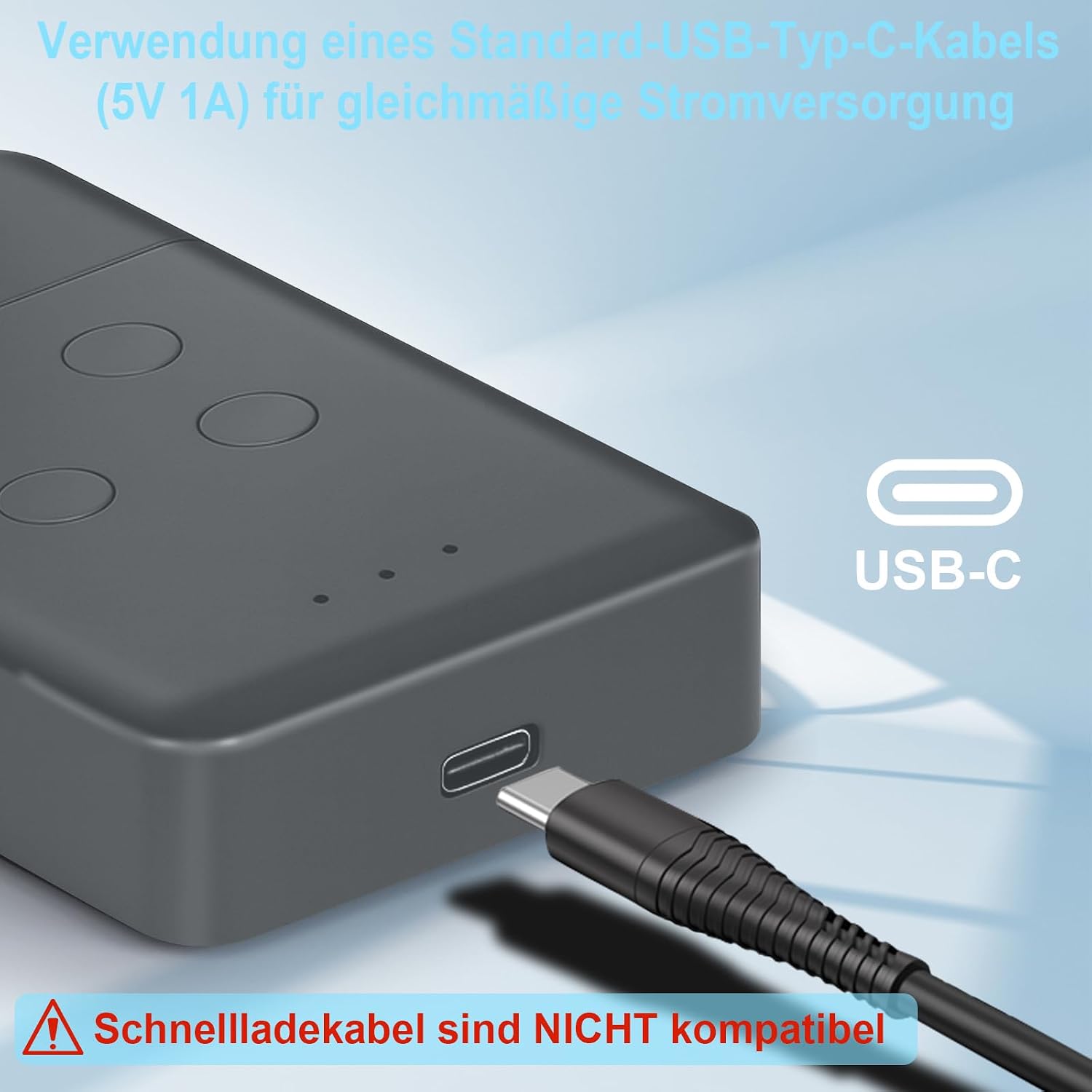
Image 4.1: Connecting the USB-C power cable.
- Obtain a standard USB Type-C cable and a 5V 1A power adapter (not included).
- Connect the USB Type-C cable to the controller's USB-C port.
- Plug the other end of the cable into the 5V 1A power adapter and connect it to a power outlet.
- Important: Fast charging cables are not compatible and should not be used. Ensure a stable 5V 1A power supply for optimal performance.
4.2. Device Placement

Image 4.2: Recommended placement of the Wi-Fi controller in the garage.
Place the powered Wi-Fi controller in your garage, ensuring it is within range of your home Wi-Fi network and in proximity to your existing garage door opener's remote control signal. The device does not require direct wiring to the garage door motor.
4.3. App Download and Pairing
- Download the Tuya Smart or Smart Life application from your smartphone's app store (available for iOS and Android).
- Register or log in to your account within the app.
- Follow the in-app instructions to add a new device. The pepape Smart WLAN Garage Door Opener will typically be detected as a "Remote Control" or "RF Bridge" device.
- During the pairing process, you will be prompted to teach the smart controller the signals from your existing garage door remote. Press the corresponding buttons on your original remote as instructed by the app to copy the signals.
- Once paired, you can name your garage door opener within the app for easy identification.
5. Operation
Control your garage door conveniently from anywhere using the Tuya Smart or Smart Life app on your smartphone.

Image 5.1: Operating the garage door via the mobile app.
- Open the Tuya Smart or Smart Life app on your smartphone.
- Select your pepape Smart WLAN Garage Door Opener from the device list.
- The app interface will display virtual buttons corresponding to the functions of your original garage door remote (e.g., open, close, stop).
- Tap the desired button to send the command to your garage door.
- The device supports 4 channels, allowing you to control up to four different functions or garage doors if configured during setup.

Image 5.2: App interface and key features.
6. Specifications
Detailed technical specifications for the pepape Smart WLAN Garage Door Opener.
| Feature | Detail |
|---|---|
| Brand | pepape |
| Model Number | 4636e52b-66e8-4f3f-b6b6-edbc8fadef82 |
| Connectivity Technology | 868.3 MHz (RF), Wi-Fi (for app control) |
| Controller Type | Wi-Fi control via Tuya/Smart Life App |
| Number of Channels | 4 |
| Power Input | Standard USB Type-C (5V 1A) |
| Product Dimensions | 8.8 x 5.7 x 2 cm (3.46 x 2.24 x 0.78 inches) |
| Item Weight | 35 Grams |
| Compatible Devices | Hörmann 868.3 MHz (blue buttons), Marantec 868.3 MHz (multi-bit) |

Image 6.1: Product dimensions.
7. Troubleshooting
If you encounter issues with your pepape Smart WLAN Garage Door Opener, please refer to the following common solutions:
- Device Not Powering On:
- Ensure the USB Type-C cable is securely connected to both the device and the power adapter.
- Verify that the power adapter is a standard 5V 1A output and plugged into a working electrical outlet.
- Avoid using fast charging cables, as they are not compatible.
- Unable to Pair with App:
- Make sure your smartphone is connected to a 2.4GHz Wi-Fi network. The device may not support 5GHz networks.
- Ensure the device is within range of your Wi-Fi router.
- Restart the device by unplugging and re-plugging the USB-C cable.
- Reset the device (refer to the app's instructions for specific reset procedures, usually involving holding a button).
- Confirm you are using the correct app (Tuya Smart or Smart Life).
- Garage Door Not Responding:
- Verify that the original garage door remote control is functioning correctly.
- Ensure the smart controller has successfully learned the signals from your original remote. You may need to repeat the signal learning process in the app.
- Check that the smart controller is placed in a location where it can effectively transmit signals to your garage door opener. Obstructions can interfere with the signal.
- Confirm that your garage door opener model is listed as compatible.
- App Connectivity Issues:
- Check your home Wi-Fi network for stability.
- Ensure the Tuya Smart/Smart Life app is updated to the latest version.
- If using mobile data, ensure you have a stable internet connection.
8. Maintenance
The pepape Smart WLAN Garage Door Opener requires minimal maintenance to ensure long-term performance.
- Cleaning: Wipe the device with a soft, dry cloth. Do not use liquid cleaners or abrasive materials.
- Environment: Keep the device in a dry environment, away from direct sunlight, extreme temperatures, and high humidity.
- Firmware Updates: Periodically check the Tuya Smart or Smart Life app for available firmware updates for your device. Updates can improve performance and add new features.
9. Warranty and Support
For warranty information, technical support, or further assistance, please contact the manufacturer or your point of purchase. Refer to the product packaging or the official pepape website for contact details.
Always ensure you have your product model number (4636e52b-66e8-4f3f-b6b6-edbc8fadef82) and purchase details available when seeking support.