
1. Introduction
Thank you for choosing the ONBRILL Round Side Table with Storage and Charging Station. This versatile piece of furniture is designed to enhance your living space with both style and functionality. Featuring a convenient charging station, hidden storage, and a compact design, it serves as an ideal nightstand, end table, or sofa sidekick. This manual provides detailed instructions for the assembly, operation, and maintenance of your new table to ensure safe and optimal use.
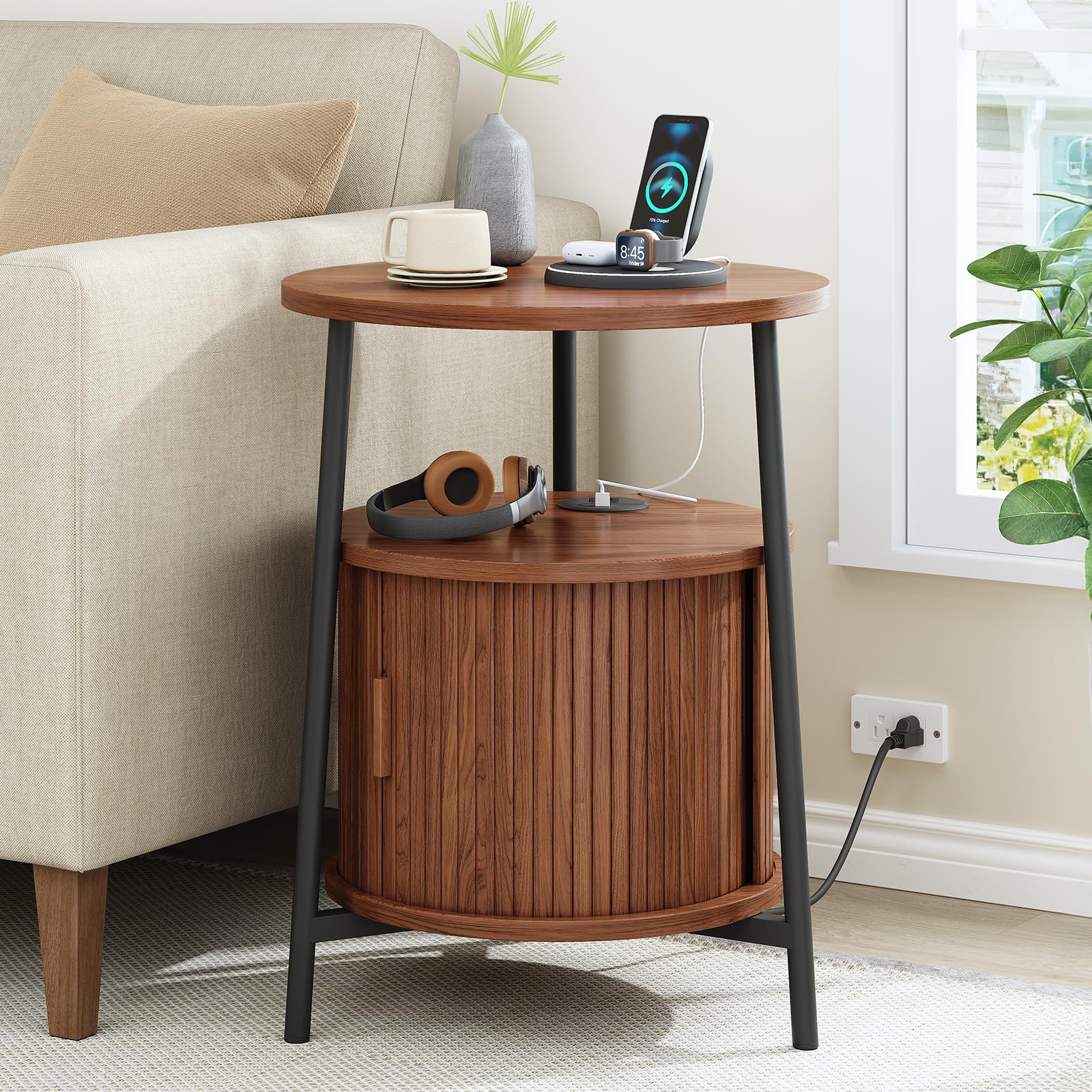
Image 1: Fully assembled ONBRILL Round Side Table in Walnut finish.
2. Safety Information
Please read all safety instructions carefully before assembly and use. Keep this manual for future reference.
- Electrical Components: This product contains electrical components (AC outlets, USB ports, Type C ports). To avoid electrical shock, do not insert any objects into the charging ports other than appropriate plugs.
- Unplug Before Assembly/Disassembly: Always unplug the product from the power source before assembly, disassembly, or moving to prevent pinch points and electrical hazards.
- Stability: Ensure the table is properly assembled and stable before use to prevent tipping or collapse. Do not overload the table or storage compartment. The maximum weight recommendation for the top surface is 77 pounds.
- Dry Environment: Keep the charging ports dry and free of debris to maintain functionality and safety. Avoid placing liquids directly on the charging station area.
- Children and Pets: Keep small parts and packaging materials away from children and pets during assembly. Ensure the table is placed in a secure location to prevent accidental tipping.
3. Package Contents
Before beginning assembly, verify that all components are present and undamaged. If any parts are missing or damaged, please contact customer support.
- Table Top with Integrated Charging Station
- Middle Shelf
- Bottom Base
- Fluted Roll-Up Door Panel
- Metal Legs (4 pieces)
- Assembly Hardware (screws, connectors, etc.)
- Instruction Manual
4. Assembly Instructions
This table is designed for quick and tool-free assembly, typically completed within 20 minutes. Follow these steps carefully.
Assembly Video Guide
Video 1: Official ONBRILL assembly guide for the Round Side Table. This video demonstrates the step-by-step process for putting together your table, including attaching the legs and installing the storage door.
Step-by-Step Assembly
- Unpack Components: Carefully remove all parts from the packaging and lay them out on a clean, soft surface to prevent scratches. Verify all parts are present against the package contents list.
- Attach Legs to Bottom Base: Secure the four metal legs to the bottom base using the provided hardware. Ensure they are firmly tightened.
- Install Roll-Up Door: Slide the fluted roll-up door panel into the designated grooves on the bottom base and middle shelf. Ensure it moves smoothly.
- Connect Middle Shelf: Attach the middle shelf to the legs, ensuring the roll-up door mechanism is correctly aligned.
- Attach Table Top: Place the table top (with the integrated charging station) onto the top of the legs and secure it with the remaining hardware. Ensure the charging station cable is routed correctly and not pinched.
- Final Check: Gently shake the table to ensure all connections are secure and the table is stable.

Image 2: Diagram showing the dimensions of the ONBRILL Round Side Table: 17.7" diameter, 23.8" height, with a 15.4" diameter middle shelf.
5. Operating Instructions
5.1 Charging Station
The integrated charging station provides convenient power access for your devices.
- Power Connection: Plug the table's power cord (6.54 ft / 2M) into a standard 125V/12A wall outlet.
- AC Outlets: Use the 1 AC outlet for devices requiring standard wall power, such as lamps or laptops.
- USB Ports: Use the 1 USB-A port (5V/2A) for charging smartphones, tablets, and other USB-powered devices.
- Type C Port: Use the 1 Type C port (5V/2A) for charging compatible devices.

Image 3: Detailed view of the charging station on the table top, showing 1 AC outlet, 1 USB port, and 1 Type C port.
5.2 Hidden Storage
The table features a unique fluted roll-up door that conceals a spacious storage compartment.
- Accessing Storage: Gently slide the fluted door to the side to reveal the interior compartment.
- Closing Storage: Slide the door back into its closed position to conceal items and maintain a tidy appearance.
- Storage Capacity: The hidden cabinet is suitable for storing blankets, books, remotes, or small personal items.
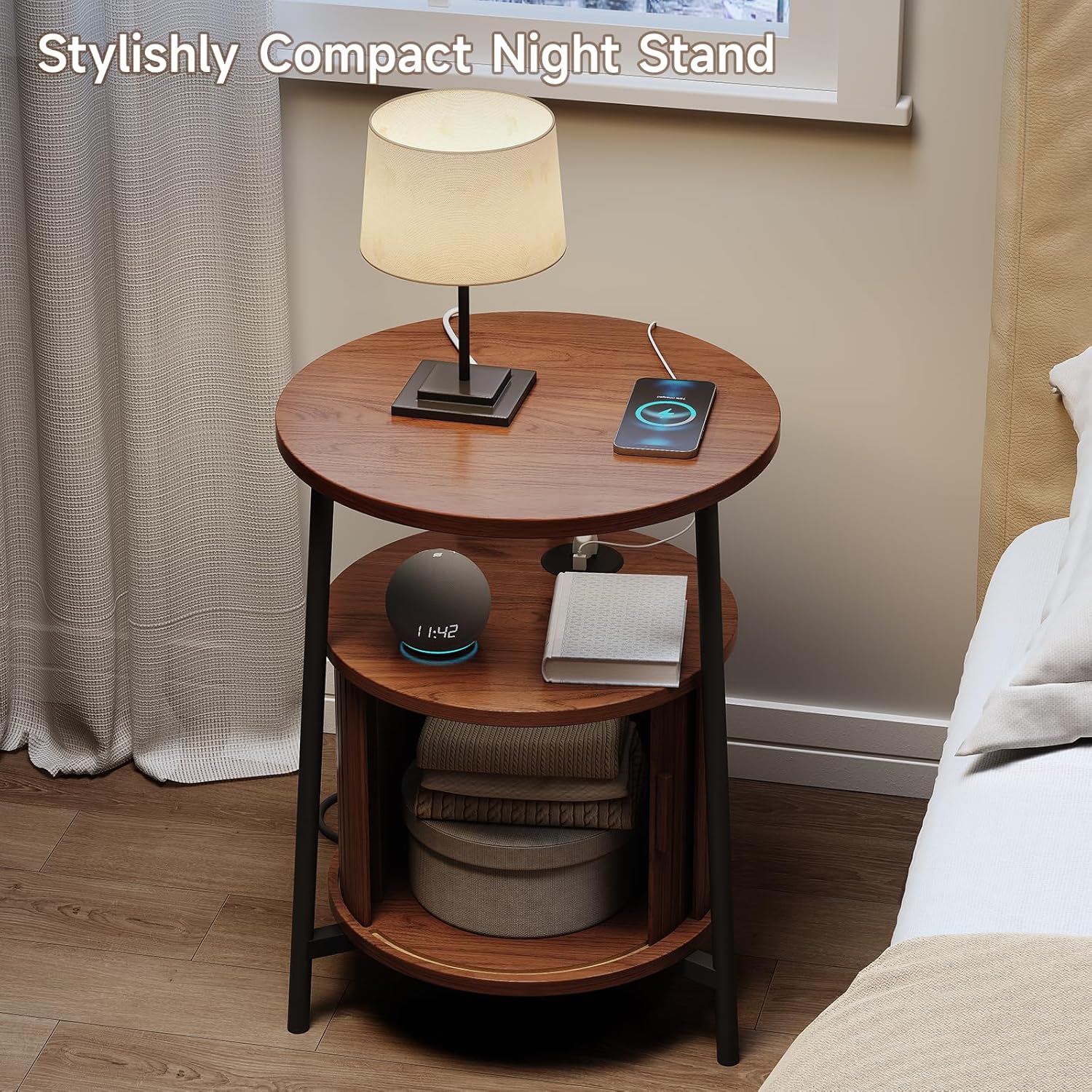
Image 4: The ONBRILL Round Side Table with its fluted roll-up door open, revealing the internal storage space.
5.3 Product Display Video
Video 2: Official ONBRILL product display video showcasing the features and functionality of the Round Side Table, including the charging station and storage.
6. Maintenance
Proper care will ensure the longevity and appearance of your ONBRILL side table.
- Cleaning: Wipe surfaces with a soft, damp cloth. Avoid harsh chemicals or abrasive cleaners, which can damage the finish.
- Spills: Immediately wipe up any spills to prevent staining, especially on the wood surfaces. The table is not stain-resistant.
- Dusting: Regularly dust the table with a dry, soft cloth.
- Electrical Components: Ensure the charging ports are kept clean and free of dust or debris. Do not attempt to clean the electrical components with liquids.
- Avoid Direct Sunlight: Prolonged exposure to direct sunlight can cause fading or damage to the wood finish.
7. Troubleshooting
If you encounter any issues with your ONBRILL side table, refer to the following common solutions:
| Problem | Possible Cause | Solution |
|---|---|---|
| Charging station not working | Table not plugged in; wall outlet not active; device cable faulty; charging station damaged. | Ensure the table's power cord is securely plugged into a live wall outlet. Test the wall outlet with another device. Try a different charging cable. If the issue persists, contact customer support. |
| Table is wobbly/unstable | Loose connections; uneven floor. | Check and tighten all screws and connections. Ensure the table is on a flat, even surface. Adjust any leveling feet if present. |
| Roll-up door sticks or doesn't move smoothly | Debris in tracks; misalignment; damaged panel. | Inspect the tracks for any obstructions and remove them. Ensure the door panel is correctly seated in its grooves. Avoid forcing the door. |
8. Specifications
| Feature | Detail |
|---|---|
| Brand | ONBRILL |
| Model Name | COT-122 |
| Product Dimensions | 17.7"D x 17.7"W x 23.8"H |
| Item Weight | 16.2 Pounds |
| Maximum Weight Recommendation | 77 Pounds |
| Frame Material | Metal |
| Top Material Type | Engineered Wood |
| Furniture Finish | Walnut |
| Charging Station | 1 AC Outlet (125V/12A), 1 USB Port (5V/2A), 1 Type C Port (5V/2A) |
| Power Cord Length | 6.54 ft / 2M |
| Assembly Required | Yes (Tool-free, approx. 20 minutes) |
| Indoor/Outdoor Usage | Indoor |
9. Warranty and Support
For warranty information, please refer to the documentation included with your purchase or visit the official ONBRILL website. If you have any questions, require assistance with assembly, or need to report missing/damaged parts, please contact ONBRILL customer support through the retailer where the product was purchased or via the contact information provided on the ONBRILL brand store page.
Online Support: Visit the ONBRILL Store on Amazon