
Introduction
Thank you for choosing the Mecurate 5-in-1 Stud Finder Wall Scanner. This device is designed to accurately detect studs, metal, and live AC wires behind various wall materials, primarily drywall. It is an essential tool for home improvement projects such as mounting televisions, hanging pictures, installing shelves, and other tasks requiring precise knowledge of wall interiors. Please read this manual thoroughly before use to ensure safe and effective operation.

Image: The Mecurate 5-in-1 Stud Finder Wall Scanner, highlighting its versatility for various applications.
Safety Information
- Always exercise caution when drilling or cutting into walls.
- The AC detection mode is designed to identify live unshielded AC wires. However, it may not detect all wires, especially if they are shielded or located deeper than the specified detection depth.
- Do not rely solely on the stud finder for safety. Always turn off power to the area you are working on if there is any doubt about live wires.
- Keep the device away from water and extreme temperatures.
- This device is intended for indoor use on common building materials.
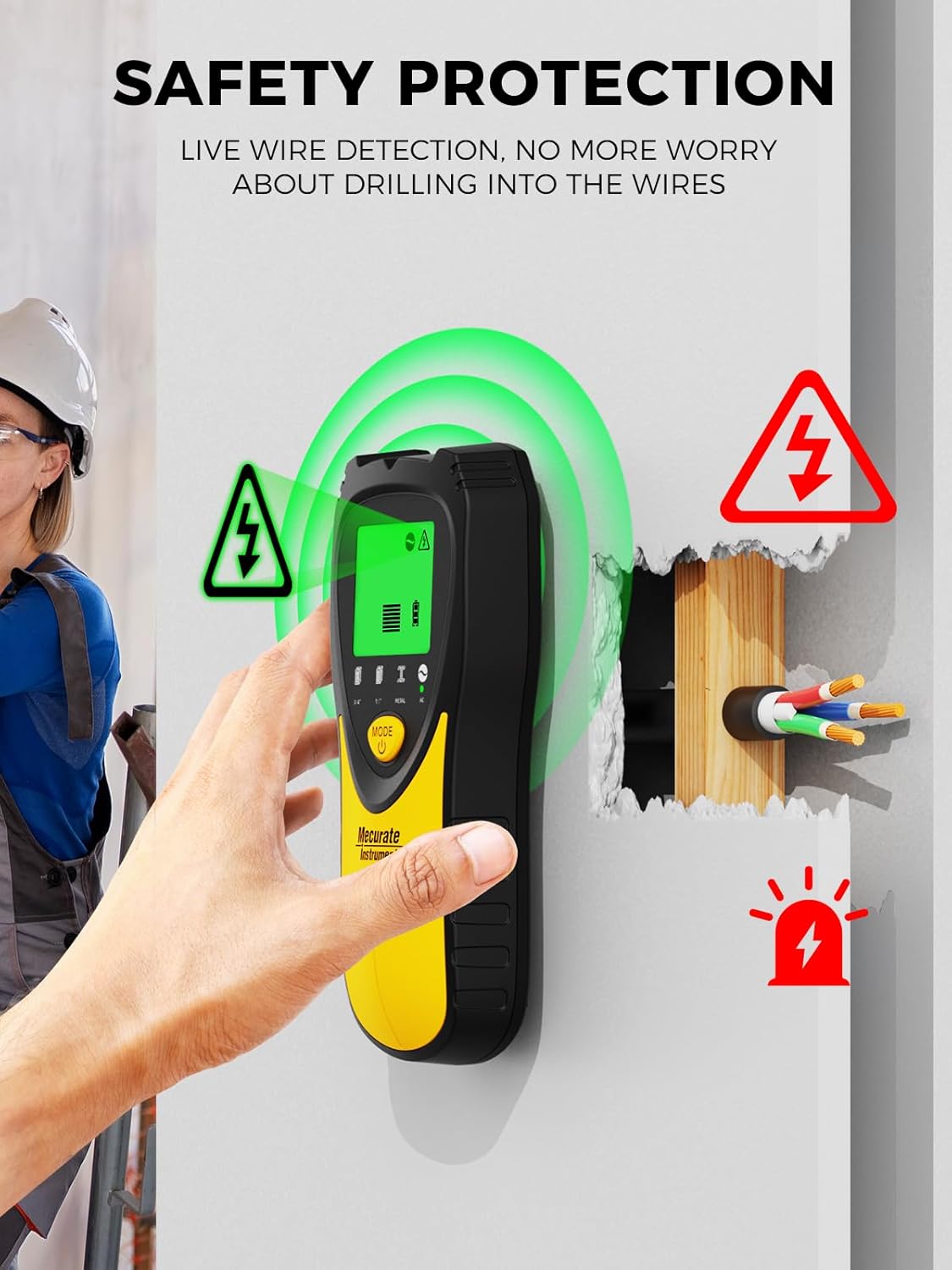
Image: The stud finder displaying a safety alert for live wire detection, emphasizing the importance of caution.
Package Contents
Upon unpacking, please ensure all items listed below are present:
- Mecurate 5-in-1 Stud Finder Wall Scanner (x1)
- 9V Battery (x1)
- Carrying Pouch (x1)
- User Manual (x1)

Image: The complete package contents, including the stud finder, battery, carrying pouch, and user manual.
Product Overview
The Mecurate 5-in-1 Stud Finder is equipped with advanced sensors and a bright LCD screen for clear, real-time detection. It offers multiple modes to suit various detection needs.
Key Features:
- 5-in-1 Multi-Mode Scanner: Includes Standard (3/4"), Deep (1-1/2"), Metal (2-3/8"), and AC (2") modes.
- Upgraded Sensors: Provides fast and reliable detection.
- Bright LCD Screen: Displays intuitive graphics and real-time data.
- Audio Alerts: Supplements visual indicators for precise location.
- Safety Alerts: Specifically for live wire detection.

Image: The Mecurate 5-in-1 Stud Finder, showcasing its LCD display and various mode indicators.

Image: A close-up view of the stud finder's graphical interface, highlighting the live wire indicator, battery display, edge/center signals, and anti-slip design.
Setup
1. Battery Installation
- Open the battery compartment cover on the back of the device.
- Insert the provided 9V battery, ensuring correct polarity.
- Close the battery compartment cover securely.
2. Initial Calibration
Before each scan, the device must be calibrated for optimal accuracy.
- Place the stud finder flat against the wall where you intend to scan. Ensure there are no studs, metal, or live wires in the immediate area where you calibrate.
- Press and hold the side button (calibration button) until the device beeps and the display stabilizes.
- Release the button. The device is now calibrated and ready for use.
Operating Instructions
1. Selecting a Mode
Press the 'MODE' button to cycle through the available detection modes: Stud, Deep, Metal, and AC. The selected mode will be indicated on the LCD screen.

Image: The stud finder displaying its 5-in-1 modes, including Stud, Deep, Metal, and AC, along with their respective detection depths and audible alerts.
2. Scanning Procedure
After calibration and mode selection, slowly slide the device horizontally across the wall surface. Maintain constant contact with the wall.

Image: A visual guide demonstrating the scanning process, from calibration to detecting an object's center.
3. Interpreting the Display
The LCD screen will show visual indicators and emit audio alerts as it approaches and locates objects:
- Signal Strength Bars: Increase as the device gets closer to an object.
- Arrow Indicators: Guide you towards the center of the detected object.
- 'CENTER' Indicator: Appears when the device is directly over the center of a stud or metal object.
- AC Warning Icon: Flashes with an audible alert when live AC wires are detected.
4. Specific Mode Usage
Stud Mode (3/4" and 1-1/2")
Use this mode to locate wooden or metal studs behind drywall. Start with the 3/4" mode. If no stud is found, switch to the 1-1/2" (Deep) mode for deeper scanning.

Image: A visual representation of using the stud finder in Stud Mode, indicating how to find the edge and center of a stud.
Metal Mode (2-3/8")
This mode detects various forms of metal, such as metal pipes, steel bars, or rebar, up to 2-3/8 inches (60mm) deep. It is useful for avoiding metal obstructions when drilling.

Image: A visual guide for using the stud finder in Metal Mode, showing how to locate metal objects and their edges/center.
AC Wire Mode (2")
Detects unshielded live AC wires up to 2 inches (51mm) deep. The AC wire icon will illuminate, and an audible warning will sound when live wires are present. AC wire detection is also active in Metal and Stud modes as a safety feature.

Image: A visual guide for using the stud finder in AC Wire Mode, indicating the AC icon, warning, and center detection.
5. Optimal Performance on Wall Types
The Mecurate Stud Finder performs best on single-layer drywall. Performance may vary on other wall types such as stucco, tile, flooring, carpet, or roofing due to material differences. Avoid scanning in humid environments as this can affect detection accuracy.

Image: A comparison showing optimal performance on drywall and indicating wall types where performance may vary, such as stucco, tile, brick, flooring, carpet, and roofing.
Maintenance
- Cleaning: Wipe the device with a soft, dry cloth. Do not use abrasive cleaners or solvents.
- Battery Replacement: Replace the 9V battery when the low battery indicator appears on the LCD screen.
- Storage: Store the device in its carrying pouch in a cool, dry place when not in use.
Troubleshooting
| Problem | Possible Cause | Solution |
|---|---|---|
| Inaccurate readings | Improper calibration, humid environment, or scanning on unsuitable material. | Recalibrate the device on a clear section of the wall. Ensure the wall is dry. Refer to optimal performance guidelines. |
| Device does not turn on | Dead or improperly installed battery. | Check battery polarity or replace the 9V battery. |
| AC warning constantly on | Live wires are present, or high static electricity. | Move to a different area to calibrate. If the warning persists, assume live wires are present and proceed with caution. |
Specifications
- Manufacturer: Mecurate
- Item Weight: 9.6 ounces
- Package Dimensions: 8.03 x 3.5 x 1.85 inches
- Item Model Number: Mecurate Stud Finder Wall Scanner
- Power Source: Battery Powered
- Battery Cell Type: Alkaline (9V)
- Stud Detection Depth: Standard (3/4"), Deep (1-1/2")
- Metal Detection Depth: 2-3/8" (60mm)
- AC Wire Detection Depth: 2" (51mm)
Warranty and Support
Mecurate products are designed for reliability and performance. For warranty information, technical support, or assistance with your product, please refer to the contact information provided on the product packaging or visit the official Mecurate website. Please retain your proof of purchase for warranty claims.