
1. Introduction
This manual provides comprehensive instructions for the Youtang USB Radio Programming Cable, Model T60. This cable is designed to facilitate communication between your computer and compatible amateur radio transceivers, enabling programming, memory management, and remote control functions. It features an authentic FT231XS chipset for reliable USB-to-serial conversion.
Key Features:
- Genuine FT231XS Chipset: Ensures stable and error-free communication.
- Robust Construction: Features 26AWG shielded wiring, oxygen-free copper conductors, and a durable PVC jacket.
- Universal Compatibility: Supports various operating systems including Windows 10/11, macOS, and Linux.
Compatible Radio Models:
- Kenwood: TS-2000, TS-480HX, TS-480SAT, TS-590S, TS-590SG
- Yaesu: FT-450D
- Icom: IC-7000, ST-9F
2. Setup
Follow these steps to set up your Youtang USB Radio Programming Cable:
- Driver Installation:
- For most modern operating systems (Windows 10/11, macOS, Linux), the necessary drivers for the FT231XS chip may install automatically upon connecting the cable.
- If automatic installation fails or if you are using an older operating system, you may need to manually download and install the FTDI VCP (Virtual COM Port) drivers from the official FTDI website. Refer to the FTDI website for the latest driver versions and installation instructions.
- Physical Connection:
- Connect the USB Type-A end of the cable to an available USB port on your computer.
- Connect the DB9 female end of the cable to the corresponding DB9 serial port on your amateur radio transceiver. Ensure a secure connection by tightening the screws on the DB9 connector if available.
- Verify Connection:
- After connecting, open your computer's Device Manager (Windows) or System Information (macOS/Linux) to confirm that the USB Serial Port (COM port) has been successfully recognized and assigned a port number. Note this COM port number, as it will be required by your radio programming software.
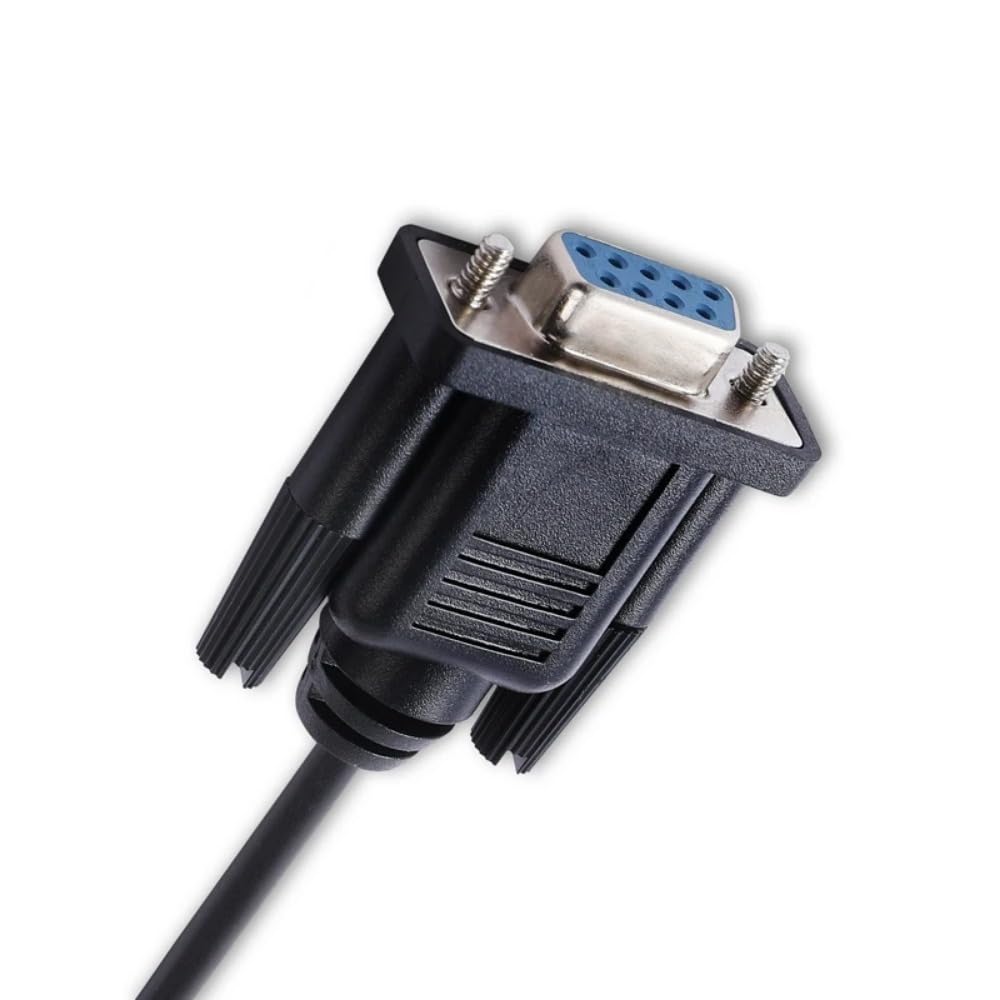
Image: The Youtang USB to DB9 Radio Programming Cable, illustrating the USB Type-A connector and the DB9 female connector.

Image: Diagram showing the connection of the USB to DB9 cable from a personal computer to a Yaesu FT-450D radio.

Image: Diagram illustrating the connection of the USB to DB9 cable from a personal computer to a Kenwood TS-480 or TS-2000 radio.
3. Operating Instructions
Once the cable is physically connected and drivers are installed, you can begin using it with your preferred radio programming software:
- Launch Software: Open your chosen amateur radio programming software (e.g., Ham Radio Deluxe, WSJT-X, FLDigi, or manufacturer-specific software).
- Select COM Port: Navigate to the software's settings or configuration menu. Locate the option to select the serial port or COM port. Choose the COM port number that was assigned to the Youtang USB Radio Programming Cable during the setup phase.
- Configure Baud Rate: Ensure that the baud rate setting in your software matches the required baud rate for your specific radio model. This information can typically be found in your radio's instruction manual or the software's documentation.
- Establish Connection: Initiate the connection between the software and your radio. The software should now be able to read from and write to your radio.
- Perform Operations: Use the software to program memories, adjust radio settings, update firmware (if supported by your radio and software), or control your transceiver remotely.
Always refer to the specific documentation for your radio and programming software for detailed instructions on performing various operations.
4. Maintenance
Proper care will extend the life and ensure the reliable performance of your Youtang USB Radio Programming Cable:
- Storage: Store the cable in a clean, dry environment away from direct sunlight and extreme temperatures.
- Handling: Avoid sharp bends, kinks, or excessive pulling on the cable. Always grasp the connectors when plugging or unplugging, rather than pulling on the cable itself.
- Cleaning: If necessary, gently wipe the cable and connectors with a soft, dry cloth. Do not use harsh chemicals or abrasive cleaners.
- Inspection: Periodically inspect the cable for any signs of damage, such as frayed insulation or bent connector pins. If damage is observed, discontinue use.
5. Troubleshooting
If you encounter issues while using the Youtang USB Radio Programming Cable, consider the following troubleshooting steps:
- Cable Not Recognized:
- Ensure the cable is securely plugged into both the computer and the radio.
- Verify that the FTDI drivers are correctly installed. Check your computer's Device Manager for any unknown devices or driver errors. Reinstall drivers if necessary.
- Try connecting the cable to a different USB port on your computer.
- Communication Errors:
- Confirm that the correct COM port is selected in your radio programming software.
- Verify that the baud rate setting in your software matches the radio's requirements.
- Ensure your radio is powered on and in the correct mode for programming (refer to your radio's manual).
- Close any other applications that might be using the COM port.
- Software Issues:
- Ensure your radio programming software is up-to-date.
- Consult the documentation or support resources for your specific radio programming software.
If these steps do not resolve the issue, please contact Youtang customer support for further assistance.
6. Specifications
| Feature | Detail |
|---|---|
| Model Number | T60 |
| Brand | Youtang |
| Chipset | FT231XS (FTDI) |
| Connector A | USB 2.0 Type-A Male |
| Connector B | DB9 Female |
| Cable Type | 26AWG 5-conductor shielded USB |
| Cable Length | 1.8 meters (approx. 5.9 feet) |
| Compliance | CE, RoHS certified |
| Compatible Operating Systems | Windows 10/11, macOS, Linux |
7. Warranty
No specific warranty information is provided in the product details. For inquiries regarding warranty coverage and terms, please contact Youtang customer support directly.
8. Support
For further assistance, technical support, or to provide feedback, please visit the official Youtang store on Amazon or contact their customer service department. You can find the Youtang store at: Youtang Amazon Store.