
INSOON IS-8063
INSOON IS-8063 5-in-1 Robotic Building Set Instruction Manual
Model: IS-8063 | Brand: INSOON
1. Introduction
Thank you for choosing the INSOON IS-8063 5-in-1 Robotic Building Set. This comprehensive manual provides detailed instructions for assembling, operating, and maintaining your robotic building set. Please read this manual carefully before use to ensure proper function and safety. This set allows you to construct and control five different robotic models: a Tech Robot, a One-Eyed Robot, an All-Terrain Vehicle, a Mechanical Triceratops, and a Fighter Jet.
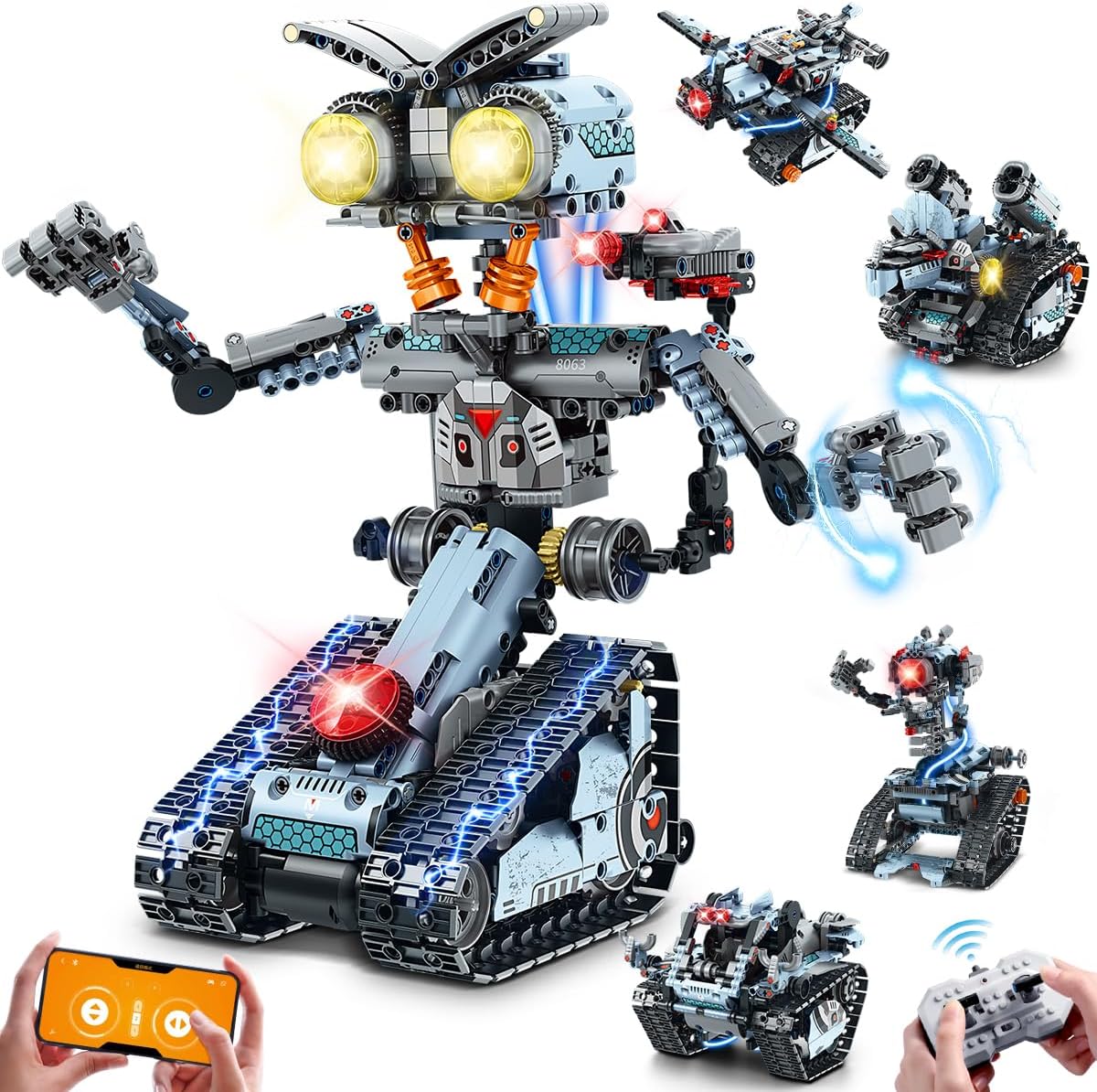
Figure 1.1: Overview of the INSOON IS-8063 5-in-1 Robotic Building Set.
2. Safety Warnings
- Choking Hazard: This product contains small parts and is not suitable for children under 3 years of age. Adult supervision is recommended for children aged 10 and up.
- Do not disassemble or modify the product components beyond the intended assembly instructions.
- Keep the product away from water and high temperatures.
- Ensure batteries are inserted with correct polarity. Do not mix old and new batteries or different types of batteries.
- Always turn off the robot and remote control when not in use.
3. Package Contents
Verify that all components are present before beginning assembly. The package includes:
- 795 Building Blocks and Connectors
- 1 Main Control Unit (with 7.4V high-speed motor and 300mAh rechargeable lithium battery)
- 1 Remote Control (2.4GHz)
- 1 USB Charging Cable
- 1 Instruction Manual (this document)

Figure 3.1: Overview of package contents and assembled models.
4. Assembly Instructions
The INSOON IS-8063 set allows for the construction of five distinct models. Please follow the detailed step-by-step diagrams provided in the included printed instruction manual for each specific model. General assembly tips are provided below.
4.1 General Assembly Tips
- Sort pieces by type and color before starting.
- Pay close attention to the orientation of each piece as shown in the diagrams.
- Ensure all connections are firm to prevent parts from detaching during operation.
- The main control unit and motor components should be integrated as instructed for proper functionality.
4.2 Model Variations
This kit can be assembled into one of five models at a time:
- Tech Robot
- One-Eyed Robot
- All-Terrain Vehicle
- Mechanical Triceratops
- Fighter Jet

Figure 4.1: The five distinct models achievable with this building set.
5. Battery Installation and Charging
5.1 Main Control Unit Battery
The main control unit is equipped with a built-in 300mAh rechargeable lithium battery. To charge:
- Connect the provided USB charging cable to the charging port on the main control unit.
- Connect the other end of the USB cable to a standard USB power adapter (not included) or a computer USB port.
- The charging indicator light will illuminate during charging and turn off when fully charged.
- A full charge provides approximately 15-20 minutes of continuous operation.
5.2 Remote Control Batteries
The remote control requires 2 x AAA batteries (not included). To install:
- Open the battery compartment cover on the back of the remote control.
- Insert 2 AAA batteries, ensuring correct polarity (+/-).
- Close the battery compartment cover securely.

Figure 5.1: Main control unit charging and remote control.
6. Operating Instructions
6.1 Power On/Off
- To power on the robot, press the power button on the main control unit.
- To power on the remote control, slide the power switch to the 'ON' position.
- To power off, reverse these steps.
6.2 Remote Control Operation (2.4GHz)
The remote control provides direct command over the robot's movements within a 30-50 meter range.
- Use the joysticks to control forward, backward, left, and right movements.
- Refer to the remote control diagram in the printed manual for specific button functions (e.g., activating lights, sounds, or special movements).
6.3 App Control Operation
Enhance your experience by controlling the robot via the dedicated smartphone application.
6.3.1 App Download and Connection
- Scan the QR code on the product packaging or product image to download the free application. Alternatively, visit app.mangoimg.com.
- Ensure your smartphone's Bluetooth is enabled.
- Open the app and follow the on-screen instructions to connect to your INSOON IS-8063 robot.
6.3.2 App Control Modes
The app offers four versatile control modes:
- Driving Mode: Standard virtual joystick control for direct movement.
- Gyro Sensor Mode: Control the robot's movement by tilting your smartphone.
- Path Following Mode: Draw a path on your screen, and the robot will follow it.
- Programming Mode: Use block-based coding to program custom movement sequences and actions.
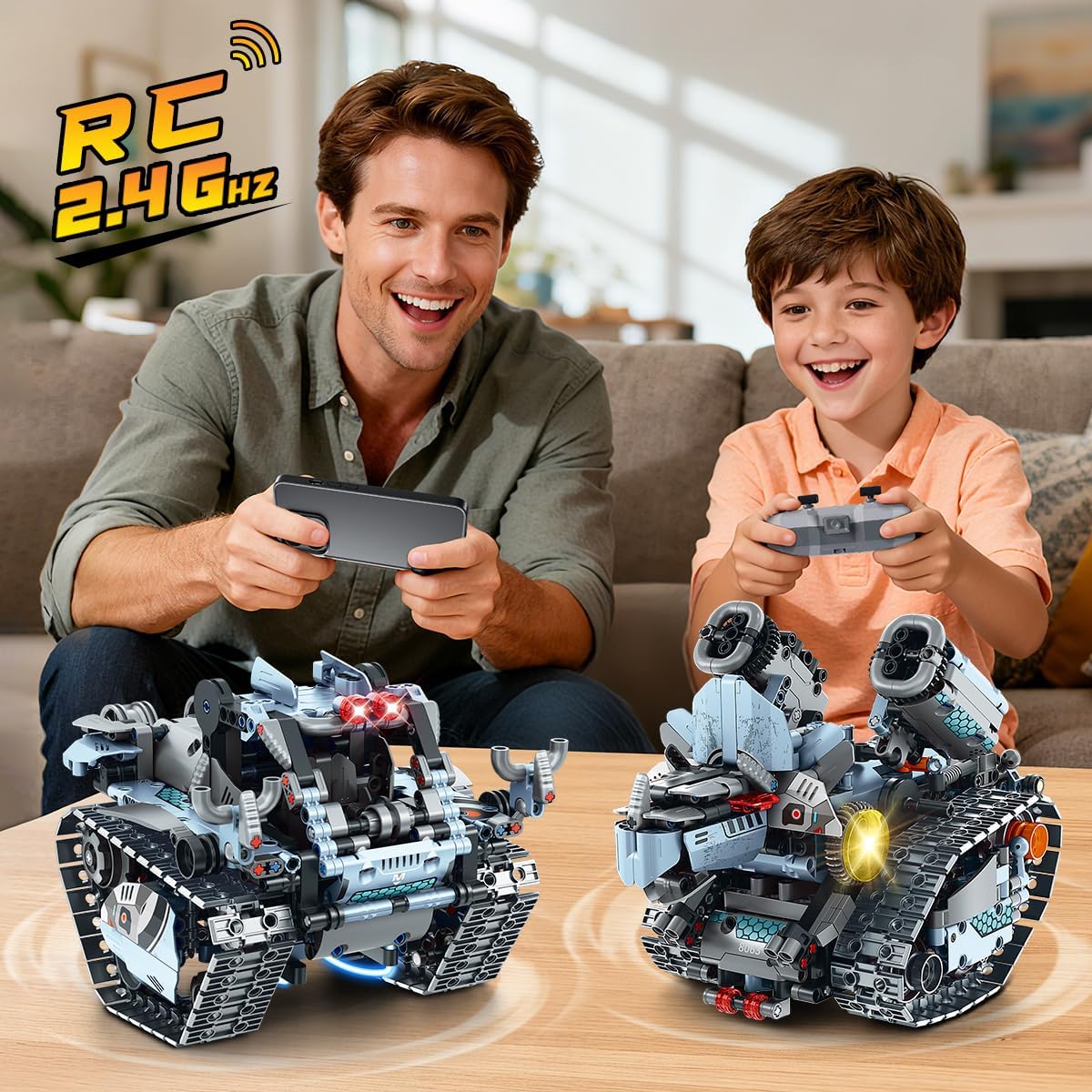
Figure 6.1: Dual control with remote and app.
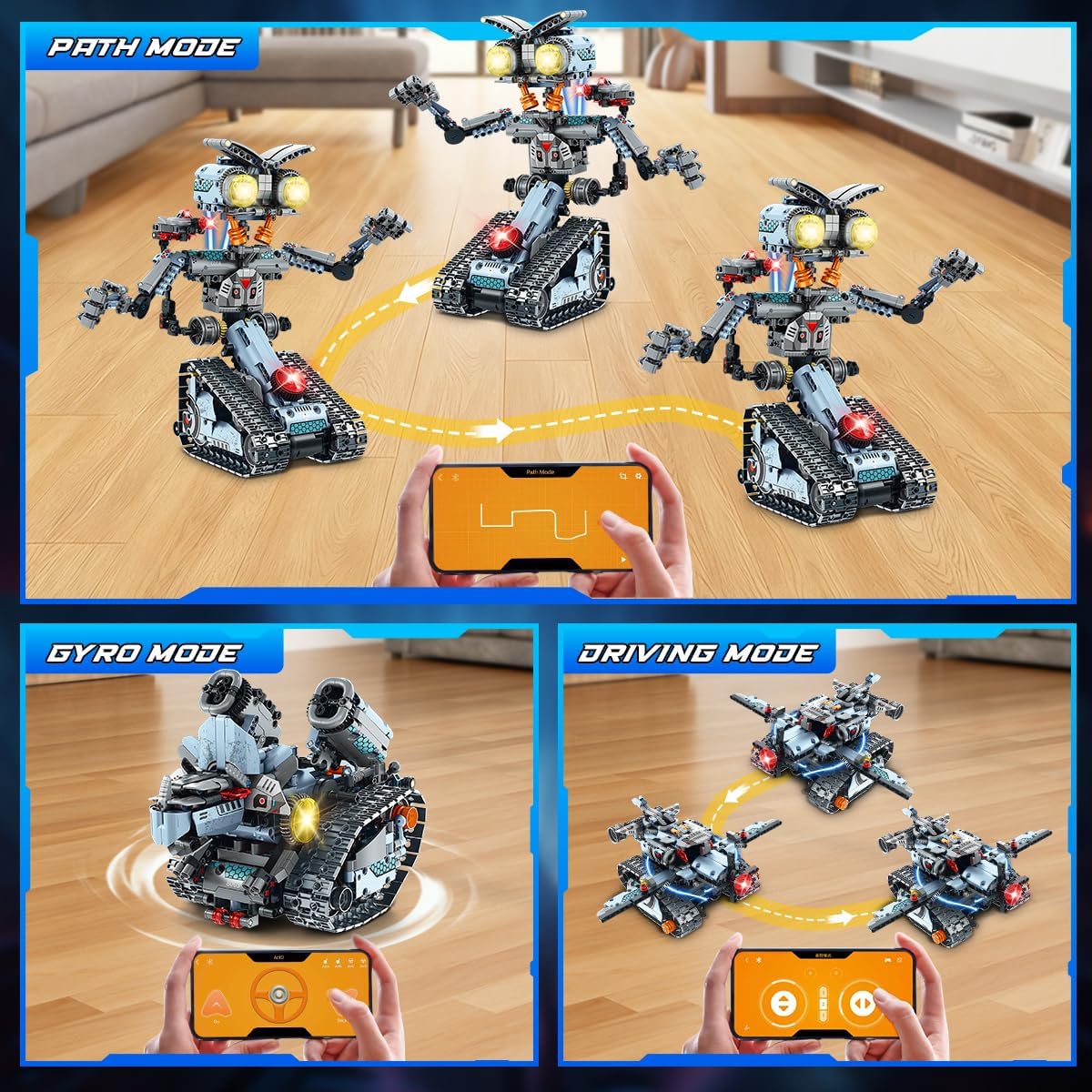
Figure 6.2: App control modes interface.
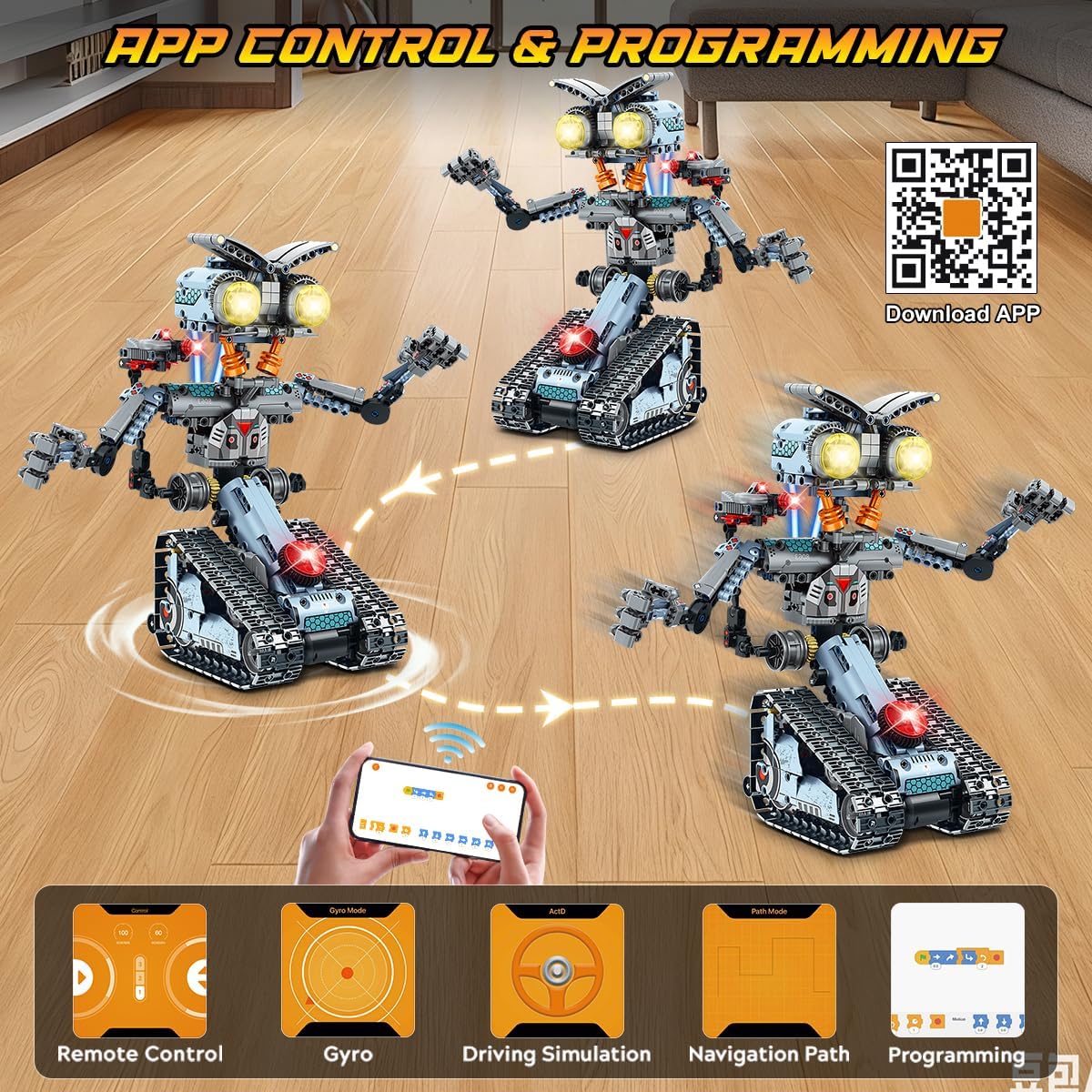
Figure 6.3: App control and programming interface with QR code.
7. Product Videos
5-in-1 Tech Robot Building Set Overview
Video 7.1: This video provides a comprehensive overview of the INSOON 5-in-1 Tech Robot Building Set, showcasing its various forms, features, and dynamic capabilities.
5-in-1 Building Toys Demonstration
Video 7.2: A demonstration video highlighting the different building possibilities and interactive features of the INSOON 5-in-1 Building Toys.
8. Features Overview
- 5-in-1 Transformable Design: Build a Tech Robot, One-Eyed Robot, All-Terrain Vehicle, Mechanical Triceratops, or Fighter Jet.
- Motorized Movement: Each model features motorized treads for dynamic movement across various surfaces.
- High-Performance Motor: Equipped with a 7.4V high-speed motor generating 680 RPM and 2.5 kg·cm torque for powerful acceleration.
- Dynamic LED Lighting: Eye-catching lights cycle through blue, green, and purple while in motion, adding a futuristic aesthetic.
- Flexible Joints and Accessories: Models feature multiple movable joints and laser accessories for customizable poses and interactive play.
- Dual Control System: Operate using the included 2.4GHz remote control or a smartphone app.

Figure 8.1: Models showcasing dynamic LED lighting.

Figure 8.2: Detailed view of robot features including flexible joints and adjustable equipment.
9. Maintenance
- Cleaning: Wipe the robot and remote control with a dry, soft cloth. Do not use water or cleaning agents.
- Storage: Store the product in a cool, dry place away from direct sunlight.
- Battery Care: Fully charge the main control unit battery before long-term storage. Remove AAA batteries from the remote control if not used for extended periods.
- Component Check: Periodically check for loose or damaged parts. Replace any broken components to ensure safe operation.
10. Troubleshooting
| Problem | Possible Cause | Solution |
|---|---|---|
| Robot does not move. | Battery low or uncharged. Power switch off. Remote/App not connected. Loose connections in assembly. | Charge the main control unit battery. Turn on power switches. Re-pair remote or reconnect app. Check all building block connections. |
| Lights are not working. | Battery low. LED connection loose. | Charge the main control unit battery. Check LED wiring connections. |
| Remote control not responding. | Remote control batteries low/dead. Not paired with robot. Out of range. | Replace AAA batteries. Ensure robot is on and remote is paired. Move closer to the robot. |
| App connection issues. | Bluetooth off. App not updated. Robot not powered on. | Enable Bluetooth on smartphone. Update app to the latest version. Ensure robot is powered on. |
11. Specifications
- Model Number: IS-8063
- Brand: INSOON
- Number of Pieces: 795 PCS
- Power Source: 7.4V 300mAh Rechargeable Lithium Battery (Main Unit), 2 x AAA Batteries (Remote Control, not included)
- Motor: High-speed motor (680 RPM, 2.5 kg·cm torque)
- Control: 2.4GHz Remote Control, Smartphone App Control
- Control Range: 30-50 meters
- Playtime: 15-20 minutes per charge
- Product Dimensions: Approximately 0.5 x 0.5 x 0.5 inches (assembled, varies by model)
- Item Weight: 3.34 pounds
- Recommended Age: 10 years and up
12. Warranty and Support
INSOON products are designed for quality and performance. For warranty information, technical support, or replacement parts, please contact our customer service team through the retailer where the product was purchased or visit the official INSOON website. Please retain your proof of purchase for warranty claims.
Related Documents - IS-8063
 |
Tzumi Ionvac Optimax UV Smart Optics Robo Vac User Manual User guide for the Tzumi Ionvac Optimax UV Smart Optics Robo Vac, covering setup, operation, maintenance, and app connectivity for efficient automated home cleaning. |
 |
Retro 2 Player Arcade Machine User Manual and Instructions Comprehensive user manual and instructions for the Retro 2 Player Arcade Machine (Model OR-2PLAYARCL). Includes setup, connection, troubleshooting, and battery information. |
 |
HANSA Faucet Installation and Maintenance Guide: Model Specifications and Care Comprehensive installation and maintenance guide for HANSA faucets and mixers, detailing specifications, dimensions, and cleaning instructions for various models. Includes technical data and company information. |
 |
Tzumi Optimax UV Robot Vacuum Cleaner (Model 8063) - Features & Manual Detailed information on the Tzumi Optimax UV Smart Optics Robo Vac (Model 8063), including setup, features like UV-C sanitization, app control, cleaning performance, and maintenance. |
 |
AQA GCSE Religious Studies B (8063) Specification Official specification for AQA GCSE Religious Studies B (8063), detailing subject content, assessment structure, aims, and general administration for teaching from September 2016 onwards. |
 |
Manuale Utente Claber Aqua-Magic System 8063 Guida all'installazione, configurazione e utilizzo del Claber Aqua-Magic System, un kit automatico a goccia alimentato a energia solare per giardini e vasi. |
Ask a question about this manual
Ask about setup, troubleshooting, compatibility, parts, safety, or missing instructions. Manuals+ will review the question and use this page’s manual context to help answer it.