
DUMTERR W342
DUMTERR 3-in-1 Wireless Charging Station User Manual
Model: W342
1. Introduction
Thank you for choosing the DUMTERR 3-in-1 Wireless Charging Station. This device is designed to efficiently charge your iPhone, Apple Watch, and AirPods simultaneously, providing a clutter-free charging experience. Please read this manual carefully before use to ensure proper operation and to maximize the lifespan of your product.
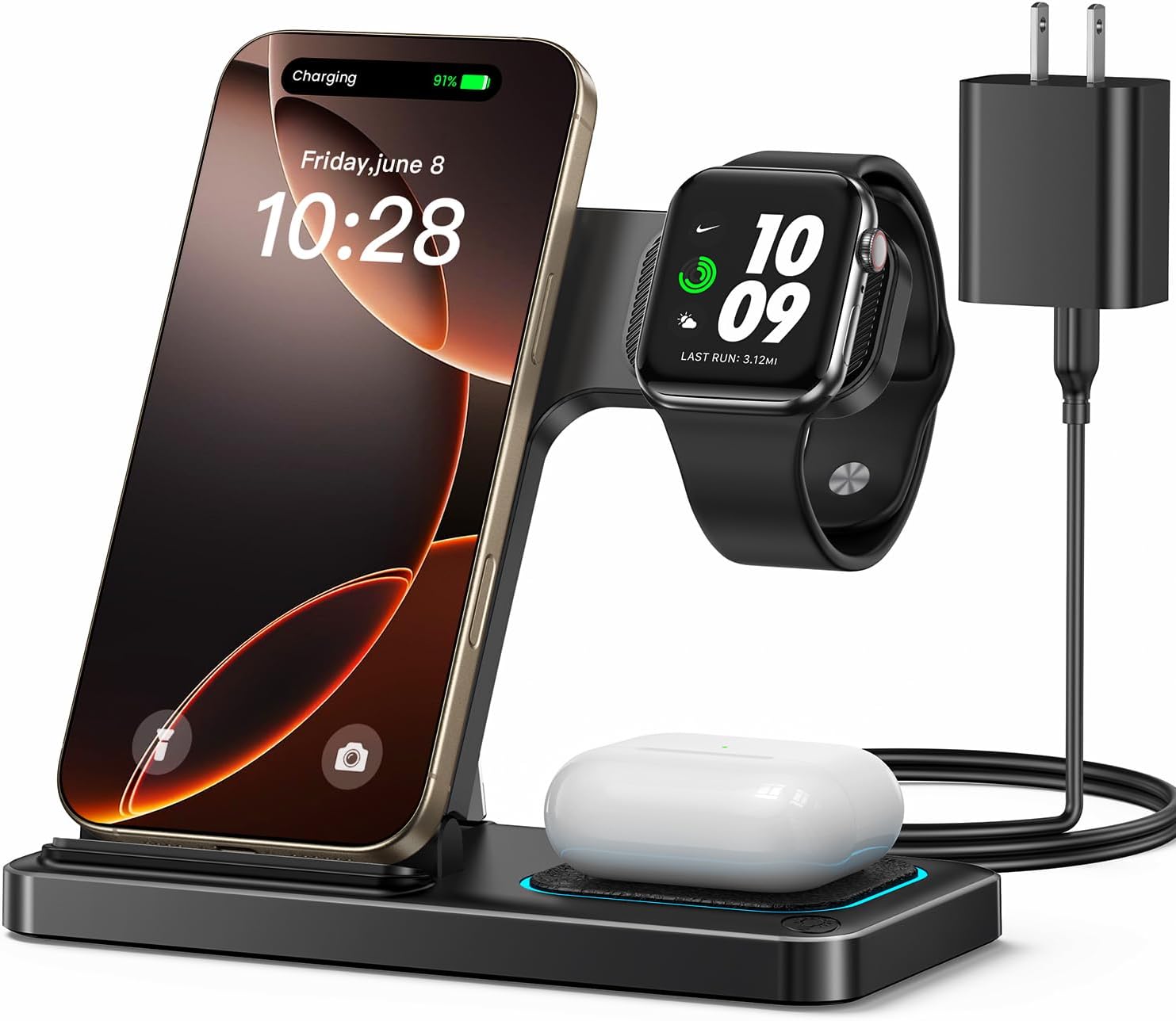
Image: The DUMTERR 3-in-1 Wireless Charging Station in use, charging an iPhone, Apple Watch, and AirPods.
2. Package Contents
- DUMTERR 3-in-1 Wireless Charging Station (Model: W342)
- 18W Fast Charging Adapter
- USB-C Cable
- User Manual
3. Setup Instructions
- Unfold the Charger: Gently unfold the charging station from its compact, portable form. The phone charging stand will pivot upwards, and the Apple Watch charging module will extend.
- Connect Power: Insert the USB-C cable into the charging port on the back of the DUMTERR charging station. Connect the other end of the USB-C cable to the included 18W Fast Charging Adapter.
- Plug into Outlet: Plug the 18W Fast Charging Adapter into a wall power outlet. The indicator light on the charging base may briefly illuminate to confirm power connection.

Image: Illustration of connecting the charging station to the included 18W fast charging adapter.
4. Operating Instructions
4.1 Charging Your iPhone
Place your iPhone (compatible with iPhone 8/8 Plus to the latest 16 series, and Samsung Galaxy series with wireless charging function) onto the upright charging stand. Ensure the phone is centered on the charging pad for optimal connection. The magnetic alignment feature will help secure your iPhone in place. The indicator light will show charging status.

Image: The 3-in-1 wireless charger actively charging multiple devices on a desk.
4.2 Charging Your Apple Watch
Hang your Apple Watch (compatible with Series 3 to Ultra 2/SE/10) onto the dedicated charging module. Ensure the back of the watch aligns with the charging surface. The watch will automatically begin charging.
4.3 Charging Your AirPods
Place your AirPods (compatible with AirPods 2/3/4/Pro/Pro 2, only with wireless charging case) onto the flat charging pad at the base of the station. Ensure the AirPods case is centered on the pad. The indicator light will confirm charging.

Image: A visual guide to device compatibility and charging wattage for iPhone, Apple Watch, and AirPods.
4.4 Indicator Light Control
The charging station features a sleep-friendly indicator light. To turn the light on or off, gently touch the designated touch button switch located on the charging base. This allows for undisturbed sleep.

Image: Demonstrating the touch-sensitive light button switch for the indicator light.
5. Maintenance
- Cleaning: Disconnect the charger from power before cleaning. Use a soft, dry cloth to wipe the surface. Do not use abrasive cleaners or immerse the device in water.
- Storage: When not in use, fold the charging station into its compact form for easy storage or travel. Store in a cool, dry place away from direct sunlight.
- Cable Care: Avoid bending or crimping the USB-C cable excessively to prevent damage.

Image: The charging station being folded and placed into a bag, highlighting its portable design.
6. Troubleshooting
| Problem | Possible Cause | Solution |
|---|---|---|
| Device not charging. |
|
|
| Indicator light not working. |
|
|
| Slow charging. |
|
|

Image: Internal view highlighting the independent coil design for safe charging.
7. Specifications
| Feature | Detail |
|---|---|
| Model Number | W342 |
| Brand | DUMTERR |
| Connectivity Technology | USB |
| Connector Type | USB Type C |
| Input Voltage | 9 Volts |
| Output Current | 2 Amps |
| Compatible Devices | iPhone (8/8 Plus to 16 series), Apple Watch (Series 3 to Ultra 2/SE/10), AirPods (2/3/4/Pro/Pro 2 with wireless charging case), Samsung Galaxy series with wireless charging function. |
| Special Features | Foldable, Wireless Charging, Overvoltage Protection, Overcurrent Protection, Overtemperature Protection, Foreign Object Detection, Sleep-friendly Indicator Light. |
| Dimensions | 6.88 x 5.35 x 1.3 inches (Package) |
| Item Weight | 11.7 ounces |

Image: Diagram of the efficient cooling chip, indicating advanced temperature monitoring for safety.
8. Safety Information
The DUMTERR Charging Station is built with multiple intelligent safety protections:
- Overvoltage Protection: Prevents damage from excessive voltage.
- Overcurrent Protection: Safeguards against excessive current flow.
- Overtemperature Protection: Monitors and regulates temperature to prevent overheating.
- Foreign Object Detection (FOD): Detects metallic objects on the charging surface to prevent damage and ensure safe charging.
Important Safety Precautions:
- Do not disassemble or modify the device.
- Keep away from water, fire, and high temperatures.
- Avoid dropping or subjecting the device to strong impacts.
- Use only the provided or certified power adapter and cable.

Image: Illustrating the design that prevents camera damage and heat buildup during charging.
9. Warranty and Support
For warranty information, please refer to the warranty card included in your product packaging or contact your retailer. DUMTERR is committed to providing high-quality products and customer satisfaction.
If you encounter any issues or have questions regarding your DUMTERR 3-in-1 Wireless Charging Station, please contact our customer support team:
- Email: support@dumterr.com
- Website: www.dumterr.com (Please check for the most up-to-date contact information)
Ask a question about this manual
Ask about setup, troubleshooting, compatibility, parts, safety, or missing instructions. Manuals+ will review the question and use this page’s manual context to help answer it.