1. Introduction
This manual provides comprehensive instructions for the VEKJ L8 Pro Sleep Earbuds. It covers product features, setup, operation, maintenance, and troubleshooting to ensure an optimal user experience. Please read this manual thoroughly before using your earbuds.

Image 1.1: VEKJ L8 Pro Sleep Earbuds and their charging case, displaying a touch screen interface.
2. Package Contents
Verify that all items are present in the package:
- 2 x L8 Pro Sleep Earbuds
- 1 x Charging Case
- 1 x USB-C Charging Cable
- 1 x User Manual
- 2 x pairs of Earcaps

Image 2.1: Illustration of the items included in the VEKJ L8 Pro product package.
3. Product Overview and Features
The VEKJ L8 Pro Sleep Earbuds are designed for comfort and functionality, especially for extended wear and sleep.
- Ergonomic Design: Polished, contoured shape for a snug fit without pressure, ideal for side sleepers. Each earbud weighs approximately 3.0g.
- Multifunctional Touch Screen: The charging case features a full-color LED touch screen for controlling music, calls, volume, voice assistant, sleep mode, language settings, screen brightness, and a "find earphone" function.
- Extended Battery Life: Up to 6-8 hours of playtime on a single charge, with a total of 48 hours using the charging case. Fast charging via USB-C.
- Clear Audio and Calls: Equipped with 13mm speaker driver units for balanced sound. Features clear voice detection for calls, even in noisy environments.
- Bluetooth 5.4: Ensures faster transmission speed and a stable signal for lossless audio data. One-step pairing with previously connected devices.
- IPX7 Waterproof: Provides protection against sweat, rain, and dust.
- 5 EQ Modes: Includes Standard, Classic, Jazz, Rock, and Pop modes for customized listening.
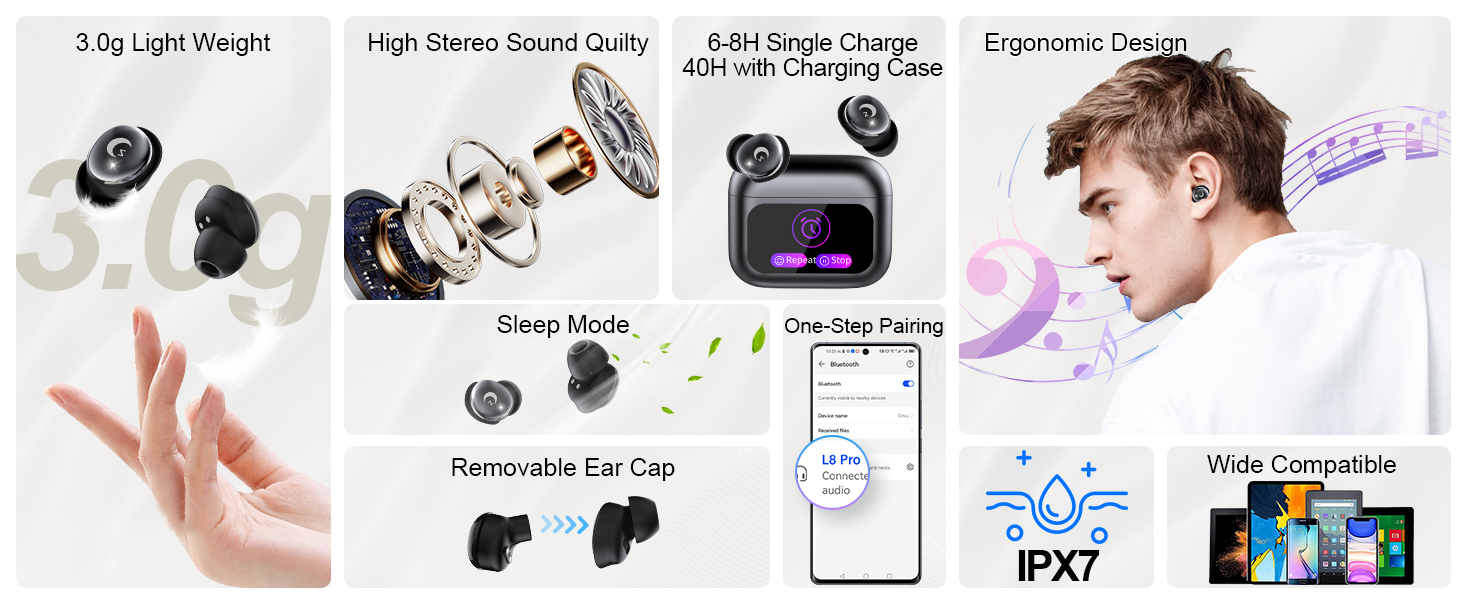
Image 3.1: Visual summary of key features of the VEKJ L8 Pro Sleep Earbuds.

Image 3.2: Detailed view of the 13mm audio driver for enhanced sound quality.
4. Setup and First Use
4.1 Charging the Earbuds and Case
Before first use, fully charge the earbuds and the charging case.
- Place the earbuds into the charging case.
- Connect the USB-C charging cable to the charging port on the case and to a power source.
- The LED digital display on the case will indicate the charging status. A full charge takes approximately 1.5 hours for the case.

Image 4.1: Battery life indicators for earbuds and charging case.
4.2 Wearing the Earbuds
Proper fit is essential for comfort and sound quality.
- Select the appropriate ear tips for your ear size.
- Place the earbud into your ear canal with the ear cap facing downwards.
- Gently rotate the earbud to ensure a secure and comfortable fit.

Image 4.2: Step-by-step guide on how to wear the earbuds for optimal fit.
4.3 Bluetooth Pairing
The earbuds use Bluetooth 5.4 for a stable connection.
- Open the lid of the charging case. The earbuds will automatically enter pairing mode.
- On your device (smartphone, tablet, etc.), enable Bluetooth and search for available devices.
- Select "L8 Pro" from the list of devices to connect.
- Once paired, the earbuds will automatically connect to the last paired device when the case lid is opened.
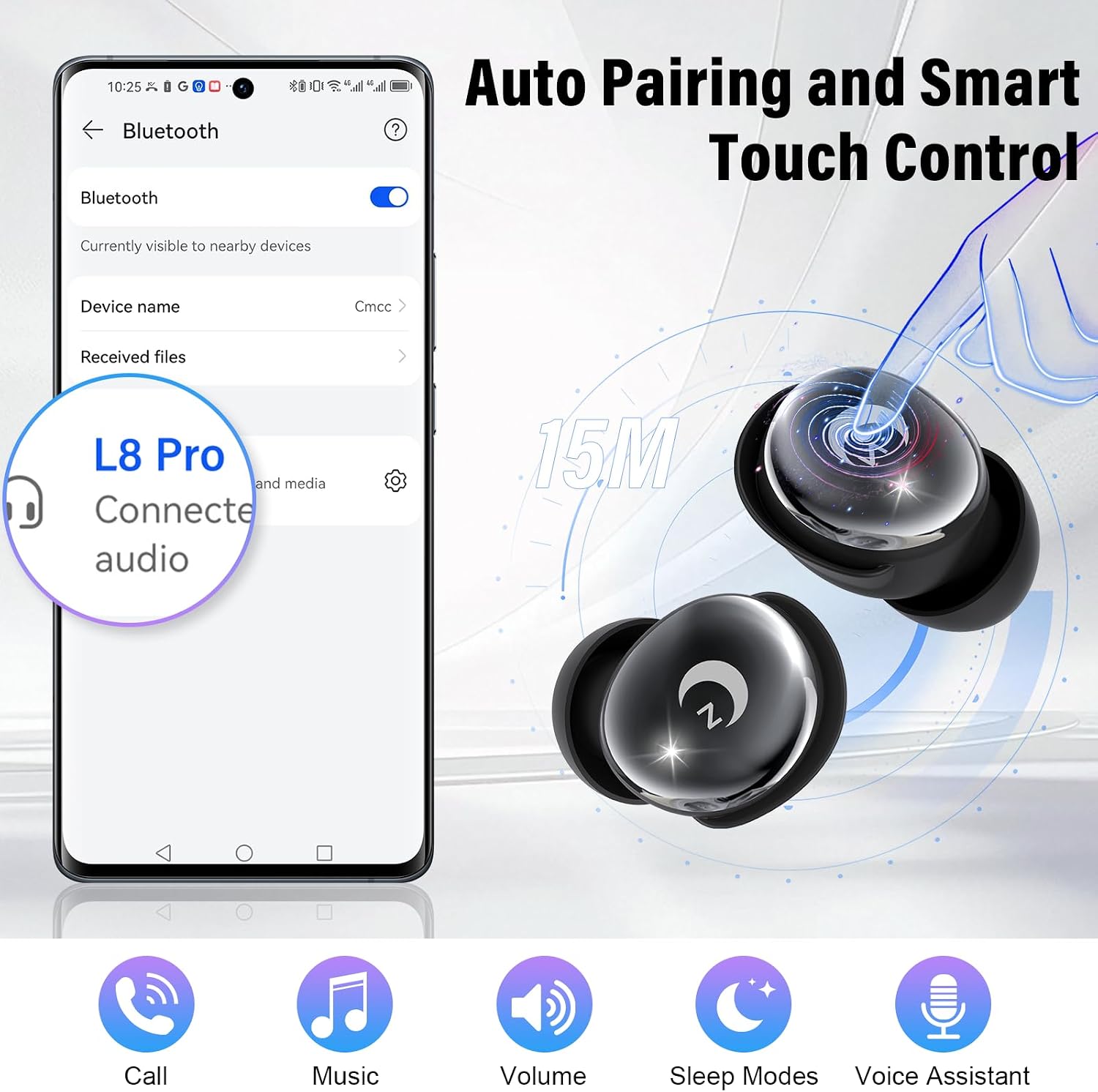
Image 4.3: Bluetooth pairing process with a mobile device.
5. Operating Instructions
5.1 Touch Controls
The earbuds feature touch-sensitive areas for various functions.
- Play/Pause: Double click L/R earbud.
- Voice Assistant: Triple click L/R earbud.
- Sleep Modes: Click 4 times L/R earbud.
- Volume +/-: Click 1 time L/R earbud (specific earbud for +/- may vary, refer to on-screen prompts).
- Previous/Next Song: Long press 2s L/R earbud.
- Answer Call: Click 1 time L/R earbud.
- Reject/Hang Up Call: Long press 2s L/R earbud.

Image 5.1: Guide to touch controls on the earbuds.
5.2 Charging Case Touch Screen Functions
The charging case's touch screen provides additional controls and settings.
- Music Playback Control: Play, pause, skip tracks.
- Call Management: Answer, end calls.
- Volume Control: Adjust audio volume.
- Voice Assistant Activation.
- Sleep Mode: Activates a special mode that disables touch controls, alerts, and call notifications for uninterrupted sleep. Note: Sleep mode is unavailable in single-earbud use; if the main earbud powers off, the secondary one exits sleep mode automatically.
- Language Switching: Select from 7 available languages.
- Wallpaper Switching: Customize the screen background.
- Screen Brightness Adjustment.
- "Find Earphone" Function: Helps locate misplaced earbuds.
- Timer Function.
- EQ Modes: Switch between Standard, Classic, Jazz, Rock, and Pop.

Image 5.2: Examples of functions available on the charging case touch screen.

Image 5.3: Sleep mode features for undisturbed rest.
5.3 EQ Modes
Customize your audio experience by selecting one of the five equalizer modes.
- Standard
- Classic
- Jazz
- Rock
- Pop

Image 5.4: Available equalizer modes for audio customization.
6. Maintenance
To ensure the longevity and optimal performance of your VEKJ L8 Pro Sleep Earbuds, follow these maintenance guidelines:
- Cleaning: Regularly clean the earbuds and charging case with a soft, dry, lint-free cloth. Do not use abrasive cleaners or solvents.
- Ear Tips: Remove and clean the ear tips periodically to prevent wax buildup. Ensure they are completely dry before reattaching.
- Charging Port: Keep the USB-C charging port free of dust and debris.
- Storage: When not in use, store the earbuds in their charging case to protect them and keep them charged. Store in a cool, dry place away from extreme temperatures.
- Water Exposure: While IPX7 waterproof, avoid prolonged submersion in water. Dry thoroughly if exposed to liquids.
7. Troubleshooting
If you encounter issues with your earbuds, refer to the following common solutions:
| Problem | Possible Cause | Solution |
|---|---|---|
| Earbuds not pairing | Bluetooth off on device, earbuds not in pairing mode, interference. | Ensure Bluetooth is enabled on your device. Place earbuds in case, close and reopen lid to re-enter pairing mode. Move closer to your device. |
| No sound or low volume | Volume too low, earbuds not properly seated, ear tips blocked, device not connected. | Increase volume on both earbuds and connected device. Adjust earbuds for a secure fit. Clean ear tips. Re-pair earbuds. |
| Charging issues | Cable or adapter fault, dirty charging contacts, case battery depleted. | Try a different USB-C cable and power adapter. Clean the charging contacts on earbuds and case. Ensure the charging case itself is charged. |
| Touch controls unresponsive | Earbuds in sleep mode, dirty touch surface, temporary software glitch. | Exit sleep mode if active. Clean the touch surface. Place earbuds back in case, close and reopen, then try again. |
| Short battery life | Earbuds not fully charged, high volume usage. | Ensure earbuds and case are fully charged before use. Reduce listening volume. |
8. Specifications
| Feature | Detail |
|---|---|
| Model Name | L8 Pro |
| Brand | VEKJ |
| Connectivity Technology | Wireless (Bluetooth 5.4) |
| Bluetooth Range | Up to 49 feet (15 meters) |
| Audio Driver Type | Dynamic Driver (13mm) |
| Battery Life (Earbuds) | 6-8 hours per charge |
| Total Playtime (with Case) | Up to 48 hours |
| Charging Time | Approximately 1.5 hours (case) |
| Charging Interface | USB-C |
| Control Type | Touch Control (Earbuds & Case Screen) |
| Water Resistance Level | IPX7 Waterproof |
| Earbud Weight | Approximately 3.0g per earbud |
| Compatible Devices | Smartphones, Tablets, Computers, Smart Home Devices (Bluetooth enabled) |
9. Warranty and Support
VEKJ provides the following support for your L8 Pro Sleep Earbuds:
- Warranty: 2 Years Warranty.
- Returns/Exchanges: 30 Days Exchange or Return policy.
- Customer Service: 24/7 Customer Service available.
For further assistance, please refer to the contact information provided with your purchase or visit the official VEKJ support channels.

Image 9.1: Summary of warranty and customer support details.


