
ENCHSHANGM 4715JL-09W-S46 6B22A72-QF1
Instruction Manual
For Hit-achi 4715JL-09W-S46 6B22A72-QF1 14V Freezer Refrigerator Fan
Brand: ENCHSHANGM | Model: 4715JL-09W-S46 6B22A72-QF1
1. Introduction
This manual provides essential information for the safe and effective use of your ENCHSHANGM Freezer Refrigerator Fan. Please read this manual thoroughly before installation and operation, and retain it for future reference.
2. Safety Information
Always observe the following safety precautions to reduce the risk of injury or damage:
- Ensure the power supply matches the fan's voltage requirements (14V).
- Disconnect power to the appliance before attempting any installation or maintenance.
- Handle the fan carefully to avoid damage to blades or wiring.
- If you are unsure about installation, consult a qualified technician.
- Keep hands and foreign objects clear of the fan blades during operation.
3. Package Contents
Verify that all items are present in the package:
- One (1) Freezer Refrigerator Fan (Model: 4715JL-09W-S46 6B22A72-QF1)
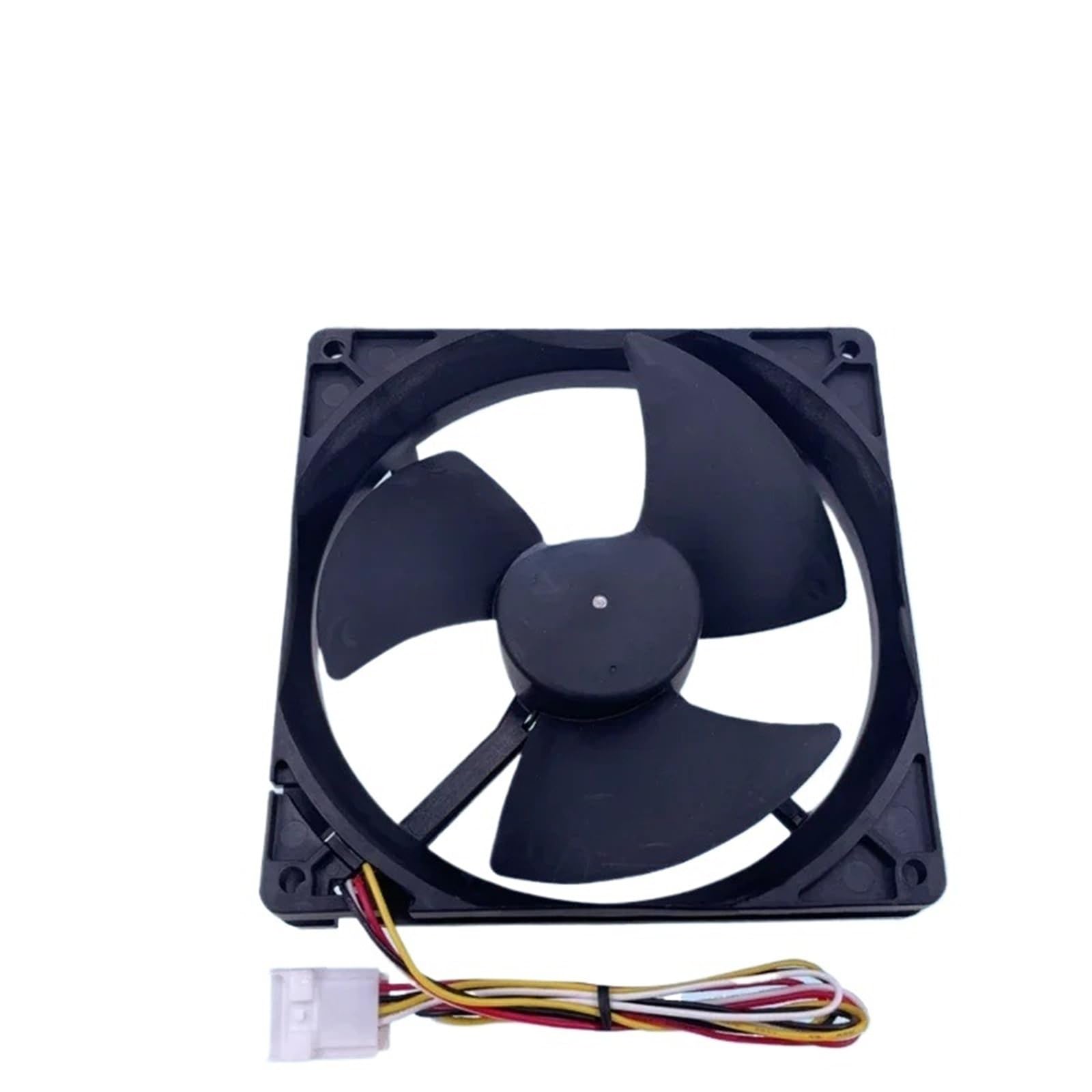
Figure 3.1: The ENCHSHANGM Freezer Refrigerator Fan, showing its black frame, three blades, and attached wiring harness with a white connector.
4. Specifications
Key technical specifications for the fan:
| Attribute | Value |
|---|---|
| Brand Name | ENCHSHANGM |
| Model Info | ENCHSHANGM1 |
| Item Weight | 1.76 ounces |
| Package Dimensions | 0.39 x 0.39 x 0.39 inches |
| Item Model Number | ENCHSHANGM1 |
| Part Number | ENCHSHANGM1 |
| Color | One Color |
| Voltage | 14V (as per product title) |
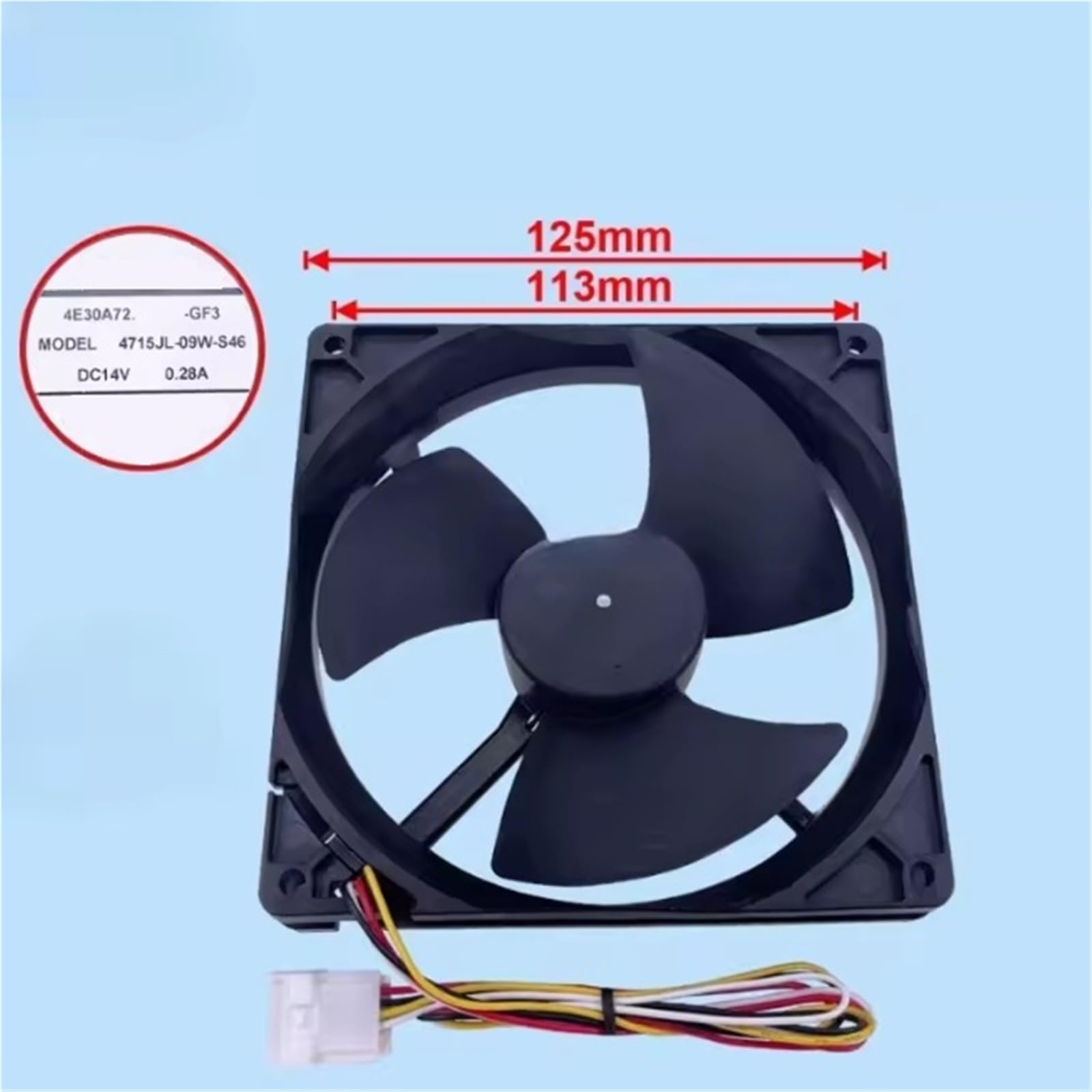
Figure 4.1: Image showing the fan with overlaid dimensions (125mm and 113mm) and a label indicating model 4715JL-09W-S46 and DC14V 0.28A.
5. Setup and Installation
This fan is designed as a replacement part. Installation should be performed by individuals with appropriate technical knowledge or by a qualified service technician.
- Power Disconnection: Before beginning, ensure the refrigerator or freezer unit is completely disconnected from its power source.
- Access the Fan Compartment: Locate and open the compartment housing the existing fan. This may involve removing panels or covers. Refer to your appliance's specific service manual for detailed access instructions.
- Remove Old Fan: Carefully disconnect the wiring from the old fan and unmount it from its position. Note the orientation of the old fan for correct installation of the new one.
- Install New Fan: Mount the new ENCHSHANGM fan in the same orientation as the old one. Ensure it is securely fastened.
- Connect Wiring: Connect the fan's wiring harness to the corresponding connector in the appliance. Ensure connections are secure and correct.
- Reassemble: Replace any removed panels or covers.
- Test: Reconnect power to the appliance and verify that the fan operates correctly. Listen for unusual noises and check for proper airflow.
Note: Improper installation can lead to appliance malfunction or damage.
6. Operation
Once correctly installed and powered, the fan operates automatically as part of your refrigerator or freezer's cooling system. Its function is to circulate air to maintain consistent temperatures within the appliance.
- The fan will activate and deactivate as needed, controlled by the appliance's thermostat and defrost cycle.
- No user intervention is required for the fan's normal operation.
7. Maintenance
Regular maintenance helps ensure the longevity and efficiency of your fan and appliance:
- Cleaning: Periodically, when the appliance is unplugged, inspect the fan blades for dust or debris accumulation. Gently clean with a soft, dry cloth. Do not use water or liquid cleaners directly on the fan.
- Inspection: Check the fan for any signs of wear, such as loose blades or damaged wiring. If any issues are found, consider replacement.
- Noise Check: If the fan starts making unusual noises, it may indicate a problem with the motor or blades. Consult a technician if the noise persists.
Caution: Always disconnect power before performing any maintenance.
8. Troubleshooting
If you encounter issues with the fan, refer to the following common problems and solutions:
| Problem | Possible Cause | Solution |
|---|---|---|
| Fan not spinning | No power to appliance; Loose wiring connection; Fan motor failure; Obstruction in blades. | Check appliance power; Verify wiring connections; Inspect blades for obstructions; Replace fan if motor is faulty. |
| Unusual noise from fan | Debris caught in blades; Worn bearings; Loose mounting. | Disconnect power and clear debris; If noise persists, fan may need replacement. Ensure fan is securely mounted. |
| Appliance not cooling properly | Fan not circulating air; Other appliance component failure. | Check fan operation (see "Fan not spinning"); Consult appliance service manual for other cooling system components. |
If troubleshooting steps do not resolve the issue, it is recommended to contact a qualified appliance repair technician.
9. Warranty and Support
For information regarding product warranty or technical support, please refer to the seller's policy or contact the manufacturer directly.
Manufacturer: ENCHSHANGM
For further assistance, you may visit the product page on Amazon: Product Link
Ask a question about this manual
Ask about setup, troubleshooting, compatibility, parts, safety, or missing instructions. Manuals+ will review the question and use this page’s manual context to help answer it.