1. Introduction
Thank you for choosing the AZQQ S2 Robot Vacuum and Mop. This device is designed to provide efficient and convenient cleaning for your home, combining powerful vacuuming with effective mopping capabilities. Please read this manual thoroughly before using the product to ensure proper operation, maintenance, and safety.
2. Safety Instructions
To reduce the risk of injury or damage, observe the following safety precautions:
- This appliance can be used by children aged 8 years and above and persons with reduced physical, sensory or mental capabilities or lack of experience and knowledge if they have been given supervision or instruction concerning use of the appliance in a safe way and understand the hazards involved.
- Children should be supervised to ensure they do not play with the appliance.
- Cleaning and user maintenance shall not be made by children without supervision.
- Do not use the robot in wet environments or near water sources.
- Ensure the charging base is placed on a flat surface against a wall, with adequate clear space around it.
- Remove any loose cables, small objects, or fragile items from the cleaning path before operation.
- Do not operate the robot over open flames or hot ashes.
- Use only the original power adapter and charging base provided with the product.
3. Product Overview
3.1 Components
The AZQQ S2 package includes the following items:
- Robot Vacuum
- Charging Base
- Power Adapter
- 2-in-1 Dust & Water Bin
- Mop Board
- Mop Cloth (x1)
- Remote Control
- Side Brushes (x2)
- HEPA Filters (x2)
- Cleaning Tool
- User Manual
3.2 Key Features
- 2-in-1 Vacuum and Mop Combo: Simultaneously vacuums and mops for comprehensive cleaning.
- Powerful Suction: Features 4000Pa suction power to effectively pick up dust, crumbs, and pet hair.
- Smart App & Voice Control: Control the robot via the Tuya Smart App, Alexa, or Google Assistant.
- Zig-Zag Cleaning: Advanced navigation for maximum coverage and increased cleaning efficiency.
- Carpet Auto-Boost: Automatically increases suction when carpets are detected for deeper cleaning.
- Long Runtime & Auto Recharge: Up to 120 minutes of cleaning and automatic return to the charging dock when battery is low.
- Tangle-free Design: Special single-air port design helps prevent blockages from pet hair.
- Slim Profile: 3.14-inch height allows cleaning under furniture.
- Intelligent Protection System: Equipped with infrared sensors for obstacle avoidance and anti-drop functionality.

Image: The AZQQ S2 Robot Vacuum and Mop, showcasing its sleek design along with the included remote control and a smartphone displaying the control app.
4. Setup
4.1 Charging Base Placement
Place the charging base against a wall in an open area. Ensure there is at least 0.5 meters (1.6 feet) of clear space on both sides and 1.5 meters (4.9 feet) in front of the charging base. Plug the power adapter into the charging base and then into a wall outlet. Ensure the indicator light on the charging base is on.
4.2 Initial Charging
Place the robot onto the charging base, ensuring the charging contacts align. The robot will begin charging automatically. For first-time use, fully charge the robot for at least 6 hours.
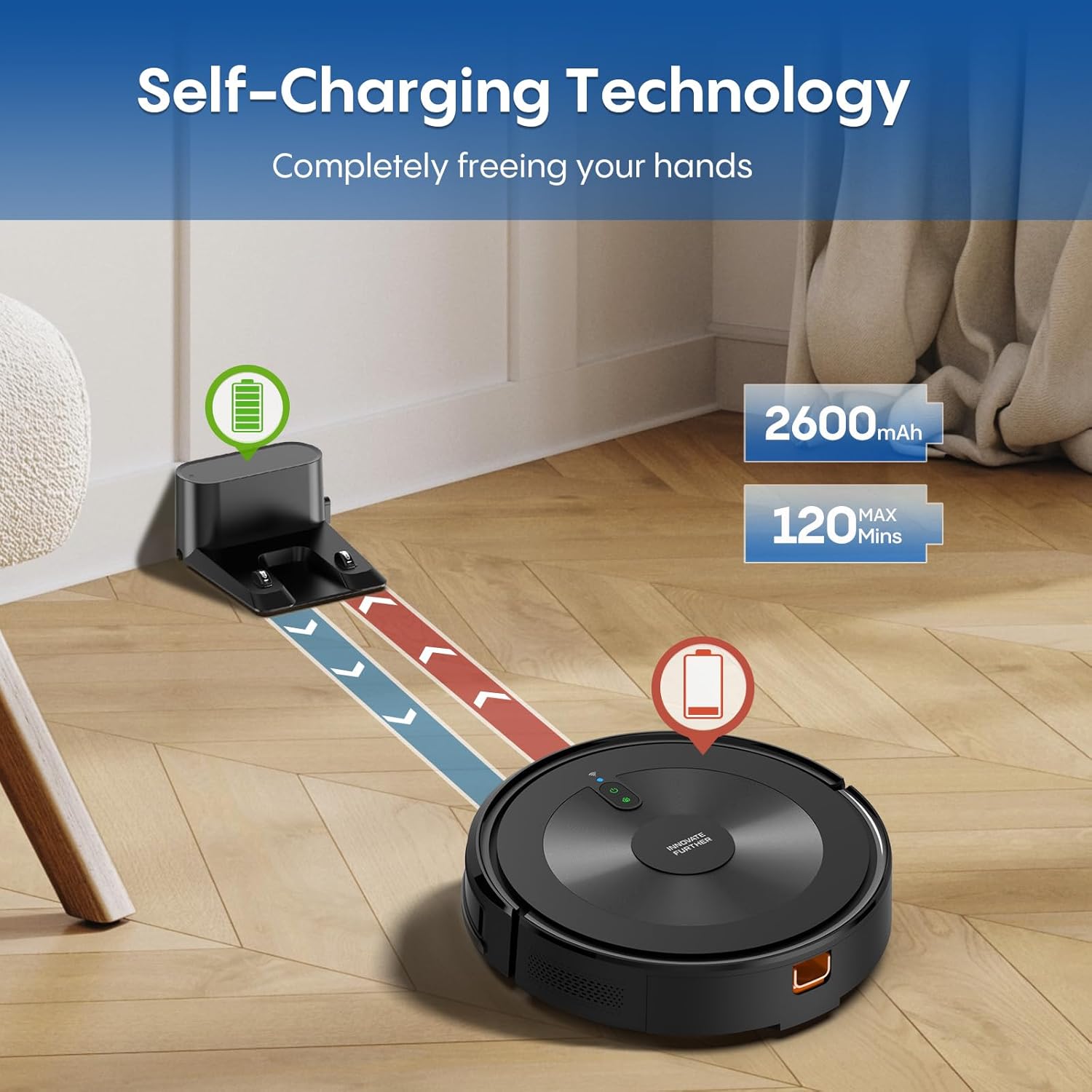
Image: The AZQQ S2 Robot Vacuum automatically returning to its charging base, illustrating the self-charging technology.
4.3 App Connection (2.4GHz WiFi Only)
- Download the 'Tuya Smart' app from your smartphone's app store.
- Register or log in to your account.
- Ensure your smartphone is connected to a 2.4GHz Wi-Fi network. The robot does not support 5GHz Wi-Fi.
- Follow the in-app instructions to add your AZQQ S2 robot. This typically involves putting the robot into pairing mode (refer to the robot's indicator lights for status).
5. Operating Instructions
5.1 Starting/Pausing Cleaning
- On the Robot: Press the power button once to start or pause cleaning.
- Via Remote Control: Press the 'Start/Pause' button.
- Via App: Use the 'Start' or 'Pause' function within the Tuya Smart app.
5.2 Cleaning Modes
The AZQQ S2 offers multiple cleaning modes:
- Auto Cleaning: The robot intelligently navigates and cleans the entire accessible area.
- Edge Cleaning: The robot cleans along walls and furniture edges.
- Spot Cleaning: The robot focuses on a specific dirty area, cleaning in a spiral pattern.
- Room Cleaning: Select specific rooms to clean via the app.
- Manual Control: Use the remote control or app to manually direct the robot.

Image: Visual representation of the robot vacuum performing Auto, Edge, and Spot cleaning modes in a home environment.
5.3 Mopping Function
To use the mopping function:
- Fill the 2-in-1 dust & water bin with clean water.
- Attach the mop cloth to the mop board and then attach the mop board to the robot.
- Start a cleaning cycle. The robot will vacuum and mop simultaneously.
- Adjust the water flow level via the Tuya Smart app if desired.

Image: The AZQQ S2 Robot Vacuum performing its mopping function, with an inset showing the 2-in-1 dust and water bin.
5.4 Carpet Auto-Boost
The robot is equipped with sensors that detect carpets. When a carpeted surface is encountered, the suction power will automatically increase to provide a deeper clean. This feature ensures effective cleaning on both hard floors and carpets.
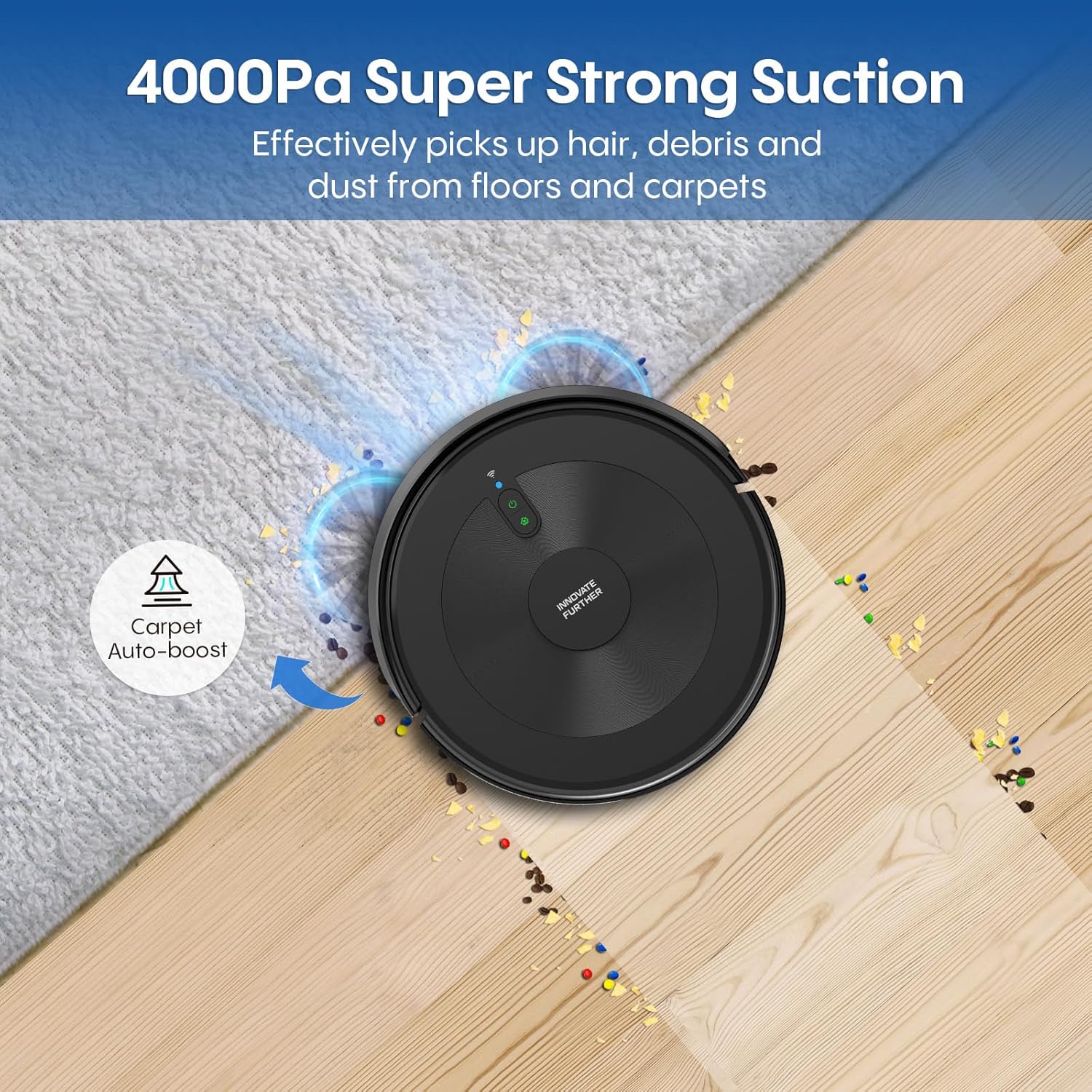
Image: The AZQQ S2 Robot Vacuum on a carpet, illustrating its 4000Pa super strong suction and carpet auto-boost feature.
5.5 Automatic Recharge
When the battery level falls below 15%, the robot will automatically return to its charging base to recharge. Ensure the charging base is accessible and unobstructed for this function to work correctly.
6. Maintenance
Regular maintenance ensures optimal performance and extends the lifespan of your AZQQ S2 robot.
6.1 Dust & Water Bin Cleaning
- After each cleaning cycle, remove the 2-in-1 bin.
- Empty the dust compartment into a trash bin.
- Rinse the dust compartment and water tank with clean water. Allow them to air dry completely before reinserting.
6.2 Filter Maintenance
- Remove the HEPA filter from the dust bin.
- Tap the filter gently to remove loose dust. Do not wash the HEPA filter with water.
- Replace the HEPA filter every 3-6 months, or as needed, to maintain suction performance.
6.3 Side Brush Cleaning
- Periodically check the side brushes for tangled hair or debris.
- Carefully remove any obstructions. If brushes are worn, replace them with new ones.
6.4 Sensor Cleaning
- Wipe the cliff sensors (located on the bottom of the robot) and the bumper sensors (on the front) with a clean, dry cloth.
- Keep the charging contacts on both the robot and the charging base clean.
7. Troubleshooting
If you encounter issues with your AZQQ S2, refer to the following common problems and solutions:
| Problem | Possible Cause | Solution |
|---|---|---|
| Robot does not start | Low battery; Power button not pressed; Obstruction | Charge the robot; Press power button firmly; Remove obstructions |
| Robot cannot charge | Charging contacts dirty; Charging base not powered; Robot not aligned | Clean charging contacts; Ensure charging base is plugged in; Realign robot on base |
| Suction power is weak | Dust bin full; Filter clogged; Air inlet blocked | Empty dust bin; Clean/replace filter; Clear any blockages |
| Robot gets stuck frequently | Too many obstacles; Cliff sensors dirty | Clear cleaning area; Clean cliff sensors |
| Mopping function not working | Water tank empty; Mop cloth dry; Water outlet clogged | Fill water tank; Wet mop cloth; Clean water outlet |
| App connection fails | Incorrect Wi-Fi band; Robot not in pairing mode; Router issues | Ensure 2.4GHz Wi-Fi; Put robot in pairing mode; Restart router |
If the problem persists, please contact customer support.
8. Specifications
| Feature | Specification |
|---|---|
| Brand | AZQQ |
| Model Name | S2 |
| Special Feature | 2-in-1 vacuuming while mopping, 4000 Pa strong suction, 120 minutes run time, APP & Alexa voice control, 5 cleaning modes |
| Color | Classic Black |
| Product Dimensions | 12.2"L x 12.2"W x 3.14"H |
| Included Components | Robot Vacuum, Charging Base, Adapter, 2-in-1 Dust & Water Bin, Mop Board, Mop Clothx1, Remote Control, Side Brushesx2, HEPA Filtersx2, Cleaning Tool, User Manual |
| Filter Type | Sponge |
| Battery Life | 120 minutes |
| Control Method | App, Remote, Voice |
| Compatible Devices | Amazon Echo, Google Home, Smartphones |
| Item Weight | 7.63 pounds |
| Manufacturer | AZQQ |
| Item model number | S2 |
| Batteries | 1 AAA batteries required (included) |
| Date First Available | July 1, 2025 |
9. Warranty and Support
The AZQQ S2 Robot Vacuum and Mop comes with a standard manufacturer's warranty. Please refer to the warranty card included in your package for specific terms and conditions. For technical support, troubleshooting assistance, or warranty claims, please contact AZQQ customer service.
Customer support is available 24 hours a day, 7 days a week.