
HiWe MagSafe Wallet with Money Clip User Manual
Model: B0FG6X5FQP
1. Product Overview
The HiWe MagSafe Wallet with Money Clip is designed to securely hold your cards and cash while offering advanced features like Apple Find My compatibility and RFID blocking. It attaches magnetically to compatible iPhone models and MagSafe cases.

Image: The HiWe MagSafe Wallet securely attached to an iPhone, displaying its card storage and money clip functionality.
2. Setup
2.1 Compatibility
This wallet is compatible with iPhone 12 series and later models (iPhone 17/16/15/14/13/12 series). It works with iPhones used caseless or with MagSafe-compatible cases. It is not recommended for iPhone 13 Mini/12 Mini models or non-magnetic cases.

Image: A visual guide illustrating compatible iPhone models (12 series and later, with or without MagSafe cases) and incompatible models (Mini series, non-magnetic cases).
2.2 Initial Charging
The wallet's Find My functionality is powered by an internal battery. Before first use, charge the wallet using the provided special charging cable. A full charge lasts approximately 4 months. The charging port is located on the wallet's side.

Image: The wallet undergoing magnetic wireless charging, highlighting the dedicated charging method for its internal battery.
2.3 Attaching to iPhone
Align the wallet with the MagSafe area on the back of your compatible iPhone or MagSafe case. The strong N52+ magnets will snap the wallet into place with a secure 4200g force.
2.4 Pairing with Apple Find My
Once attached to your iPhone, the wallet will automatically prompt you to add it to the Apple Find My network. Follow the on-screen instructions to complete the pairing process. This enables tracking, sound alerts, and left-behind notifications.
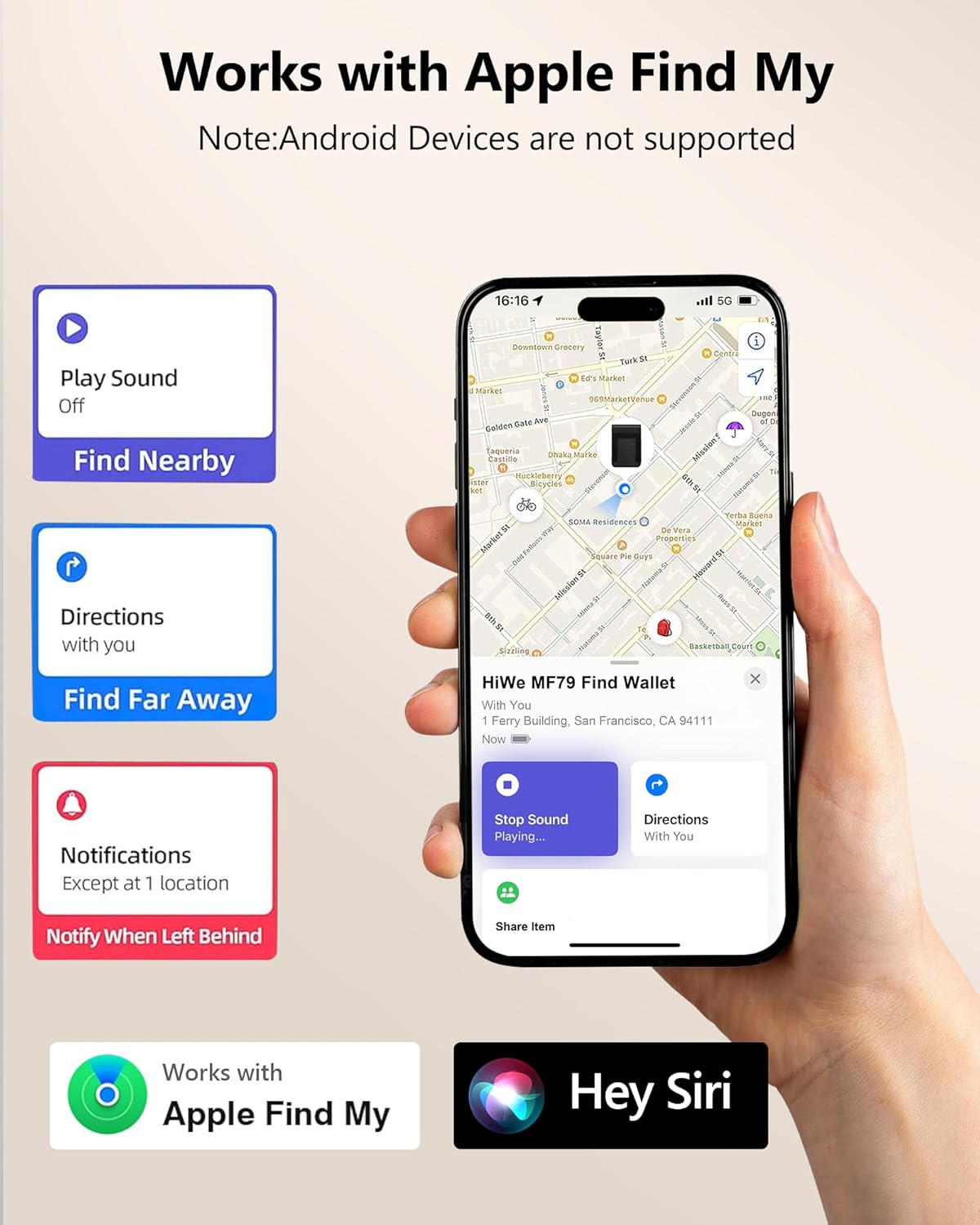
Image: An iPhone displaying the Apple Find My application, demonstrating the various tracking and alert features available for the wallet.
3. Operating Instructions
3.1 Card and Cash Storage
The wallet features multiple slots designed to hold up to 9 cards. A quick thumb slot allows for easy access to your most frequently used card. The integrated money clip can securely hold up to 8 bills.

Image: Detailed view of the wallet's card slots and money clip, illustrating its capacity for multiple cards and folded bills.
3.2 Find My Features
- Anti-Lost Tracking: Receive alerts on your iPhone if you leave your wallet behind. The Find My app will show its last known location on a map.
- Play Sound: If your wallet is nearby but out of sight, use the Find My app to play a sound from the wallet to locate it. The Bluetooth range for this feature is approximately 160 feet (50 meters).
- Find Nearby/Directions: Use the Find My app to get precise directions to your wallet's location.
- Notify When Left Behind: Configure notifications to alert you immediately if the wallet disconnects from your iPhone's Bluetooth range.

Image: An example of the 'Left-Behind Notification' feature, showing an alert on an iPhone when the wallet is separated from the user.
3.3 RFID Blocking
The wallet is equipped with RFID blocking technology to protect your cards from unauthorized 13.56MHz scans, safeguarding your personal information.

Image: A visual representation of the RFID blocking capability, indicating protection against electronic theft.
3.4 Adjustable Viewing Stand
The wallet can be folded to function as an adjustable viewing stand for your iPhone, allowing for comfortable hands-free viewing in both portrait and landscape orientations.
Image: The wallet configured as an adjustable stand, providing a stable base for an iPhone during video calls or media consumption.
4. Maintenance
4.1 Charging
Recharge the wallet's internal battery every 4 months or when the Find My functionality indicates low power. Use only the provided special charging cable for optimal performance and to prevent damage.
4.2 Cleaning
To clean the faux leather surface, gently wipe with a soft, damp cloth. Avoid using harsh chemicals or abrasive materials, as these may damage the finish.
5. Troubleshooting
- Wallet not attaching securely: Ensure your iPhone is a compatible model (iPhone 12 series or later) and that you are using it caseless or with a MagSafe-compatible case. Non-magnetic cases will prevent a secure attachment.
- Find My features not working: Check if the wallet's battery is charged. Ensure Bluetooth is enabled on your iPhone and the wallet is within range. Verify that the wallet is properly paired in the Find My app.
- RFID blocking issues: Ensure all cards are fully inserted into the designated card slots to ensure complete RFID protection.
6. Specifications
- Model: B0FG6X5FQP
- Material: Faux Leather, N52+ Magnets
- Compatibility: iPhone 17/16/15/14/13/12 series (caseless or with MagSafe case). Not compatible with iPhone 13 Mini/12 Mini or non-magnetic cases.
- Card Capacity: Up to 9 cards
- Cash Capacity: Up to 8 bills (money clip)
- Battery Life: Approximately 4 months (for Find My functions)
- Magnetic Force: 4200g
- RFID Blocking: Protects against 13.56MHz scans
7. Warranty and Support
7.1 Warranty
This HiWe MagSafe Wallet comes with a 1-year limited warranty from the date of purchase. The warranty covers manufacturing defects and material flaws under normal use. It does not cover damage caused by misuse, accidents, or unauthorized modifications.
7.2 Customer Support
For technical assistance, warranty claims, or any other inquiries, please contact HiWe customer support. Our support team is available 24/7 to assist you.
You can visit the official HiWe Store for more information and support resources: HiWe Store on Amazon