
1. Introduction and Overview
The Oryhn 2-in-1 Wireless CarPlay & Android Auto Adapter converts your car's existing wired CarPlay or Android Auto system into a wireless one. This compact device offers a seamless, cable-free experience for both iPhone and Android users, ensuring quick auto-connection and preserving original car control functionalities.

Image: The Oryhn 2-in-1 Wireless CarPlay & Android Auto Adapter, showcasing its compact design and dual compatibility.
2. Product Features
- 2-in-1 Wireless Connectivity: Converts factory-wired CarPlay and Android Auto to wireless, supporting both iPhone and Android devices.
- Advanced Dual-Band WiFi: Features 5GHz and 2.4GHz dual-band WiFi for fast response, zero-latency navigation, clear music streaming, and lag-free calls.
- True Plug & Play: Simple setup requiring no extra apps or professional installation. Just plug into your car's USB-A or Type-C port and pair via Bluetooth.
- Seamless Auto-Connect: After initial pairing, the adapter automatically recognizes and connects to your phone upon engine start using "Last-Device-Memory" technology.
- Original Car Control Preservation: Fully supports existing car controls including voice commands, steering wheel buttons, touchscreen operations, and rotary knobs.
- Stable Connection & Fast Heat Dissipation: Engineered with premium heat-dissipation materials and an upgraded chip for stable, long-distance connections without overheating.
- Compact Design: Ultra-lightweight and minimalist profile to avoid clutter in your car's interior.
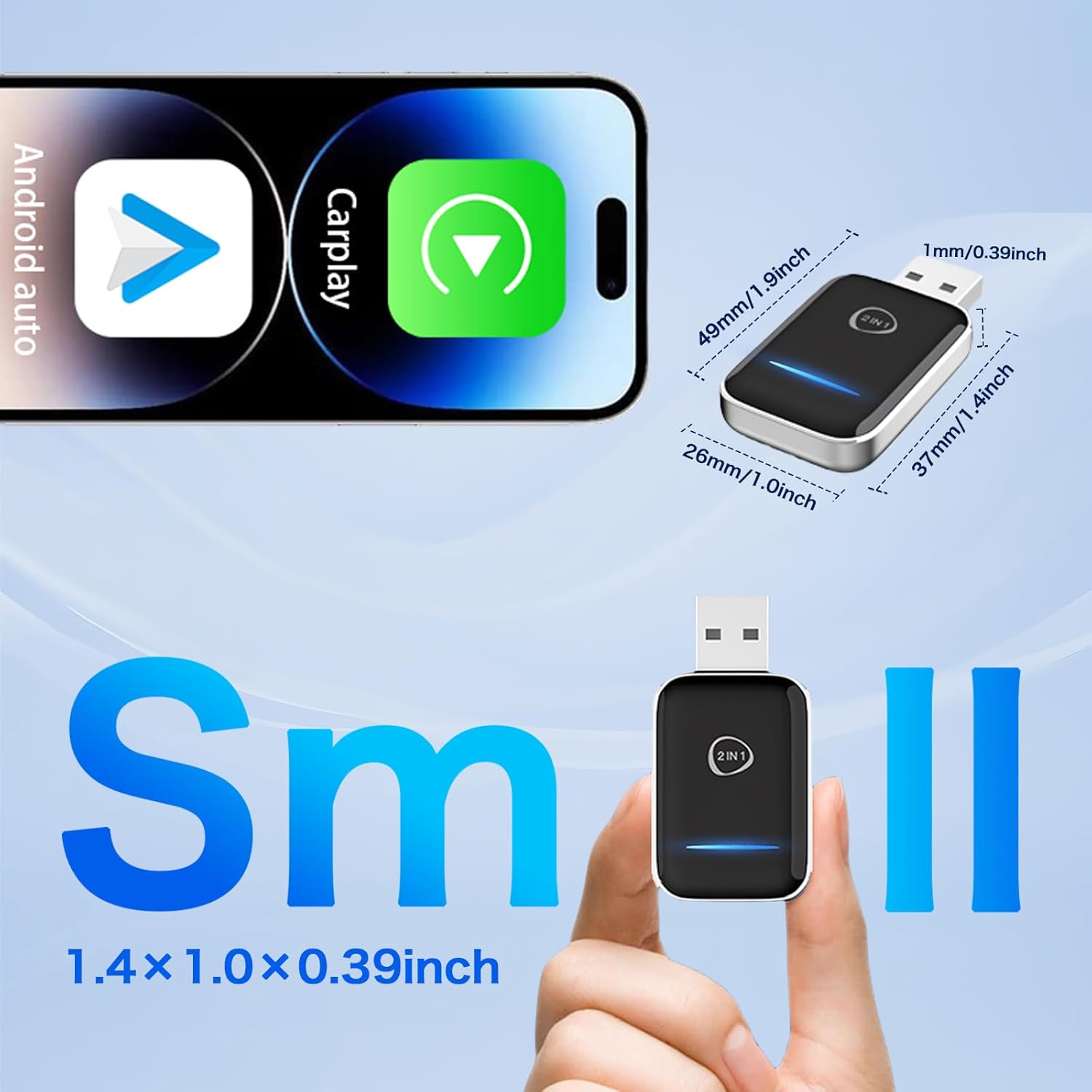
Image: Internal components highlighting the dual-band WiFi and Bluetooth 5.3 for enhanced performance.
3. Package Contents
Verify that all items are present in the package:
- 1 x Wireless CarPlay & Android Auto Adapter
- 1 x USB-A to Type-C Adapter Cable
- 1 x Instruction Manual

Image: All components included in the product box.
4. Setup Instructions
- Connect the Adapter: Plug the Oryhn 2-in-1 Wireless Adapter into your car's USB-A port. If your car only has a USB-C port, use the included USB-A to Type-C adapter cable. The adapter's indicator light will turn red initially.
- Enable Bluetooth on your Phone: On your smartphone, go to Settings > Bluetooth and ensure Bluetooth is turned ON.
- Pair with the Adapter: Look for the device named "AIBox-BT-XXXX" (where XXXX is a unique identifier) in your phone's Bluetooth device list and tap to pair. Confirm the pairing code if prompted.
- Allow CarPlay/Android Auto Connection: Your phone will prompt you to allow connection to CarPlay or Android Auto. Confirm this request.
- Automatic Connection: Once successfully paired, the adapter's indicator light will turn green, and your car's display will switch to the CarPlay or Android Auto interface. For subsequent uses, the adapter will automatically connect to your phone when you start the car.

Image: Visual guide for the plug-and-play setup process.
Video: Official Oryhn video demonstrating the setup process for the 2-in-1 Wireless CarPlay Adapter, including plugging it in and connecting via Bluetooth.
5. Operating Instructions
Once connected, your car's display will mirror your smartphone's CarPlay or Android Auto interface. You can interact with your phone's features directly from your car's screen and controls.
- Navigation: Use your preferred navigation apps (e.g., Apple Maps, Google Maps) for real-time directions.
- Music & Audio: Access your music library, podcasts, and streaming services.
- Communication: Make and receive calls, send messages, and access your contacts.
- Voice Control: Utilize voice assistants (Siri for CarPlay, Google Assistant for Android Auto) for hands-free operation. Simply say "Hey Siri" or "Hey Google" to activate.
- Car Controls: The adapter maintains compatibility with your car's original controls, including steering wheel buttons, touchscreen, and rotary knobs for a familiar user experience.
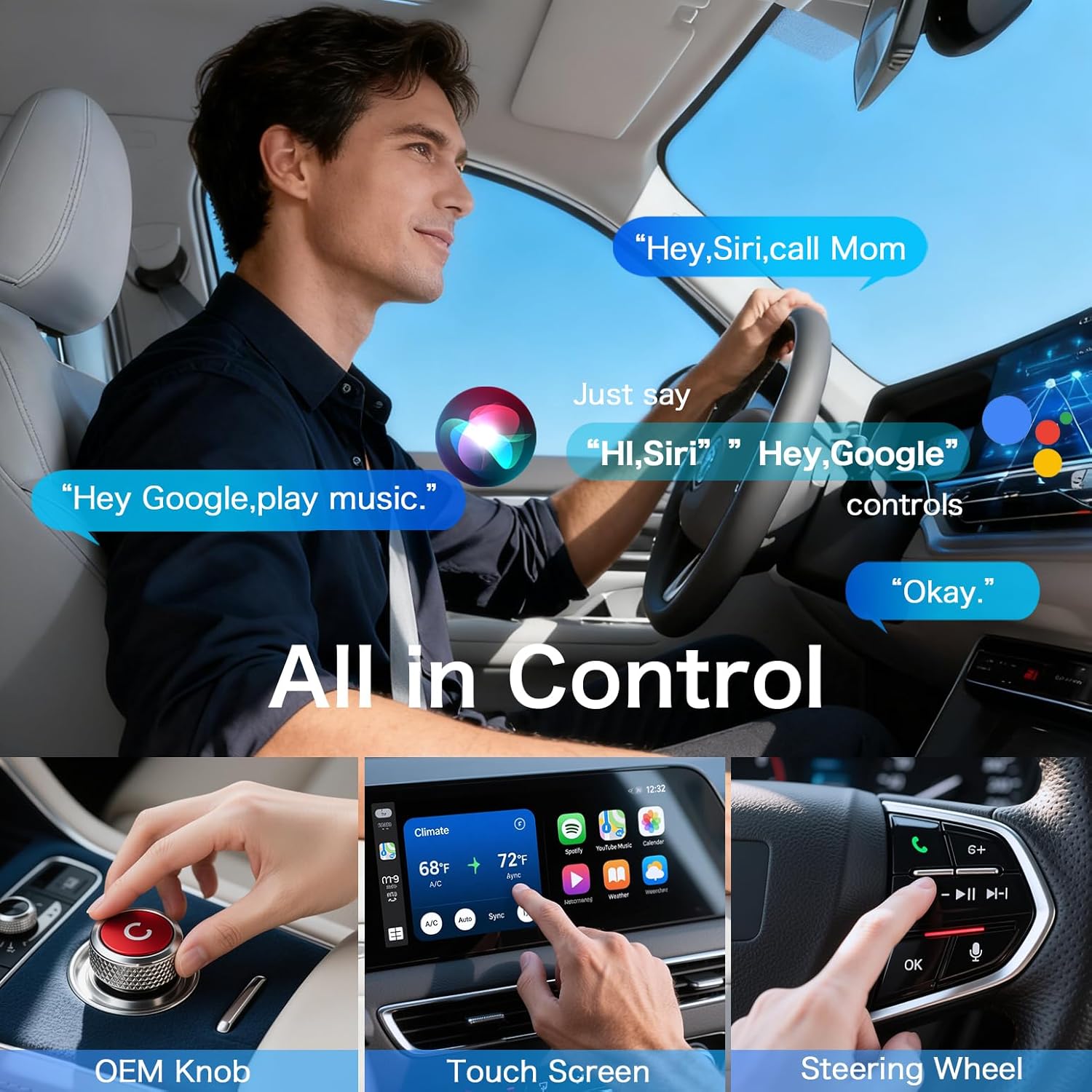
Image: Demonstrates control options including voice commands, OEM knob, touchscreen, and steering wheel buttons.
Video: A seller demonstrating the seamless wireless connection and functionality of the adapter, highlighting how it enhances the driving experience.
6. Compatibility
The Oryhn 2-in-1 Wireless CarPlay & Android Auto Adapter is designed for vehicles with factory-wired CarPlay or Android Auto systems. It is compatible with 98% of cars from 2016-2026 that feature these wired systems.
- CarPlay Compatibility: Requires iPhone 6+ running iOS 10+ and a car with factory-wired CarPlay. For a list of compatible vehicles, visit Apple CarPlay.
- Android Auto Compatibility: Requires Android phone running Android 10+ and a car with factory-wired Android Auto. For a list of compatible vehicles, visit Android Auto Compatibility.
Note: This adapter does not support vehicles that do not have existing wired CarPlay or Android Auto functionality.

Image: Detailed compatibility information for both CarPlay and Android Auto.
7. Troubleshooting
- Connection Issues: If the adapter fails to connect, ensure your car's wired CarPlay/Android Auto system is active and your phone's Bluetooth and Wi-Fi are enabled. Try unplugging and re-plugging the adapter.
- No Auto-Connect: Verify that the initial pairing was successful. If the issue persists, delete the adapter from your phone's Bluetooth history and re-pair.
- Lag or Delay: Ensure your phone's software is up to date. Check for any conflicting Bluetooth devices. The adapter uses dual-band WiFi for optimal performance, so ensure no other devices are causing interference.
- CarPlay/Android Auto Not Launching: Confirm your car's infotainment system is set to use CarPlay or Android Auto. Some cars may require selecting the option manually after the adapter connects.
- Overheating: The adapter is designed with heat-dissipation materials. If it feels excessively hot, ensure it has adequate ventilation and is not obstructed.
8. Specifications
| Feature | Detail |
|---|---|
| Product Dimensions | 1 x 0.2 x 1.9 inches |
| Item Weight | 2.08 ounces |
| Item Model Number | UP-CARP-01 |
| Connectivity Technology | USB & Type C (with included adapter) |
| Wireless Technology | 5GHz/2.4GHz Dual-Band WiFi, Bluetooth 5.3 |
| Material | Metal |
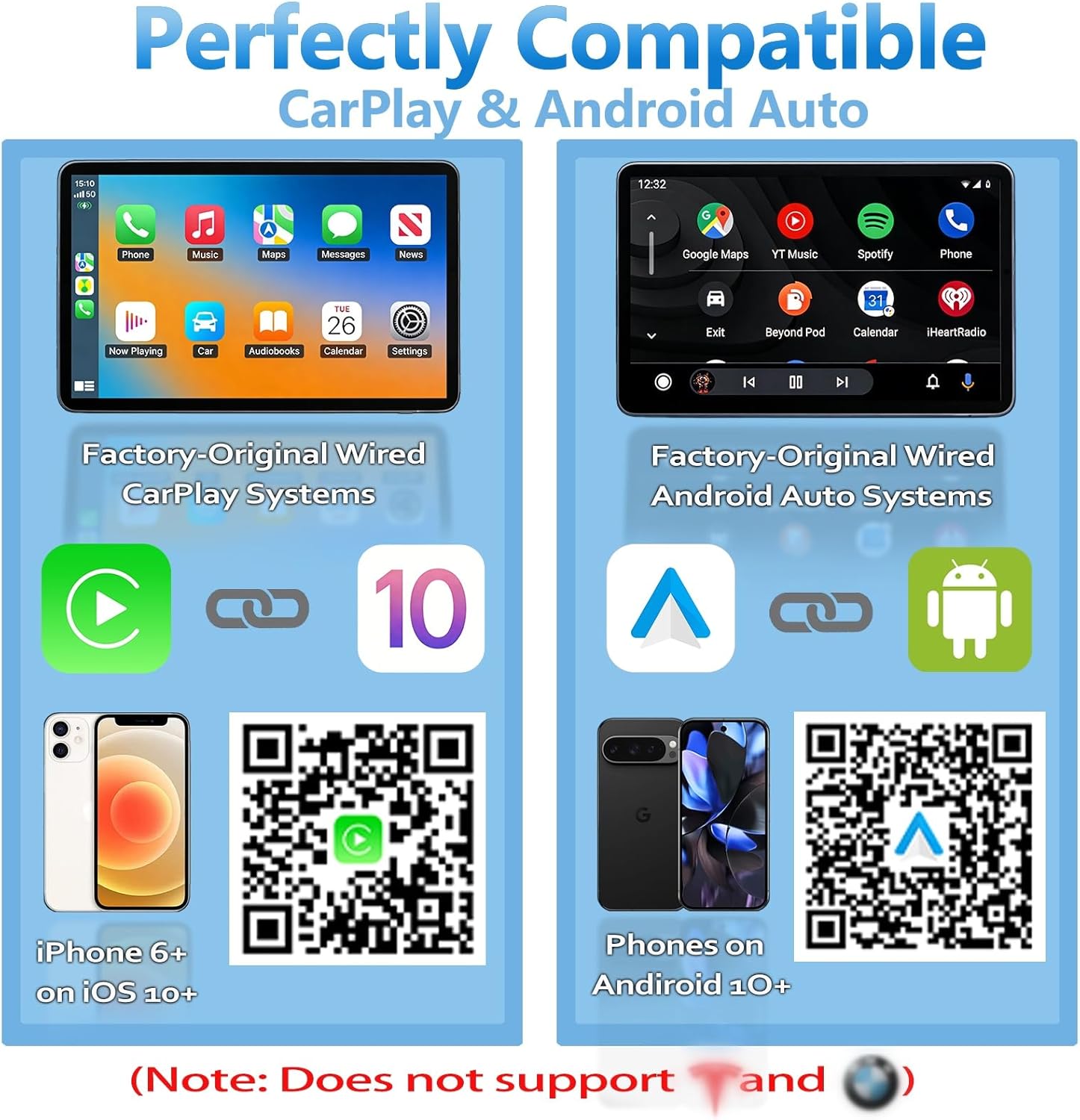
Image: The adapter's small and compact design.
9. Warranty and Support
Your Oryhn 2-in-1 Wireless CarPlay & Android Auto Adapter comes with a 12-month worry-free warranty.
For any car-specific compatibility questions or technical assistance, please contact our 24/7 professional technical support. Refer to the contact information provided in your product packaging or on the official Oryhn website.