
THERUN W1 BASIC Black with Incline
THERUN Walking Pad Treadmill User Manual
Model: W1 BASIC Black with Incline
Brand: THERUN
Important Safety Instructions
Please read all instructions carefully before using this walking pad. Failure to follow these instructions could result in injury or damage to the product.
- Keep children and pets away from the equipment at all times.
- Place the treadmill on a solid, level surface with adequate clearance around it.
- Do not operate the treadmill if it is damaged or malfunctioning.
- Consult a physician before starting any new exercise program.
- The maximum user weight for this treadmill is 300 lbs.
- Always wear appropriate athletic footwear when using the treadmill.
Product Overview
The THERUN W1 BASIC Walking Pad Treadmill is a compact and portable fitness machine designed for home and office use. It features a powerful 2.5 HP motor, an intuitive LED display, a convenient remote control, and a unique 6% manual incline feature.
Key Features:
- 6% Manual Incline: This unique design enhances fat burning efficiency by up to 40% and specifically targets hip and leg muscles.
- Portable & Compact Design: No assembly required. Built-in front transport wheels make it easy to move. Its slim 4.17-inch height allows for convenient storage under a sofa or bed.
- Powerful & Quiet 2.5 HP Motor: Provides sufficient power for various workouts, from light walking to jogging, with a maximum weight capacity of 300 lbs. Operates at less than 45 dB for a quiet experience.
- Multi-Function LED Display & Remote Control: The large LED display clearly shows time, calories, steps, speed, and distance. Speed can be conveniently adjusted using the remote control.
- Longer Running Belt & Shock Absorption: Features a 35.5-inch long and 15-inch wide running belt for more freedom of movement. Equipped with 6 silicone shock absorption points and a 5-layer anti-slip belt to reduce joint stress.
Components:
- Walking Pad Unit
- Remote Control with Wrist Strap
- Power Cord
- User Manual (this document)
Setup
The THERUN W1 BASIC Walking Pad Treadmill requires no assembly and is ready to use right out of the box.
Initial Placement:
- Unpack the walking pad from its packaging.
- Place the unit on a flat, stable surface with adequate space around it for safe operation.
- Ensure the power cord can reach a suitable electrical outlet without strain or obstruction.
Activating the Incline (Optional):
To activate the 6% manual incline, locate the foldable feet at the rear of the treadmill. Pull them out until they lock securely into position. This action will raise the rear of the walking pad, creating the desired incline for your workout.

Image: A person demonstrating how to activate the manual incline by pulling out the support leg at the back of the treadmill. The image highlights the simple, tool-free process.

Image: A diagram illustrating the 'One Step to Set up Incline' feature, showing a hand pulling out a support leg from beneath the treadmill to create a 6-degree incline. This visual emphasizes the ease of activating the incline without additional tools.
Operating Instructions
Powering On/Off:
- Connect the power cord to the treadmill unit and then to a standard wall outlet.
- Locate the power switch on the front of the unit and turn it to the "ON" position. The LED display will illuminate.
Using the Remote Control:
The remote control allows you to manage all functions of the walking pad conveniently during your workout.

Image: A close-up of the remote control, showing buttons for speed adjustment (+/-), mode selection (M), play/pause, and stop. The remote is compact and designed for easy handling during exercise.
- Start/Stop: Press the play/pause button to start or stop the treadmill belt.
- Speed Adjustment: Use the "+" and "-" buttons to increase or decrease the speed. The speed range is 0.6 to 3.8 MPH.
- Mode Selection (M button): Press the "M" button to cycle through different display modes: Time, Distance, Speed, and Calories.
Exercise Modes:
The treadmill offers various modes to suit your workout needs:
- Manual Mode: Adjust speed freely using the remote control.
- Time Countdown Mode: Set a target workout duration (adjustable from 8 to 99 minutes).
- Distance Mode: Set a target distance (adjustable from 1 to 99 miles).
- Calorie Mode: Set a target calorie burn (adjustable from 20 to 999 calories).
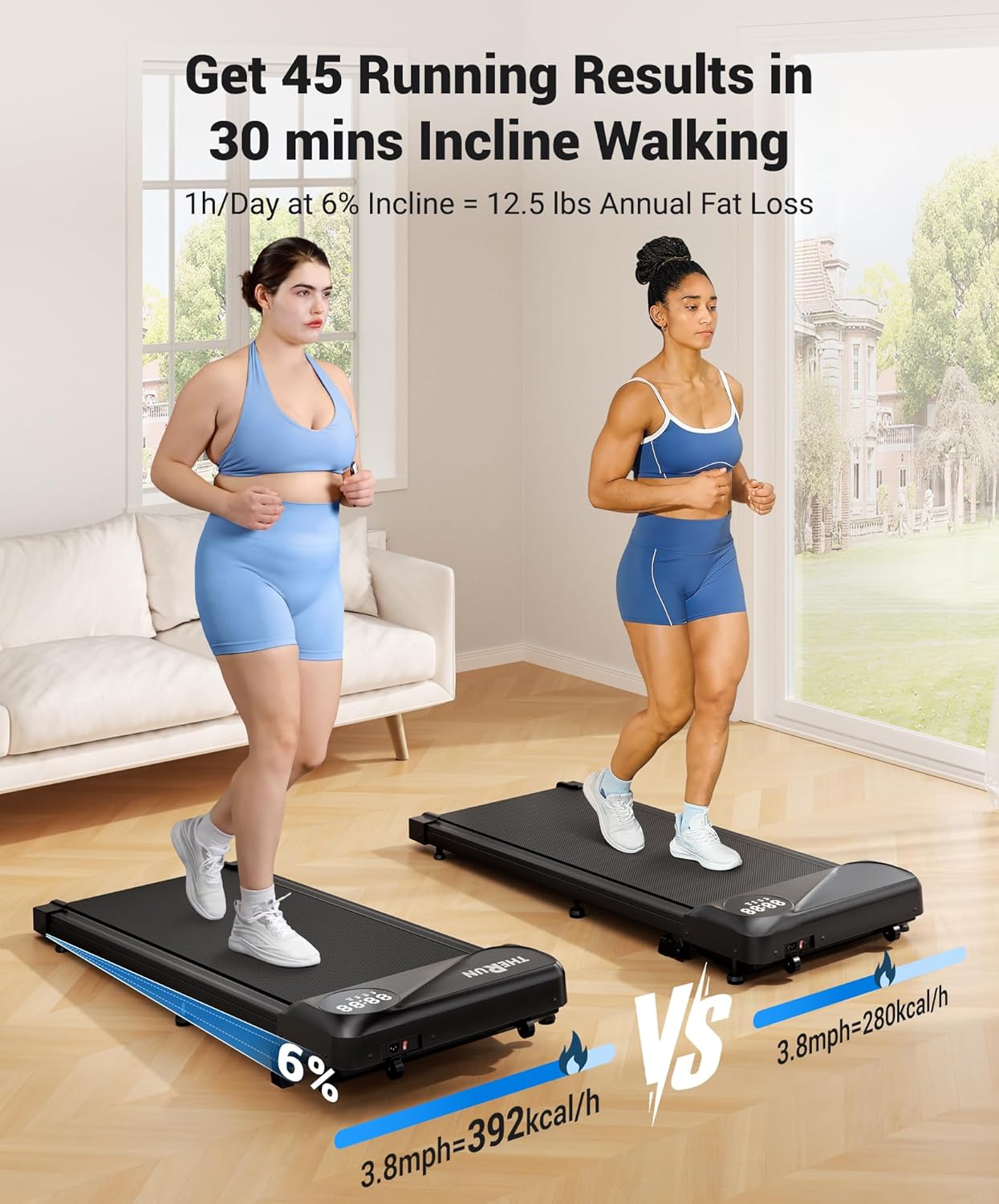
Image: A visual representation of different speed settings and their corresponding activities: 0.6 MPH for 'Stealth Climb' (maximizing focus flow), 1.5 MPH for 'Gentle Slope' (strengthening knee flexibility), and 3.8 MPH for 'Incline Walking' (igniting calorie torch).
Video Demonstration:
Video: Official product video demonstrating the THERUN Walking Pad with Incline, highlighting its features and ease of use. This video is provided by the seller, SHINE ON FITNESS.
Maintenance
Proper maintenance ensures the longevity and optimal performance of your walking pad.
Cleaning:
- Regularly wipe down the treadmill with a damp cloth to remove dust and sweat after each use.
- Do not use abrasive cleaners, solvents, or harsh chemicals, as these can damage the surface.
Belt Lubrication:
- The running belt may require lubrication after extended periods of use. Refer to the detailed instructions in the included user manual for proper lubrication procedures and recommended lubricants.
Belt Adjustment:
- If the running belt shifts to one side or feels loose, it may need adjustment. Consult the full user manual for specific instructions on how to properly tension and center the belt.
Troubleshooting
If you encounter issues with your THERUN Walking Pad, refer to the following common solutions:
| Problem | Possible Cause | Solution |
|---|---|---|
| Treadmill does not power on | Power cord not connected; Power switch off; Electrical outlet issue | Check all power connections; Ensure power switch is in the 'ON' position; Try a different electrical outlet |
| Running belt stops or slips during use | Belt too loose; Insufficient lubrication; Overload (exceeding weight capacity) | Adjust belt tension as per manual; Apply silicone lubricant; Ensure user weight is within limits |
| Unusual noise during operation | Loose components; Motor issue; Belt friction | Check all screws and bolts for tightness; Lubricate the belt if dry; Contact customer support if noise persists |
For more complex issues or problems not listed here, please contact THERUN customer support for assistance.
Product Specifications
| Feature | Detail |
|---|---|
| Brand | THERUN |
| Model Name | YT05P-C W1 BASIC |
| Color | W1 BASIC Black with Incline |
| Product Dimensions (LxWxH) | 42"D x 19.5"W x 6.3"H |
| Item Weight | 38 Pounds |
| Material | Alloy Steel |
| Maximum Speed | 3.8 Miles per Hour |
| Minimum Speed | 0.6 Miles per Hour |
| Special Feature | Manual Incline, Compact Design |
| Maximum Horsepower | 2.5 Horsepower |
| Maximum Incline Percentage | 6% |
| Maximum Weight Recommendation | 300 Pounds |
| Display Type | LED |
| Assembly Required | No |
| UPC | 840325633459 |
Warranty and Support
This THERUN Walking Pad Treadmill comes with a 1-Year Warranty covering manufacturing defects from the date of purchase.
For warranty claims, technical support, or any product-related inquiries, please contact THERUN customer service directly.
- Online Support: Visit the official THERUN website or the product's Amazon store page for frequently asked questions (FAQs) and various contact options.
- Email Support: Refer to the contact information provided in the original product packaging or the comprehensive user manual included with your purchase.
Please have your product's model name (YT05P-C W1 BASIC) and UPC (840325633459) ready when contacting support to ensure a quicker resolution.
Ask a question about this manual
Ask about setup, troubleshooting, compatibility, parts, safety, or missing instructions. Manuals+ will review the question and use this page’s manual context to help answer it.