
Kviflon 8249
Kviflon 52 Inch Ceiling Fan with RGB Light Remote/APP
Model: 8249
Introduction
Thank you for choosing the Kviflon 52-inch Ceiling Fan. This manual provides detailed instructions for safe installation, operation, and maintenance of your new ceiling fan. Please read this manual thoroughly before installation and keep it for future reference.
This ceiling fan features an independent RGB ring light, 3-color temperature white light, 6 double-sided blades, a quiet reversible DC motor, and convenient control via remote or mobile application.
Important Safety Instructions
- Always turn off power at the circuit breaker before installation or servicing.
- Ensure all electrical connections comply with local codes and ordinances.
- Consult a qualified electrician if you are unsure about wiring.
- Mount the fan directly to a structural ceiling joist or an outlet box marked "Acceptable for Fan Support of 35 lbs (15.9 kg) or less."
- Keep hands clear of fan blades when operating.
- Do not use with dimmer switches or fan gear switches not specified for this product.
Package Contents
Verify that all components are present before beginning installation:
- Fan Motor Assembly
- Fan Blades (6 pieces, double-sided Black/Brown)
- Light Kit with LED and RGB Ring Light
- Remote Control
- Mounting Hardware (screws, wire nuts, safety hook)
- Instruction Manual

Image: All components included in the Kviflon 52-inch ceiling fan package.
Setup and Installation
Note: It is recommended to install the fan blades and light fixtures first, then install the fan to the ceiling. A safety hook is included to assist with installation.
1. Mounting the Bracket
Secure the mounting bracket to the ceiling outlet box. Ensure the box is rated for fan support. Use appropriate screws and washers.
Video: Installation guide for the Kviflon 52-inch RGB ceiling fan light, demonstrating mounting and wiring steps.
2. Attaching Fan Blades
This fan features double-sided blades (Black and Brown). Choose your preferred side and attach the blades to the motor assembly using the provided screws and washers. Ensure all screws are tightened securely.
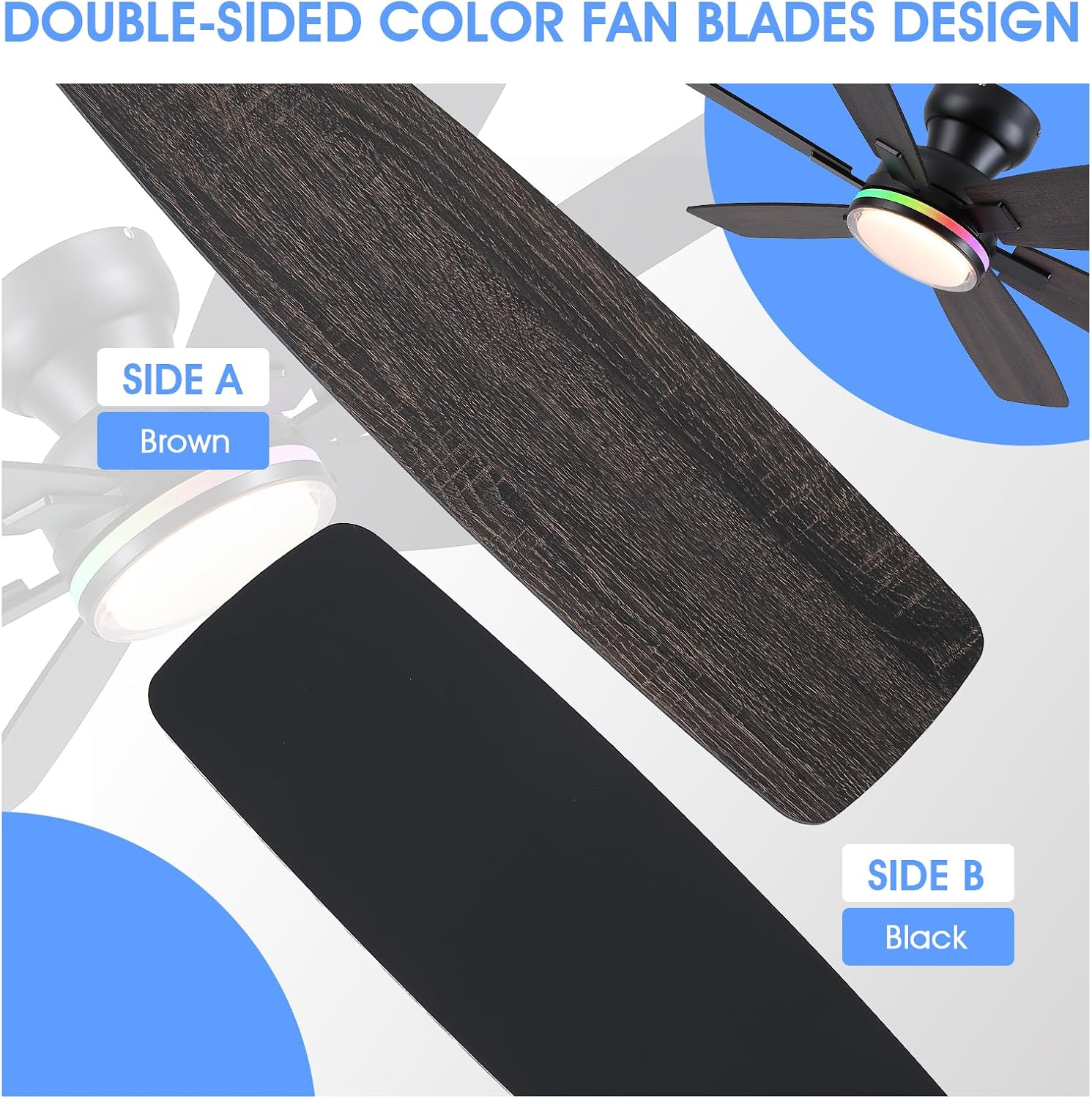
Image: Close-up of the double-sided fan blades, showing both black and brown finishes.
Video: Preview of the blade installation process, showing how to attach the double-sided blades to the fan motor.
3. Wiring Connections
Connect the fan's electrical wires to your household wiring according to the wiring diagram in the full manual. Use the provided wire nuts to secure connections. Ensure the ground wire is properly connected.
Video: Installation guide for the Kviflon 52-inch RGB ceiling fan light, demonstrating mounting and wiring steps.
4. App Installation and Pairing
Download the "FanLamp Pro" app by scanning the QR code or visiting http://www.jasonghost.com/fanlamppro/. Turn on Bluetooth on your mobile device. Open the app, press "+" to add a new fan lamp, and enter the control page. Click the pair button several times within 5 seconds after the fan is powered on. The fan light will blink or beep to confirm successful pairing.

Image: Step-by-step guide for installing and pairing the FanLamp Pro app with the ceiling fan.
Video: APP installation video for Kviflon 8249 52-inch RGB Ceiling Fans Black, demonstrating the pairing process.
5. Remote Control Pairing
If the remote control is not pre-paired, follow the instructions in the full manual to pair it with the fan. Typically, this involves pressing a specific button combination on the remote within a few seconds of powering on the fan.
Operating Instructions
Remote Control Functions
The included remote control allows for comprehensive operation of your ceiling fan and light. Refer to the diagram below for button functions:

Image: Remote control layout with descriptions for light on/off, fan speed, color temperature, RGB light switch, and reverse function.
- Light On/Off: Toggles the main light.
- All Off: Turns off both fan and light.
- Code Matching: Used for pairing the remote.
- Night Mode: Activates a low-light setting.
- Fan Speed (1-6): Adjusts fan speed from low (1) to high (6).
- Fan Off: Turns off the fan.
- Brightness +/-: Adjusts the brightness of the main light.
- Color Temperatures +/-: Cycles through 3000K (Warm), 4500K (Neutral), and 6000K (White) light.
- Forward/Reverse (F/R): Changes the direction of blade rotation for summer (downward airflow) or winter (upward airflow) modes.
- RGB Lighting Switch: Toggles the independent RGB ring light.
- Natural Wind: Simulates a natural breeze by varying fan speed.
- Timer (2H/4H): Sets a 2-hour or 4-hour timer for fan operation.
App Control Functions
The "FanLamp Pro" app offers similar control functionalities as the remote, including fan speed adjustment, light brightness, 3 CCT white light selection, RGB color changes, and fan direction control. The app provides a visual interface for easier customization.
Fan Speed and Airflow
The fan offers 6 speed settings:
- Levels 1-2: Low, comfortable wind for gentle air circulation.
- Levels 3-4: Medium, natural wind for moderate cooling.
- Levels 5-6: High, strong cooling wind for maximum airflow.

Image: Visual representation of the 6 fan speed levels and their recommended uses.
Light Control (3CCT + RGB)
The fan features both a main LED light with 3 color temperatures and an independent RGB ring light.
- Main Light: Cycle between 3000K (warm white), 4500K (neutral white), and 6000K (cool white) using the remote or app. Brightness is also adjustable.
- RGB Ring Light: The RGB light can be controlled independently to display various colors, creating different ambient effects.

Image: Display of the fan's lighting capabilities, including dimmable white light and multiple RGB color options.
Video: Scene Display for Kviflon 8249 52-inch RGB Fan Lights Black, showcasing the various lighting effects.
Reversible DC Motor
The fan's reversible DC motor allows for year-round use:
- Summer Mode: Blades rotate counter-clockwise, pushing cool air downwards.
- Winter Mode: Blades rotate clockwise, drawing cool air up and circulating warm air downwards.
Image: Visual explanation of the fan's reversible motor function for seasonal comfort.
Maintenance
- Cleaning: To clean the fan, wipe with a soft, damp cloth. Do not use abrasive cleaners or solvents.
- Blade Care: Periodically check blade screws for tightness. Loose blades can cause wobbling and noise.
- Light Cover: The double-layered lampshade is designed for even light spread. Clean gently to avoid scratches.
- Motor: The DC motor is designed for quiet operation and requires no lubrication.
Troubleshooting
| Problem | Possible Cause | Solution |
|---|---|---|
| Fan does not start | No power to the fan; Loose wire connections; Remote/App not paired. | Check circuit breaker; Verify all wire connections are secure; Re-pair remote/app. |
| Fan wobbles | Loose blade screws; Unbalanced blades; Loose mounting bracket. | Tighten all blade screws; Ensure blades are installed correctly; Check mounting bracket for secure attachment. |
| Light does not work | Loose wire connection to light kit; Light kit failure. | Check light kit wiring; Contact customer support if light kit is faulty. |
| Remote/App not responding | Batteries dead (remote); App not connected (Bluetooth); Interference. | Replace remote batteries; Ensure Bluetooth is on and app is connected; Reduce interference sources. |
| Fan makes noise | Loose screws; Blades rubbing; Motor issue. | Check and tighten all screws; Ensure blades are not hitting anything; Contact customer support if motor noise persists. |
Specifications
| Brand | Kviflon |
| Model Number | 8249 |
| Size | 52 inches |
| Number of Blades | 6 |
| Motor Type | DC |
| Number of Speeds | 6 |
| Light Type | Integrated LED (3CCT) + RGB Ring Light |
| Control Method | Remote Control, App Control |
| Mounting Type | Flush Mount |
| Noise Level | 30 dB |
| Wattage | 30 watts |
| Voltage | 230 volts |
| Product Dimensions | 17"D x 13"W x 7"H |
| Item Weight | 11 pounds |
Warranty and Support
Kviflon products are designed for quality and durability. This product comes with a standard manufacturer's warranty against defects in materials and workmanship. Please refer to the warranty card included in your package for specific terms and conditions.
For technical support, troubleshooting assistance, or replacement parts, please contact Kviflon customer service. Contact information can typically be found on the Kviflon website or on the product packaging.
Online Resources: For additional support and FAQs, visit the official Kviflon store on Amazon: Kviflon Store
Related documents8249


Ask a question about this manual
Ask about setup, troubleshooting, compatibility, parts, safety, or missing instructions. Manuals+ will review the question and use this page’s manual context to help answer it.