
Introduction
The OTTOCAST Mirror Touch is a versatile 3-in-1 adapter designed to enhance your in-car entertainment and connectivity. It transforms your wired CarPlay system into a wireless one and enables full phone mirroring for both iPhone 15+ (USB-C) and Android DP-enabled devices. This manual provides detailed instructions for setup, operation, and troubleshooting to ensure optimal performance.

Image: The OTTOCAST Mirror Touch device connected in a car, showcasing its capabilities for wireless CarPlay, iOS Mirror, and Android Mirror.
What's in the Box

Image: A visual representation of all items included in the product packaging.
- Ottocast Mirror Touch: The main adapter unit.
- USB-A to USB-C Adapter: For versatile connectivity.
- User Manual: This document.
- Packaging Box: The product's retail packaging.
Setup
Setting Up Wireless CarPlay

Image: A step-by-step guide illustrating the setup process for Wireless CarPlay.
- Step 1: Plug In
Connect the Ottocast Mirror Touch to your car's USB port. Ensure your car has factory-wired CarPlay. - Step 2: Activate Bluetooth & Wi-Fi
On your iPhone, turn on Bluetooth and Wi-Fi for seamless connection. - Step 3: Pair and Enjoy
Pair your phone with the Ottocast device via Bluetooth. CarPlay will launch automatically.
Setting Up iOS/Android Mirror Mode

Image: A step-by-step guide illustrating the setup process for iOS and Android Mirroring.
- Step 1: Plug In
Connect the Ottocast Mirror Touch to your car's USB port. - Step 2: Select Mode
Choose "iOS Mirror" or "Android Mirror" when prompted on the car screen. - Step 3: Connect Your Phone
Plug your phone into the Ottocast device to begin mirroring.
Operating Instructions
Bidirectional Touch Control
The OTTOCAST Mirror Touch offers a unique bidirectional touch control feature, allowing you to operate your phone directly from your car's touchscreen. This enhances safety by reducing the need to handle your phone while driving.
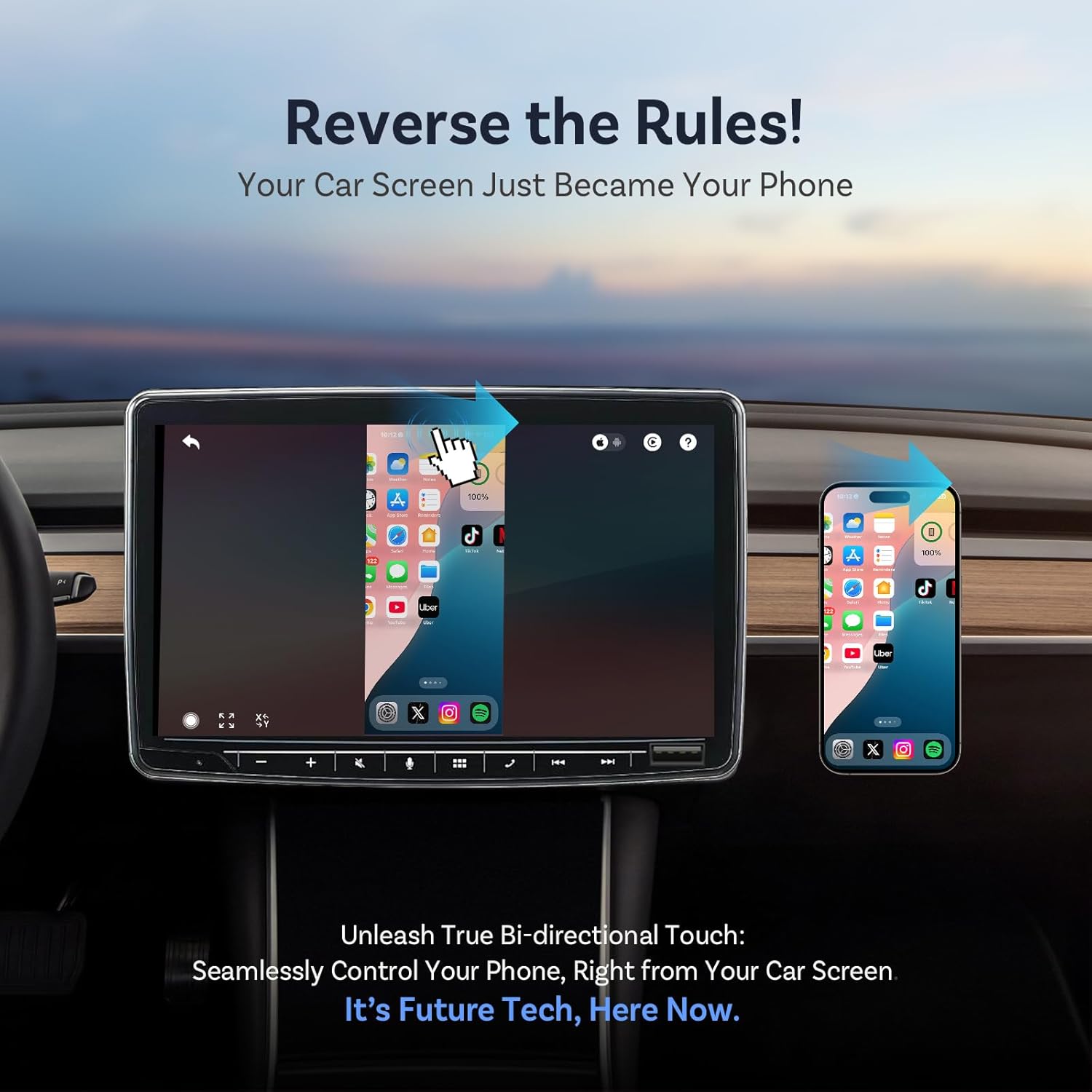
Image: A visual showing a hand interacting with the car's touchscreen to control a mirrored phone display, demonstrating bidirectional touch.

Image: A graphic highlighting the "World First Two-Way Touch Control" feature, showing seamless interaction between phone and car screen.
Full Phone Mirroring & App Support
Display any mobile app, including streaming services like Netflix, YouTube, TikTok, Disney+, and Spotify, directly on your car's infotainment system. The ultra-low latency (80-100 ms) ensures smooth streaming without noticeable lag.

Image: The car's screen displaying a variety of popular applications, demonstrating full phone mirroring capabilities.

Image: A car screen showing a video playing, illustrating the ability to watch favorite videos instantly from a mirrored phone.

Image: A car screen displaying a navigation map, emphasizing seamless real-time map mirroring.

Image: A person playing a mobile game mirrored onto the car screen, highlighting the transformation of the car into a gaming console.
Power Sustained Streaming
Connect the OTTOCAST Mirror Touch to your car's USB port or a power bank via its dedicated charging input. This allows you to stream videos for hours without draining your phone's battery.

Image: A phone connected to the Ottocast Mirror Touch, showing it charging while mirroring content to the car screen.
Accessibility and Safety Features
- Reduced Distraction: Using the in-car screen for phone control significantly reduces distraction-related accidents.
- Voice Control: Seamlessly integrate with your car's native interface and voice commands (e.g., Siri).
- Auto-Rotate: The car screen automatically adjusts to portrait or landscape mode, mirroring your phone instantly and seamlessly.
- Smart Resolution: Tap once to fit video size, eliminating black bars or distortion.
- Zero Lag: Enjoy crystal-clear visuals and instant touch response with just 80ms delay.

Image: A comparison showing a distracted driver using a phone versus a focused driver using the car's screen, emphasizing safety.

Image: Illustrations of different control methods including voice control, OEM knob, touchscreen, and steering wheel controls.

Image: A car screen showing content rotating from portrait to landscape, demonstrating the auto-rotate feature.

Image: A side-by-side comparison showing blurry visuals versus clear visuals with 80ms delay, illustrating zero lag performance.

Image: A hand tapping on a car screen displaying a video, demonstrating the smart resolution feature that adapts to the app.
Product Demonstration Video
Video: An official demonstration of the Ottocast Mirror Touch functions, including unboxing, CarPlay setup, iOS mirroring, and Android mirroring.
Compatibility
The OTTOCAST Mirror Touch is designed for broad compatibility with both phones and vehicles. Please review the requirements below:

Image: A visual guide detailing compatible car brands and phone models.

Image: QR codes provided for checking phone and car compatibility.
Phone Requirements:
- Works with iPhone 15 or later (USB-C).
- Compatible with Android DP-enabled models (e.g., Samsung S24/S25, Pixel 8/9).
Vehicle Requirements:
- Your car must have wired CarPlay from the factory.
Still unsure about compatibility? You can scan the QR codes below for an instant check:
- Phone Compatibility Check: Scan to Check Phone Compatibility
- Car Compatibility Check: Scan to Check Car Compatibility
Specifications
| Feature | Detail |
|---|---|
| Brand | OTTOCAST |
| Model | Mirror Touch |
| Package Dimensions | 6.34 x 3.86 x 1.89 inches |
| Item Weight | 7.3 ounces |
| Connector Type | USB Type A |
| Cable Type | USB |
| Compatible Devices | iPhone 15+ & Android Phone with DP |
| Special Feature | Android Phone Screen Mirroring Adapter for Car, Controlling your phone through the car screen while driving, Wireless Carplay Adapter, iPhone 15+ Screen Mirroring Adapter for Car |
Maintenance
To ensure the longevity and optimal performance of your OTTOCAST Mirror Touch, follow these simple maintenance guidelines:
- Cleaning: Use a soft, dry cloth to clean the device. Avoid using liquid cleaners or aerosols.
- Storage: When not in use, store the device in a cool, dry place away from direct sunlight and extreme temperatures.
- Handling: Handle the device and its cables with care. Avoid bending or pulling the cables excessively.
- Software Updates: Periodically check the official OTTOCAST website or app (if available) for firmware updates to ensure the best performance and compatibility.
Troubleshooting
If you encounter issues with your OTTOCAST Mirror Touch, please refer to the following common troubleshooting steps:
- No Connection/Device Not Recognized:
- Ensure the device is securely plugged into the car's USB port.
- Verify that your car has factory-wired CarPlay.
- Check your phone's Bluetooth and Wi-Fi settings to ensure they are enabled and correctly paired.
- Try restarting both your phone and the car's infotainment system.
- Mirroring Issues (Lag, Freezing, No Display):
- Ensure your phone is compatible (iPhone 15+ or Android DP-enabled).
- Check the physical connection between your phone and the Ottocast device.
- Close unnecessary apps on your phone to free up resources.
- Verify that your phone's display settings are optimized for mirroring (e.g., screen rotation enabled).
- No Audio or Low Volume:
- Check the volume levels on both your phone and the car's infotainment system.
- Ensure your car's audio input is set to the correct source (e.g., USB, CarPlay).
- Intermittent Disconnections:
- Ensure there are no other devices interfering with Bluetooth or Wi-Fi signals.
- Try a different USB port in your car if available.
- Ensure the device and cables are not damaged.
If these steps do not resolve the issue, please contact customer support.
Warranty and Support
OTTOCAST is committed to providing high-quality products and excellent customer service. If you encounter any problems during use, our professional technical team is ready to assist you.
- Product Guarantee: The OTTOCAST Mirror Touch comes with a 24-month product guarantee.
- Contact Support: For assistance, you can send an email to our customer service team. We aim to respond within 24 hours.
For the most up-to-date support information and contact details, please visit the official OTTOCAST website.