
1. Product Overview
The BOIFUN Baby 6T-2 is a 2K WiFi baby monitor system designed for comprehensive child monitoring. It includes two cameras and a 5-inch display unit, offering advanced features such as split-screen viewing, motion and sound detection, a soothing night light, and environmental monitoring.

Image: The BOIFUN 5-inch 2K Baby Monitor with Dual Cameras, showing the monitor and two cameras, highlighting monitor and app control, night light, auto tracking, and movement detection.
2. What's Included
- 2 x Baby Cameras
- 1 x Display Unit (Monitor)
- 1 x Quick Guide & Needle
- 2 x Brackets
- 3 x Power Adapters & Cables
- 6 x Screws & Screw Hats

Image: A visual representation of all components included in the BOIFUN Baby 6T-2 package, such as cameras, monitor, power adapters, cables, brackets, screws, quick guide, and video guide card.
3. Setup Instructions
3.1 Initial Pairing (Monitor and Cameras)
- Connect both baby cameras and the display unit to power using the provided adapters.
- The parent unit and dual baby monitors connect automatically upon power-on.
- If a camera is not bound, press the Menu button on the display unit, navigate to 'Camera Management', and select the camera icon.
- Press and hold the pairing button on the camera until you hear a "BOOGU" beep.
- Press the OK button on the display to start pairing. The device will indicate when it is bound.
Video: Demonstrates the process of connecting the BOIFUN dual baby cameras to the display unit, including pressing the pairing button and confirming connection.
3.2 Smartphone App Connection
For remote monitoring and advanced features, connect the cameras to your smartphone app. Please note: The camera only supports 2.4GHz WiFi connection.
- Download the 'BoifunCam' or 'CloudEdge' app from your smartphone's app store.
- Connect your smartphone to a 2.4GHz Wi-Fi network.
- Follow the in-app instructions to add a new device. This typically involves scanning a QR code displayed by the app with the camera lens.
Video: Illustrates the steps to connect the BOIFUN dual baby cameras to the smartphone application, including app download, WiFi selection, and QR code scanning.
3.3 Camera Placement and Mounting
The baby cameras are designed for indoor use and can be placed freestanding on a flat surface or mounted using the provided brackets.
- Freestanding: Place the camera on a stable surface like a dresser or shelf, ensuring a clear view of the monitoring area.
- Wall Mount: Use the included screws and screw hats to securely attach the bracket to a wall. Then, attach the camera to the bracket.
- Crib Mount: Utilize a flexible crib mount (not included) that screws into the camera's base for optimal positioning above the crib.

Image: Displays various mounting options for the BOIFUN baby camera, including tabletop placement, wall mounting, and attachment to a crib using a flexible arm.
4. Operating Instructions
4.1 Monitor Controls and Display
The 5-inch display unit provides intuitive controls for managing your monitoring experience.
- Navigation: Use the directional buttons to move through menus and control camera pan/tilt.
- OK Button: Confirm selections or switch between full-screen and split-screen views.
- Menu Button: Access settings and features.
- Volume/Brightness: Adjust audio volume and screen brightness via the menu.

Image: The BOIFUN monitor display showing real-time temperature and humidity, along with various menu icons for camera, feeding reminder, smart care, sleep mode, date and time, camera light, safety protection, and SD card.
4.2 Camera Features
- Pan/Tilt/Zoom (PTZ): Remotely control the camera's 355° horizontal and 60° vertical rotation using the display unit or app. Digital 4x zoom is available.
- Auto-Tracking: The camera can automatically follow movement within its field of view.
- Two-Way Audio: Speak to your baby through the camera using the monitor or app.
- Lullabies: Soothe your baby with 14 pre-installed lullabies.
- Night Light: The camera features a 3-in-1 night light with steady-glow, breathing light, and carousel light modes, offering various colors.
- 2K QHD Video: Enjoy clear 2K Quad HD video resolution day and night, with invisible infrared night vision.

Image: A BOIFUN baby camera mounted on a crib, illustrating its 360-degree auto-tracking capability as a baby crawls on the floor.
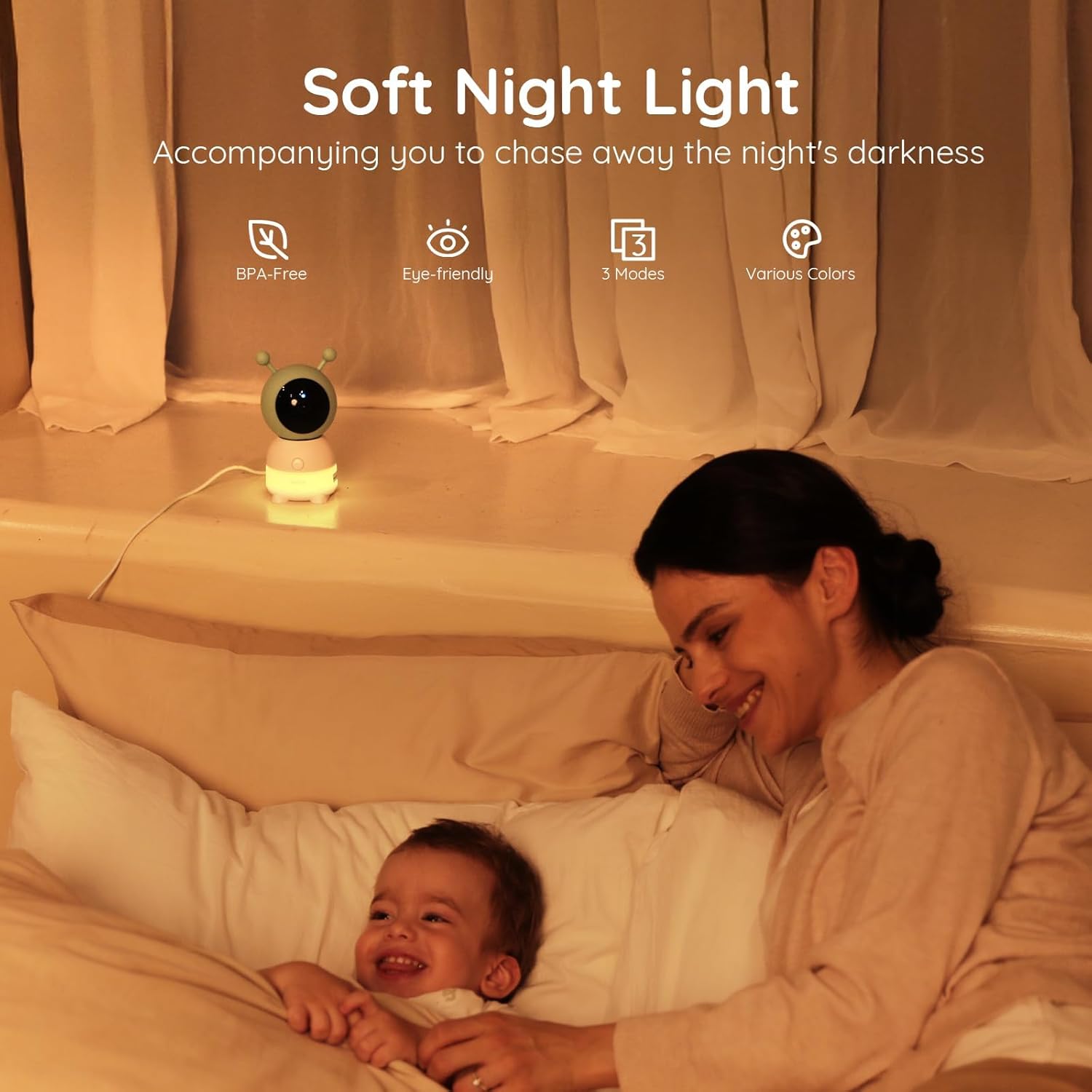
Image: A BOIFUN baby camera with its soft night light illuminated, positioned next to a baby in a crib, emphasizing its BPA-free, eye-friendly, 3-mode, and various color features.
4.3 Monitoring Modes
- Split-Screen Viewing: View feeds from both cameras simultaneously on the 5-inch display.
- Single Camera View: Focus on one camera's feed in full screen. Switch between cameras using the directional buttons or by pressing OK in split-screen mode.
- App Monitoring: Monitor live feeds from anywhere via the smartphone app (requires 2.4GHz WiFi connection for cameras).

Image: The BOIFUN baby monitor display showing a split-screen view from two cameras, monitoring two different babies in separate rooms, labeled as 'Dual-Camera Care'.
Video: A demonstration of the BOIFUN 2K Baby Monitor with 2 Cameras, showcasing its features and functionality from a user's perspective.
4.4 Alert Detection and Environmental Monitoring
- Motion Detection: Receive alerts when movement is detected in the camera's view. Sensitivity can be adjusted (Low, Medium, High).
- Cry/Sound Detection: Get notified of baby cries or other significant sounds.
- Customizable Alarm Zones: Define specific areas within the camera's view to trigger alerts if entered.
- Humidity & Temperature Monitoring: Real-time display of room temperature and humidity on the monitor. Set out-of-range reminders for optimal comfort.
- Feeding Reminders: Set scheduled reminders for feeding times.

Image: A BOIFUN baby camera mounted on a crib, with a smartphone displaying a 'Tips' notification for movement detection, illustrating the 'Smart Care' features.
5. Maintenance
To ensure optimal performance and longevity of your BOIFUN Baby Monitor, follow these maintenance guidelines:
- Cleaning: Use a soft, dry cloth to clean the camera lenses and monitor screen. Avoid abrasive cleaners or solvents.
- Power: Always use the original adapter wires and plugs for power.
- Placement: Ensure cameras are placed in a stable, dry environment, away from direct sunlight or heat sources.
- Antenna: Fully extend the antenna on the display unit for stable signal transmission.
6. Troubleshooting
- No Signal/Weak Signal:
- Ensure both the camera and monitor are powered on and within range.
- Extend the antenna on the display unit.
- Reduce obstacles (walls, large furniture) between the camera and monitor. The 2.4GHz band offers better wall penetration than 5GHz.
- Re-pair the camera and monitor if necessary (refer to Section 3.1).
- App Connection Issues:
- Verify your smartphone is connected to a 2.4GHz WiFi network.
- Ensure the camera is connected to the same 2.4GHz WiFi network.
- Check WiFi password and network stability.
- Restart the camera, monitor, and router.
- Alerts Not Triggering:
- Check the 'Smart Care' settings in the monitor menu or app to ensure motion, cry, or noise detection is enabled and sensitivity is adjusted appropriately.
- Verify custom alarm zones are correctly configured.
- Night Light Not Working:
- Access 'Camera Light' settings in the menu and ensure the night light is turned 'On'.
- Check the selected light effect and color.
7. Specifications
| Feature | Specification |
|---|---|
| Model Name | Baby 6T-2 |
| Video Capture Resolution | 2K |
| Effective Still Resolution | 3 MP |
| Connectivity Technology | Monitor to Camera: Wireless; Monitor to Phone APP: 2.4GHz Wi-Fi |
| Wireless Technology | 2.4GHz Wi-Fi |
| Special Features | 2K Resolution, APP and Split-screen Control, Motion & Cry & Sound Detection, Soothing Night Light, Two Cameras, Auto-Tracking, PTZ, Humidity & Temperature Monitoring |
| Pan/Tilt Range | 355° Horizontal, 60° Vertical |
| Zoom Ratio | 4x Digital Zoom |
| Night Vision Range | 10 Meters |
| Power Source | Baby Camera: Corded Electric; Parent Unit: Battery Powered |
| Material | Acrylonitrile Butadiene Styrene (ABS) |
| Item Dimensions | 2.95 x 2.95 x 6.3 inches |
| Security | AES 128-bit encryption |
8. Warranty and Support
- Return Policy: 90-day return policy.
- Protection Plan: 2-year protection for peace of mind.
- Customer Support: Enjoy prompt customer care with 15-hour response on working days.
- Contact: For inquiries, contact us at admin@boifun.net.