
IMIPAW B0FG2KDMD5
IMIPAW 5G WiFi Automatic Cat Feeder with Stainless Steel Bowl Instruction Manual
Model: B0FG2KDMD5
Introduction
This instruction manual provides comprehensive guidance for the setup, operation, and maintenance of your IMIPAW 5G WiFi Automatic Cat Feeder. Designed for convenience and pet well-being, this feeder ensures your pet receives meals on a consistent schedule. Please read this manual thoroughly before using the product to ensure proper function and safety.
Product Features
- Convenient App Control: Connects via the “PetTech” app for scheduling up to 10 meals daily, with 1-20 servings per meal. Monitor feeding history and allow multiple family members to control the feeder.
- Precision Design for Optimized Eating: Features a dual rotor structure to prevent food jams and a six-compartment rotor for consistent portions. An internal tilt angle ensures smooth food delivery, promoting healthy pet growth.
- External Power or Battery Backup: Offers dual power options (AC adapter or 3 x D-size batteries, not included) to ensure uninterrupted feeding, even during power outages.
- Pet-Friendly Design: Includes a stainless steel cat bowl designed from deep to shallow to prevent whisker fatigue and relieve neck strain, enhancing your pet's feeding experience.
- Anti-Clog Design: Suitable for dry food sizes between 2-10mm, minimizing the risk of food blockages.
Package Contents
Please check the package contents upon unboxing to ensure all items are present:
- IMIPAW Automatic Cat Feeder Unit
- Stainless Steel Feeding Bowl
- Power Adapter (AC)
- User Manual (this document)
- Feeding Guide (Quick Start Guide)
Note: 3 x D-size batteries are not included and must be purchased separately for battery backup functionality.
Setup Guide
- Unpack the Feeder: Carefully remove all components from the packaging.
- Assemble the Bowl: Attach the stainless steel feeding bowl to the main feeder unit. Ensure it clicks securely into place.
- Power Connection:
- AC Power: Connect the power adapter to the feeder's power port (located at the bottom) and plug it into a wall outlet.
- Battery Backup (Optional): For power outage protection, insert 3 x D-size alkaline batteries (not included) into the battery compartment at the bottom of the feeder.
- Fill the Food Container: Open the top lid by sliding it towards the “Open” indicator. Pour dry pet food (kibble size 2-10mm) into the food reservoir. Close the lid securely by rotating it towards the “Close” indicator until it locks. This prevents pets from accessing the food directly.
- Download the App: Download the “PetTech” app from your smartphone's app store (iOS or Android).
- Pair with App:
- Open the PetTech app and create an account or log in.
- Ensure your phone's Bluetooth is enabled.
- In the app, tap “Add Device” or the “+” icon. The app will scan for nearby devices.
- Select “Pet Feeder (Automatic)” from the list of found devices.
- Follow the on-screen prompts to connect the feeder to your home 5G WiFi network.

Image: The IMIPAW Automatic Cat Feeder, highlighting its dual-frequency channel compatibility (5G and 2.4G WiFi) for fast and convenient connection.

Image: The feeder demonstrating its dual power supply options: connection via a 5V DC adapter and a compartment for 3 x D-size batteries (not included) for backup.
Operating Instructions
1. Manual Feeding
To manually dispense food, first ensure the feeder is unlocked. Press and hold the unlock button (often indicated by a padlock icon) for approximately 6 seconds until you hear a confirmation sound. Once unlocked, press the “Feed” button to dispense one portion of food. You can press it multiple times for additional portions.
2. Scheduling Meals via App
The “PetTech” app allows for comprehensive meal scheduling:
- Open the “PetTech” app and select your connected feeder.
- Navigate to the “Feeding Plan” section.
- Tap “Add” or the “+” icon to create a new feeding schedule.
- Set the desired feeding time (e.g., 06:00 for breakfast).
- Choose the number of portions (1-20) for that meal.
- Select the days of the week for this schedule to repeat (e.g., Every Day, or specific days).
- Save the plan. You can set up to 10 different meal times per day.
3. Monitoring Feeding History
The app provides a “Feed Record” feature to track dispensed meals, ensuring your pet is fed according to the schedule.

Image: A cat observing the automatic feeder while a smartphone screen shows the “Customized Feeding Schedule for Pets” feature, allowing up to 10 meals and 20 servings per meal.

Image: A user interacting with the “PetTech” app on their smartphone to remotely control the feeder, demonstrating the ability to feed anytime, anywhere, with adjustable portions and meals.
Maintenance and Cleaning
Regular cleaning ensures optimal performance and hygiene for your pet.
- Detachable Bowl: The stainless steel feeding bowl is easily removable for cleaning. Wash it with mild soap and water, then rinse thoroughly and dry before reattaching.
- Food Reservoir: Periodically empty the food reservoir and wipe it clean with a dry or slightly damp cloth. Ensure it is completely dry before refilling with food.
- Main Unit: Wipe the exterior of the feeder with a soft, dry cloth. Do not immerse the main unit in water or use abrasive cleaners.
- Kibble Size Check: Regularly check that your kibble size is within the recommended 2-10mm range to prevent blockages. A guide is provided on the lid for convenience.

Image: Detailed view of the stainless steel cat bowl, highlighting its design for pet comfort and ease of cleaning. The bowl features a smooth edge and is made from high-quality steel.
Troubleshooting
| Problem | Possible Cause | Solution |
|---|---|---|
| Feeder not dispensing food. | Food hopper is empty; feeder is locked; food jam; power issue. | Refill food. Unlock the feeder by pressing and holding the unlock button. Check for blockages in the dispenser. Ensure AC power is connected or batteries are installed and functional. |
| App cannot connect to the feeder. | Incorrect WiFi password; feeder out of range; Bluetooth off; network interference. | Verify WiFi password. Move feeder closer to router. Ensure Bluetooth is on. Restart feeder and router. |
| Food gets stuck frequently. | Kibble size too large; moisture in food. | Use kibble within the recommended 2-10mm range. Ensure food is dry and stored properly. Clean the dispenser mechanism. |
| Scheduled meals not dispensing. | Incorrect schedule settings in app; feeder is offline. | Review and correct feeding plan settings in the “PetTech” app. Check feeder's network connection. |
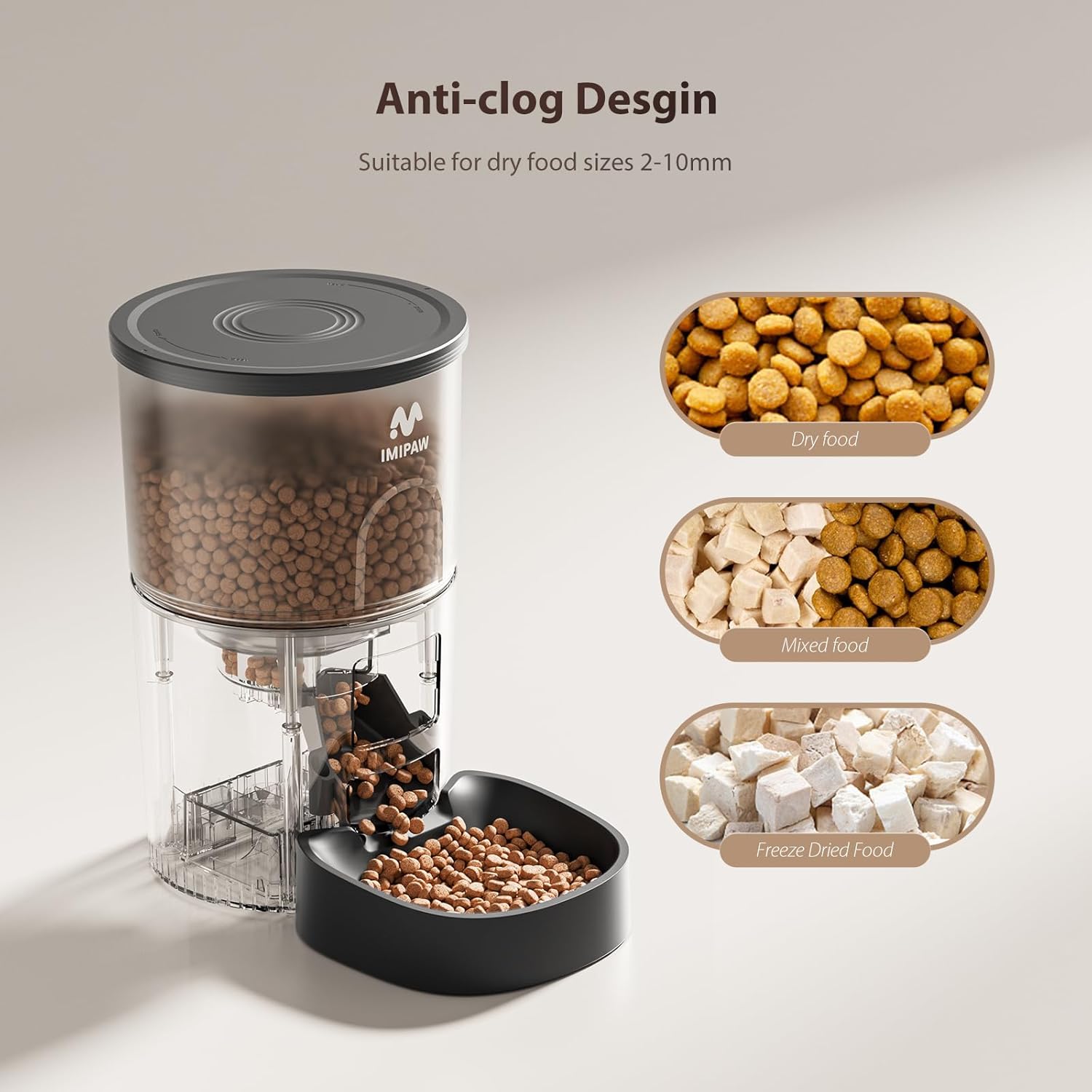
Image: The feeder's anti-clog design, illustrating its compatibility with various dry food types including dry food, mixed food, and freeze-dried food, suitable for sizes 2-10mm.
Specifications
| Brand | IMIPAW |
| Model | B0FG2KDMD5 |
| Connectivity | 5G WiFi (also compatible with 2.4G WiFi) |
| Power Source | AC Power Adapter (included) or 3 x D-size Batteries (not included) |
| Max Meals/Day | Up to 10 meals |
| Portions/Meal | 1-20 servings |
| Recommended Kibble Size | 2-10mm dry food |
| Bowl Material | Stainless Steel |

Image: A diagram illustrating the product size and dimensions of the stainless steel bowl, including height (1.5 in), length (5.5 in), width (4.5 in), and bottom length (4.7 in).
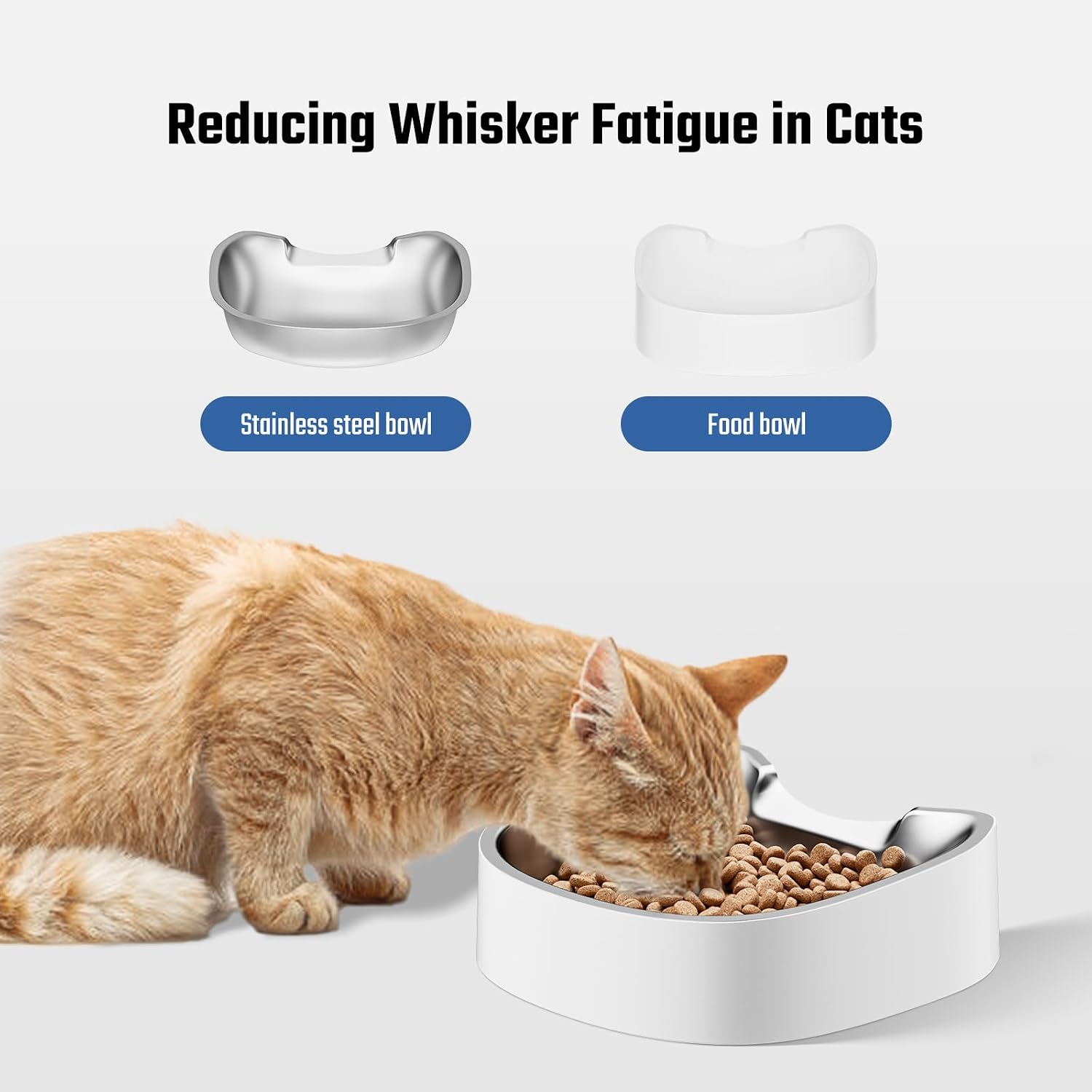
Image: An illustration demonstrating the benefit of the whisker-friendly design of the stainless steel bowl, which helps reduce whisker fatigue in cats compared to a traditional food bowl.
Warranty and Support
IMIPAW is committed to providing high-quality products and customer satisfaction. For any questions, concerns, or technical support regarding your automatic cat feeder, please refer to the contact information provided in your product packaging or visit the official IMIPAW website.
Please retain your proof of purchase for warranty claims.
Related Documents - B0FG2KDMD5
 |
IMIPAW Automatic Pet Feeder WiFi User Manual User manual for the IMIPAW Automatic Pet Feeder with WiFi, detailing setup, operation, safety precautions, and troubleshooting. Features app control, timed feeding, and voice recording. |
 |
Imipaw Automatic Pet Feeder DU4LB-KY User Manual User manual for the Imipaw Automatic Pet Feeder (Model DU4LB-KY). This guide provides detailed instructions on setup, programming feeding schedules, safety precautions, and troubleshooting for your pet's automatic food dispenser. |
 |
IMIPAW WiFi Pet Feeder: User Guide and App Operations Comprehensive guide to setting up and using the IMIPAW WiFi Pet Feeder, including manual operation steps and detailed instructions for the companion PETTECH mobile app. |
 |
IMIPAW Automatic Pet Feeder User Manual - WIFI Type Comprehensive user manual for the IMIPAW Automatic Pet Feeder (WIFI Type), covering setup, operation, safety, app connectivity, and troubleshooting for model DU4LB-WY. |
 |
IMIPAW DU3L-KY Automatic Pet Feeder Programming and Portion Guide Learn how to program your IMIPAW DU3L-KY automatic pet feeder, including setting meal times, portions, and using the manual feeding function. This guide provides detailed instructions and a comprehensive portion setting reference table for optimal pet feeding. |
 |
IMIPAW Automatic Pet Feeder DU3L-KY User Manual and Setup Guide Comprehensive user manual for the IMIPAW Automatic Pet Feeder DU3L-KY, including safety instructions, product overview, setup guide, feeding schedule programming, troubleshooting, and maintenance tips for optimal pet care. |
Ask a question about this manual
Ask about setup, troubleshooting, compatibility, parts, safety, or missing instructions. Manuals+ will review the question and use this page’s manual context to help answer it.