1. Product Overview
This manual provides detailed instructions for the CAMECHO 2G+64G Android 13 Autoradio, designed for Alfa Romeo Mito vehicles manufactured between 2008 and 2016. This double DIN radio features a 7-inch touchscreen, integrated navigation, wireless CarPlay and Android Auto, Bluetooth, FM/RDS radio, and steering wheel control compatibility.
The system operates on Android 13 with 2GB RAM and 64GB ROM, ensuring smooth performance for various applications.
2. Compatibility and Installation
2.1 Vehicle Compatibility
This autoradio is compatible with Alfa Romeo Mito models from 2008 to 2016.
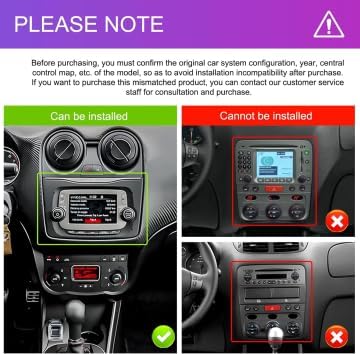
Figure 2.1: Compatibility check. The image shows two car dashboards. The left dashboard, marked "Can be installed," features a standard radio slot suitable for this unit. The right dashboard, marked "Cannot be installed," shows an integrated system that is not compatible. Please verify your car's original system configuration before purchase.
Important Note: Before purchasing, confirm your vehicle's original car system configuration, year, and central control map to avoid installation incompatibility. If you are unsure about compatibility, please send a photo of your car's central console and the back of your original CD player to customer service for assistance.
2.2 Package Contents
The package includes the following components:
- 1 × Android Car Radio Unit
- 2 × USB Cables
- 1 × Power Cable
- 1 × RCA Cable
- 1 × Rear View Camera Input Cable
- 1 × GPS Antenna
- 1 × Antenna Adapter
- 1 × Canbus (if applicable for your vehicle model)

Figure 2.2: Package contents and wiring diagram. This image displays the various cables and accessories included with the autoradio, along with a detailed diagram showing the connections for power, camera input, radio antenna, USB, and GPS antenna. It also illustrates the unit's dimensions and how it looks before and after installation in an Alfa Romeo Mito dashboard.
2.3 Installation Process
Installation typically involves removing the original car radio, connecting the new unit using the provided cables, and securing it in place. Refer to the wiring diagram in Figure 2.2 for specific connections. Professional installation is recommended if you are unfamiliar with car audio systems.

Figure 2.3: Visual comparison of the car dashboard before and after the CAMECHO autoradio installation. The left side shows the original radio, and the right side shows the new 7-inch touchscreen unit seamlessly integrated into the Alfa Romeo Mito dashboard.
3. Operating Instructions
3.1 Initial Power-On and System Interface
Upon first power-on, the system will boot into the Android 13 operating system. The main interface provides access to various applications and settings. You can customize the home screen and arrange applications as desired.
3.2 Wireless CarPlay & Android Auto
The autoradio supports both wireless and wired Apple CarPlay and Android Auto. This feature allows you to integrate your smartphone for navigation, music, calls, and messaging directly on the 7-inch screen.
- Connection: Connect your smartphone via Bluetooth and Wi-Fi for wireless connection, or use a USB cable for wired connection.
- Voice Control: Use voice commands (e.g., "Hey Siri" or "OK Google") to control GPS navigation, make calls, play music, and execute other operations.
- Supported Apps: Access apps like Spotify, Google Maps, Waze, and WhatsApp directly from the car's display.

Figure 3.1: Wireless CarPlay and Android Auto interfaces. The image shows the touchscreen display with various smartphone applications like iHeart, Telegram, SiriusXM, Spotify, and WhatsApp, demonstrating the seamless integration and voice control capabilities.
3.3 Mirror Link Function
The Mirror Link function allows you to mirror your smartphone's screen onto the autoradio display.
- iOS Devices: Connect via Wi-Fi for screen mirroring.
- Android Devices: Connect via Wi-Fi or USB cable for screen mirroring.

Figure 3.2: Mirror Link feature. This image illustrates how content from an iOS or Android smartphone can be displayed on the autoradio screen, showing a video game being mirrored from a phone to the larger display.
3.4 Bluetooth Connectivity
The unit features built-in Bluetooth 4.2 for hands-free calling and audio streaming.
- Hands-Free Calls: Connect your phone to make and receive calls safely using the built-in microphone and car speakers.
- Music Playback: Stream music wirelessly from your smartphone or other Bluetooth-enabled devices.
- Bluetooth Password: The default Bluetooth password is 0000.
3.5 FM/RDS Radio
The integrated FM/RDS radio tuner allows you to listen to your favorite radio stations. RDS (Radio Data System) provides additional information such as station name, song title, and traffic updates where available.
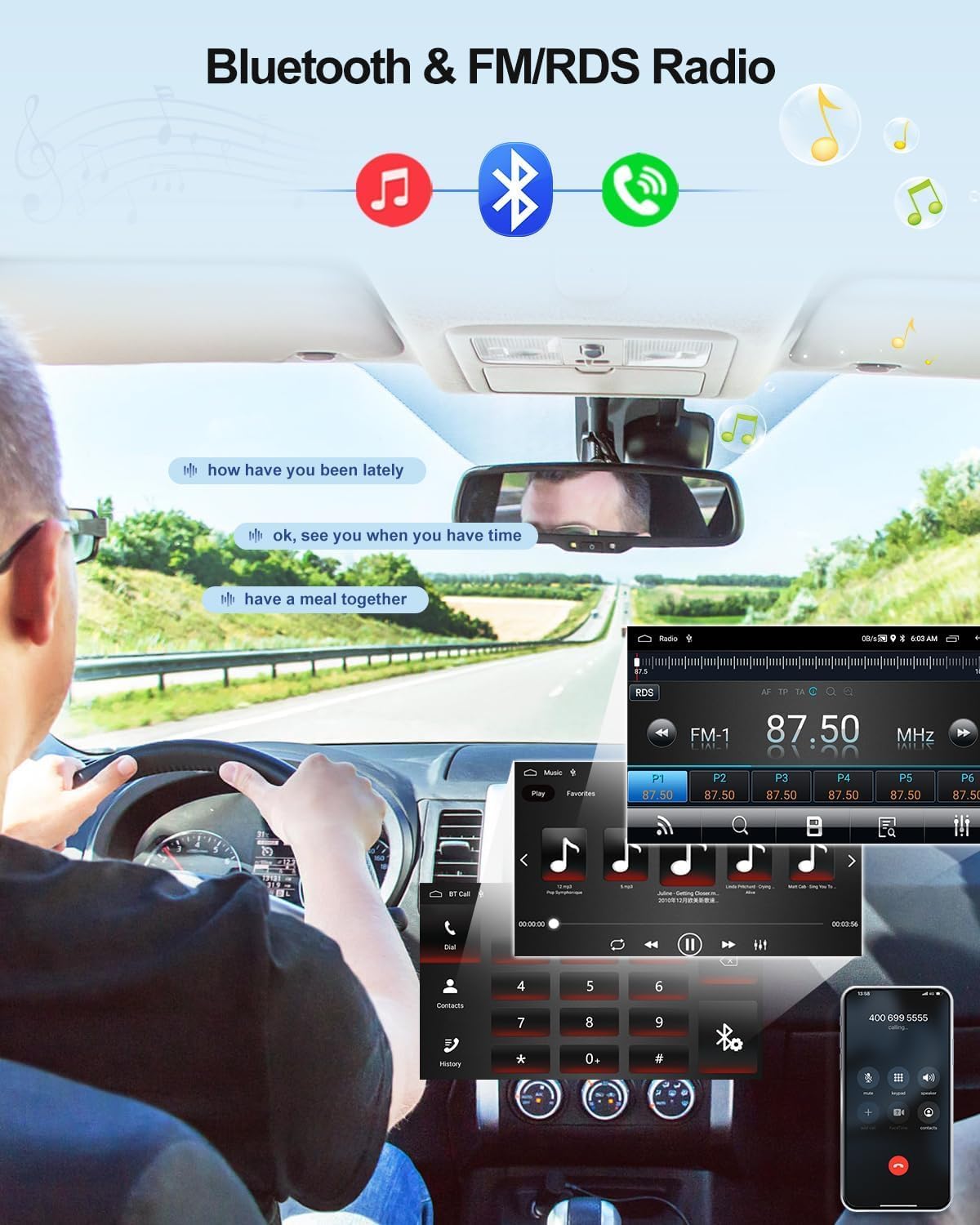
Figure 3.3: Bluetooth and FM/RDS Radio interfaces. This image shows a driver using the Bluetooth hands-free calling feature and the radio interface displaying FM station tuning and RDS information.
3.6 GPS Navigation and Wi-Fi
The autoradio includes built-in GPS navigation, supporting both online and offline maps.
- Offline Maps: Download free offline maps via the "Here WeGo" application after connecting to the internet.
- Online Navigation: Connect to Wi-Fi to use online navigation services and access real-time traffic information.
- Wi-Fi Connectivity: Use Wi-Fi to browse the internet, watch videos, and download various applications from the app store.
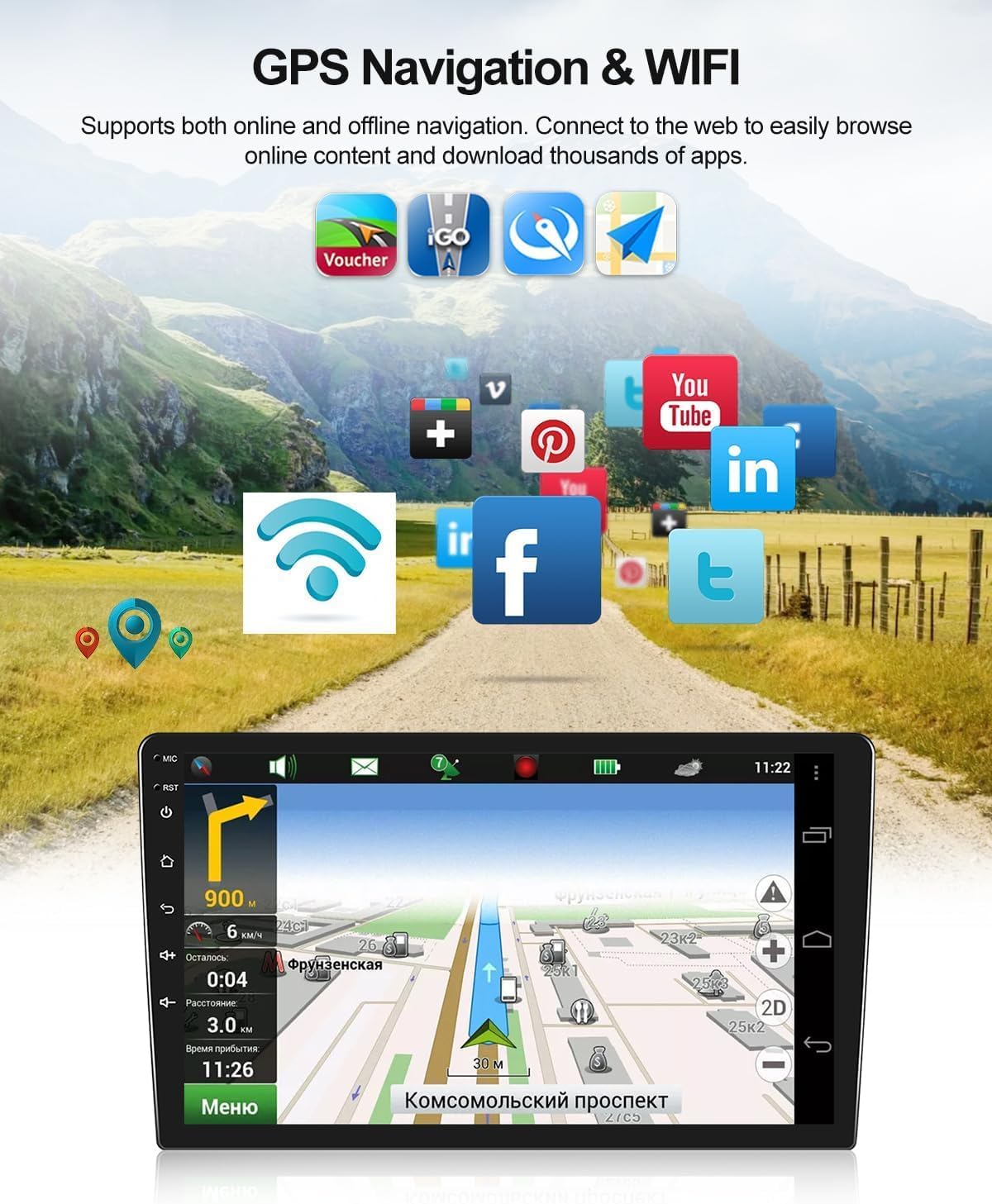
Figure 3.4: GPS Navigation and Wi-Fi interface. The image shows the navigation screen displaying a map with route guidance, along with icons representing various online applications accessible via Wi-Fi.
3.7 Additional Features
- Split Screen: Use multiple applications simultaneously by dividing the screen.
- Steering Wheel Controls (SWC): Your original car's steering wheel controls will remain functional after installation, allowing you to manage audio and calls conveniently.
- Rear View Camera Support: The system supports external rear view cameras (optional purchase). When the reverse gear is engaged, the screen automatically switches to the camera view.
- Voice Assistant: Utilize the intelligent voice assistant for various commands.
- Internet Radio & Global Weather Display: Access internet radio stations and view global weather information (optional features).
- External Device Support: The unit supports external DVR, OBD2, DAB+, subwoofers, and 360-degree panoramic cameras (optional accessories, not included).

Figure 3.5: Rear View Camera and Steering Wheel Controls. This image shows the display with a rear camera view, indicating features like waterproofing and HD image quality. Below it, the steering wheel controls are shown, along with the on-screen interface for mapping these controls to various functions.
4. Maintenance
To ensure the longevity and optimal performance of your CAMECHO Autoradio, follow these maintenance guidelines:
- Cleaning: Use a soft, dry cloth to clean the screen and unit. Avoid abrasive cleaners or solvents that could damage the surface.
- Temperature: Operate the unit within the specified temperature range of -20℃ to 75℃. Extreme temperatures can affect performance and lifespan.
- Software Updates: Periodically check for software updates to ensure the system runs efficiently and has the latest features.
- Cable Connections: Ensure all cables are securely connected to prevent intermittent issues.
5. Troubleshooting
If you encounter issues with your autoradio, refer to the following troubleshooting tips:
- No Power: Check all power connections. Ensure the car's ignition is on.
- No Sound: Verify speaker connections and volume settings. Check audio output mode.
- Touchscreen Unresponsive: Try restarting the unit. If the issue persists, a factory reset might be necessary (note: this will erase all user data).
- GPS Signal Issues: Ensure the GPS antenna is properly installed and has a clear view of the sky.
- Bluetooth Connection Problems: Ensure Bluetooth is enabled on both the autoradio and your device. The default Bluetooth password is 0000.
- System Slow or Freezing: Close unnecessary applications. Clear cache or perform a factory reset. The factory password is 1234.
- Installation Incompatibility: As mentioned in Section 2.1, if you suspect incompatibility, contact customer service with photos of your car's console and original radio.
For persistent issues, please contact CAMECHO customer support.
6. Specifications
| Feature | Specification |
|---|---|
| System | Android 13 |
| Chipset | 8257 |
| RAM | 2GB |
| ROM | 64GB |
| Screen Size | 7 inches |
| Screen Resolution | 1280*720 IPS Touchscreen |
| Radio Chip | 8035 |
| Output Power | 4*45W (180 Watts total) |
| Bluetooth Version | 4.2 |
| Operating Temperature | -20℃ to 75℃ |
| Radio Band | FM/RDS |
| Video Output | Supported |
| Reverse Input | AHD/CVBS |
| Wi-Fi / Split Screen | Supported |
| Maps | Built-in offline maps (requires internet for data download) |
| USB Interfaces | Two |
| Audio Formats | APE/FLAC/WAV/MP3/WMA |
| Video Formats | MKV/RMVB/AVI/MP4/MDV |
| Image Formats | PNG/JPEG/JPG/GIF/WBMP/BNP |
| Factory Password | 1234 |
| Bluetooth Password | 0000 |
| Supported Languages | Spanish, German, English, French, Italian, Portuguese, Russian, Turkish, Vietnamese, Hebrew, Polish, Chinese, Arabic |
| Product Dimensions | 42 x 33 x 10 cm |
| Product Weight | 1 kg |
7. Warranty and Support
7.1 Product Warranty
This CAMECHO Autoradio comes with a 2-year warranty. Please retain your proof of purchase for warranty claims.
7.2 Customer Support
For any questions, technical assistance, or support regarding your product, please contact CAMECHO customer service.
Email: CAMECHOVIP@126.com

Figure 7.1: Customer support details. The image shows a customer service representative and highlights the email address for support: CAMECHOVIP@126.com.


