
1. Introduction
This manual provides essential information for the safe and efficient operation of your SereneLife SLACHT12W.5 Portable Air Conditioner. This versatile 4-in-1 unit offers cooling, heating, fan, and dehumidifier functions, designed to enhance comfort in rooms up to 380 sq. ft. Please read these instructions thoroughly before installation and use, and retain them for future reference.
2. Safety Instructions
To reduce the risk of fire, electrical shock, or injury when using your portable air conditioner, follow these basic precautions:
- Read all instructions before using the appliance.
- Connect to a properly grounded outlet only.
- Do not operate the unit with a damaged cord or plug.
- Do not block air outlets or inlets. Maintain at least 20 cm (8 inches) clearance from walls and other objects.
- Do not insert fingers or foreign objects into the air inlet/outlet.
- Ensure the unit is placed on a flat, stable surface to prevent tipping.
- Unplug the unit before cleaning or servicing.
- Do not use chemical solvents to clean the unit.
- This appliance is not intended for use by persons (including children) with reduced physical, sensory or mental capabilities, or lack of experience and knowledge, unless they have been given supervision or instruction concerning use of the appliance by a person responsible for their safety.
3. Package Contents
Verify that all components are present in the box:
- SereneLife Portable AC Unit
- Window Installation Plate Kit
- Exhaust Hose
- Remote Control
- Drain Hose
- User Manual

Image 3.1: Components included in the SereneLife Portable Air Conditioner package.
4. Product Features
The SereneLife SLACHT12W.5 Portable Air Conditioner is designed with advanced features for optimal comfort and convenience:
- 4-in-1 Functionality: Offers AC cooling, heating, fan, and dehumidifier modes.
- High Cooling Capacity: 12000 BTU for effective cooling in areas up to 380 sq. ft.
- Energy Efficient: Features a GMCC compressor, self-evaporative system, and R32 refrigerant with a CEER rating of 7.22.
- Low Noise Operation: Operates at approximately 54 dB for a peaceful environment.
- Intuitive Controls: Elegant mould-in-mould sensitive touch control panel and an LCD remote control with storage slot.
- Smart Features: Includes Auto Mode, Sleep Mode, and Power Failure Memory.
- Portability: Lightweight design with rotating casters for easy movement between rooms.
- Easy Installation: Comes with a window mount kit for quick setup.
- Maintenance: Equipped with a washable filter for easy cleaning.

Image 4.1: Overview of the 4-in-1 functionality and control options.
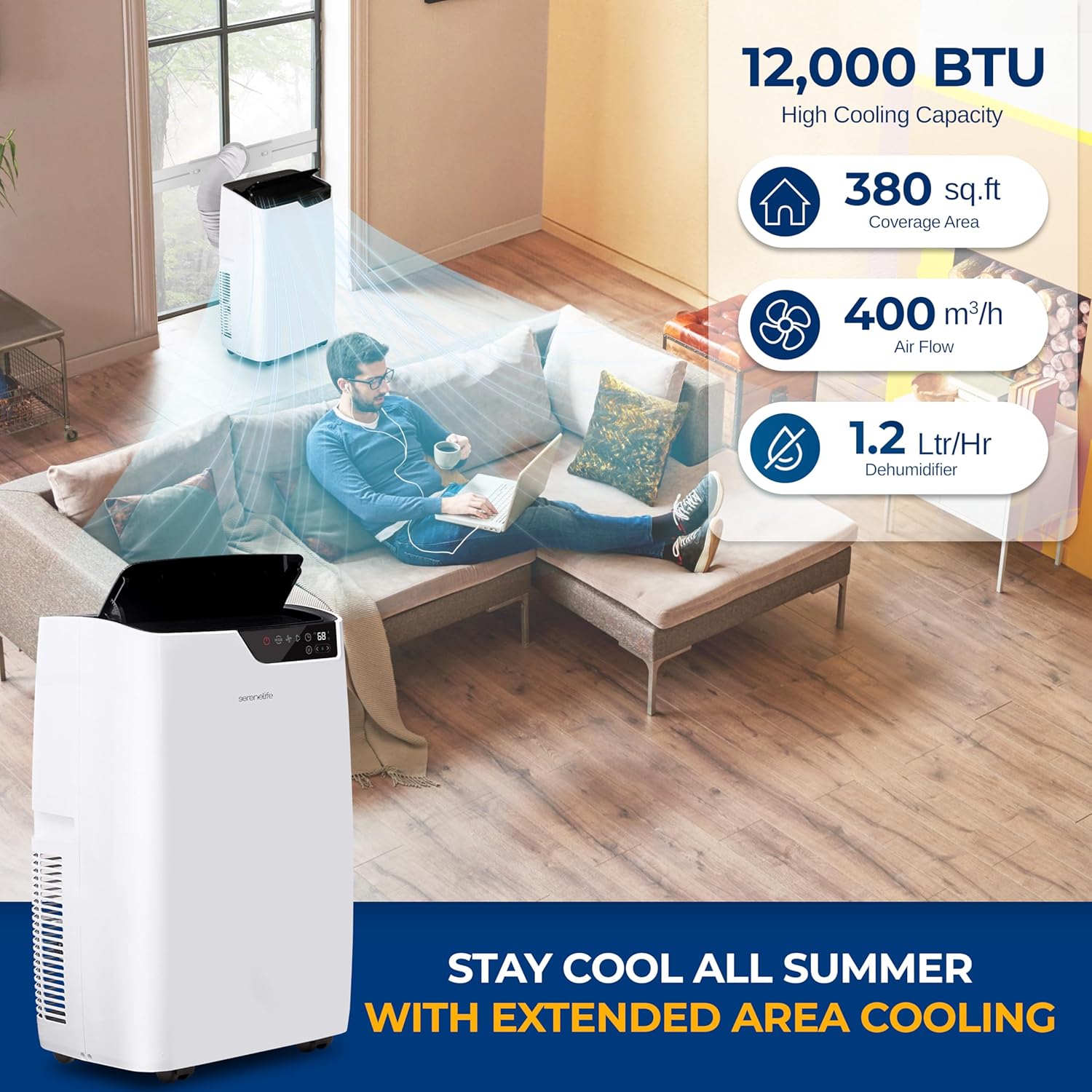
Image 4.2: Key performance specifications of the unit.

Image 4.3: Features contributing to peaceful and convenient operation.
5. Setup and Installation
Proper installation is crucial for the efficient operation of your portable air conditioner. Follow these steps:
5.1 Unit Placement
- Place the unit on a firm, level surface in the desired room.
- Ensure there is at least 20 cm (8 inches) of space around the unit for proper airflow.
- The unit is equipped with rotating casters for easy movement.
5.2 Exhaust Hose Installation
- Attach the exhaust hose to the designated outlet on the back of the AC unit.
- Extend the exhaust hose to the window kit.
5.3 Window Kit Installation
The window kit is designed for both sliding sash windows and double/single-hung windows.
- Adjust the window sealing plate to fit the opening of your window. The kit is adjustable for window widths between 26.6 and 49.7 inches.
- Secure the window sealing plate in place.
- Connect the exhaust hose adapter to the opening in the window sealing plate. Ensure a tight seal to prevent air leakage.

Image 5.1: Window kit installation for various window types.
6. Operating Instructions
Your SereneLife portable AC can be operated using the touch control panel on the unit, the included remote control, or a compatible smart app.
6.1 Control Panel
The touch control panel on the top of the unit allows direct access to all functions. Buttons typically include Power, Mode, Speed, Sleep, Swing, and Timer.
6.2 Remote Control
The remote control provides convenient operation from a distance. It mirrors the functions of the control panel. Ensure batteries are correctly inserted.
6.3 Operating Modes
- Cooling Mode (AC): Select this mode for cooling. Adjust the desired temperature and fan speed.
- Heating Mode (Heater): Select this mode for heating. Adjust the desired temperature and fan speed.
- Fan Mode: Operates as a fan without cooling or heating. Choose your preferred fan speed (3 speed levels available).
- Dehumidifier Mode: Removes moisture from the air. The unit can remove up to 1.2 liters per hour.
- Auto Mode: The unit automatically selects the operating mode (cooling, heating, or fan) based on the ambient room temperature.
- Sleep Mode: Adjusts temperature and fan speed for quiet, comfortable sleep.
6.4 Timer Function
Set the unit to turn on or off automatically after a specified period (up to 24 hours).
6.5 Auto-Swing Function
Activate the auto-swing function to oscillate the air outlet louvers, distributing air more evenly throughout the room.

Image 6.1: Main unit, remote control, and smart app interface for operation.
7. Maintenance
Regular maintenance ensures optimal performance and longevity of your portable air conditioner.
7.1 Cleaning the Air Filter
The unit features a washable air filter. Clean the filter regularly (every two weeks or more often depending on usage) to maintain air quality and efficiency.
- Unplug the unit from the power outlet.
- Locate and remove the air filter from its slot.
- Wash the filter with warm, soapy water. Rinse thoroughly.
- Allow the filter to air dry completely before reinserting it into the unit.
7.2 Draining Water
In dehumidifier mode or high humidity conditions, the internal water tank may fill. The unit will indicate when draining is required. Use the provided drain hose to empty the water.
- Turn off and unplug the unit.
- Locate the drain port, typically at the bottom or mid-level of the unit.
- Place a suitable container under the drain port or connect the drain hose and direct it to a floor drain or outdoors.
- Remove the drain plug to allow water to flow out.
- Once drained, replace the drain plug securely.
7.3 Cleaning the Unit Exterior
Wipe the exterior of the unit with a soft, damp cloth. Do not use harsh chemicals or abrasive cleaners.

Image 7.1: Unit features including the washable filter for easy maintenance.
8. Troubleshooting
Refer to this section for common issues and their solutions.
| Problem | Possible Cause | Solution |
|---|---|---|
| Unit does not turn on | No power supply; Power failure memory activated; Unit is unplugged | Check power cord connection; Ensure outlet is functional; Press power button |
| Unit does not cool effectively | Air filter is dirty; Exhaust hose is blocked or disconnected; Room size exceeds capacity; Doors/windows are open | Clean air filter; Check exhaust hose for obstructions and proper connection; Ensure room is within specified area; Close all doors and windows |
| Water leakage | Drain plug is loose or open; Internal water tank is full | Securely close drain plug; Drain the internal water tank |
| Unit is noisy | Unit is not on a level surface; Air filter is dirty | Place unit on a flat, stable surface; Clean air filter |
9. Specifications
| Feature | Specification |
|---|---|
| Model Number | SLACHT12W.5 |
| Cooling Power | 12000 BTU |
| Coverage Area | Up to 380 sq. ft. |
| Functions | AC, Heater, Fan, Dehumidifier |
| Dehumidifier Capacity | 1.2 Liters/Hour |
| Air Flow | 400 m³/h |
| Noise Level | 54 dB |
| Voltage | 115 Volts |
| Refrigerant | R-32 |
| Product Dimensions (L x W x H) | 43.94 x 33.53 x 71.12 cm (17.3 x 13.2 x 28 inches) |
| Weight | 30.48 kg |
| Special Features | Dehumidifier, Fast Cooling, Remote Controlled, Auto Mode, Sleep Mode, Power Failure Memory |
10. Warranty and Support
For warranty information or technical support, please refer to the warranty card included with your product or contact SereneLife customer service. Keep your purchase receipt as proof of purchase.
For further assistance, visit the official SereneLife website or contact their support channels.