
VBESTLIFE B0FFTRVHQZ
VBESTLIFE 50MP 4K Digital Camera Instruction Manual
Model: B0FFTRVHQZ
1. Introduction
This manual provides detailed instructions for the operation and maintenance of your VBESTLIFE 50MP 4K Digital Camera. Please read this manual thoroughly before using the camera to ensure proper function and to maximize your user experience. Keep this manual for future reference.

Figure 1.1: Front view of the VBESTLIFE 50MP 4K Digital Camera. The camera features a black body with silver accents, a lens, a flash, and "4K" and "50.0 MEGA PIXELS" markings.
2. Package Contents
Verify that all items listed below are included in your package:
- 1 x VBESTLIFE Digital Camera
- 1 x Charging Cable
- 1 x Lanyard
- 1 x Storage Bag
- 1 x Instruction Manual (this document)
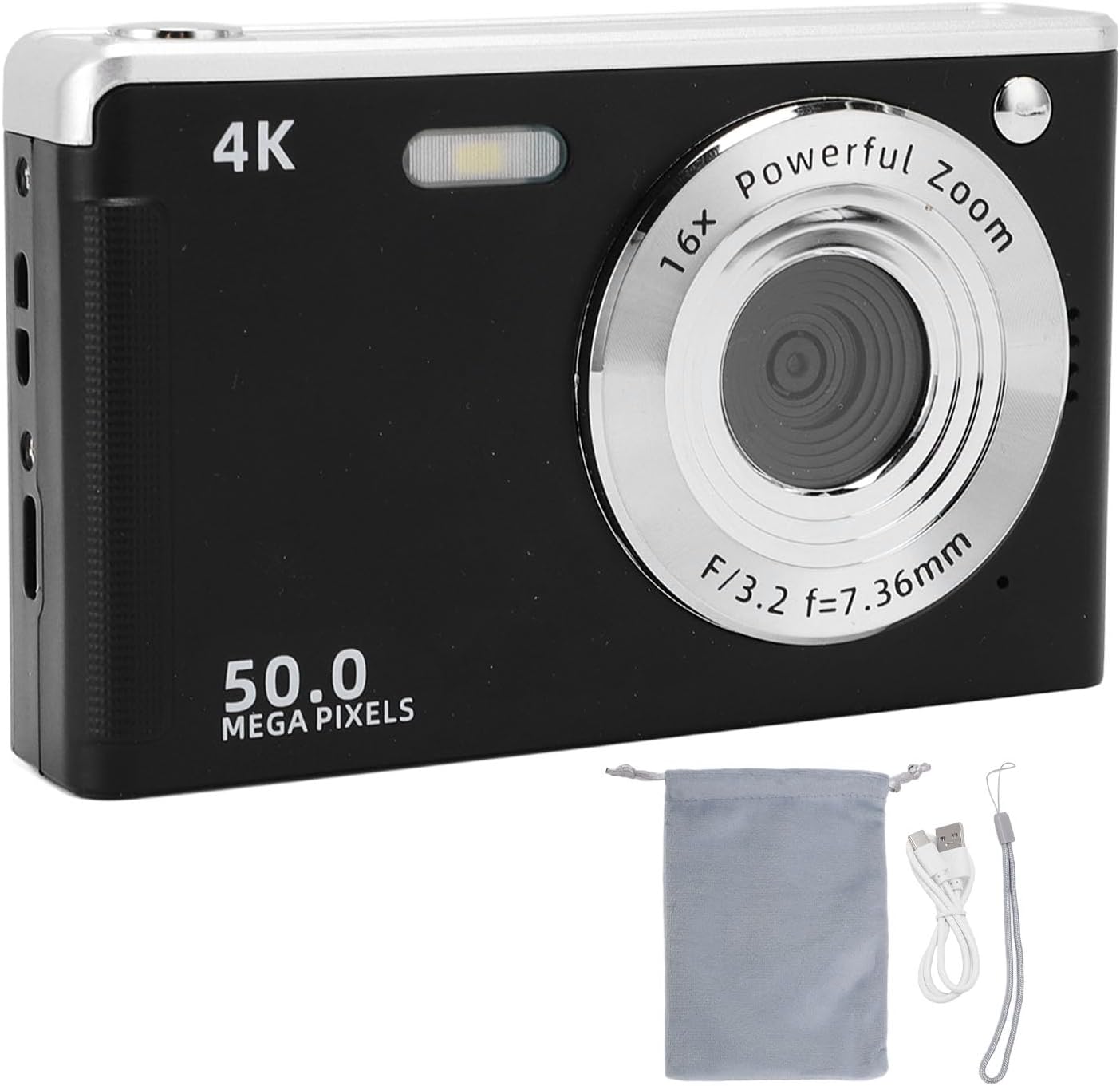
Figure 2.1: The VBESTLIFE Digital Camera displayed with its charging cable, lanyard, and storage bag.
3. Product Overview
3.1 Camera Components
Familiarize yourself with the main components of your digital camera.
Figure 3.1: Front view of the camera. Key features include the lens, built-in flash, and microphone.
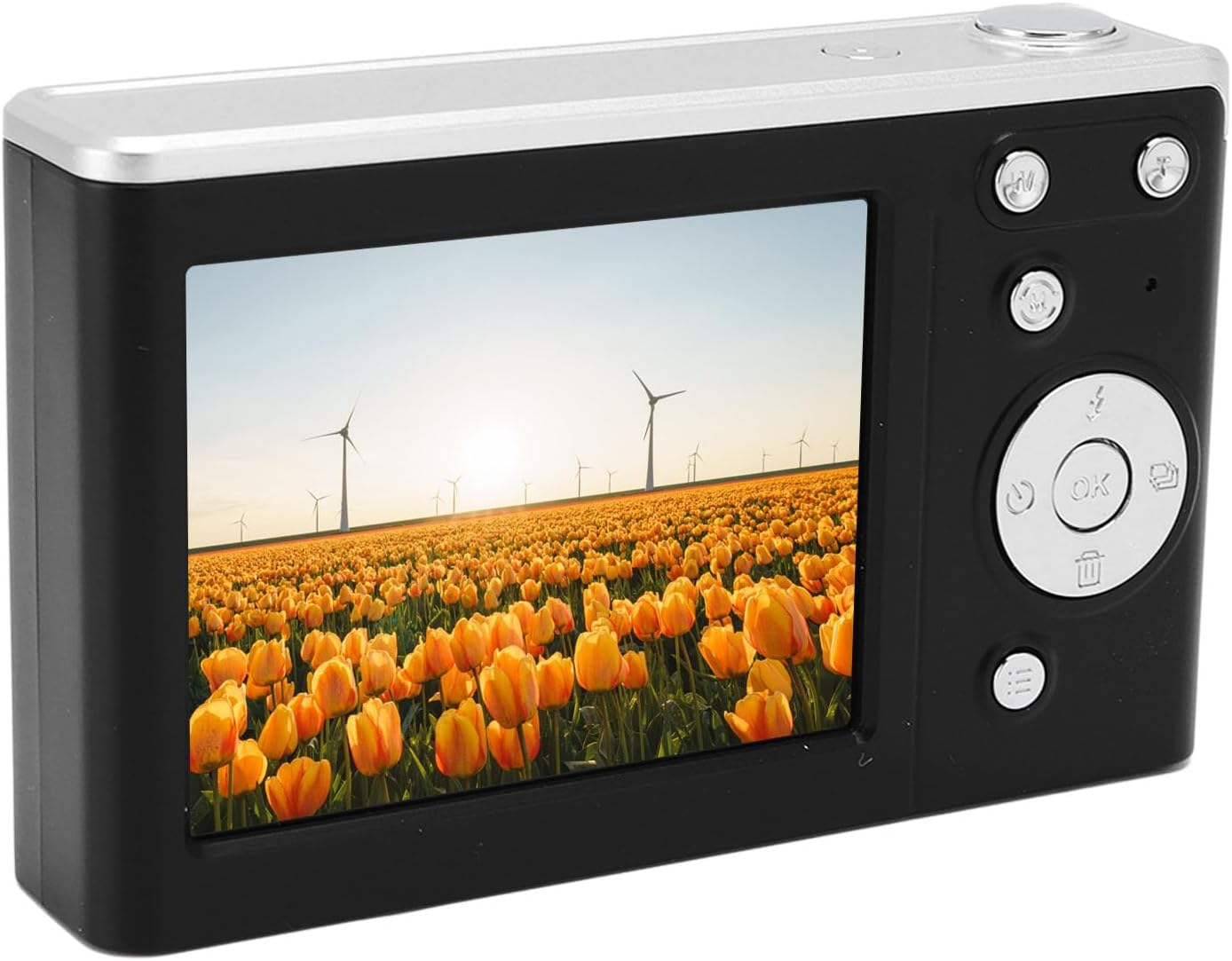
Figure 3.2: Back view of the camera. This shows the 2.8-inch HD screen and various control buttons for navigation and settings.
3.2 Control Buttons and Ports
Refer to the diagrams above for the location of the following controls:
- Power Button: Turns the camera on or off.
- Shutter Button: Press to take a photo or start/stop video recording.
- Zoom Controls: Adjusts the 16x digital zoom.
- Mode Dial/Button: Selects between photo, video, and playback modes.
- Navigation Buttons (Up/Down/Left/Right/OK): Used for menu navigation and selecting options.
- Menu Button: Accesses camera settings.
- Delete Button: Deletes selected photos or videos.
- USB Port: For charging and data transfer.
- Memory Card Slot: For inserting a small memory card (up to 32GB).
- Battery Compartment: Houses the rechargeable Li-ion battery.
4. Setup
4.1 Charging the Battery
- Locate the USB port on the camera.
- Connect the provided charging cable to the camera's USB port.
- Connect the other end of the charging cable to a USB power adapter (not included) or a computer's USB port.
- The charging indicator light will illuminate. Once fully charged, the light may change color or turn off.
Note: The camera has a built-in 700mAh Li-ion battery. Ensure the battery is fully charged before first use.
4.2 Inserting a Memory Card
A memory card is required to store photos and videos. The camera supports small memory cards up to 32GB.
- Open the battery/memory card compartment cover on the side or bottom of the camera.
- Insert the memory card into the slot with the metal contacts facing the correct direction (refer to the diagram or markings on the camera).
- Gently push the card until it clicks into place.
- Close the compartment cover securely.
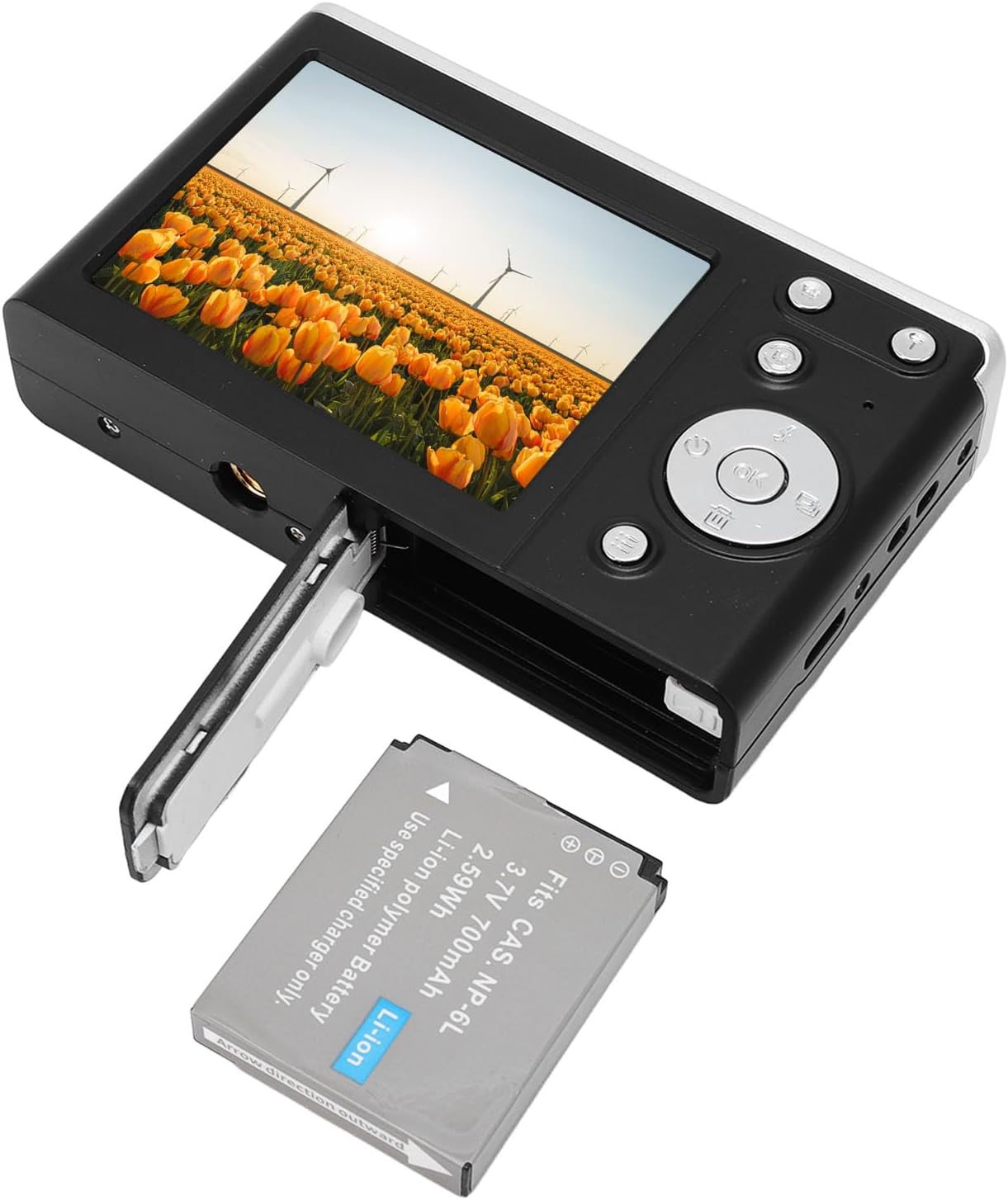
Figure 4.1: View of the open compartment for the battery and memory card. The battery is shown partially inserted, and the memory card slot is visible.
Important: Ensure the camera is powered off before inserting or removing the memory card.
5. Operating Instructions
5.1 Powering On/Off
Press and hold the Power Button to turn the camera on or off.
5.2 Taking Photos
- Turn on the camera. It will typically start in photo mode.
- Frame your shot using the 2.8-inch HD screen.
- The camera features Auto Focus (AF) to ensure subjects are sharp.
- Press the Shutter Button fully to capture the image.
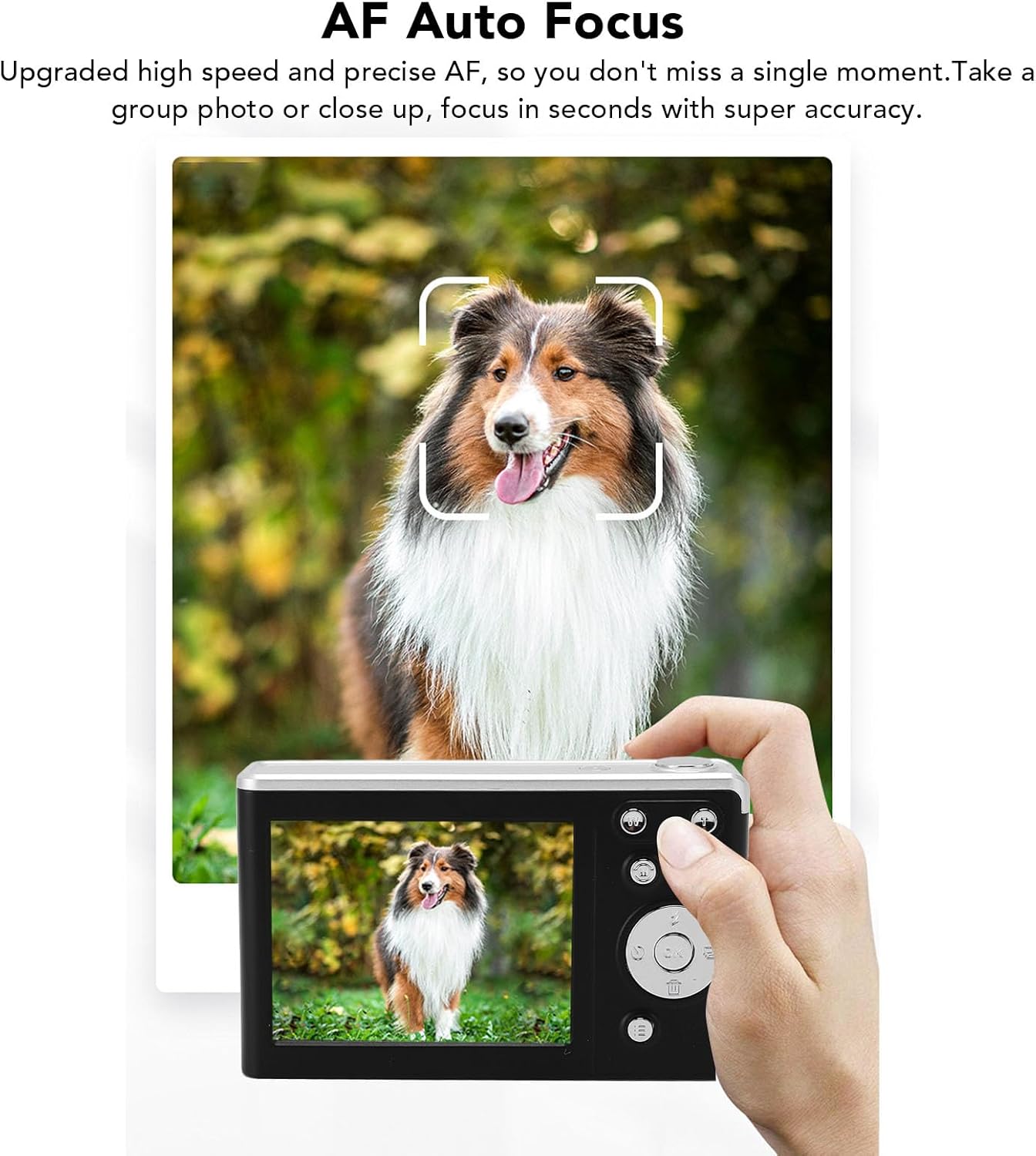
Figure 5.1: The camera's auto-focus system actively locks onto subjects, as demonstrated by the focus box around a dog in the frame.

Figure 5.2: Examples of high-definition 50MP images captured by the camera, showcasing clarity and vividness in various scenes.
5.3 Recording Videos
- Switch the camera to video mode using the Mode Button (if applicable, or it might be a setting in the menu).
- Press the Shutter Button to start recording. A timer or indicator will appear on the screen.
- Press the Shutter Button again to stop recording.
The camera records in 4K resolution, providing clear video quality.
5.4 Using Digital Zoom
The camera features 16x digital zoom.
- While in photo or video mode, use the Zoom Controls (often marked with 'W' for Wide and 'T' for Telephoto) to zoom in or out.
- Zooming in will magnify the subject, allowing for closer shots.

Figure 5.3: Illustration of the 16x high-definition digital zoom, showing how distant objects can be brought closer into view.
5.5 Using the Fill Light
The camera includes a built-in fill light for improved performance in low-light conditions.
- The fill light can be activated through the camera's menu settings or a dedicated button (refer to your camera's specific button layout).
- Use the fill light to brighten subjects in dim environments, ensuring clearer images and videos.

Figure 5.4: The camera's built-in flash (fill light) is shown in action, illuminating a scene that would otherwise be dark, demonstrating its effectiveness in low-light conditions.
5.6 Playback Mode
To review your photos and videos:
- Switch to Playback Mode using the Mode button.
- Use the Navigation Buttons to scroll through your captured media.
- Press the OK Button to view a photo or play a video.
6. Maintenance
6.1 Cleaning the Camera
- Use a soft, lint-free cloth to clean the camera body.
- For the lens and screen, use a specialized lens cleaning cloth and solution. Avoid abrasive materials.
- Do not use organic solvents or strong chemicals to clean the camera.
6.2 Storage
- When not in use, store the camera in the provided storage bag to protect it from dust and scratches.
- Keep the camera in a cool, dry place, away from direct sunlight and extreme temperatures.
- Remove the battery if the camera will not be used for an extended period.
7. Troubleshooting
If you encounter issues with your camera, refer to the following common problems and solutions:
| Problem | Possible Cause / Solution |
|---|---|
| Camera does not power on. |
|
| Cannot take photos/videos. |
|
| Images are blurry. |
|
| Fill light is not working. |
|
If the problem persists, please contact VBESTLIFE customer support.
8. Specifications
| Feature | Detail |
|---|---|
| Sensor Type | CMOS |
| Screen Size | 2.8 Inch HD |
| Digital Zoom | 16x Zoom |
| Maximum Resolution | 4K (Video), 50MP (Photo) |
| Battery Type | Built-in Li Battery |
| Battery Capacity | 700mAh |
| Memory Card Support | Small Memory Card (up to 32GB) |
| Item Weight | 9 ounces (approx. 255g) |
| Package Dimensions | 5.12 x 3.54 x 2.76 inches |
| Manufacturer | VBESTLIFE |
9. Warranty and Support
For warranty information or technical support, please refer to the contact details provided with your purchase documentation or visit the official VBESTLIFE website. Keep your proof of purchase for warranty claims.
VBESTLIFE Official Store: Visit the VBESTLIFE Store on Amazon
Related Documents - B0FFTRVHQZ
 |
User Manual for TT-D5082 1080P Full HD Digital Video Camera Comprehensive user manual for the TT-D5082 1080P Full HD 16X digital zoom camcorder. Includes product specifications, manufacturer details, and operating instructions. |
 |
A1 Digital Camera User Manual Comprehensive user manual for the A1 Digital Camera, covering setup, operation, specifications, and safety instructions. |
 |
User Manual: YOUTHINK 16X Pocket Digital Camera (Model 22142400905) Comprehensive user manual for the YOUTHINK 16X Pocket Digital Camera. Features 1080P FHD video, 50MP photo resolution, 16X zoom, and autofocus capabilities. |
 |
YOUTHINK 50MP Digital Camera User Manual User manual for the YOUTHINK 50MP Digital Camera, detailing product information, manufacturer details, safety warnings, and operating instructions. |
Ask a question about this manual
Ask about setup, troubleshooting, compatibility, parts, safety, or missing instructions. Manuals+ will review the question and use this page’s manual context to help answer it.