
TELESIN TX-JP-P4-WTP-06
TELESIN Diving Phone Waterproof Case Instruction Manual
Model: TX-JP-P4-WTP-06
Product Overview
The TELESIN Diving Phone Waterproof Case is designed for seamless underwater photography and videography. It features a robust, integrated grip for secure handling in wet conditions, inspired by professional DSLR cameras. This case ensures stable operation even in water currents, offering enhanced durability and practicality for complex underwater environments.
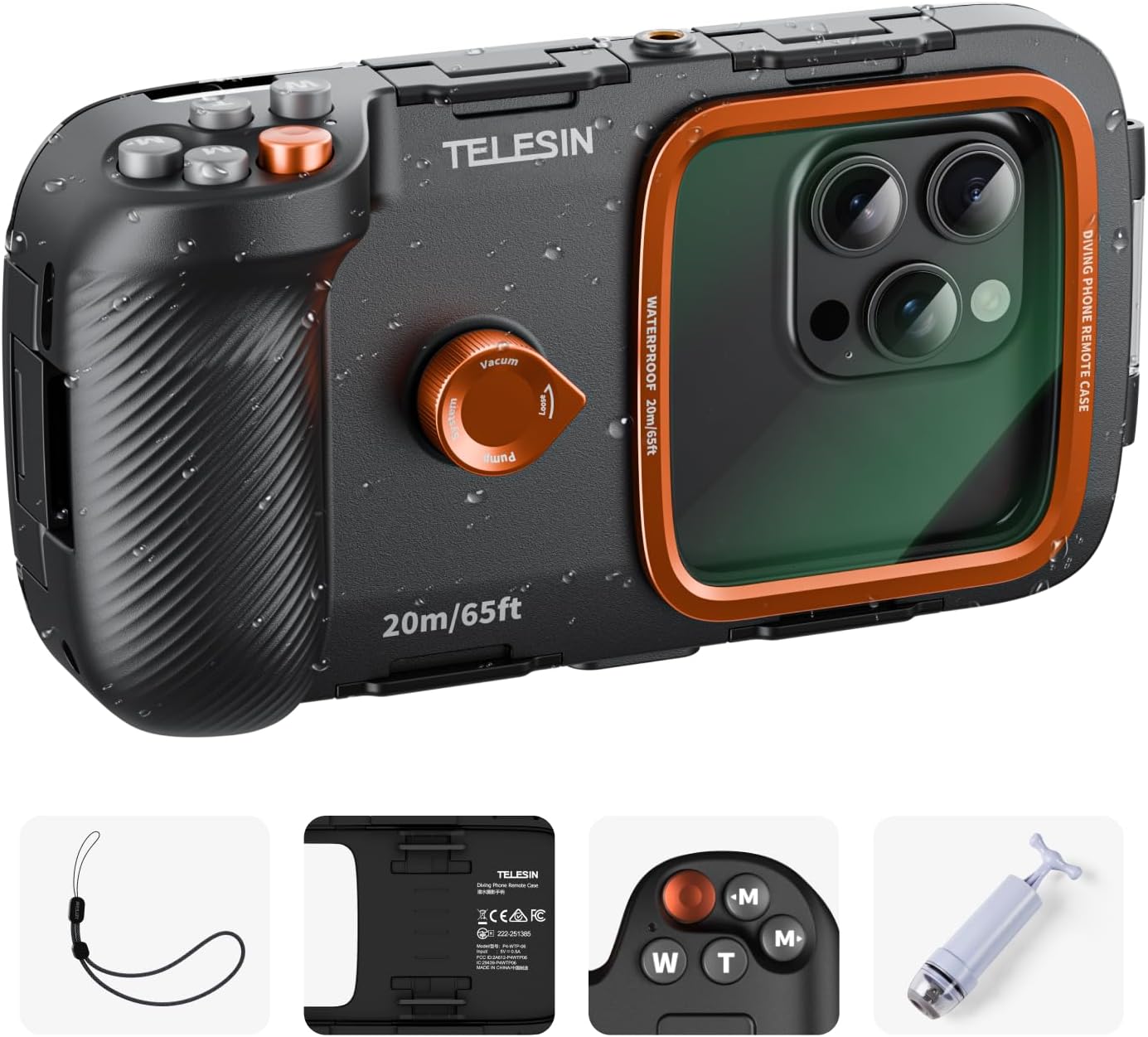
Image: The TELESIN Diving Phone Waterproof Case, showcasing its robust design and integrated grip, with water droplets on the surface.
The case is widely compatible with smartphones ranging from 5.4 to 6.9 inches, including various iPhone and Android models. It boasts an IP68 waterproof rating, allowing safe use up to a maximum depth of 20 meters (equivalent to OW diver certification depth), making it ideal for snorkeling, swimming, and surfing.
Package Contents
Upon opening your package, please verify that all the following items are included:
- Waterproof Grip Integrated Case x1
- Vacuum Pump x1
- USB Cable x1
- Safety Wrist Strap x1
- Cleaning Cloth x1
- Instruction Manual x1

Image: A visual representation of all items included in the package: the waterproof case, vacuum pump, USB cable, safety wrist strap, cleaning cloth, and instruction manual.
Setup Guide
1. Airtight Test
Before first use, perform an airtight test. Open the case and place a tissue inside. Close the case securely and attach the vacuum cover. Submerge the case in water for at least 30 minutes. Remove the case and check the tissue. If the tissue is dry, the waterproof function is working correctly. If it is wet, please contact customer service.
2. Bluetooth Connection
Turn on the dive handle and connect via Bluetooth (TELESIN_SDC). If not connected within 2 minutes, the device will automatically power off.

Image: A quick setup guide showing how to power on and connect the device via Bluetooth, with screenshots for Android and iPhone settings.
3. iPhone Initial Settings (First Time Only)
For iOS devices, to enable full functionality upon first connection, navigate to: Settings > Accessibility > Zoom. Turn Zoom on. After the screen magnifies, double-tap with three fingers to return to normal. No other settings changes are required.
4. Attaching the Safety Strap
For safety, always attach the included wrist strap. This prevents accidental drops and ensures your device remains secure during underwater activities.
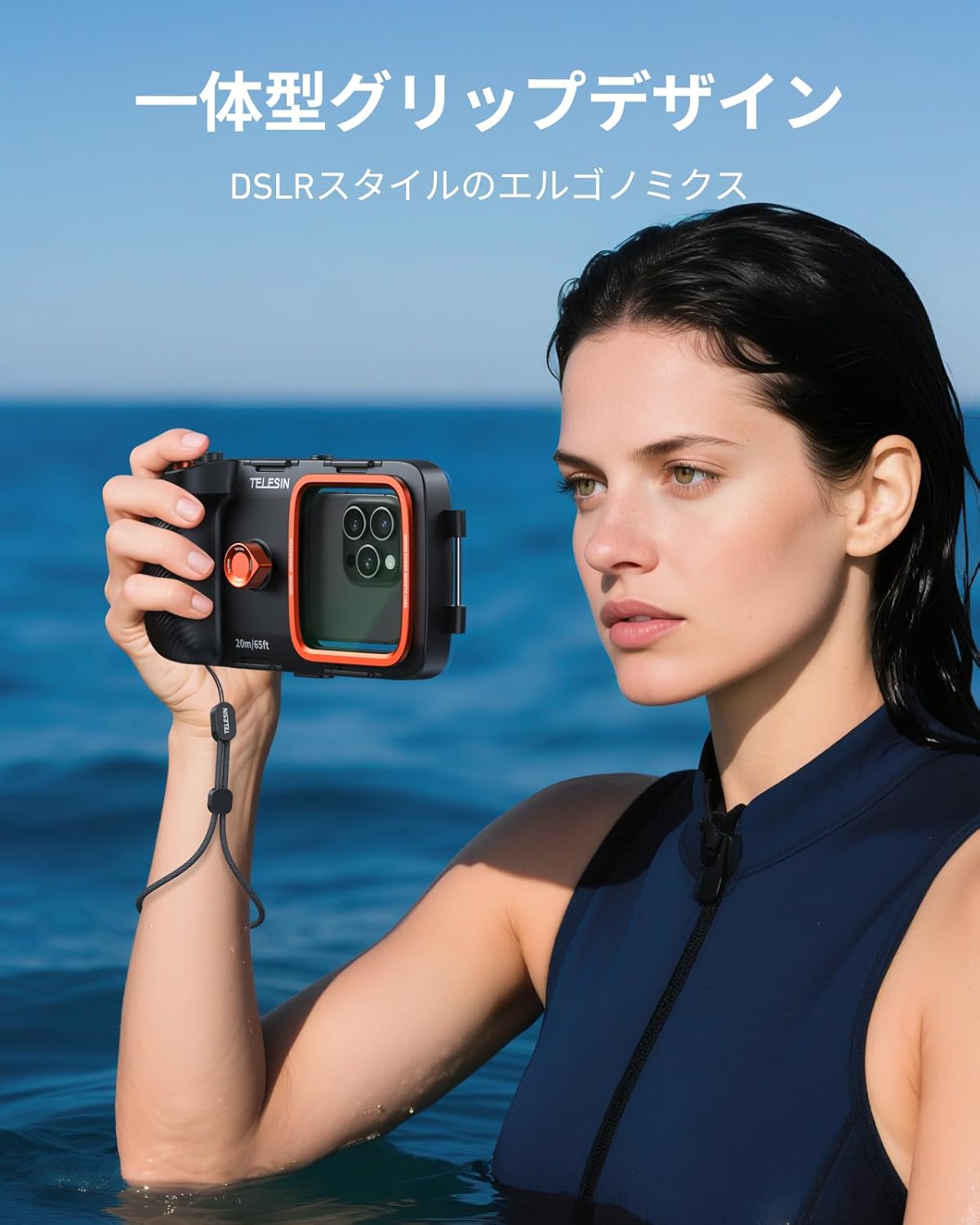
Image: A close-up of the safety wrist strap included with the TELESIN Diving Phone Waterproof Case, designed to prevent accidental drops.
Operating Instructions
Bluetooth Remote Control
The integrated Bluetooth remote allows for easy one-handed operation underwater. It supports 5 basic functions:
- Capture / Pause
- Zoom In (T button)
- Zoom Out (W button)
- Mode Switch (M buttons)
Additionally, advanced functions such as switching between front and rear cameras or activating the camera from a screen-off state can be performed by long-pressing for 2 seconds.

Image: A detailed view of the Bluetooth control buttons on the TELESIN Diving Phone Waterproof Case, indicating capture, zoom, and mode functions.
Special Instructions for Samsung Models
For certain Samsung models, the camera may not activate when the screen is off. To ensure proper functionality:
- Disable auto-lock or set the screen timeout to maximum.
- Before placing the phone in the case, turn on the screen and manually open the camera app.
- Supported camera modes include photo, video, and others. If you switch to another mode, you cannot return using the mode button. To return, press the shutter button once.
Maintenance
Anti-Fog Feature
The TELESIN waterproof case includes a dedicated vacuum pump and a one-way air valve. This system eliminates 99.6% of internal air, creating a near-vacuum state. This effectively prevents condensation (fogging) on the inside of the lens, even with sudden changes in water temperature, ensuring clear visibility for your underwater shots.

Image: An illustration demonstrating the vacuum pump mechanism used to prevent fogging inside the TELESIN Diving Phone Waterproof Case.
Troubleshooting
If the tissue inside the case is wet after performing the airtight test, it indicates a potential issue with the waterproof seal. In this event, do not use the case underwater and immediately contact TELESIN customer service for assistance.
Specifications
| Attribute | Specification |
|---|---|
| Material | ABS/PC/Aluminum alloy |
| Product Dimensions | 20.37 x 10.92 x 5.2 cm (8.01 x 4.29 x 2.04 inches) |
| Product Weight | 397 g (14 oz) |
| Waterproof Level | IP68, up to 20 meters (65 feet) |
| Model Compatibility | Smartphones with screen sizes between 5.4 and 6.9 inches |
| Adapter | Bluetooth compatible (iOS, Android), Universal 1/4 slotted hole x2 |

Image: A visual summary of the product specifications, including materials, dimensions, waterproof rating, and compatible phone sizes.

Image: A diagram illustrating the precise dimensions of the TELESIN Diving Phone Waterproof Case in both centimeters and inches.
Warranty and Support
For any product inquiries, technical support, or warranty claims, please contact TELESIN customer service. Refer to your purchase documentation for specific warranty terms and contact information.
Related Documents - TX-JP-P4-WTP-06
 |
Telesin Diving Phone Remote Case P4-WTP-06 User Manual User manual for the Telesin Diving Phone Remote Case (Model: P4-WTP-06), providing instructions on setup, operation, and maintenance for underwater phone photography. |
 |
TELESIN Diving Phone Remote Case User Manual This user manual provides instructions for the TELESIN Diving Phone Remote Case, a waterproof accessory designed for underwater photography with smartphones. It details installation, operation, safety precautions, and specifications. |
 |
TELESIN Wodoodporny Zestaw Etui do GoPro Hero 12/11/10/9 - Instrukcja Obsługi Szczegółowa instrukcja i specyfikacja wodoodpornego zestawu etui TELESIN przeznaczonego do kamer GoPro Hero 12, 11, 10 i 9. Dowiedz się o jego funkcjach, zawartości zestawu i wskazówkach dotyczących użytkowania. |
 |
Telesin Universal Handle for MasterGrip User Manual User manual for the Telesin Universal Handle for MasterGrip, detailing product features, installation, operation, specifications, and safety information. |
 |
TELESIN Master Grip for iPhone 17 Pro / Pro Max - User Guide & Features Comprehensive product overview and user guide for the TELESIN Master Grip, a magnetic camera handle for iPhone 17 Pro and Pro Max. Features include mechanical shutter, zoom dial, 3200mAh battery, and Reef Color App integration. |
 |
TELESIN Diving Phone Remote Case: Waterproof Underwater Photography for Smartphones Explore underwater photography with the TELESIN Diving Phone Remote Case. Features IP68 waterproofing, universal phone compatibility (5.4-6.9 inches), stable Bluetooth control, and advanced anti-fogging technology. Capture professional-quality photos and videos underwater. |
Ask a question about this manual
Ask about setup, troubleshooting, compatibility, parts, safety, or missing instructions. Manuals+ will review the question and use this page’s manual context to help answer it.