
KeenPlus RAM-3G-144G
KeenPlus RAM-3G-144G MP3/MP4 Player User Manual
Model: RAM-3G-144G
1. Product Overview
The KeenPlus RAM-3G-144G is a versatile MP3/MP4 player designed for high-quality audio and video playback. Running on Android 13, it offers extensive app compatibility, Wi-Fi, and Bluetooth 5.3 connectivity, along with substantial internal storage expandable up to 1TB.
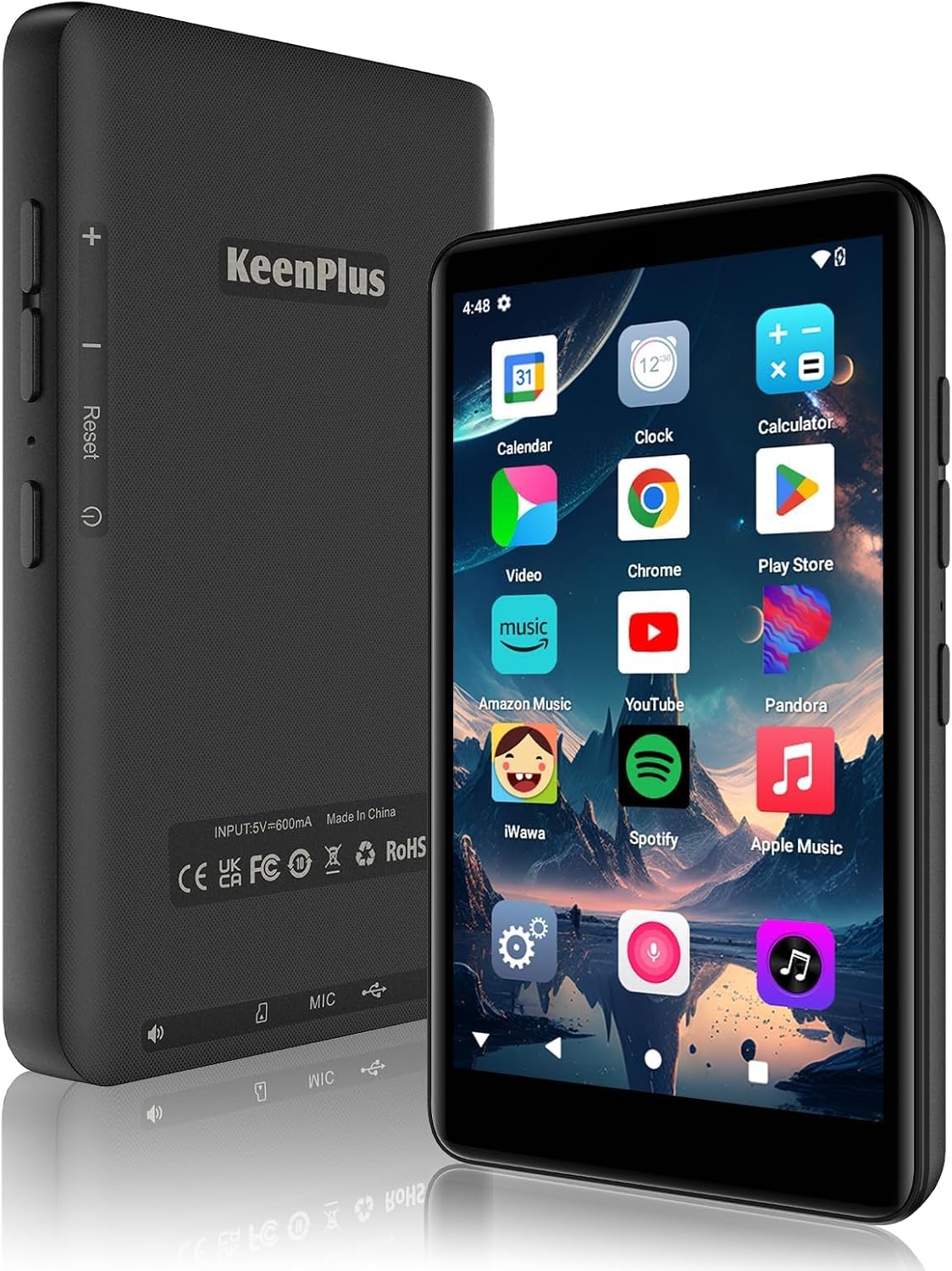
Figure 1: Front and back view of the KeenPlus RAM-3G-144G MP3/MP4 Player.
2. What's Included
Your KeenPlus RAM-3G-144G package includes the following items:
- 1 x Music Player
- 1 x Protective Case
- 1 x Screen Protector
- 1 x USB C Cable
- 1 x Wired Earphones
- 1 x User Manual (this document)

Figure 2: Package contents of the KeenPlus RAM-3G-144G.
3. Device Layout
Familiarize yourself with the physical components and ports of your player:
Figure 3: Detailed view of the player's physical features.
- Power Button: Located on the side, used to power on/off and lock/unlock the screen.
- Volume Buttons: Located on the side, used to adjust audio volume.
- USB-C Port: Located at the bottom, for charging and data transfer.
- 3.5mm Headphone Jack: Located at the bottom, for wired audio output.
- Microphone: Integrated for voice recording.
- Speaker: Located at the bottom for audio output.
- TF Card Slot: For expanding storage up to 1TB.
4. Setup
4.1 Initial Power On and Language Selection
- Press and hold the Power Button on the side of the device until the KeenPlus logo appears.
- Follow the on-screen prompts to select your preferred language (e.g., English (United States)).
- Complete any initial setup steps as guided by the Android 13 operating system.
4.2 Charging the Device
Before first use, fully charge the player. Use the provided USB-C cable to connect the device to a compatible 5V=800mA power adapter (not included) or a computer USB port.
Note: This player does not support fast charging. Using a fast charger may damage the device.
4.3 Inserting a TF Card (Optional)
To expand storage, insert a TF (microSD) card into the designated slot. The device supports cards up to 1TB.
- Locate the TF card slot on the side of the device.
- Gently insert the TF card with the gold contacts facing down until it clicks into place.
- To remove, push the card in slightly until it springs out.
5. Operating Instructions
5.1 Basic Navigation
The device features a 4-inch HD touchscreen for intuitive navigation. Swipe left/right to access different app screens, tap icons to open applications, and use the navigation bar at the bottom for Home, Back, and Recent Apps functions.
5.2 Music Playback
The player supports various audio formats including MP3, FLAC, WAV, AAC, M4A, AMR, and OGG. You can play music stored locally or stream from installed apps.
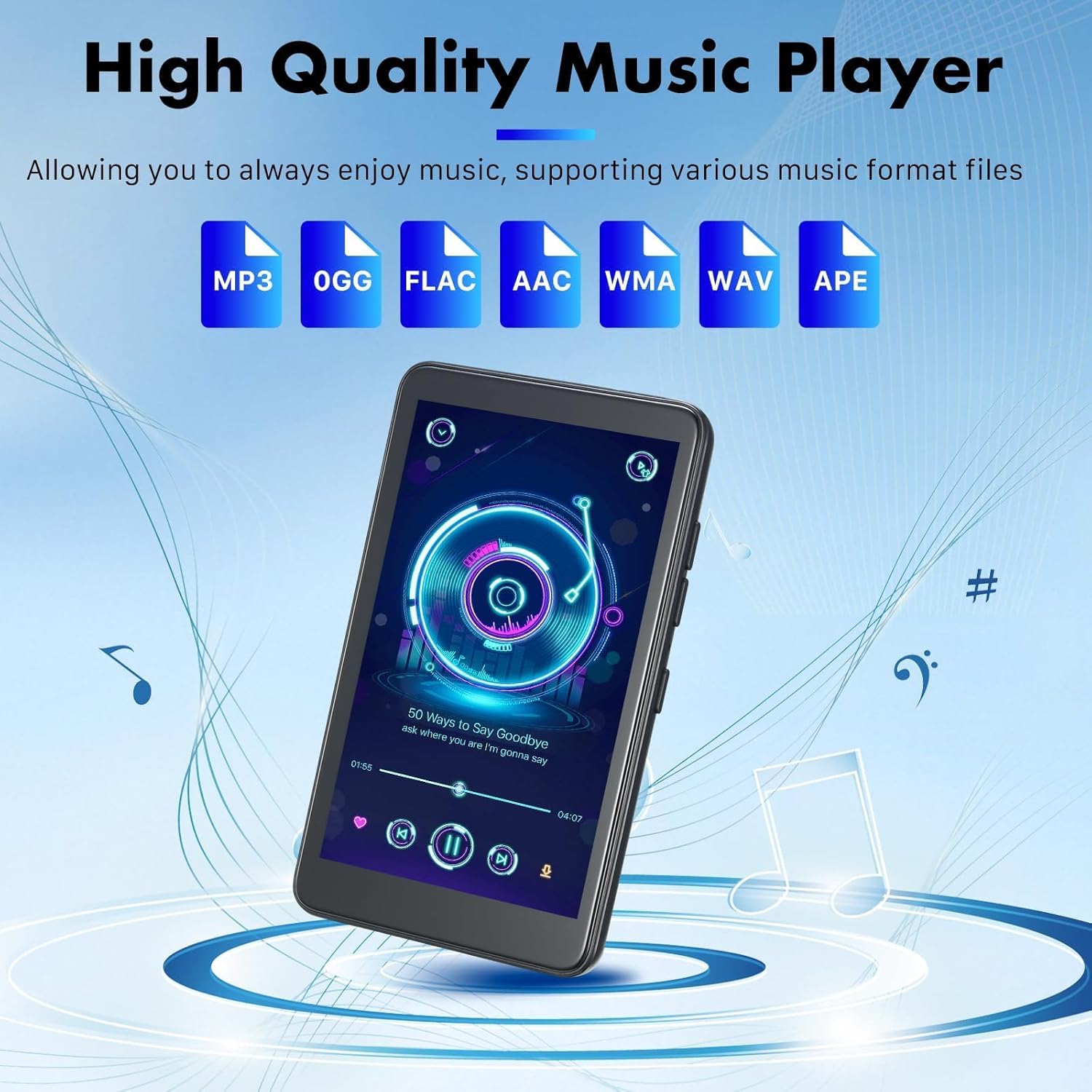
Figure 4: Music playback interface and supported formats.
- Open the 'Music' app or your preferred streaming application (e.g., Spotify, Amazon Music).
- Browse your library or search for content.
- Tap on a song or playlist to begin playback.
- Use the on-screen controls or side volume buttons to manage playback.
5.3 Video Playback
The device supports HD MP4 video playback on its 4-inch display, along with AVI, MPEG, WMV, MPG, MOV, 3GP, VOB, FLV, RM, MKV, and DAT formats.

Figure 5: The 4.0-inch HD screen for video playback.
- Open the 'Video' app or a third-party video player.
- Select the video file you wish to watch.
- Use the on-screen controls for play, pause, and seeking.
5.4 App Management (Google Play Store)
With Android 13, you can download and manage applications from the Google Play Store.

Figure 6: Accessing the Google Play Store for app downloads.
- Connect to a Wi-Fi network (see section 5.6).
- Open the 'Play Store' app.
- Search for desired applications (e.g., TikTok, additional music players).
- Tap 'Install' to download and install apps.
Video 1: Demonstrates the MP3 Player with Bluetooth and WiFi features, including app downloads and music playback.
5.5 Bluetooth Connectivity
The player supports Bluetooth 5.3 for connecting to wireless headphones, speakers, and other Bluetooth devices.

Figure 7: Two-way Bluetooth 5.3 for seamless audio experience.
- Go to Settings > Connected devices > Bluetooth.
- Toggle Bluetooth to 'On'.
- Select 'Pair new device' and choose your desired device from the list.
5.6 Wi-Fi Connectivity
Connect to 2.4G or 5G Wi-Fi networks for online streaming and app downloads.

Figure 8: Dual Band Wi-Fi (2.4G/5G) for internet access.
- Go to Settings > Network & internet > Wi-Fi.
- Toggle Wi-Fi to 'On'.
- Select your desired network and enter the password if prompted.
5.7 FM Radio
The device includes an FM radio function.
Note: For the FM radio function to work correctly, wired headphones must be connected to the 3.5mm jack, as they act as the antenna.
6. Key Features
- Storage: 144GB internal storage, expandable up to 1TB via TF card.
- Display: 4-inch HD (720*1080PX) INCELL IPS touchscreen.
- Operating System: Android 13.
- Connectivity: Bluetooth 5.3 and Dual Band Wi-Fi (2.4G/5G).
- Processor: MTK 8-core.
- RAM/ROM: 3GB RAM, 16GB ROM (internal system memory).
- Battery: 2000mAh high-capacity battery, providing approximately 15 hours of music playback, 5 hours of video playback, or 3 hours of gaming.
- Supported Apps: Pre-installed and downloadable apps like Spotify, Amazon Music, YouTube, TikTok, Facebook, etc.
- OTG Expansion: Supports connecting USB flash drives and hard drives for data transfer.
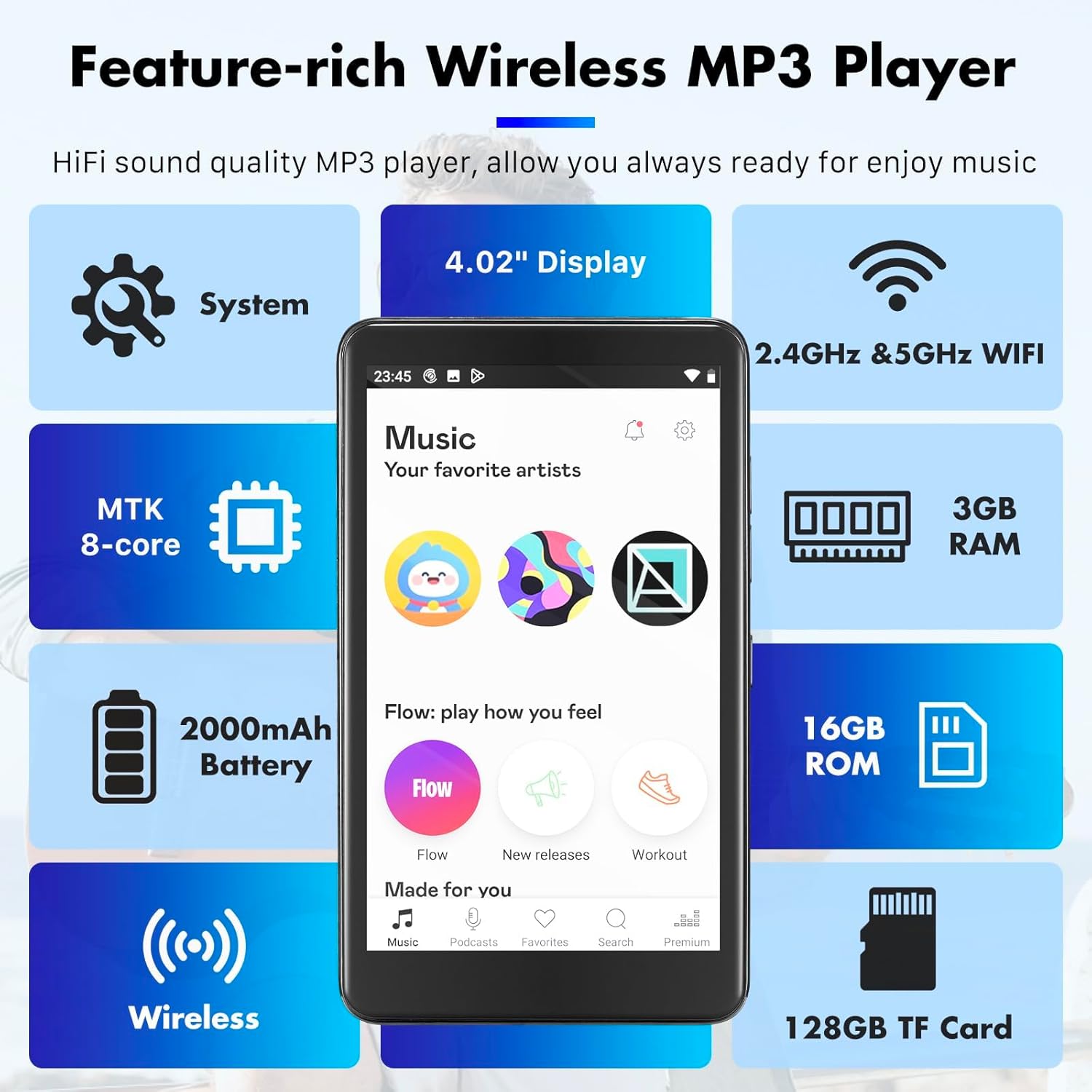
Figure 9: Overview of the player's feature set.
7. Specifications
| Feature | Specification |
|---|---|
| Model Name | RAM-3G-144G |
| Brand | KeenPlus |
| Operating System | Android 13 |
| Memory Storage Capacity | 144 GB (internal) + up to 1TB (TF card) |
| RAM | 3GB |
| Screen Size | 4 Inches |
| Screen Resolution | 720 x 1080 pixels |
| Screen Type | INCELL IPS Touch Screen |
| Connectivity Technology | Bluetooth 5.3, Wi-Fi (2.4G/5G) |
| Special Feature | Hi-Res Audio |
| Battery | 2000mAh (1 A battery included) |
| Item Weight | 7.8 ounces |
| Color | Black |
| Supported Audio Formats | MP3, FLAC, WAV, AAC, M4A, AMR, OGG |
| Supported Video Formats | MP4, AVI, MPEG, WMV, MPG, MOV, 3GP, VOB, FLV, RM, MKV, DAT |
8. Troubleshooting
This section addresses common questions and issues you might encounter.

Figure 10: Common technical support inquiries.
- Q: Is the player compatible with fast charging?
A: No, the player does not support fast charging. Please use a standard 5V=800mA charger. - Q: Is the player compatible with Mac?
A: Yes, it is compatible with Mac. However, you may need to install a specific plugin for full compatibility. - Q: How to use the FM function correctly?
A: The FM function requires wired headphones to be connected to the 3.5mm audio jack to work properly, as they serve as the antenna. - Q: My Wi-Fi connection is unstable.
A: Ensure you are within range of your Wi-Fi router. Try restarting the player and your router. Check if other devices experience similar issues on the same network. - Q: The device is not turning on.
A: Ensure the device is fully charged. Connect it to a power source using the provided USB-C cable and allow it to charge for at least 30 minutes before attempting to power it on again.
9. Maintenance
- Keep the device dry. Moisture can damage electronic components.
- Avoid extreme temperatures. Do not expose to direct sunlight or very cold environments.
- Clean the screen and body with a soft, dry cloth. Avoid using harsh chemicals.
- Handle with care to prevent drops or impacts. Use the provided protective case.
- Regularly back up important data to prevent loss.
10. Safety Information
- Do not attempt to disassemble or modify the device. This may void the warranty and cause damage.
- Dispose of batteries and electronic components responsibly according to local regulations.
- Avoid listening to audio at high volumes for extended periods to prevent hearing damage.
- Keep the device away from children and pets.
11. Warranty and Support
For warranty information and further technical assistance, please refer to the warranty card included in your package or contact KeenPlus customer support through their official channels. Details can often be found on the manufacturer's website or the retailer's product page.
You can visit the KeenPlus Store for more product information and support resources.