Introduction
This manual provides essential information for the safe and efficient operation, maintenance, and troubleshooting of your Mobicyc MS09F 4-Wheel Folding Mobility Scooter. Please read this manual thoroughly before operating the scooter and retain it for future reference.
Important Safety Information
WARNING: Read all instructions before use. Failure to follow warnings and instructions may result in serious injury.
- Always ensure the scooter is fully unfolded and locked before use.
- Do not exceed the maximum weight capacity of 330 lbs.
- Operate the scooter on stable and appropriate terrain. Avoid steep inclines beyond 15 degrees.
- Use the headlight and rear reflectors for enhanced visibility, especially during low-light conditions.
- Familiarize yourself with the control panel, including speed adjustment, horn, and light controls, before operating.
- Statements regarding dietary supplements have not been evaluated by the FDA and are not intended to diagnose, treat, cure, or prevent any disease or health condition.
Package Contents
Your Mobicyc MS09F Mobility Scooter package includes the following items:
- Mobicyc MS09F Folding Mobility Scooter (main unit)
- Lithium Battery (20AH or 30AH, depending on model)
- Charger
- Front Basket
- Rear Anti-Roll Wheels
- User Manual
- Tools for assembly (if required)
Setup and Initial Assembly
The Mobicyc MS09F scooter is designed for quick and easy setup. Most components come pre-assembled.
1. Unfolding the Scooter
Carefully remove the scooter from its packaging. Locate the folding mechanism and gently unfold the scooter until it locks into its operational position. Ensure all locking points are secure.
Video: MS09-F Fully Folding Installation and Use. This video demonstrates the complete unfolding and initial setup of the scooter, including handlebar and seat adjustments.
2. Handlebar Adjustment
Adjust the handlebar height to a comfortable position. Secure the adjustment mechanism firmly to prevent movement during operation.

Image: The Mobicyc MS09F scooter showing its adjustable handlebar for user comfort.
The handlebar height can be adjusted to suit the user's preference. Ensure the locking mechanism is fully engaged after adjustment.
3. Seat Installation and Adjustment
Place the padded seat onto the seat post. Adjust the seat height to one of the three available positions for optimal comfort. Ensure the seat is securely locked in place.
Video: Mihayo Mobility Scooter Seat Installation Tutorial. This video demonstrates how to install the seat and adjust its height to one of the three available positions.
The fixed padded seat features flip-up armrests for easy access. Adjust the armrests as needed for comfort and accessibility.
4. Basket Attachment
Attach the front basket to the designated mounting points on the handlebar column. Ensure it is securely fastened.
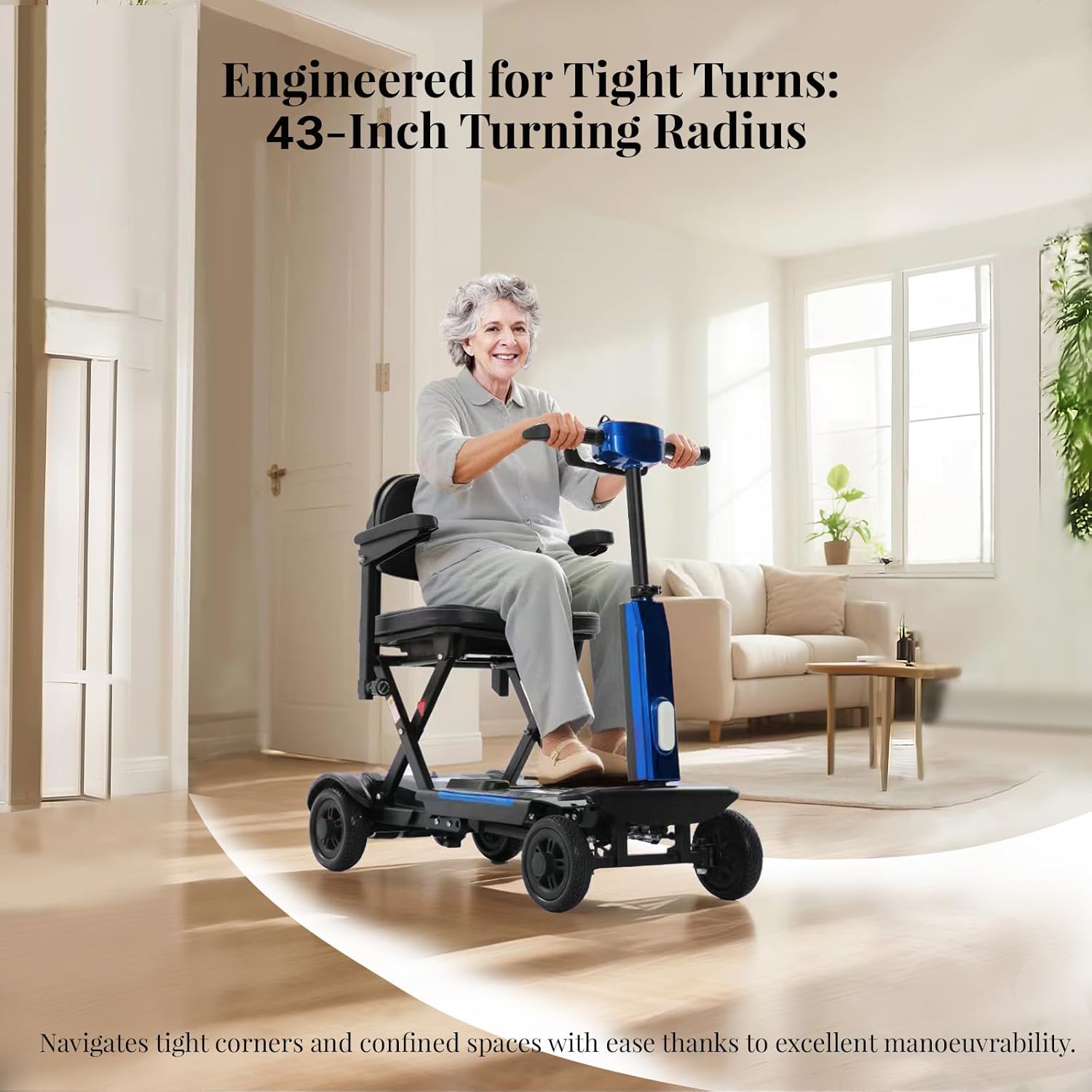
Image: The Mobicyc MS09F scooter with its front basket attached, providing convenient storage.
The front basket provides convenient storage for personal items or groceries.
5. Battery Installation and Charging
The scooter is powered by a lithium battery. Ensure the battery is correctly installed in its compartment. For first-time use, fully charge the battery using the provided charger. Charging can be done by plugging the charger into the port at the rear of the scooter or by removing the battery and charging it separately.

Image: Illustration showing two methods for charging the Mobicyc MS09F scooter battery: directly on the scooter or by removing the battery.
The lithium battery offers flexible charging options for user convenience.
Operating Instructions
1. Power On/Off
Insert the key into the ignition and turn it to the 'ON' position to power on the scooter. Turn the key to 'OFF' to power down.
2. Control Panel Overview
The intelligent control panel features an LED display screen, speed adjustment knob, key switch, horn button, and headlight switch. Familiarize yourself with each control before riding.

Image: Close-up view of the Mobicyc MS09F scooter's intelligent control panel, highlighting the LED display, speed knob, key switch, horn, and headlight controls.
The control panel provides intuitive access to all essential functions for a smooth ride.
3. Driving Modes
The scooter supports both electric driving and hand pushing modes. Use the mode switch button to toggle between these options. For electric driving, push the forward lever; for reverse, push the reverse lever.

Image: Diagram illustrating the one-touch mode switching between electric driving and hand pushing on the Mobicyc MS09F scooter.
Easily switch between electric and manual modes for versatile use.
4. Speed Adjustment
Use the speed adjustment knob on the control panel to set your desired speed. The scooter offers a top speed of 7 MPH.
5. Safety Features
The scooter is equipped with a dual-layer safety protection system, including an electromagnetic brake and anti-tilt wheels. The front headlight and rear reflectors enhance visibility.
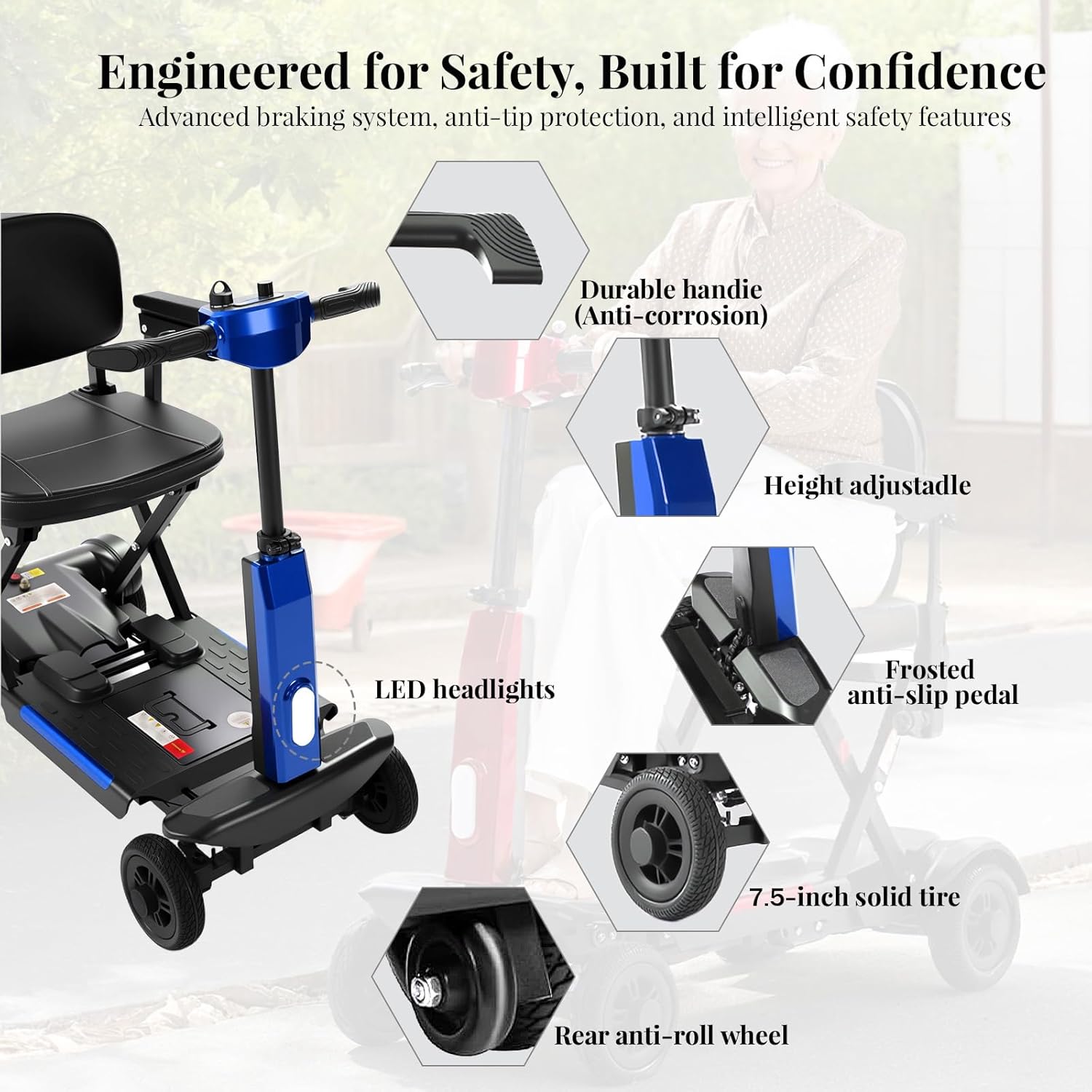
Image: Detailed view of the Mobicyc MS09F scooter's safety features, including LED headlights, frosted anti-slip pedal, and rear anti-roll wheels.
Safety is paramount with advanced braking and stability features.
Maintenance
Regular maintenance ensures the longevity and optimal performance of your Mobicyc MS09F scooter.
- Battery Care: Always fully charge the lithium battery after each use. Avoid completely draining the battery to prolong its lifespan.
- Tire Maintenance: The scooter features durable, maintenance-free solid rubber tires (7" front, 7.5" rear). Regularly inspect tires for wear and tear.
- Cleaning: Wipe down the scooter with a damp cloth. Avoid using harsh chemicals or excessive water directly on electronic components.
- Storage: When not in use, store the scooter in a dry, cool place. For long-term storage, ensure the battery is fully charged and periodically check its charge level.
Troubleshooting
If you encounter any issues with your Mobicyc MS09F scooter, refer to the following common troubleshooting tips:
| Problem | Possible Cause | Solution |
|---|---|---|
| Scooter does not power on | Battery not charged or improperly installed. Key not fully turned to 'ON'. | Ensure battery is charged and correctly installed. Turn key fully to 'ON'. |
| Loss of power during operation | Low battery charge. | Recharge the battery. |
| Unusual noise during operation | Loose components or obstruction. | Inspect scooter for loose parts or obstructions. Contact customer support if noise persists. |
For issues not listed here, please contact Mobicyc customer support.
Specifications
- Model: MS09F
- Product Dimensions: 47"D x 20.5"W x 36.6"H
- Weight (without battery): 46 lbs
- Maximum Load Capacity: 330 lbs
- Motor: 350W Brushless Motor
- Top Speed: 7 MPH
- Climbing Angle: 15 degrees
- Battery Options: 20AH or 30AH Lithium Batteries
- Range per Charge: 20-30 miles (depending on battery option)
- Tires: 7" Front, 7.5" Rear Solid Rubber (puncture-resistant, airless)
- Material: Aluminum
- Turning Radius: 43 inches
Warranty and Support
Mobicyc offers a 1-year manufacturer warranty on the MS09F Mobility Scooter. For any warranty claims, technical support, or inquiries, please contact Mobicyc customer support.
- Customer Support: Available Mon-Fri, 9AM-5PM PST
- Service Tel: +1 (833) 866-0007
- Free Replacement Parts: (As per A+ content, if applicable)