
1. Introduction
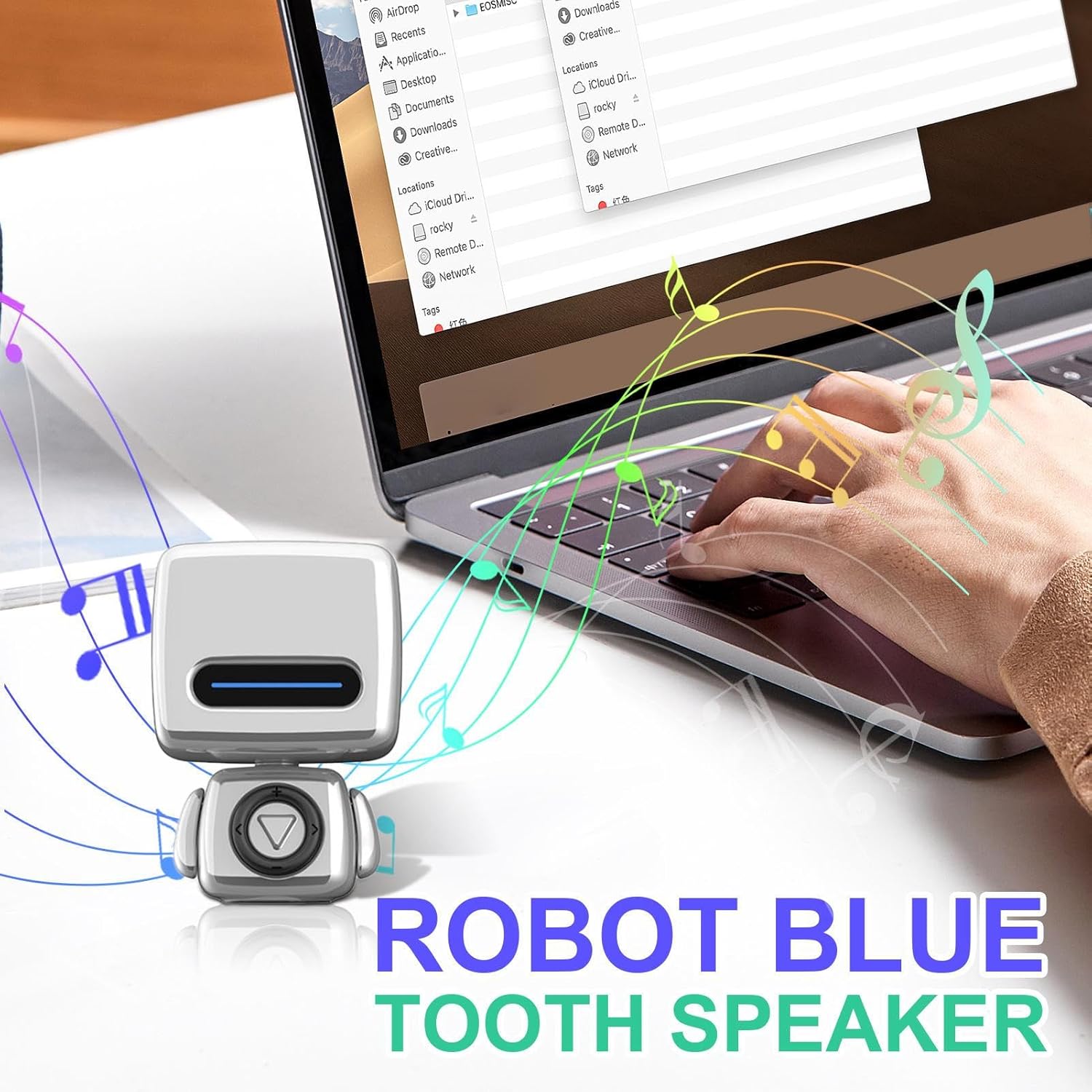
The Generic Portable Wireless Speaker is a compact, waterproof audio device designed for versatile use. It features a unique robot-shaped design and delivers clear sound. Its portability makes it suitable for various indoor and outdoor environments.
Package Contents
- 1x Generic Portable Wireless Speaker

2. Safety Information
Important Safety Instructions
- Do not expose the speaker to extreme temperatures (above 45°C/113°F or below 0°C/32°F).
- Do not disassemble or attempt to repair the device yourself. Refer all servicing to qualified personnel.
- Keep the device out of reach of children and pets.
- Use only the charging cable provided or a certified compatible USB charger.
- Ensure the charging port cover is securely closed when using the speaker in wet environments to maintain its waterproof integrity.
- Avoid dropping or subjecting the speaker to strong impacts.
3. Product Overview
The speaker features a durable, waterproof construction, making it suitable for various indoor and outdoor environments. Its compact size allows for easy portability, fitting comfortably in one hand or a bag.
Key Features
- Waterproof Design: Engineered for use in wet conditions, such as showers or near pools.
- Wireless Connectivity: Connects to devices via robust wireless technology for stable audio streaming up to 10 meters.
- Compact and Portable: Miniature and lightweight design for convenient carrying.
- Clear Audio Output: Delivers balanced sound reproduction with distinct vocal clarity.

4. Setup
Charging the Speaker
Before initial use, fully charge the speaker to ensure optimal battery performance.
- Locate the charging port, typically protected by a waterproof rubber flap.
- Gently open the flap and connect the provided charging cable to the speaker and a compatible USB power source (e.g., computer USB port, wall adapter).
- The LED indicator on the speaker will illuminate (e.g., red) to show that it is charging. It will change color (e.g., blue) or turn off when fully charged.
- Once charging is complete, disconnect the cable and securely close the waterproof flap to prevent water ingress.
Wireless Pairing
To connect your speaker to a wireless-enabled device:
- Ensure the speaker is charged and powered on. The LED indicator will typically flash rapidly, indicating it is in pairing mode and discoverable.
- On your device (e.g., smartphone, tablet, laptop), navigate to the wireless settings menu and enable wireless functionality.
- Search for available devices. The speaker will appear in the list, usually named "Generic Speaker" or a similar identifier.
- Select the speaker from the list to initiate pairing. A confirmation sound or a steady LED light on the speaker will indicate successful pairing.
- The speaker maintains a stable connection up to 10 meters (approximately 33 feet) from the paired device.
5. Operating Instructions
Power On/Off
- To Power On: Press and hold the power button (often integrated with the play/pause button) for approximately 3-5 seconds until the LED indicator lights up and you hear a power-on sound.
- To Power Off: Press and hold the power button again for approximately 3-5 seconds until the LED indicator turns off and you hear a power-off sound.
Audio Playback Control
Once paired with your device, you can control audio playback directly from the speaker:
- Play/Pause: Press the central button (often marked with a triangle or play symbol) once to play or pause audio.
- Volume Up: Press the "+" button to increase the volume.
- Volume Down: Press the "-" button to decrease the volume.
- Next Track: Press the ">>" or right arrow button to skip to the next audio track.
- Previous Track: Press the "<<" or left arrow button to go back to the previous audio track.

6. Maintenance
Cleaning
- Wipe the exterior of the speaker with a soft, slightly damp cloth.
- Do not use abrasive cleaners, solvents, or strong chemicals, as these may damage the finish or internal components.
- Ensure the charging port cover is securely closed before cleaning with any moisture.
Storage
- Store the speaker in a cool, dry place away from direct sunlight and extreme temperatures.
- If storing for an extended period, ensure the speaker is partially charged (around 50%) to help preserve battery life.
7. Troubleshooting
Common Issues and Solutions
- Speaker does not power on.
- Ensure the speaker is fully charged. Connect it to a power source and allow it to charge for at least 30 minutes before attempting to power on again.
- Cannot pair with device.
- Ensure the speaker is in pairing mode (flashing LED indicator).
- Check that your device's wireless function is enabled.
- Move the speaker closer to your device (within 1 meter for initial pairing).
- If previously paired, try 'forgetting' or 'unpairing' the speaker from your device's wireless settings and attempt to pair again.
- Ensure no other devices are currently connected to the speaker.
- No sound or low volume.
- Check the volume levels on both the speaker and your connected device.
- Ensure the speaker is properly paired and connected.
- Try playing audio from a different application or source on your device.
- Connection drops frequently.
- Ensure the speaker is within the 10-meter operating range of your device.
- Avoid obstacles (e.g., thick walls, large metal objects) between the speaker and your device that may interfere with the wireless signal.
- Ensure the speaker is fully charged, as low battery can affect connection stability.
8. Specifications
Technical Specifications
| Feature | Detail |
|---|---|
| Model Number | QOWALMJ71I1A713U3 |
| Brand | Generic |
| Color | Silver |
| Product Dimensions (H x W x D) | 2.91" x 2.01" x 1.97" (7.4 cm x 5.1 cm x 5.0 cm) |
| Item Weight | 4.3 ounces (122 grams) |
| Connectivity Technology | Wireless |
| Included Components | 1x Wireless Speaker |
| Waterproof Rating | Designed for use in wet environments (specific IP rating not provided) |

9. Warranty and Support
Warranty Information
This product is covered by a return policy allowing for a refund or replacement within 30 days of purchase. Please refer to your retailer's specific return policy for detailed terms and conditions, as these may vary.
Customer Support
For further assistance, technical support, or inquiries regarding your Generic Portable Wireless Speaker, please contact your retailer or the manufacturer, Generic, through their official support channels.