
1. Introduction
This manual provides essential information for the proper use and maintenance of your OUKITEL WP53S Rugged Smartphone. Please read it thoroughly before operating the device to ensure optimal performance and longevity.
2. Package Contents
Verify that all items are present in your product package:
- OUKITEL WP53S Rugged Smartphone x1
- 18W Power Adapter x1
- Data Cable x1
- Protective Film x1
- User Manual & After-sales Service Card x1
- Card Needle x1

Image: OUKITEL WP53S Rugged Smartphone and included accessories.
3. Product Overview
The OUKITEL WP53S is a rugged smartphone designed for durability and extended use, featuring a large battery, powerful speaker, and integrated camping light.
Key Features:
- Operating System: Android 15
- Processor: T615 Octa-core Processor
- Memory: 16GB RAM (4GB physical + 12GB virtual) + 128GB ROM, expandable up to 1TB via TF card
- Display: 6.52-inch HD+ (576 x 1280) Corning Gorilla Glass 5, 60Hz refresh rate, 400 nits brightness
- Battery: 11000mAh with 18W fast charging and OTG reverse charging
- Cameras: 13MP Main Camera, 0.08MP Depth Camera, 5MP Front Camera
- Durability: IP68 Waterproof, IP69K Dustproof, MIL-STD-810H Drop-proof (up to 1.5m)
- Special Functions: 900LM Camping Light (three modes), 128dB Loudspeaker, NFC, GPS+GLONASS+Beidou+Galileo, Fingerprint Unlock, Face Unlock
Image: Front and back view of the OUKITEL WP53S Rugged Smartphone, highlighting its design and features.
4. Setup
4.1 SIM Card and TF Card Installation
- Locate the SIM card tray on the side of the device.
- Insert the provided card needle into the small hole next to the tray to eject it.
- Place your Nano-SIM card(s) and/or TF card into the designated slots on the tray. Ensure proper orientation as indicated on the tray.
- Carefully reinsert the tray into the phone until it is flush with the device body.

Image: Illustration of how to insert dual SIM cards or a SIM card with a TF card into the OUKITEL WP53S.
4.2 Initial Power On and Charging
- Press and hold the Power button (usually on the side) until the OUKITEL logo appears.
- Follow the on-screen prompts to complete the initial setup, including language selection, Wi-Fi connection, and Google account login.
- To charge the device, connect the provided USB Type-C cable to the phone's charging port and the 18W power adapter. Plug the adapter into a wall outlet.
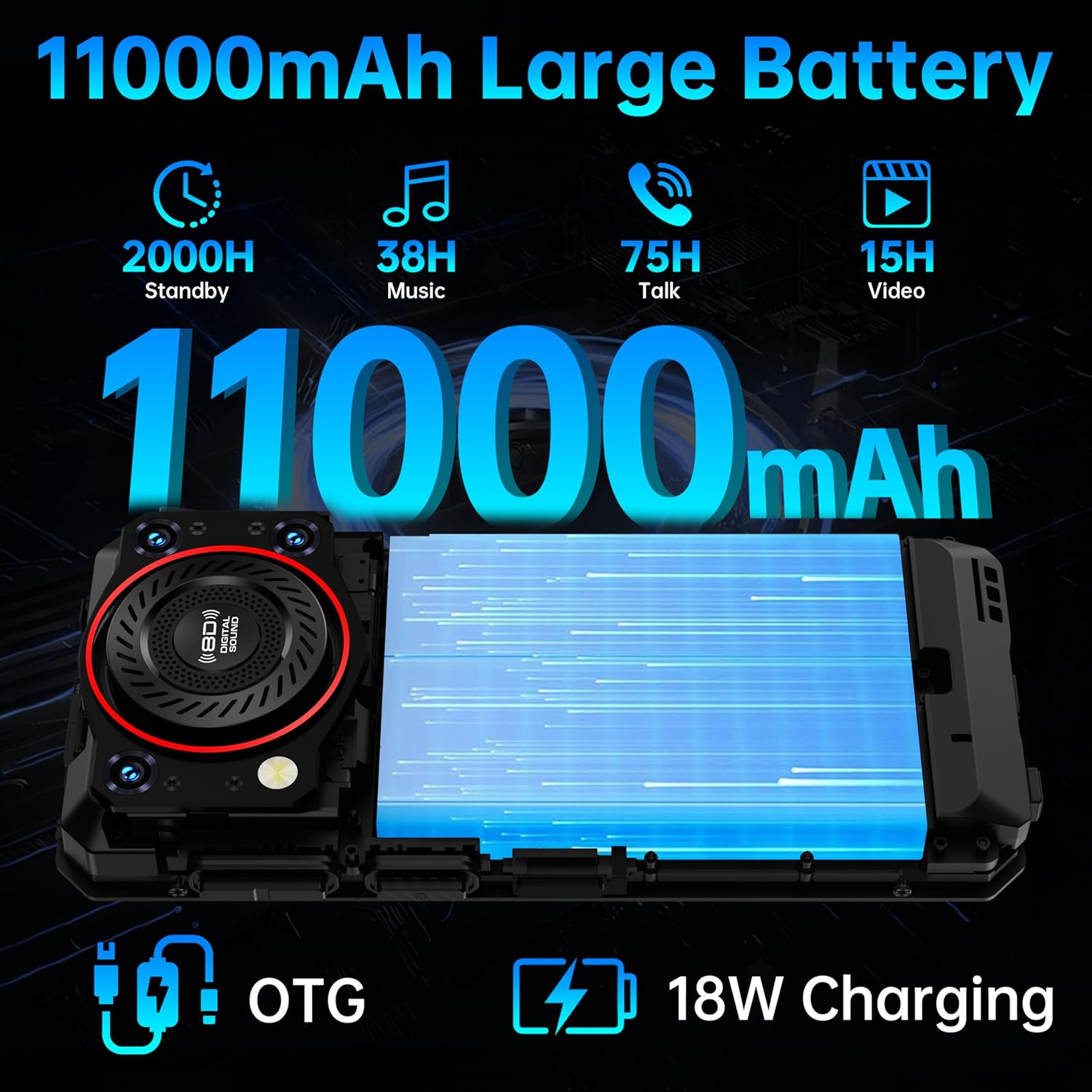
Image: The OUKITEL WP53S connected to a charger, illustrating its 11000mAh battery capacity and 18W fast charging capability.
5. Operating Instructions
5.1 Basic Navigation
Your OUKITEL WP53S runs on Android 15. Navigate the interface using touch gestures:
- Tap: Select an item or open an app.
- Swipe: Scroll through screens or lists.
- Pinch: Zoom in or out on images and web pages.
- Long Press: Access contextual menus or move app icons.
5.2 Security Features
The device supports multiple unlocking methods:
- Fingerprint Unlock: Register your fingerprint(s) in the Security settings. The fingerprint sensor is typically located on the side of the device.
- Face Unlock: Set up facial recognition in the Security settings for convenient unlocking.
- Pattern, PIN, Password: Standard Android security options are available.
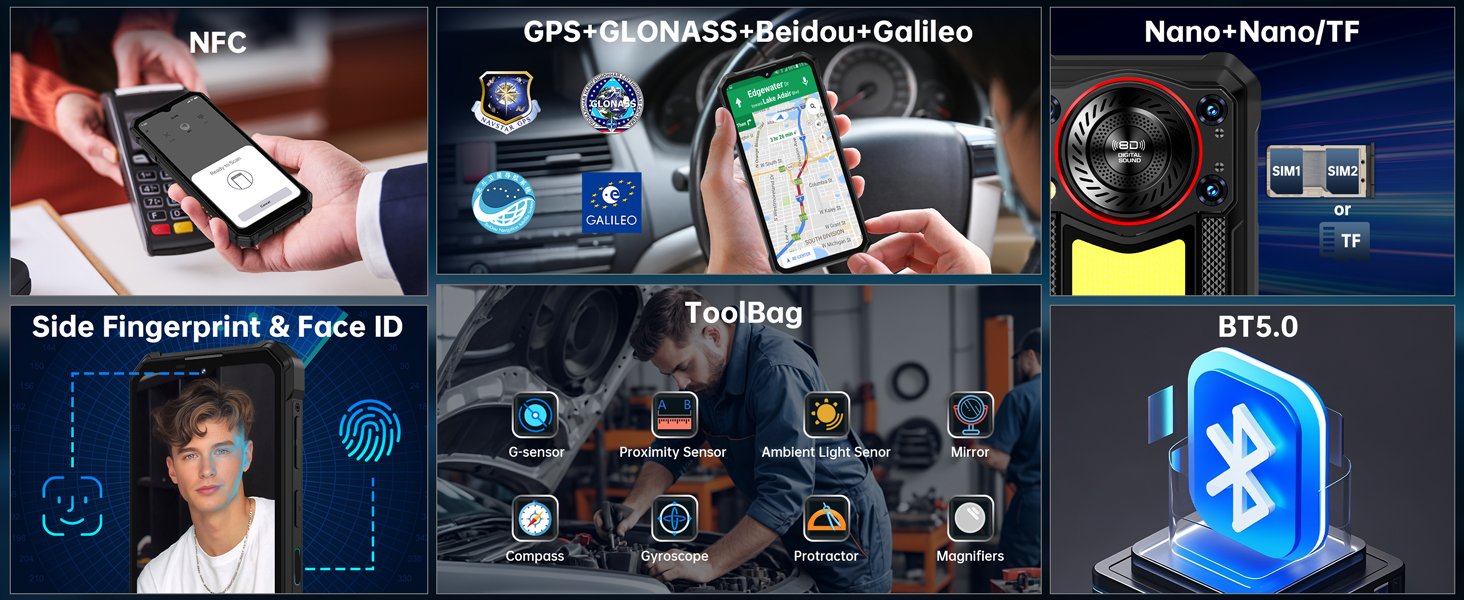
Image: Overview of additional features including fingerprint unlock, face ID, NFC, and GPS navigation.
6. Camera Features
The OUKITEL WP53S is equipped with a 13MP main camera, a 0.08MP depth camera, and a 5MP front camera. Various shooting modes are available to enhance your photography.
Available Camera Modes:
- Beauty Mode: Enhances facial features for portraits.
- Panorama: Captures wide-angle scenes by stitching multiple photos together.
- Portrait Mode: Creates a depth-of-field effect, blurring the background.
- HDR Mode: Improves dynamic range in photos, balancing bright and dark areas.
- Professional Mode: Offers manual control over camera settings like ISO, white balance, and exposure.

Image: Details of the 13MP main camera, 0.08MP depth camera, and 5MP front camera.
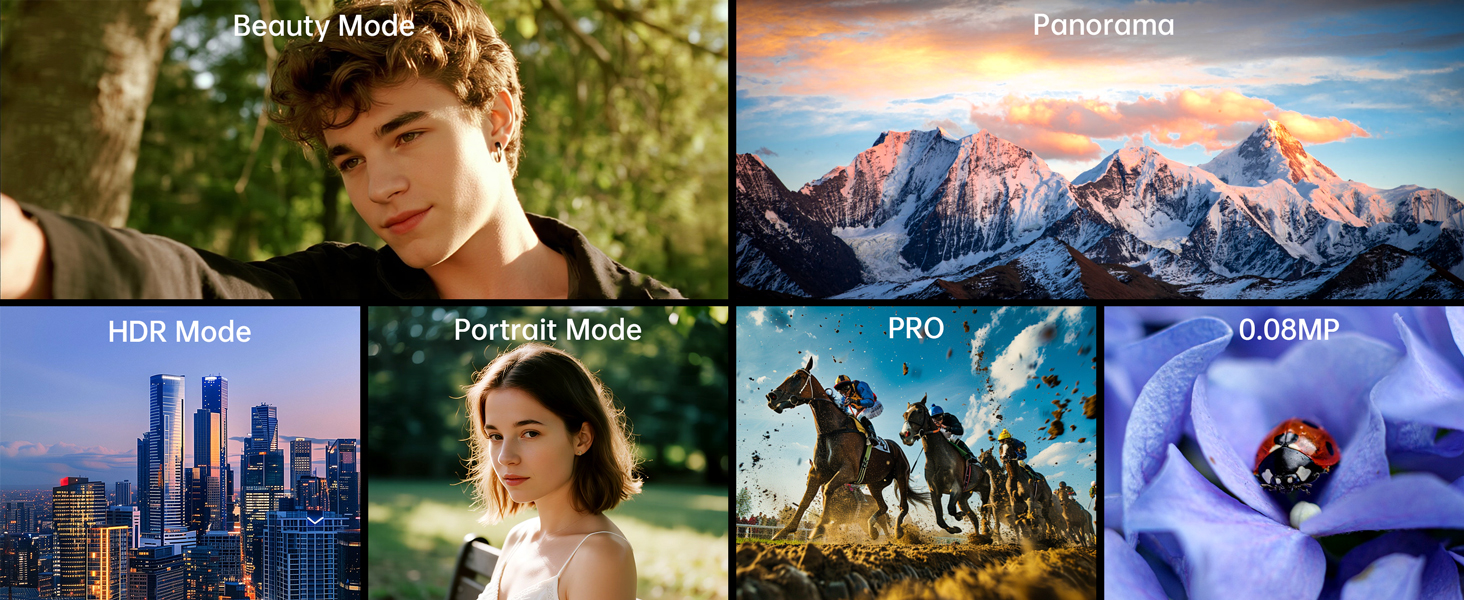
Image: Visual representation of different camera modes available on the OUKITEL WP53S.
7. Special Features
7.1 900LM Camping Light
The WP53S features a powerful 900-lumen camping light on its rear, ideal for outdoor activities or emergencies. It operates in three modes:
- Full Light: Maximum brightness for extensive illumination.
- Half Light: Reduced brightness for energy saving or less intense lighting needs.
- Dim Light: Lowest brightness for subtle lighting.
- SOS Mode: Emits a flashing signal for emergency situations.

Image: The OUKITEL WP53S demonstrating its 900-lumen camping light in an outdoor environment.
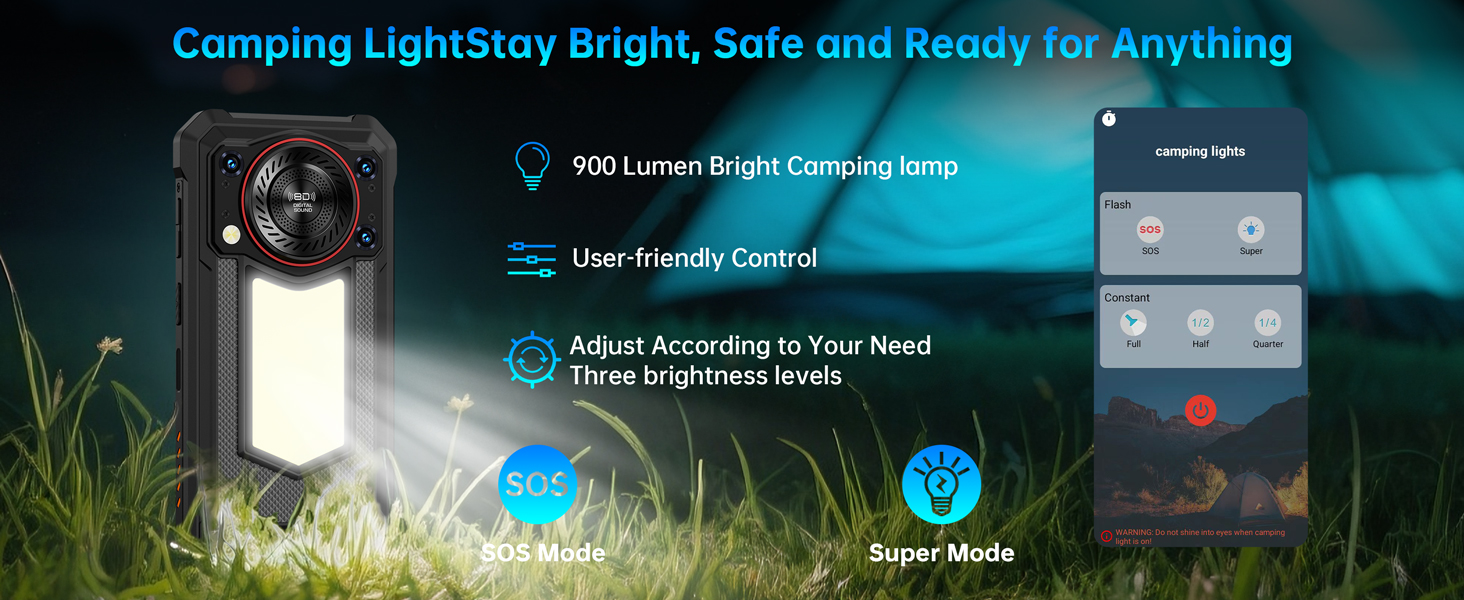
Image: Detailed view of the camping light's features, including brightness levels and SOS mode.
7.2 128dB Loudspeaker
The device features a 3W super speaker with a volume of up to 128dB and a 36mm diameter, providing clear and loud audio for calls, music, and alerts, even in noisy environments.

Image: Technical specifications of the 3W, 128dB loudspeaker on the OUKITEL WP53S.
7.3 OTG Reverse Charging
The 11000mAh battery supports OTG (On-The-Go) reverse charging, allowing the WP53S to function as a power bank to charge other compatible electronic devices.
8. Durability Features
The OUKITEL WP53S is built to withstand harsh conditions, certified with industry-leading durability standards.
- IP68 Waterproof: Can be immersed in up to 1.5 meters of water for 30 minutes.
- IP69K Dustproof: Provides complete protection against dust ingress.
- MIL-STD-810H Drop-proof: Certified to withstand drops from 1.5 meters.
- Temperature Resistance: Operates reliably in temperatures ranging from -20°C to 55°C.

Image: Visual representation of the OUKITEL WP53S's resistance to dust, water, and drops.
9. Connectivity & Navigation
The WP53S offers robust connectivity and precise navigation capabilities.
- Dual SIM Support: Use two Nano-SIM cards simultaneously or one Nano-SIM with a TF card.
- NFC: Supports Near Field Communication for convenient mobile payments (e.g., Google Pay) and data exchange.
- Quad Navigation System: Integrated GPS, GLONASS, Beidou, and Galileo for accurate positioning and navigation, essential for outdoor adventures.
10. Maintenance
To ensure the longevity and optimal performance of your OUKITEL WP53S, follow these maintenance guidelines:
- Cleaning: Regularly wipe the device with a soft, damp cloth. For stubborn dirt, use a mild soap solution. Ensure all ports are closed before cleaning with liquids.
- Port Protection: Keep the USB-C port and SIM tray sealed when not in use to maintain water and dust resistance.
- Screen Care: While the screen is made of Corning Gorilla Glass, avoid placing the phone with sharp objects to prevent scratches.
- Temperature: Avoid prolonged exposure to extreme temperatures outside the operating range (-20°C to 55°C).
- Software Updates: Keep your device's software updated to benefit from the latest security patches and performance improvements.
11. Troubleshooting
If you encounter issues with your OUKITEL WP53S, try the following common troubleshooting steps:
- Device Not Responding: Press and hold the Power button for about 10-15 seconds to force a restart.
- Battery Draining Quickly: Check for background apps consuming power, reduce screen brightness, or disable unnecessary features like GPS or Wi-Fi when not in use.
- Network Issues: Ensure your SIM card is correctly inserted. Try restarting the device or toggling Airplane Mode on and off. Verify your network settings with your carrier.
- App Crashes: Clear the cache and data for the problematic app in Settings > Apps. If the issue persists, reinstall the app.
- Slow Performance: Close unused apps, clear cache, or consider a factory reset as a last resort (back up your data first).
- Charging Issues: Ensure the charging cable and adapter are securely connected and undamaged. Try a different outlet or charging accessory.
For persistent issues, refer to the Warranty and Support section.
12. Specifications
| Feature | Specification |
|---|---|
| Model Name | OUKITEL WP53S |
| Operating System | Android 15 |
| RAM | 16GB (4GB physical + 12GB virtual) |
| Internal Storage | 128GB |
| Expandable Storage | Up to 1TB via TF card |
| Screen Size | 6.52 Inches |
| Resolution | 576 x 1280 |
| Battery Capacity | 11000 Milliamp Hours |
| Phone Talk Time | 75 Hours |
| Main Camera | 13MP |
| Front Camera | 5MP |
| Water Resistance | IP68 |
| Dust Resistance | IP69K |
| Drop Resistance | MIL-STD-810H |
| Special Features | 128dB Speaker, 900LM Camping Light, Rugged Body, Water Resistant, NFC, GPS |
| Item Weight | 1.52 pounds |
| Package Dimensions | 8.23 x 5.55 x 2.99 inches |
13. Warranty and Support
OUKITEL is committed to providing high-quality service and product experience.
- 2-Year Free Warranty: Your OUKITEL WP53S smartphone is covered by a 2-year repair guarantee from the date of purchase.
- 30-Day Money Back Guarantee: Enjoy a 30-day money-back guarantee and free returns.
- 24/7 Customer Service: Professional online support is available 24 hours a day, 7 days a week to assist with any questions or issues.
For warranty claims or technical assistance, please contact OUKITEL customer support through the official channels provided in your product packaging or on the OUKITEL website.
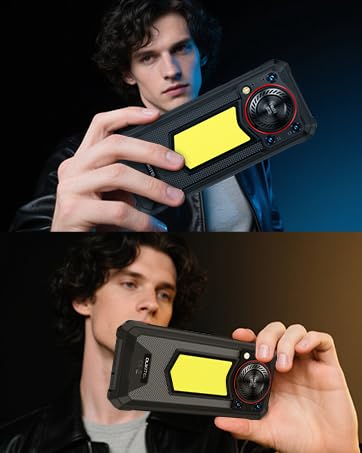
Image: Summary of OUKITEL's after-sales service, including warranty and support.


