
AreShark MC02
AreShark MC02 Ergonomic Office Chair User Manual
Brand: AreShark | Model: MC02
1. Important Safety Information
Please read and understand all instructions before assembly and use. Keep this manual for future reference.
- Assembly is required.
- Do not use the chair outdoors. This product is designed for indoor use only.
- Always follow the assembly instructions carefully to ensure proper and safe setup.
- Do not exceed the maximum weight capacity of 300 lbs (136 kg).
- Ensure all screws and bolts are tightened securely before use and periodically check for looseness.
- Keep children and pets away from the assembly area.
2. Product Overview
The AreShark MC02 Ergonomic Office Chair is designed for comfort and support during long periods of sitting. It features a high back with breathable mesh, adjustable lumbar support, a 2D headrest, flip-up armrests, and smooth-gliding casters. An integrated clothing hanger provides added convenience.
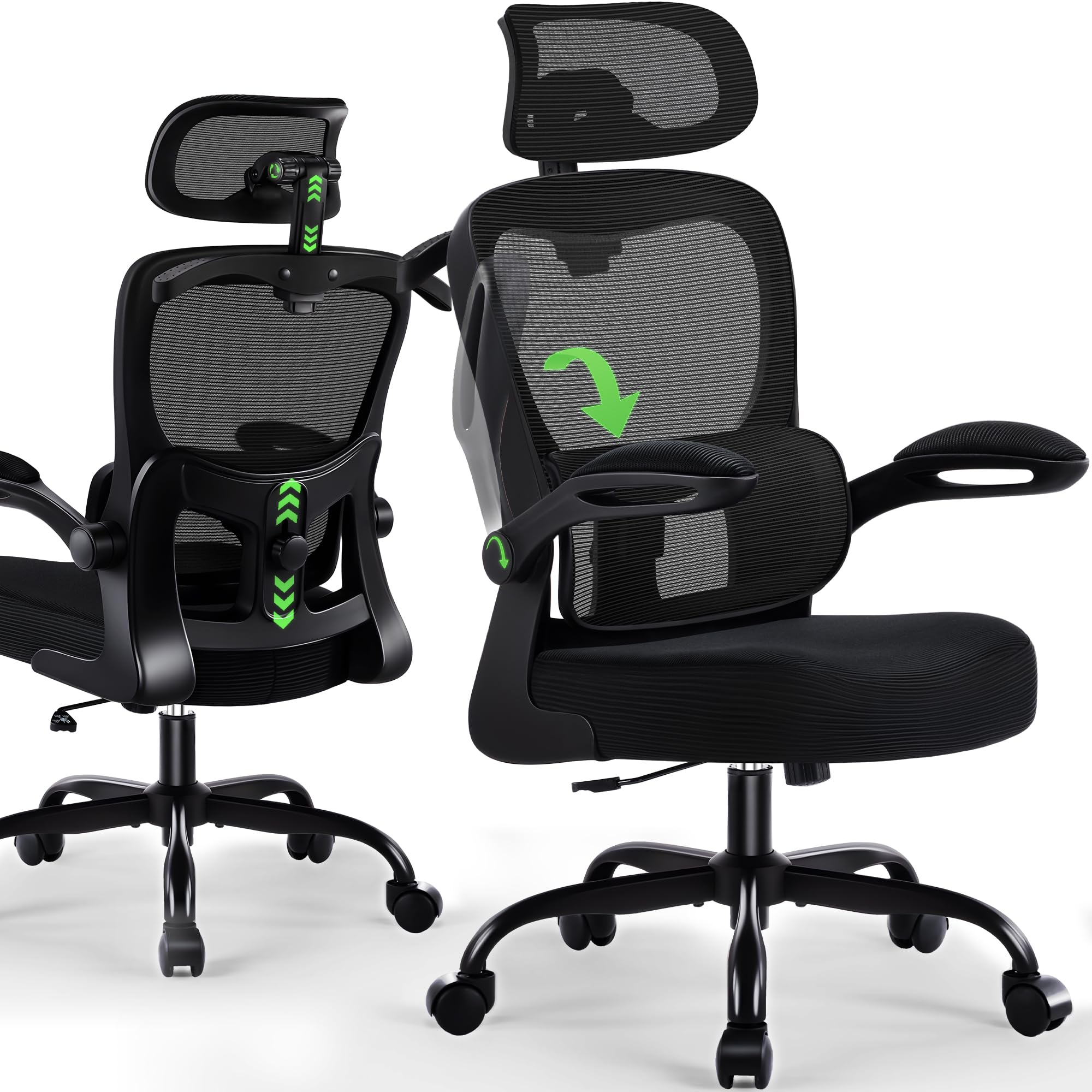
Figure 2.1: Front view of the AreShark MC02 Ergonomic Office Chair.
3. Components List
Before beginning assembly, ensure all parts are present and undamaged. Refer to the diagram below for identification.
- Backrest with integrated lumbar support
- Seat Cushion
- Headrest
- Armrests (2)
- Base Plate (Mechanism)
- Gas Lift Cylinder
- Gas Lift Cover
- Five-Star Base
- Casters (5)
- Assembly Hardware (screws, washers, Allen wrench)

Figure 3.1: Exploded view of the chair components for assembly.
4. Setup & Assembly
Assembly of the AreShark MC02 chair typically takes less than 15 minutes. All necessary tools and step-by-step instructions are included in the packaging. For a visual guide, please refer to the installation video below.
Video 4.1: Official installation guide for the AreShark MC02 Ergonomic Office Chair.
General Assembly Steps:
- Attach the casters to the five-star base.
- Insert the gas lift cylinder into the center of the five-star base, then place the gas lift cover over it.
- Secure the base plate (mechanism) to the underside of the seat cushion using the provided screws.
- Attach the backrest to the seat cushion assembly.
- Mount the armrests to the chair frame.
- Insert the assembled seat and backrest onto the gas lift cylinder.
- Attach the headrest to the top of the backrest.
- Verify all connections are secure before use.
5. Operating Instructions
5.1 Seat Height Adjustment
To adjust the seat height, pull the lever located under the right side of the seat upwards while applying or releasing your weight from the seat. The 3-stage gas lift system allows for a 4-inch adjustment range, from 18.5" to 22.5" (47 cm to 57 cm).
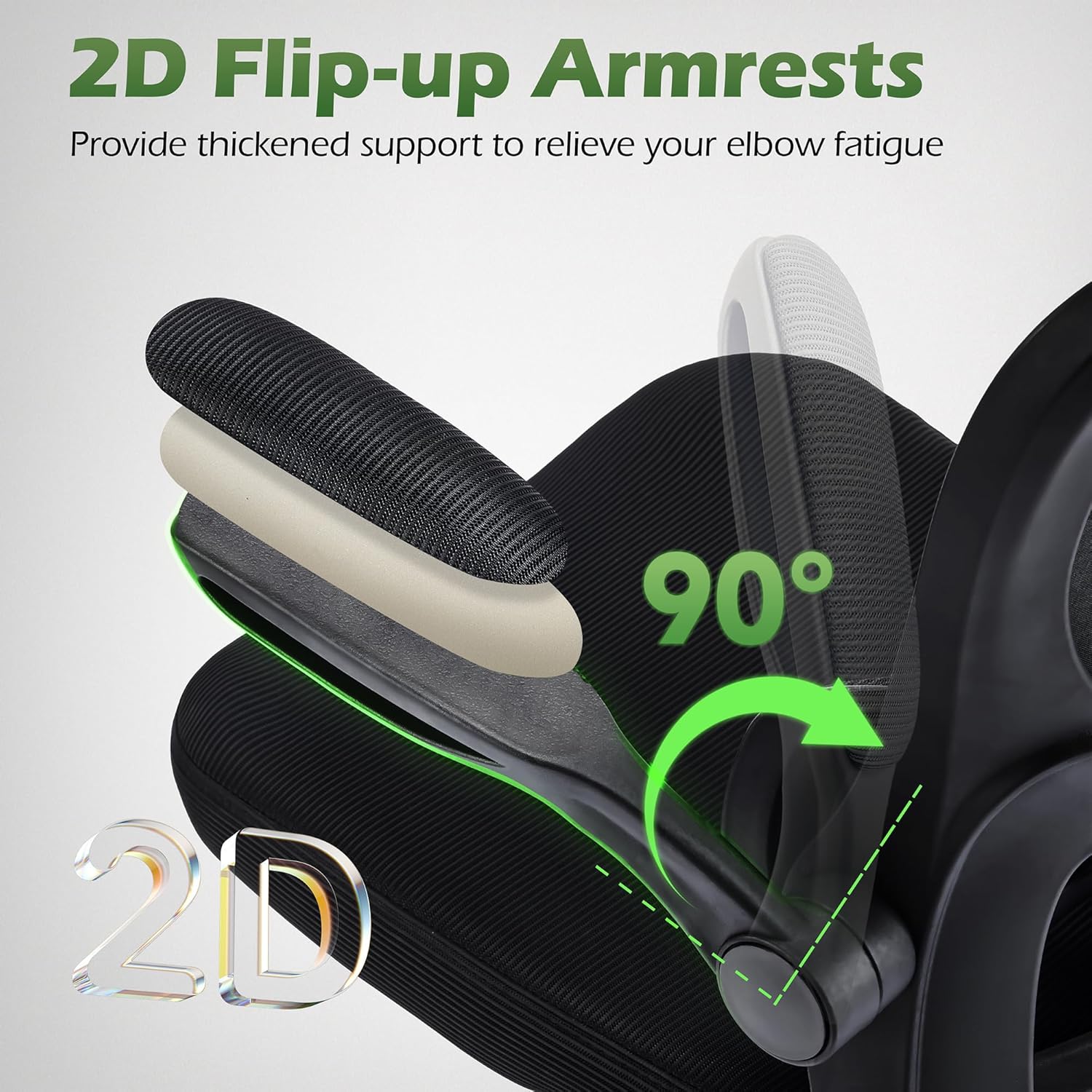
Figure 5.1: Product dimensions, including seat height range.
5.2 Backrest Tilt Function
The chair features a 90°–120° tilt mechanism. To recline, pull the lever (same as height adjustment) outwards. To lock the tilt position, push the lever inwards. A tension-adjustable knob located underneath the seat allows you to control the resistance of the rocking motion.

Figure 5.2: Illustration of the chair's rocking and tilt adjustment.
5.3 Adjustable Lumbar Support
The lumbar support can be adjusted vertically by 2 inches (5 cm) to match your spine's natural curve. Use the knob on the back of the chair to position the lumbar support for optimal comfort.
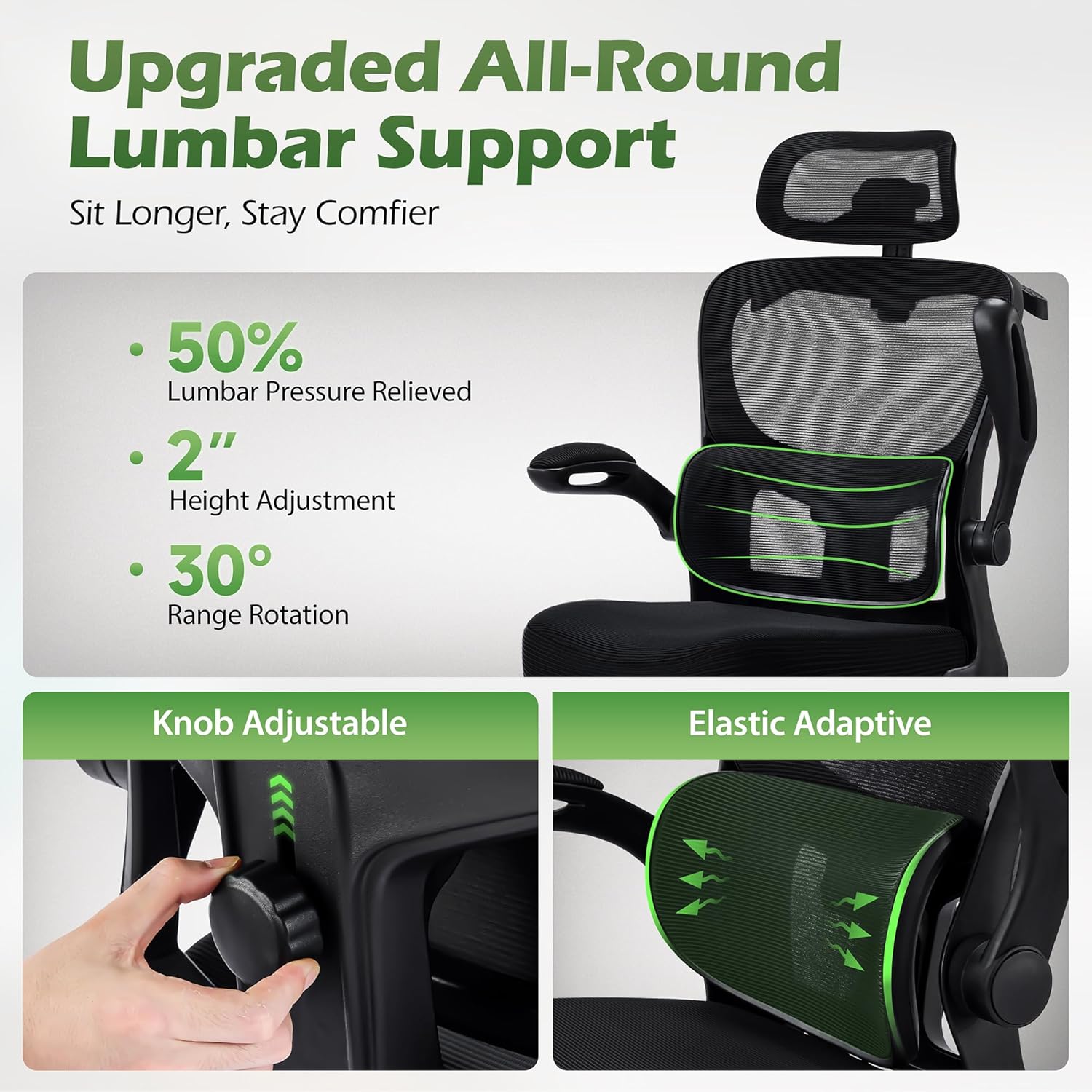
Figure 5.3: Details of the adjustable lumbar support.
5.4 2D Headrest Adjustment
The headrest offers 3.2 inches (8 cm) of vertical adjustment and 90° rotation. Adjust the height by pulling the headrest up or pushing it down. Rotate the headrest to find your preferred angle for neck support.
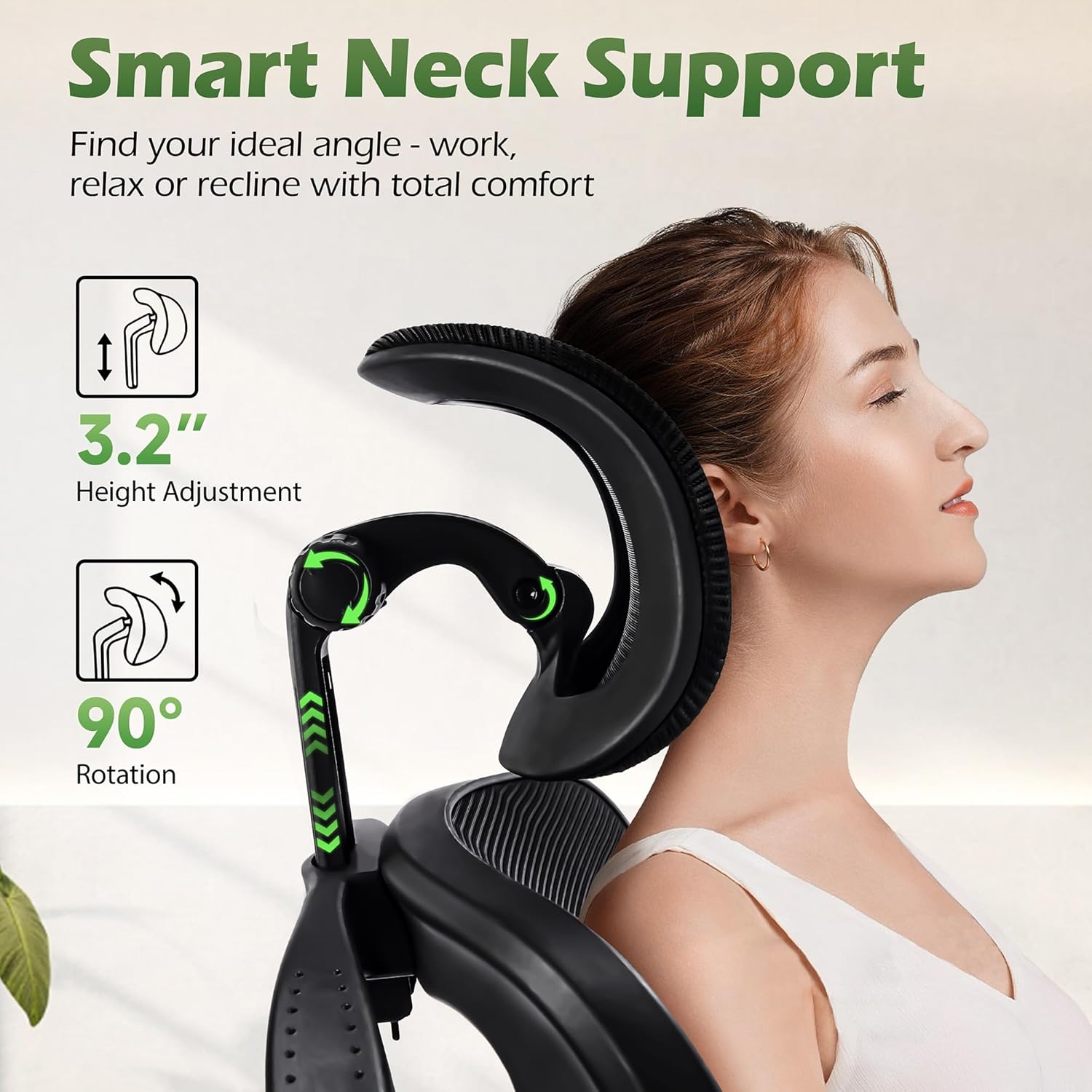
Figure 5.4: Headrest height and rotation adjustments.
5.5 Flip-Up Armrests
The armrests can be flipped up to allow the chair to be stored completely under most desks, saving space. Simply lift the armrests upwards until they lock into the vertical position. Push them down to return to the horizontal position for use.

Figure 5.5: Flip-up armrests for space-saving storage.
5.6 Swivel and Casters
The chair features a 360-degree swivel function and noise-free PU casters, allowing for smooth and effortless movement across various floor types including hardwood, tile, and carpet.
5.7 Integrated Clothing Hanger
A built-in coat hanger is located on the backrest, providing a convenient spot to hang jackets, bags, or other items without cluttering your workspace.
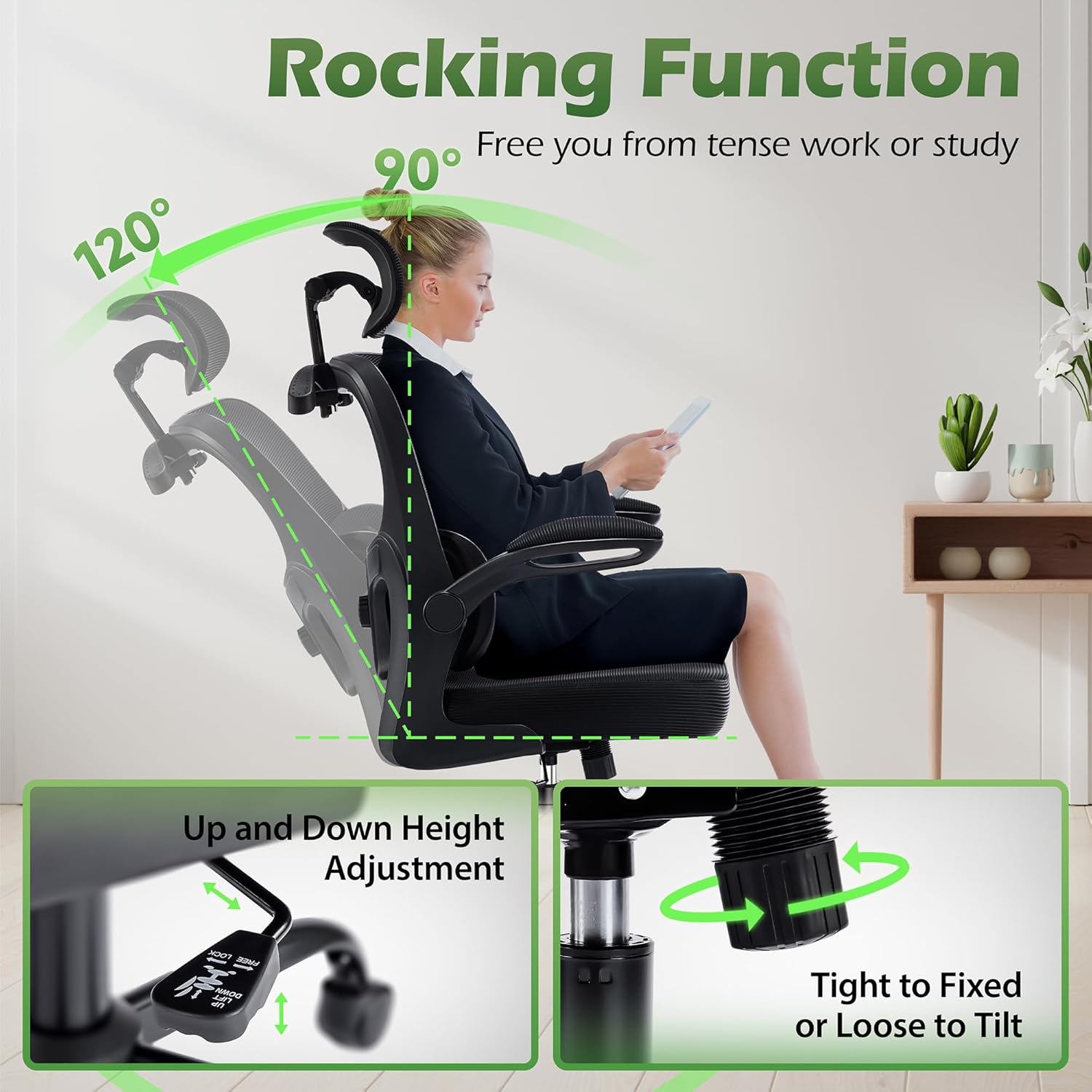
Figure 5.6: Integrated clothing hanger on the chair's backrest.
Video 5.7: Demonstration of the MC02 Office Chair's ergonomic features, including lumbar support and headrest adjustments.
6. Maintenance
To maintain the longevity and appearance of your AreShark MC02 office chair, follow these simple care instructions:
- Cleaning: Wipe clean with a damp cloth. Avoid harsh chemicals or abrasive cleaners, as these may damage the mesh or other materials.
- Regular Checks: Periodically inspect all screws and connections to ensure they remain tight. Re-tighten if necessary.
- Caster Care: Keep casters free of debris (hair, dust, etc.) to ensure smooth rolling.
7. Troubleshooting
If you encounter any issues with your AreShark MC02 office chair, please refer to the following common solutions:
- Chair not adjusting height: Ensure the height adjustment lever is fully engaged. If the gas lift is unresponsive, it may require replacement.
- Chair wobbles: Check that all screws connecting the seat, backrest, and base plate are securely tightened. Ensure the casters are properly inserted into the five-star base.
- Casters not rolling smoothly: Inspect casters for trapped debris (hair, lint) and clean as needed. Ensure they are correctly installed.
- Backrest not tilting: Check the tilt lock lever and the tension knob. Adjust the tension knob to increase or decrease tilt resistance.
If the problem persists after attempting these solutions, please contact customer support.
8. Specifications
| Feature | Detail |
|---|---|
| Brand | AreShark |
| Model Name | Office Chair with Headrest |
| Model Number | MC02 |
| Color | Black |
| Material | Mesh, Sponge, Wood |
| Product Dimensions (D x W x H) | 25.2"D x 25.2"W x 53"H (64 cm x 64 cm x 134.6 cm) |
| Item Weight | 18 Pounds (8.16 kg) |
| Maximum Weight Recommendation | 300 Pounds (136 kg) |
| Seat Height Range | 18.5" to 22.5" (47 cm to 57 cm) |
| Back Style | Supporting Breathable Backrest |
| Arm Style | Flip-up Padded Armrests |
| Headrest Adjustment | Adjustable Height (3.2"), 90° Rotation |
| Lumbar Support Adjustment | Adjustable Height (2") |
| Tilt Function | 90°–120° Recline with Tension Adjustment |
| Casters | Noise-free PU Casters |
| Assembly Required | Yes |
| Indoor/Outdoor Usage | Indoor |
| UPC | 717621249588 |
9. Warranty & Support
AreShark stands behind the quality of the MC02 Ergonomic Office Chair with a 3-year service warranty. This warranty covers manufacturing defects and functional issues under normal use.
For warranty claims, technical assistance, or any questions regarding your product, please contact AreShark customer support through the retailer where the product was purchased or visit the official AreShark website.
Please have your purchase receipt and model number (MC02) ready when contacting support.
Ask a question about this manual
Ask about setup, troubleshooting, compatibility, parts, safety, or missing instructions. Manuals+ will review the question and use this page’s manual context to help answer it.