
1. Introduction and Overview
The ACEBEAM Keylite 500 is an extremely bright, ultra-compact, and rechargeable LED keyring torch designed for everyday carry and emergency situations. Featuring dual high-performance LEDs, it delivers a maximum brightness of 500 lumens with a beam range of up to 70 meters. Its robust construction and intuitive operation make it a reliable lighting tool for various activities, from daily tasks to outdoor adventures.
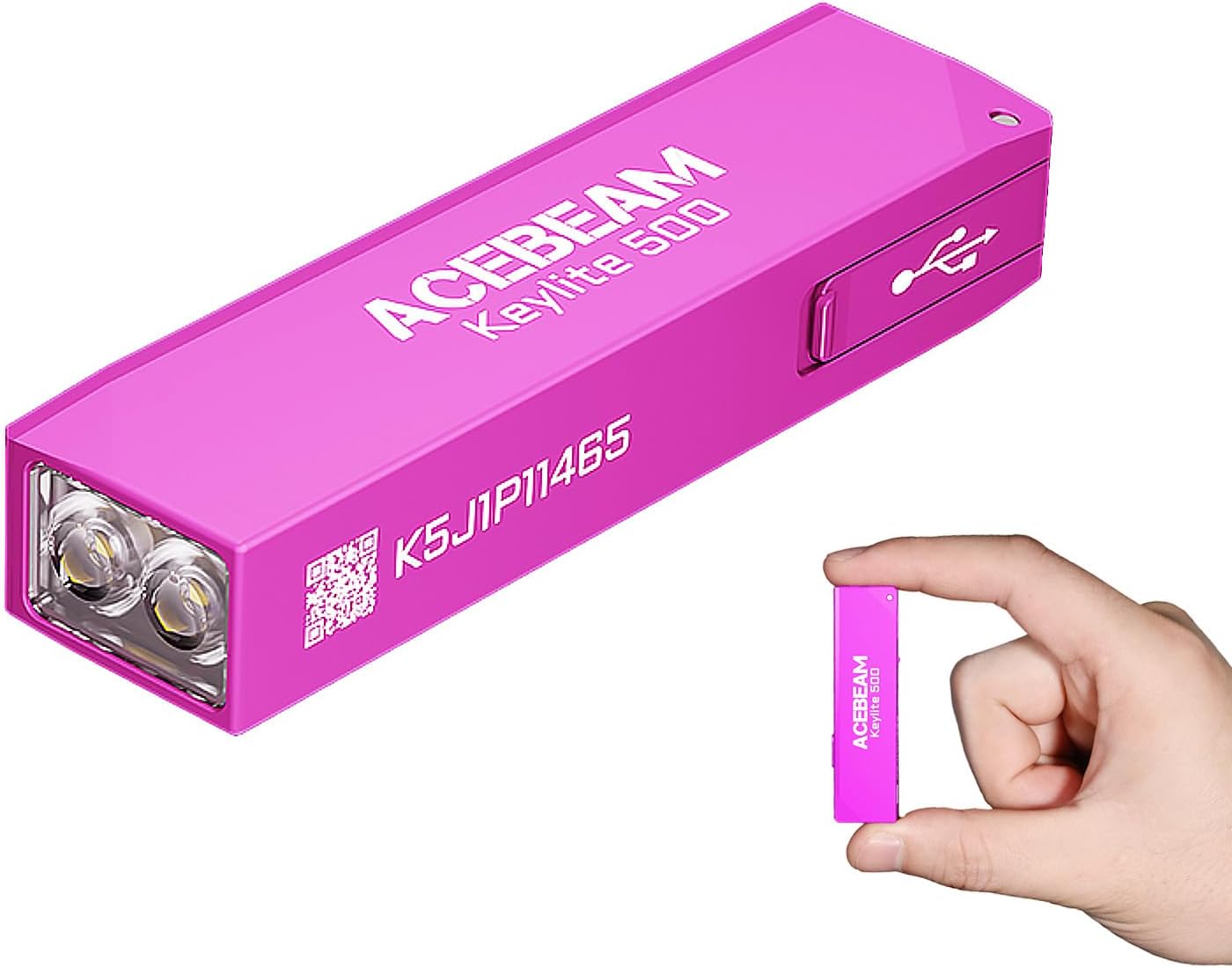
Image: The ACEBEAM Keylite 500 in pink, highlighting its compact size relative to a human hand.
Key features include:
- Extremely Bright: Utilizes dual high-performance LEDs for up to 500 lumens output and a 70-meter beam distance.
- Rechargeable: Equipped with a Type-C charging port, allowing for a full recharge in approximately 40 minutes.
- Ultra-Compact & Lightweight: Measuring only 6 cm in length and weighing just 19g (0.67 oz), it is designed for effortless portability.
- Durable Construction: Crafted from aircraft-grade hard anodized aluminum, offering shock resistance up to 1.5 meters and IP66 waterproof and dustproof certification.
- Versatile Modes: Features 6 distinct lighting modes to suit various needs.
2. Package Contents
Please check the package carefully to ensure all items are present:
- 1 x ACEBEAM Keylite 500 Torch
- 1 x Key Ring
- 1 x USB-C Charging Cable
- 1 x User Manual
3. Setup and Initial Use
Before first use, it is recommended to fully charge your Keylite 500.
- Charging: Locate the USB-C charging port on the side of the torch. Connect the provided USB-C cable to the torch and plug the other end into a compatible USB power source (e.g., computer USB port, wall adapter). The battery indicator light will show charging status (see Section 5 for details).
- Attaching Key Ring: If desired, attach the included key ring to the designated loop on the torch for convenient carrying.

Image: The ACEBEAM Keylite 500 connected to a USB-C charging cable, illustrating the charging process and battery indicator.
4. Operating Instructions
The Keylite 500 features an intuitive side switch for easy control of all functions.
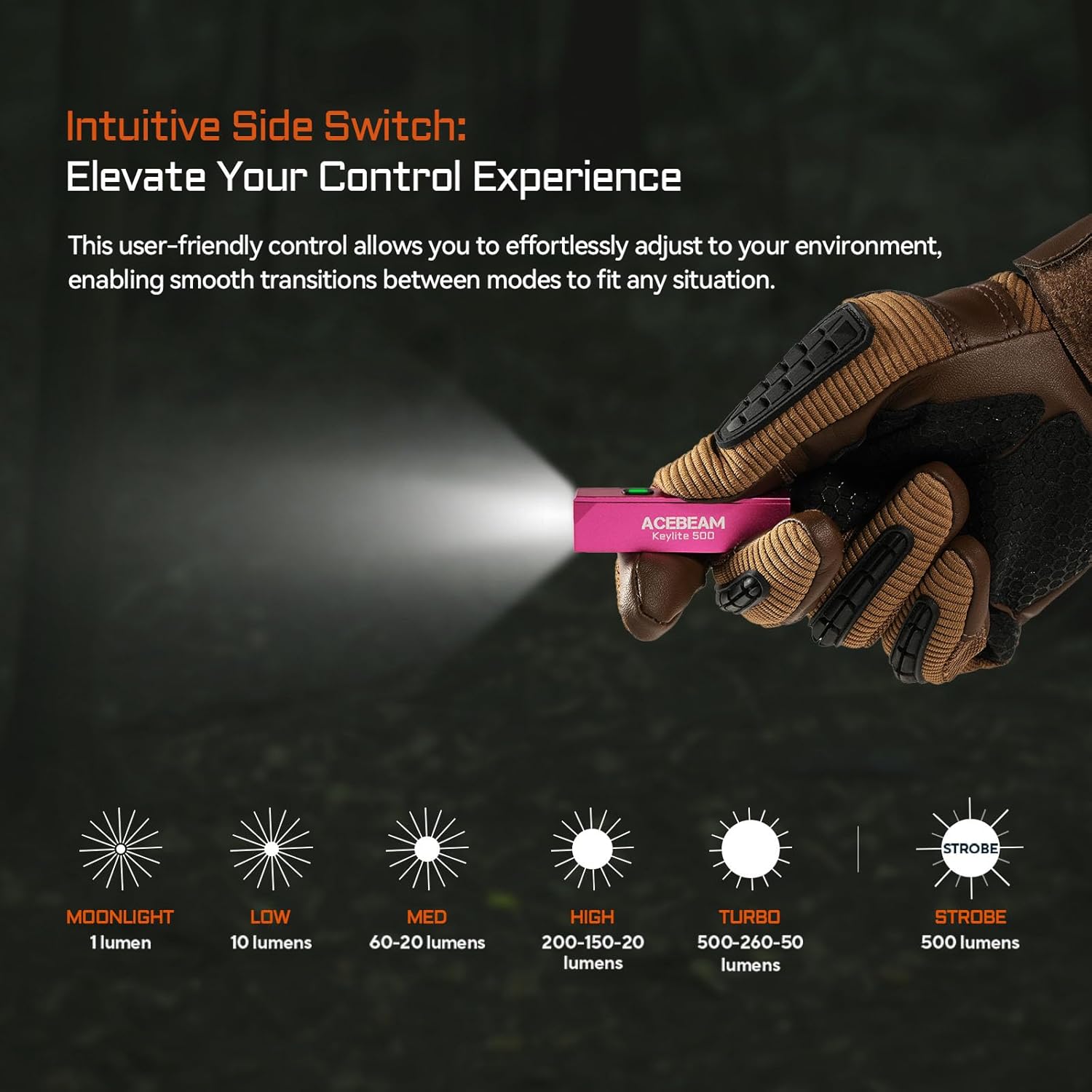
Image: The ACEBEAM Keylite 500 with its side switch highlighted, demonstrating the different lighting modes and their respective lumen outputs.
Basic Operation:
- Turn On/Off: Press and hold the side switch for approximately 0.5 seconds to turn the torch ON or OFF.
- Mode Cycling: With the torch ON, single-click the side switch to cycle through the modes in the following order: Moonlight → Low → Med → High.
- Turbo Mode: From any state (ON or OFF), double-click the side switch to instantly activate Turbo mode. Double-click again to return to the previously used mode (if ON) or turn OFF (if OFF).
- Strobe Mode: From any state (ON or OFF), triple-click the side switch to activate Strobe mode. Single-click to turn OFF.
Lighting Modes:
| Mode | Lumen Output | Description |
|---|---|---|
| Moonlight | 1 lumen | Ultra-low output for close-up tasks without disturbing others. |
| Low | 10 lumens | Suitable for general indoor use or navigating in dim environments. |
| Med | 60-20 lumens | Balanced brightness for various tasks. |
| High | 200-150-20 lumens | Strong illumination for outdoor activities or larger areas. |
| Turbo | 500-260-50 lumens | Maximum brightness for short bursts when intense light is needed. |
| Strobe | 500 lumens | Disorienting flashing light for signaling or self-defense. |
5. Charging and Battery Indicator
The Keylite 500 is equipped with a built-in rechargeable lithium polymer battery and a convenient USB-C charging port.
Charging Process:
To charge the device, simply open the protective cover over the USB-C port and insert the provided USB-C cable. Connect the other end to a standard USB power source. A full charge takes approximately 40 minutes.
Battery Indicator:
The small indicator light next to the charging port provides real-time battery status:
- Green light stays on: Battery level is above 30%.
- Red light stays on: Battery level is between 30% and 10%.
- Red light flashes: Battery level is below 10%, indicating a need for immediate recharging.
6. Maintenance
To ensure the longevity and optimal performance of your ACEBEAM Keylite 500, follow these maintenance guidelines:
- Cleaning: Wipe the torch with a soft, damp cloth to remove dirt or debris. Do not use harsh chemicals or abrasive materials.
- Charging: Recharge the battery regularly, especially if the torch will not be used for an extended period, to maintain battery health.
- Storage: Store the torch in a cool, dry place away from direct sunlight and extreme temperatures.
- Water Resistance: While IP66 rated, ensure the USB-C port cover is securely closed to maintain water and dust resistance. Avoid prolonged submersion.
7. Troubleshooting
If you encounter issues with your Keylite 500, please refer to the following common problems and solutions:
| Problem | Possible Cause | Solution |
|---|---|---|
| Torch does not turn on. | Battery is depleted. | Charge the torch fully using the provided USB-C cable. |
| Torch does not charge. | Charging cable or power source is faulty. | Try a different USB-C cable or a different USB power adapter. Ensure the cable is fully inserted. |
| Light output is dim or flickers. | Low battery level. | Recharge the torch. |
| Cannot cycle through modes. | Incorrect button press. | Refer to Section 4 for correct operating instructions (single-click to cycle, double-click for Turbo, triple-click for Strobe). |
If the problem persists after trying these solutions, please contact ACEBEAM customer support.
8. Specifications
| Feature | Detail |
|---|---|
| Model | Keylite 500 |
| Light Source | Dual LEDs |
| Max Brightness | 500 Lumens |
| Max Beam Distance | 70 meters |
| Modes | Moonlight, Low, Med, High, Turbo, Strobe (6 modes) |
| Power Source | Battery Powered |
| Battery Type | Rechargeable Lithium Polymer Battery |
| Charging Port | USB Type-C |
| Material | Aircraft-grade Aluminium (Anodized finish) |
| Product Dimensions (L x W x H) | 61 x 16 x 11 mm (2.4 x 0.63 x 0.43 inches) |
| Item Weight | 0.05 Kilograms (19g / 0.67 oz) |
| Impact Resistance | 1.5 meters |
| Waterproof/Dustproof Rating | IP66 |
| Color | Pink |
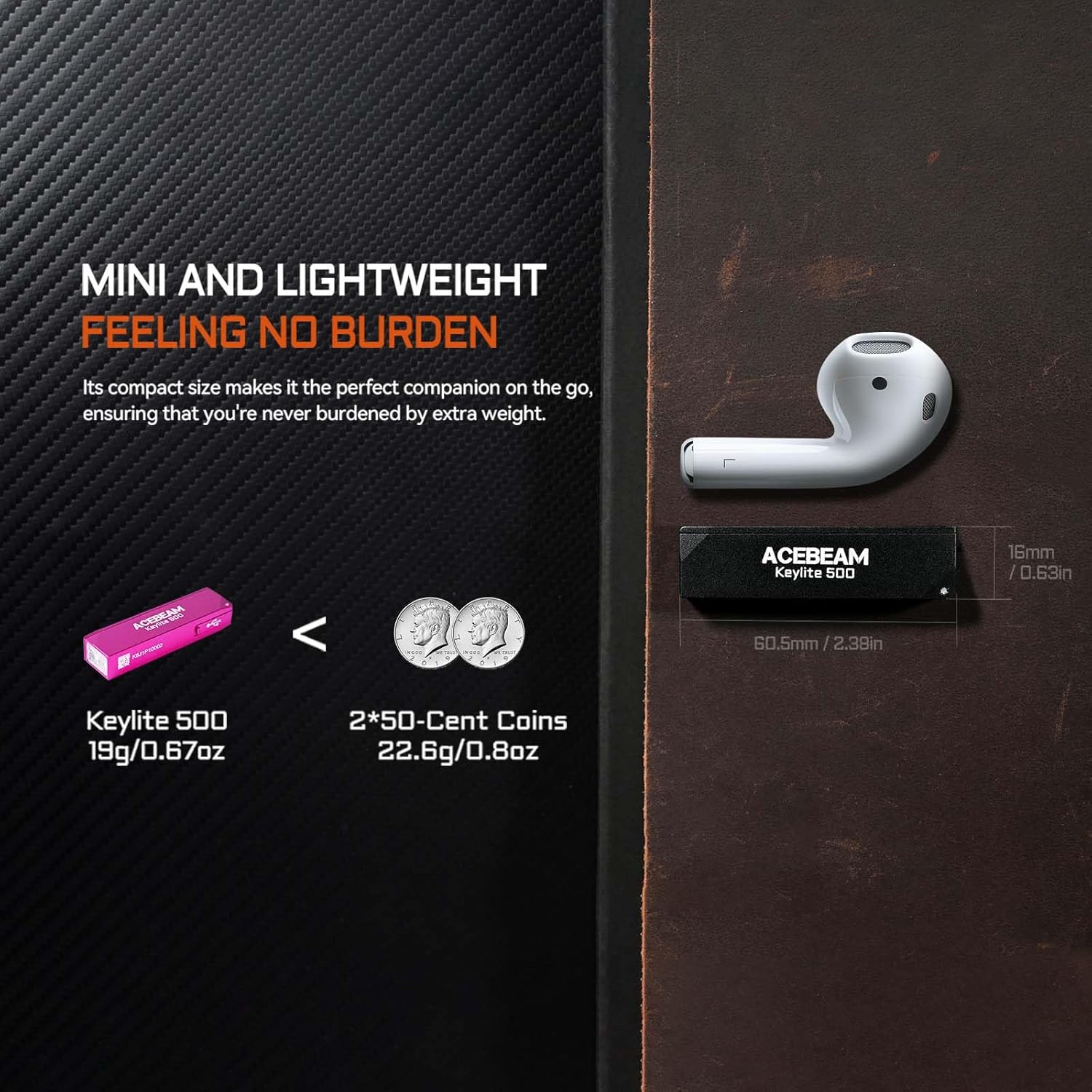
Image: The ACEBEAM Keylite 500 demonstrating its mini and lightweight design by comparing its size and weight to common items like coins and earbuds.

Image: The ACEBEAM Keylite 500 showcasing its rugged durability with illustrations of 1.5m impact resistance and IP66 protection against powerful water jets.
9. Warranty and Support
ACEBEAM products are manufactured to high-quality standards. For warranty information, product registration, or technical support, please refer to the official ACEBEAM website or contact their customer service directly. Please retain your proof of purchase for any warranty claims.
For further assistance, you may contact the seller or manufacturer through the platform where the product was purchased.


