
Product Overview
The AreShark MC02 Ergonomic Office Chair is designed to provide superior comfort and support for extended periods of sitting. Its features are engineered to promote healthy posture and enhance productivity.
- Engineered Ergonomic Support: Experience unparalleled comfort with our office chair, designed with targeted head, shoulder, back, seat, and arm support. The adjustable lumbar support promotes a healthy posture, and the upgraded 3D headrest provides vertical, forward/backward, and 60° adjustments, reducing strain during long working hours.
- Ultimate Customizable Comfort: Enjoy a fully customizable seating experience with our desk chair that features flexible height adjustment, tilt control, and adaptive lumbar positioning. The additional coat hanger on the backrest adds convenience, accommodating various body types for optimal spine alignment and prolonged focus.
- Breathable All-Day Comfort: Stay cool and focused thanks to advanced breathable mesh fabric promoting continuous airflow. Combined with a high-density, collapse-resistant foam seat cushion, this mesh office chair prevents overheating and discomfort, even during marathon workdays.
- Quiet & Heavy-Duty Stability: Glide smoothly on noise-reducing PU casters that protect floors. Built for durability and safety, the robust 3-stage gas lift and reinforced base support up to 300 lbs, ensuring reliable stability for your gaming chair.
- Quick Assembly & 3-Year Assurance: We stand by the quality of our ergonomic office chair and offer reliable customer support. Enjoy peace of mind with our hassle-free return policy, ensuring you are completely satisfied with your mesh chair purchase.
Setup and Assembly
Follow these instructions carefully for safe and correct assembly of your AreShark MC02 Ergonomic Office Chair. All necessary tools and hardware are included.
Video: AreShark MC02 Ergonomic Office Chair Installation Guide. This video provides a visual, step-by-step guide for assembling your office chair.

Image: An exploded view of the AreShark MC02 chair components, illustrating the various parts and their arrangement for assembly. Key dimensions and the maximum load capacity of 300 lbs are also shown.
Please refer to the included printed instructions for a detailed list of parts and step-by-step diagrams. Ensure all screws are tightened securely before use.
Operating Instructions
Your AreShark MC02 chair offers multiple adjustment options for personalized comfort.
1. Seat Height Adjustment
- To raise the seat: While seated, pull the lever (typically on the right side under the seat) upwards and lift your weight off the seat. The seat will rise.
- To lower the seat: While seated, pull the lever upwards and apply your weight to the seat. The seat will lower. Release the lever to lock the height.
2. Tilt and Rocking Function
- To enable rocking: Pull the lever (same as height adjustment) outwards. The chair will now allow a rocking motion between 90-120 degrees.
- To lock the tilt: Push the lever inwards to lock the chair in an upright position.
- To adjust rocking tension: Rotate the round knob located under the seat (usually at the front). Turn clockwise to increase tension (firmer rock) and counter-clockwise to decrease tension (looser rock).
Video: Demonstrating the rocking function, headrest, and lumbar support adjustments of the MC02 office chair.
3. Adjustable Lumbar Support
- The lumbar support can be adjusted vertically by rotating the knob on the side of the backrest. It also features an elastic adaptive design for continuous support.

Image: Detail of the upgraded all-round lumbar support, highlighting the 2-inch height adjustment via a knob and its 30-degree range rotation for elastic adaptive support.
4. Adjustable Headrest
- The 3D headrest can be adjusted vertically (up/down) and rotated 60 degrees to find your ideal neck support position.
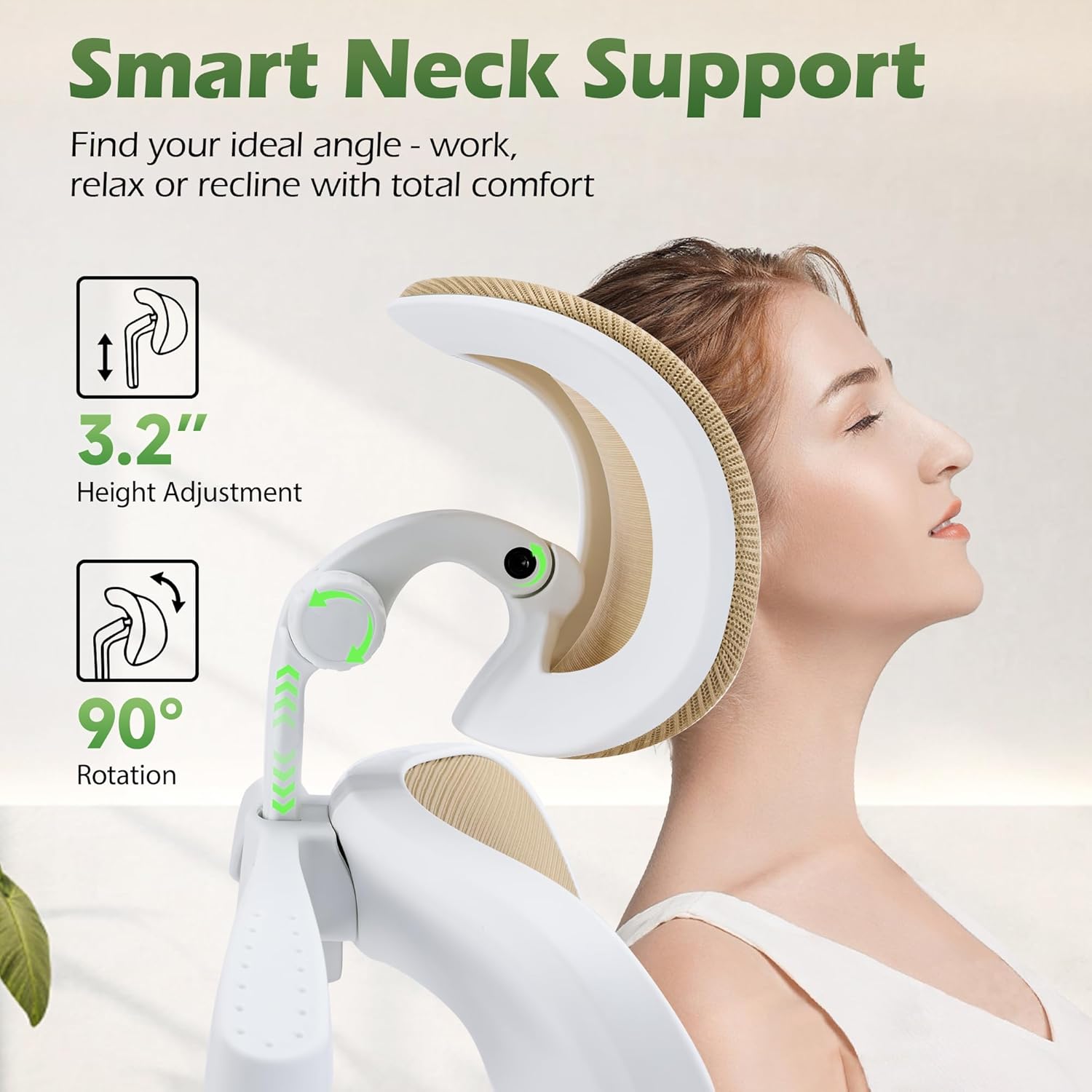
Image: A detailed view of the smart neck support, illustrating its 3.2-inch height adjustment and 90-degree rotation capability for optimal head and neck alignment.
5. Flip-up Armrests
- The armrests can be flipped up 90 degrees to allow the chair to be pushed closer to your desk, saving space.
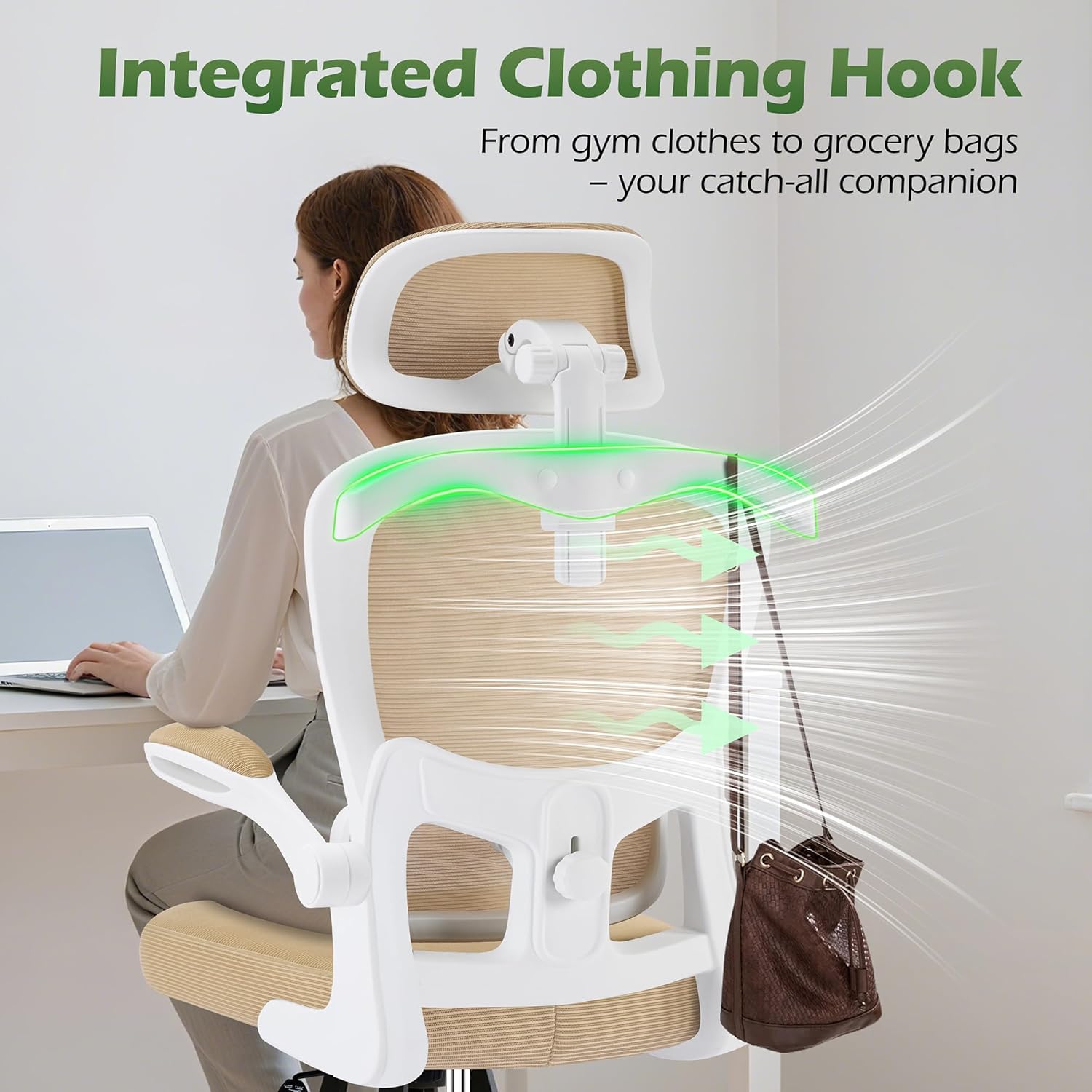
Image: A close-up of the 2D flip-up armrests, demonstrating their 90-degree upward movement to provide thickened support and save space.
6. Integrated Clothing Hook
- A convenient coat hanger is integrated into the backrest for hanging clothes or bags.
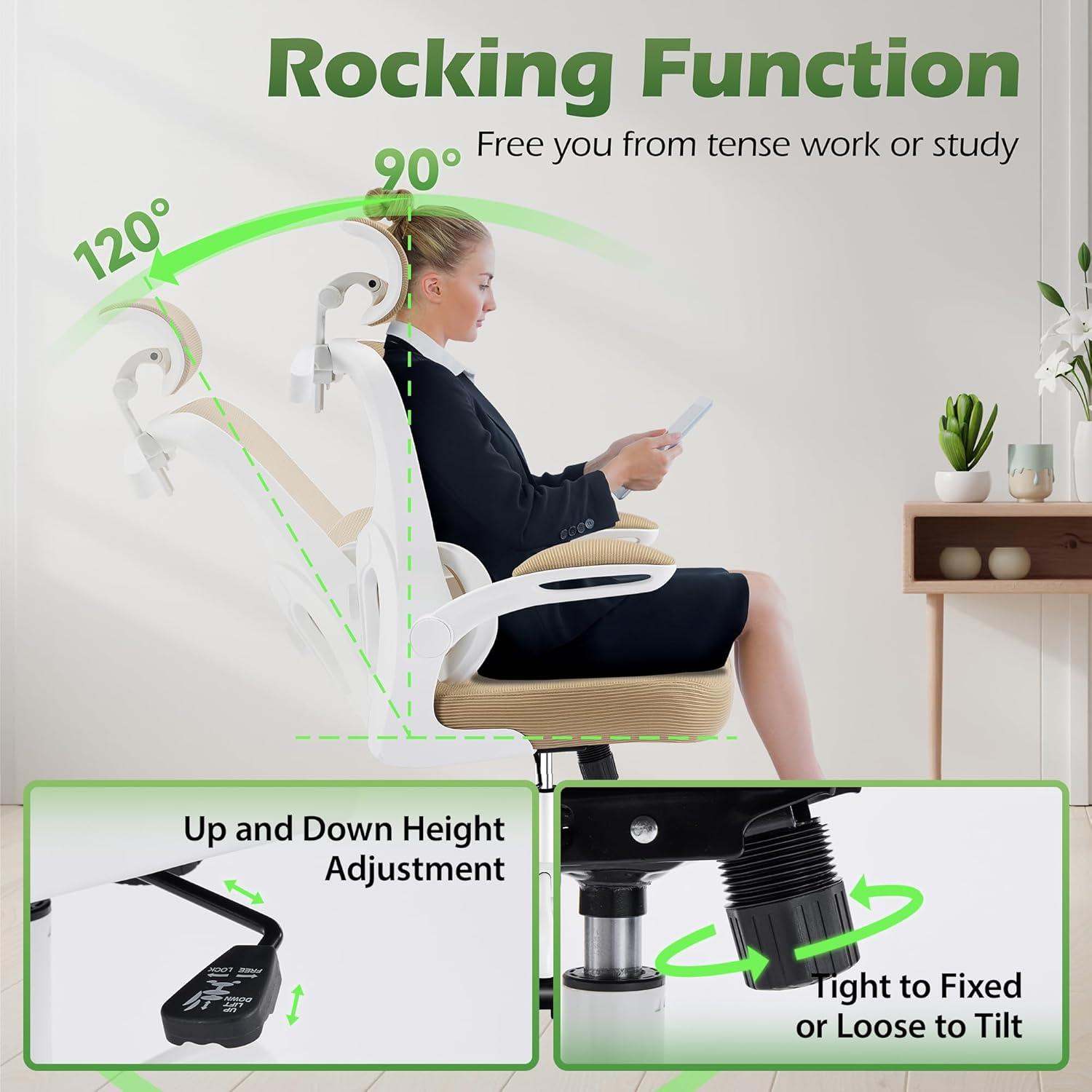
Image: Rear view of the chair highlighting the integrated clothing hook on the backrest, designed for convenience to hang items like jackets or bags.
Maintenance
Proper care and maintenance will extend the life of your office chair.
- Cleaning: Wipe clean with a damp cloth. Avoid harsh chemicals that may damage the mesh fabric or nylon finish.
- Safety: Do not exceed the maximum weight capacity of 300 lbs.
- Protection: Keep the chair away from heat sources and sharp objects to prevent damage to the mesh and other components.
- Inspection: Periodically check all screws and connections to ensure they remain tight.
Troubleshooting
If you encounter any issues with your AreShark MC02 office chair, please refer to the following common solutions:
- Chair not adjusting height: Ensure the gas lift lever is fully engaged or disengaged as required. Check for any obstructions under the seat.
- Chair wobbles: Verify that all assembly screws are securely tightened. Ensure the chair is on a flat, even surface.
- Casters not rolling smoothly: Check for debris (hair, dust) caught in the caster wheels and clean as necessary.
- Squeaking noises: Apply a small amount of silicone lubricant to moving parts or connection points if persistent squeaking occurs.
For further assistance, please contact customer support.
Specifications
| Feature | Detail |
|---|---|
| Brand | AreShark |
| Model Name | MC02 |
| Color | Khaki |
| Product Dimensions | 25.2"D x 25.2"W x 53"H |
| Maximum Weight Recommendation | 300 Pounds |
| Material | Mesh, Sponge (Fill Material) |
| Back Style | Supporting Breathable Double Backrest |
| Special Features | Adjustable Height, Adjustable Lumbar, Arm Rest, Back Support, Ergonomic |
| Arm Style | Flip-up Support Armrests |
| Furniture Base Movement | Glide |
| Reclining Position Count | 1 (90-120 degree rocking) |

Image: Detailed product dimensions of the AreShark MC02 Ergonomic Office Chair, including overall height, seat height, seat depth, and maximum load capacity.
Warranty and Support
Your AreShark MC02 Ergonomic Office Chair comes with a commitment to quality and customer satisfaction.
- 3-Year Assurance: We offer reliable customer support and a 3-year assurance for your peace of mind.
- Return Policy: Enjoy a hassle-free return policy with a 30-day return window.
- Contact Support: For any questions, concerns, or warranty claims, please contact AreShark customer service through your purchase platform.