1. Important Safety Information
Please read all instructions carefully before operating your PIQUEBAR Digital Electric Smoker. Failure to follow these instructions may result in property damage, personal injury, or death. Keep this manual for future reference.
- Outdoor Use Only: This appliance is for outdoor use only. Do not operate indoors or in enclosed areas.
- Electrical Safety: Connect to a properly grounded outlet. Do not use extension cords unless absolutely necessary and ensure they are rated for outdoor use and the appliance's power requirements.
- Hot Surfaces: The smoker's exterior surfaces will become hot during operation. Use heat-resistant gloves when handling hot components. Keep children and pets away.
- Fire Safety: Always have a fire extinguisher readily available. Do not use charcoal or wood chunks/pellets directly inside the smoker box as it will cause a fire. Use only wood chips as specified.
- Stability: Ensure the smoker is placed on a stable, level, non-combustible surface.
- Ventilation: Do not block the smoker's vents. Proper airflow is essential for safe and effective operation.
- Food Safety: Always cook meats to safe internal temperatures to prevent foodborne illness. Use the built-in meat probe for accurate readings.
2. Product Overview
The PIQUEBAR Digital Electric Smoker is designed for convenient and consistent smoking. It features a spacious interior, precise temperature control, and user-friendly components.
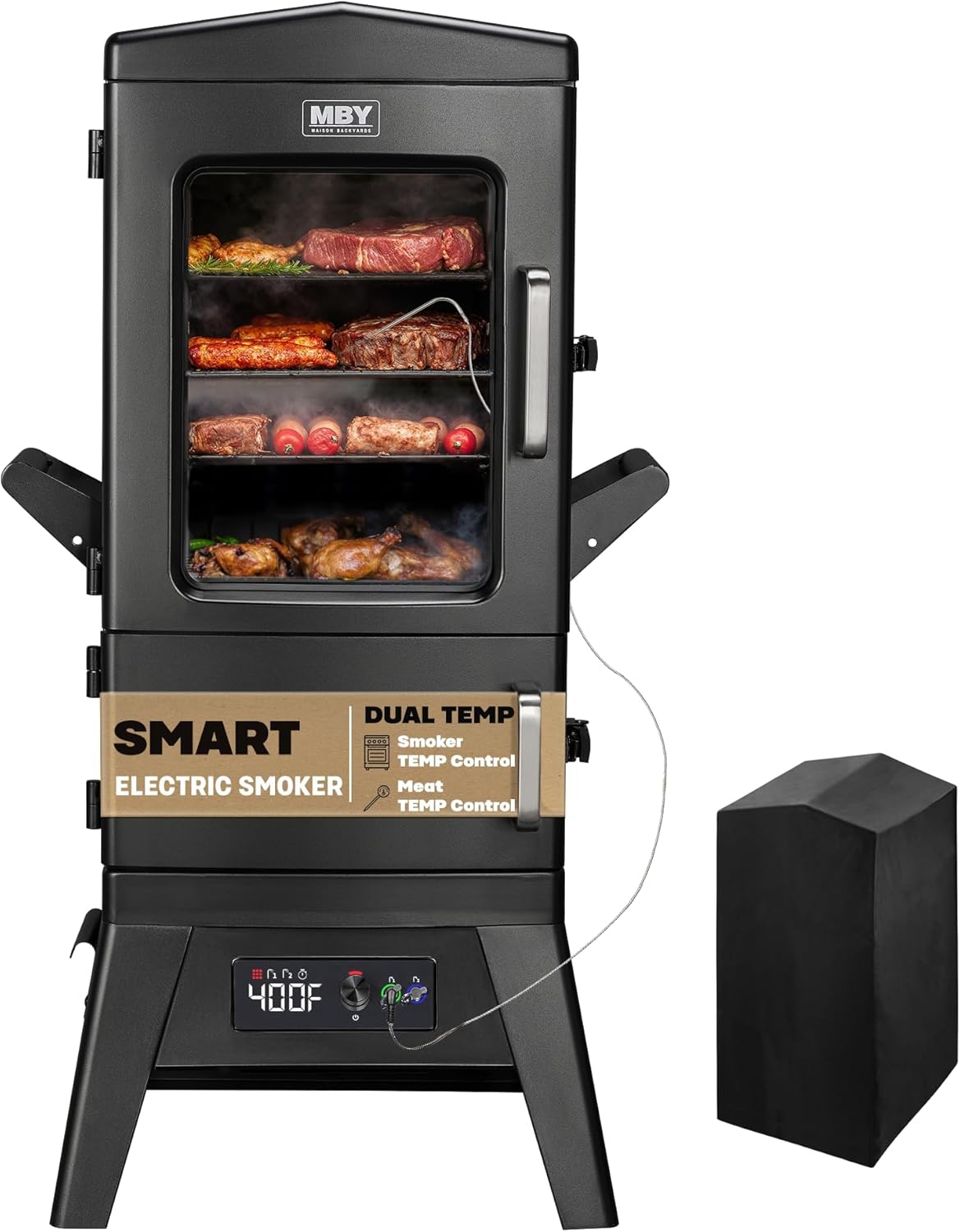
Figure 2.1: PIQUEBAR Digital Electric Smoker with protective cover.
Key Features:
- 633 Sq. In. Cooking Space: Four removable chrome-coated racks provide ample space for various foods.
- Precision Digital Temperature Control: Easily set temperatures from 100°F to 400°F via an intuitive digital panel.
- Built-in Meat Probe: Monitors internal food temperature with a beep notification when the set temperature is reached.
- Smart Timer Function: Program smoking duration for hands-free operation.
- Side Pull-Out Grease Tray: Simplifies post-cooking cleanup.
- Insulated Chamber: Maintains heat consistency for all-weather use.
Video 2.1: Product Overview of the Digital Electric Smoker, highlighting its features and design.
3. Setup
Follow these steps to set up your smoker before its first use.
3.1 Unpacking and Assembly
- Carefully remove all components from the packaging. Retain packaging materials until assembly is complete.
- Assemble the base and attach the main smoker unit according to the included assembly guide.
- Install the four chrome cooking racks into the desired positions.
- Place the water pan, wood chip box, and grease tray into their designated slots.
Video 3.1: Installation guide for the electric smoker, demonstrating the assembly process.
3.2 Initial Seasoning (Before First Use)
Seasoning the smoker helps to remove manufacturing oils and prepares the interior surfaces for cooking, enhancing flavor and preventing rust.
- Wipe down all interior surfaces, including racks, water pan, and wood chip box, with a damp cloth.
- Apply a thin coat of cooking oil (e.g., vegetable oil) to all interior metal surfaces.
- Fill the water pan with water and the wood chip box with a small amount of wood chips.
- Close the smoker door and plug in the unit.
- Set the temperature to 275°F (135°C) and run the smoker for 2-3 hours.
- After seasoning, turn off the smoker, unplug it, and allow it to cool completely.
4. Operating Instructions
Learn how to effectively use your PIQUEBAR Digital Electric Smoker for delicious results.
4.1 Powering On/Off
- To Power On: Plug the smoker into a grounded electrical outlet. The LED display will illuminate.
- To Power Off: Press the power button on the control panel or unplug the unit from the outlet.
4.2 Temperature Control
The digital control panel allows for precise temperature adjustments.

Figure 4.1: Digital control panel for setting and monitoring temperature.
- Press the 'Temp' button. Use the '+' and '-' buttons to adjust the desired temperature between 100°F and 400°F.
- The smoker will automatically heat to and maintain the set temperature.
4.3 Timer Function
Use the smart timer for controlled smoking durations.
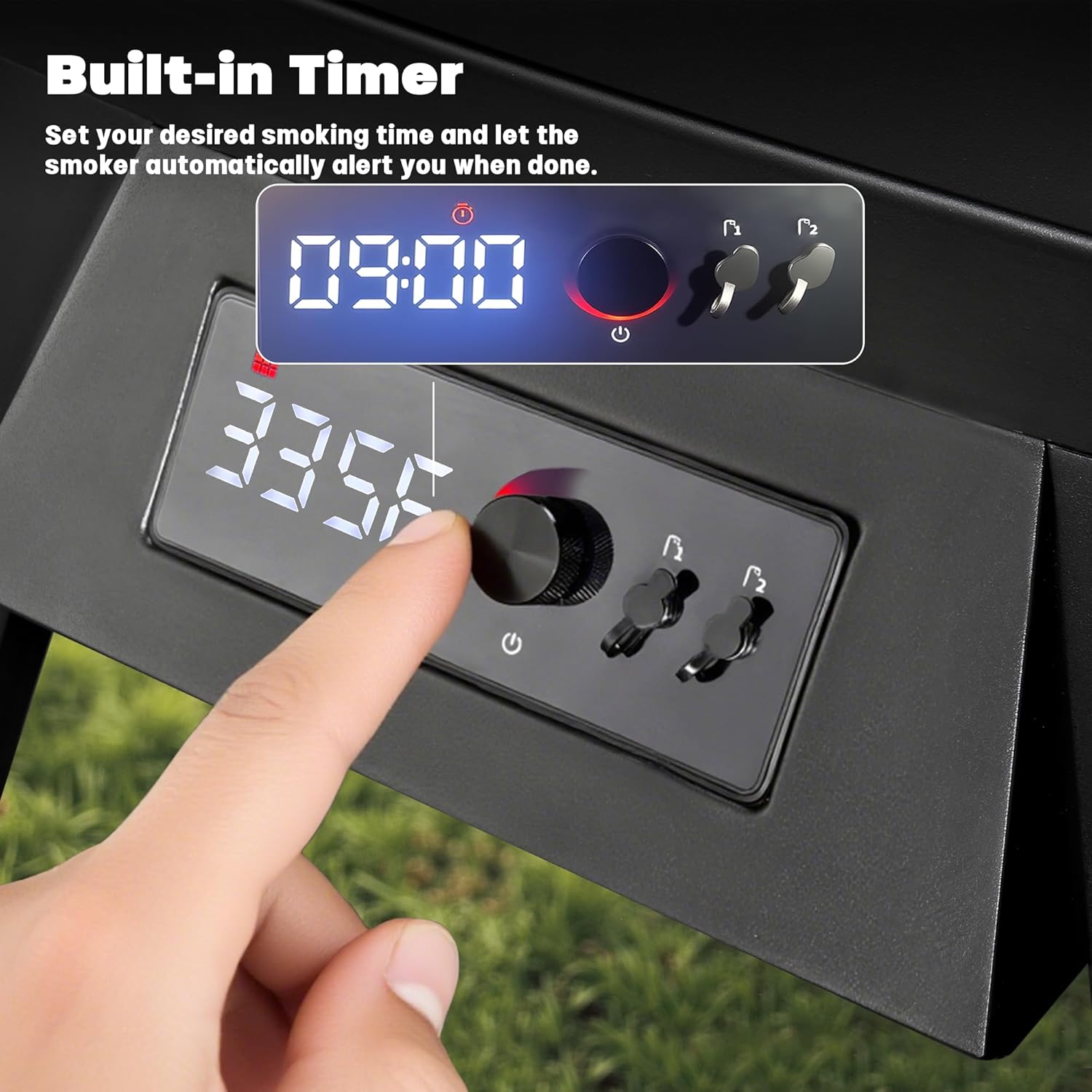
Figure 4.2: Digital display showing the timer function.
- Press the 'Time' button. Use the '+' and '-' buttons to set the desired smoking duration.
- Once the timer expires, the smoker will alert you and may switch to a 'Keep Warm' setting if available.
4.4 Using the Built-in Meat Probe
Monitor the internal temperature of your food for perfect doneness.

Figure 4.3: Integrated meat probe for monitoring internal food temperature.
- Insert the meat probe into the thickest part of the meat, avoiding bone.
- Set your desired internal food temperature (50°F–250°F) using the probe controls on the display.
- The smoker will beep when the target internal temperature is reached.
4.5 Adding Wood Chips and Water
Wood chips provide smoke flavor, and water adds moisture to the cooking environment.

Figure 4.4: Dedicated trays for wood chips and water.
- Fill the wood chip box with your preferred wood chips. Do not overfill.
- Fill the water pan with water, juice, or other liquids to add moisture and flavor.
- The side-loading design allows you to add wood chips without opening the main door, minimizing heat loss.
5. Maintenance and Cleaning
Regular cleaning ensures optimal performance and extends the life of your smoker.
5.1 Grease Tray

Figure 5.1: Side pull-out grease tray for easy access.
- The side pull-out grease tray collects drippings. Empty and clean it after each use once the smoker has cooled.
- Wash with warm, soapy water.
5.2 Interior Cleaning
- After each use and once cooled, remove racks, water pan, and wood chip box.
- Wipe down the interior walls with a damp cloth. For stubborn residue, use a mild degreaser.
- Do not use abrasive cleaners or steel wool, as this can damage the finish.
5.3 Racks and Trays

Figure 5.2: Interior view showing the chrome cooking racks.
- The chrome-coated racks, water pan, and wood chip box can be washed with warm, soapy water.
- Ensure all components are thoroughly dry before reassembling or storing.
6. Troubleshooting
Refer to this section for common issues and their solutions.
| Problem | Possible Cause | Solution |
|---|---|---|
| Smoker not heating | Not plugged in; Power outage; Heating element failure | Check power connection; Verify outlet functionality; Contact customer support. |
| Insufficient smoke production | Insufficient wood chips; Wet wood chips; Wood chip box not positioned correctly | Add more dry wood chips; Ensure wood chip box is directly over the heating element. |
| Temperature fluctuations | Door not sealed; Extreme ambient temperature; Faulty thermostat | Ensure door is latched securely; Operate in a sheltered area; Contact customer support. |
| Meat probe not reading accurately | Probe not fully inserted; Probe touching bone; Faulty probe | Reinsert probe into thickest part of meat, away from bone; Test probe with boiling water; Contact customer support. |
7. Specifications
Detailed technical specifications for your PIQUEBAR Digital Electric Smoker.
| Feature | Detail |
|---|---|
| Brand | PIQUEBAR |
| Model Name | DJ31602 |
| Power Source | Electric (AC/DC) |
| Fuel Type | Electric |
| Outer Material | Alloy Steel |
| Color | Black |
| Cooking Area | 633 sq. in. (4 Chrome Racks) |
| Temperature Range | 100°F–400°F (Digital Control) |
| Meat Probe Range | 50°F–250°F (with Beep Notification) |
| Dimensions (Approx.) | 42 inches (Height) x 20 inches (Width) x 17 inches (Depth) |

Figure 7.1: Approximate dimensions of the PIQUEBAR Digital Electric Smoker.
8. Warranty and Support
For warranty information and customer support, please refer to the documentation included with your product or visit the official PIQUEBAR website. Keep your purchase receipt for warranty claims.