
1. Introduction
Thank you for choosing the EAFC 12V 4A Smart Pulse Repair Battery Charger. This intelligent charger is designed for various 12V lead-acid batteries, including calcium, gel, AGM, wet, and EFB types, commonly found in cars and motorcycles. It features multiple protection functions and a pulse repair mode to extend battery life. Please read this manual thoroughly before use to ensure safe and effective operation.
2. Safety Information
WARNING: Failure to follow these safety instructions may result in electric shock, fire, or serious injury.
- This charger is designed exclusively for 12V lead-acid batteries (2AH to 80AH capacity). Do not use it with lithium batteries or any other battery types.
- Ensure the charger's output polarity matches the battery's polarity before connecting. Connect the red clamp to the positive (+) terminal and the black clamp to the negative (-) terminal.
- Use this charger indoors only. Protect it from rain, moisture, and direct sunlight.
- Do not operate the charger if it has been dropped, damaged, or exposed to water.
- Keep the charger away from flammable materials and ensure adequate ventilation during operation.
- Avoid carrying the charger with the vehicle to prevent shock or damage.
- Always disconnect the AC power supply before disconnecting the battery clamps.
- Keep out of reach of children.
3. Package Contents
- 1 x EAFC 12V 4A Smart Pulse Repair Battery Charger
- 1 x User Manual
4. Product Features
The EAFC 12V 4A Smart Pulse Repair Battery Charger incorporates advanced technology for efficient and safe battery charging and maintenance:
- Intelligent Charging: Automatically detects battery type and condition to deliver optimal charging current.
- Pulse Repair Function: Helps to restore deeply discharged or sulfated batteries, extending their lifespan.
- LCD Display: Provides real-time information on charging status, voltage, current, and mode.
- Multiple Protection Features:
- Overvoltage Protection
- Short Circuit Protection
- Reverse Connection Protection
- Overcurrent Protection
- Fire Protection
- Electric Shock Protection
- Overheat Protection
- Low Voltage Protection
- Wide Battery Compatibility: Suitable for most 12V lead-acid batteries including Calcium, Gel, AGM, Wet, and EFB.
5. Setup
- Unpack the Charger: Carefully remove the charger and all accessories from the packaging. Inspect for any signs of damage.
- Connect to Battery:
- Ensure the vehicle ignition is off and all electrical accessories are disconnected.
- Connect the red (+) clamp of the charger to the positive (+) terminal of the battery.
- Connect the black (-) clamp of the charger to the negative (-) terminal of the battery.
- Ensure a secure connection to prevent sparks.
- Connect to Power: Plug the charger's AC power cord into a standard 110-240V AC wall outlet. The charger will power on and display the current battery voltage.

Image: The EAFC 12V 4A Smart Pulse Repair Battery Charger connected to a car battery, showing its compact design and cable connections.
6. Operating Instructions
- Automatic Charging: Once connected to the battery and power, the charger will automatically detect the battery type and begin charging. The LCD display will show charging progress, voltage, and current.
- Mode Selection: Press the 'MODE' button to cycle through available charging modes. The charger typically offers modes for different battery types or charging conditions. Select the appropriate mode for your battery. The charger will remember the last selected mode.

Image: A close-up view of the charger's control panel, highlighting the 'MODE' button for selecting charging programs.
- Voltmeter Function: The charger can display the battery's current voltage. This allows you to quickly assess if the battery needs charging or if there's a potential self-discharge issue.

Image: The charger's LCD screen showing a voltage reading, indicating its voltmeter function for battery discharge testing.
- Pulse Repair Mode: This mode is designed to reactivate aged, sulfated, or deeply discharged batteries. Select this mode via the 'MODE' button if your battery requires restoration.
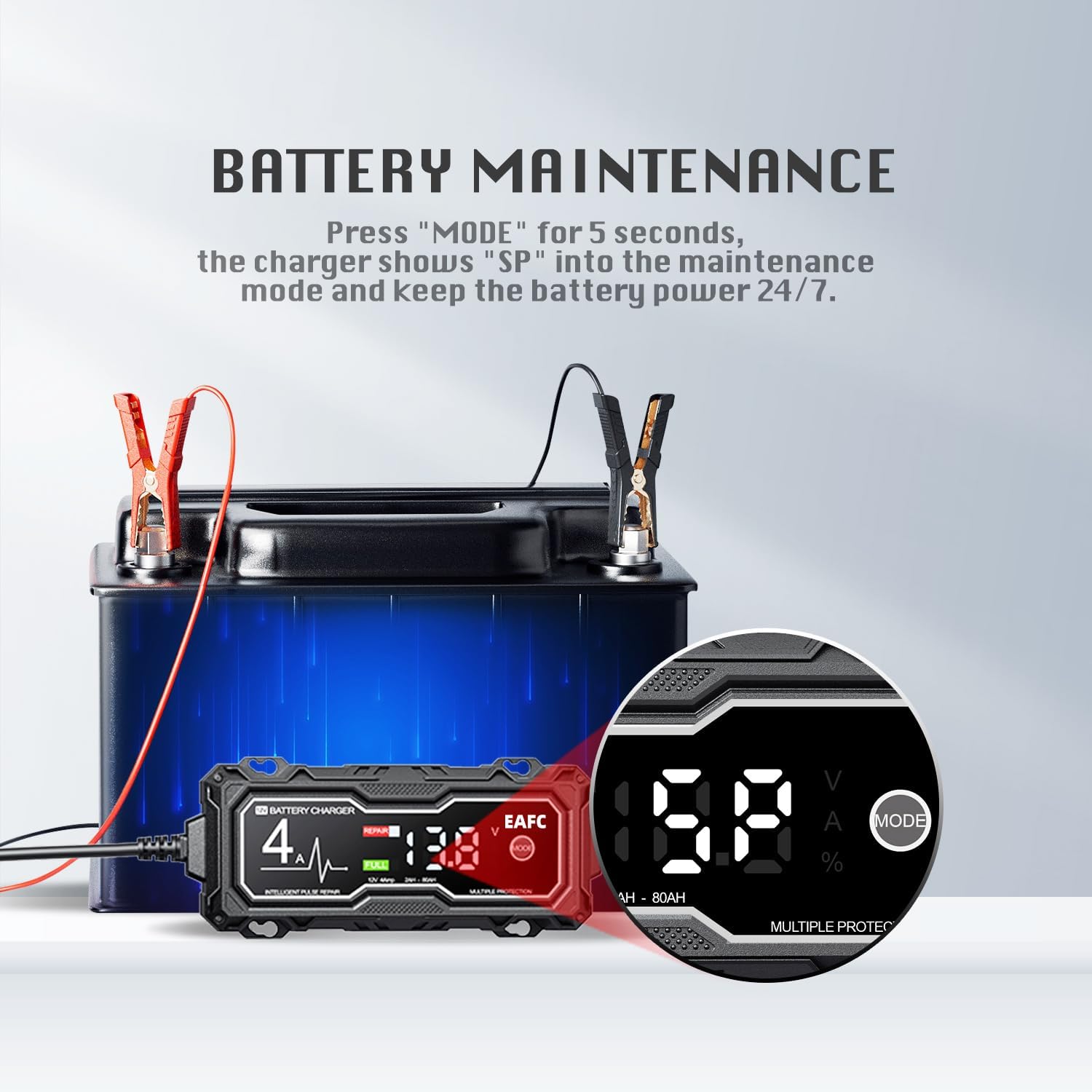
Image: An illustration detailing the charger's capabilities, including support for AGM, Gel, and flooded batteries, and its repair mode for sulfated batteries.
- Charging Completion: The charger will automatically stop charging when the battery is full. The LCD display will indicate a 'FULL' status.
- Disconnecting: First, unplug the AC power cord from the wall outlet. Then, disconnect the black (-) clamp from the battery's negative terminal, followed by the red (+) clamp from the battery's positive terminal.
7. Maintenance
- Battery Maintenance Mode: For long-term battery health, press and hold the 'MODE' button for 5 seconds to enter maintenance mode (indicated by 'SP' on the display). This mode helps keep the battery optimally charged 24/7.

Image: The charger's display showing 'SP' for maintenance mode, indicating continuous battery power management.
- Cleaning: Disconnect the charger from both the power supply and the battery before cleaning. Wipe the exterior with a soft, dry cloth. Do not use harsh chemicals or abrasives.
- Storage: Store the charger in a cool, dry place when not in use. Ensure cables are neatly coiled and not kinked.
8. Troubleshooting
| Problem | Possible Cause | Solution |
|---|---|---|
| Charger does not turn on. | No AC power; faulty outlet; charger damage. | Check AC power connection and outlet. Try a different outlet. If still no power, contact support. |
| Charging does not start. | Incorrect battery connection; battery voltage too low; incorrect mode selected. | Ensure clamps are securely connected with correct polarity. Check if battery voltage is above 8.0V. Select the appropriate charging mode. |
| Charger displays an error or protection warning. | Reverse polarity; short circuit; overheat; overvoltage. | Disconnect immediately. Check connections for reverse polarity or short circuits. Allow charger to cool down if overheated. Ensure battery voltage is within limits. |
| Battery not fully charged after extended time. | Battery capacity too large for charger; severely sulfated battery. | Ensure battery capacity is within 2-80AH range. Try using the pulse repair mode for sulfated batteries. Battery may be beyond repair. |
9. Specifications
| Feature | Specification |
|---|---|
| Model | 12V 4A Smart Pulse Repair Charger |
| Input Voltage | AC 110-240V, 50-60Hz |
| Output Voltage/Current | 12V / 4A |
| Rated Power | 70W |
| Minimum Starting Voltage | 8.0V |
| Battery Range | 2AH - 80AH |
| Supported Battery Types | Most types of 12V lead-acid batteries including Calcium, Gel, AGM, Wet, EFB. (Lithium batteries are not supported) |
| Dimensions (L x W x H) | 1.25"D x 2.87"W x 1.8"H (approx. 3.18 x 7.29 x 4.57 cm) |
| Item Weight | 15.3 ounces (approx. 433.7 g) |
| Protection Features | Overvoltage, Short Circuit, Reverse Connection, Overcurrent, Fire, Electric Shock, Overheat, Low Voltage |
10. Warranty and Support
EAFC products are manufactured to high-quality standards. For warranty information or technical support, please refer to the contact details provided with your purchase or visit the official EAFC website. Please retain your proof of purchase for any warranty claims.


