
1. Introduction
Thank you for choosing the Canal Toys Photo Creator CLK039. This innovative 3-in-1 electronic device allows you to capture photos and videos, project your memories, and cast content directly from your smartphone. Please read this manual carefully before use to ensure proper operation and safety.
Package Contents:
- 1 x Photo Creator Camera Projector
- 1 x 16GB Micro-SD Card
- 1 x USB-C Cable
- 1 x Sheet of Stickers
- 1 x Instruction Manual

Image 1.1: Photo Creator CLK039 and accessories.
2. Important Safety Information
WARNING! Not suitable for children under 8 years. Improper use of the power supply can cause electric shock. Use under adult supervision. Keep out of reach of children under 8 years old. Read the instructions before first use. Remove any unnecessary elements for play before giving the toy to your child (e.g., plastic fasteners).
This toy contains rechargeable batteries that are not replaceable. Rechargeable batteries must only be charged under adult supervision.
Products bearing the crossed-out wheeled bin logo cannot be treated as household waste and must be taken to an appropriate collection point in accordance with European waste regulation 2012/19/EU.
Input: USB DC 4.5-5.5V. Connect only to a SELV source! Maximum power: 22 W.
The colors of the content and details may vary. Please retain this information for future reference.
3. Getting Started
3.1 Charging the Device
Before first use, fully charge the Photo Creator using the provided USB-C cable. Connect the USB-C end to the device and the standard USB-A end to a compatible power source (e.g., computer USB port, USB wall adapter). Ensure the power source is a Safety Extra-Low Voltage (SELV) source.
3.2 Inserting the Micro-SD Card
The device comes with a 16GB Micro-SD card. Locate the Micro-SD card slot on the side of the camera. Gently insert the Micro-SD card until it clicks into place. Ensure the card is inserted in the correct orientation.
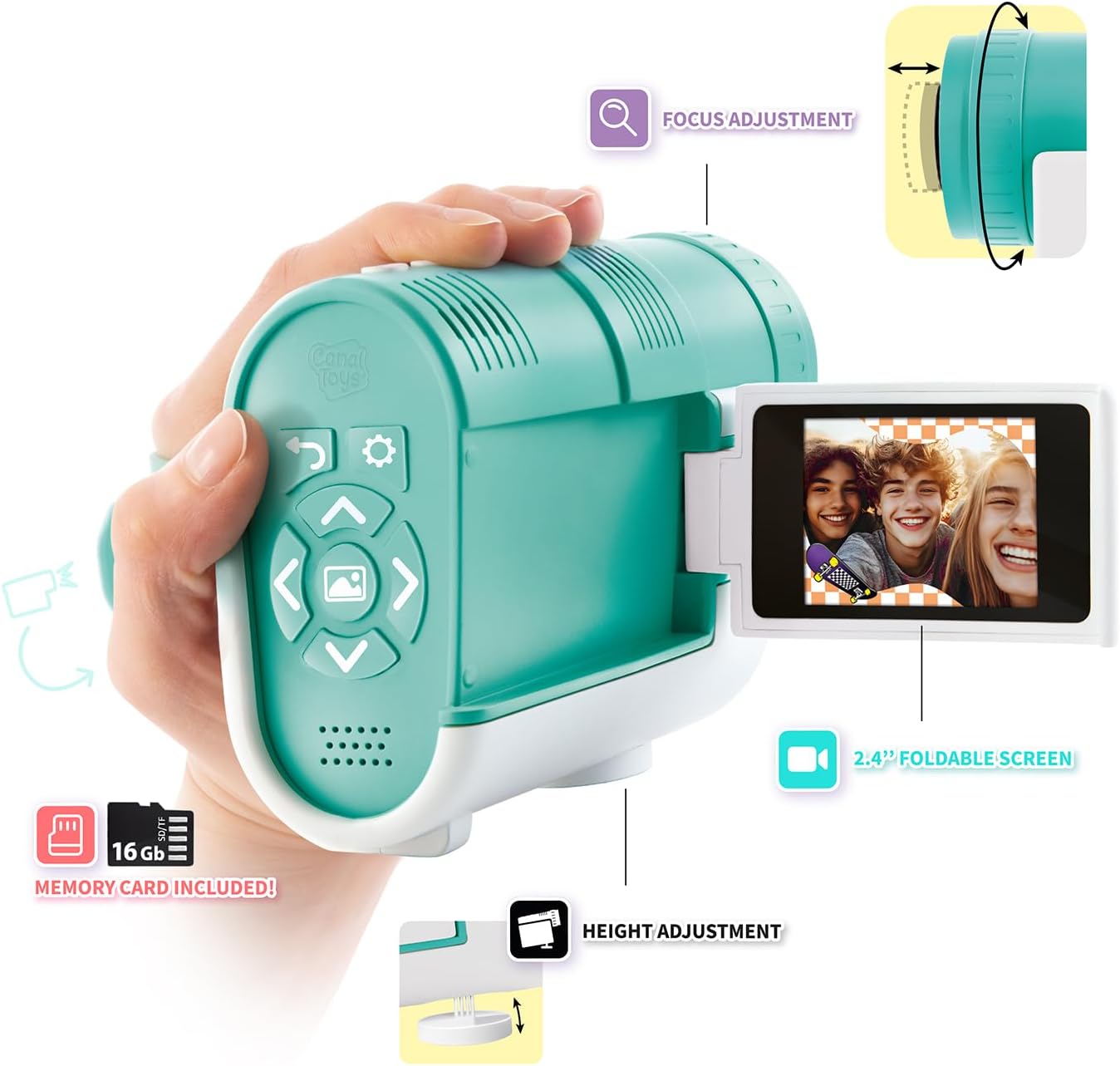
Image 3.1: Device features including the foldable screen and Micro-SD card slot location.
4. Basic Operation
4.1 Power On/Off
Press and hold the power button (usually located on the top or side) to turn the device on or off. The LCD screen will illuminate upon startup.
4.2 Navigating the Menu
Use the directional buttons (up, down, left, right) to navigate through the menu options displayed on the 2.4-inch foldable LCD screen. Press the 'OK' or 'Enter' button (often the center button) to select an option.

Image 4.1: Operating the Photo Creator with its foldable screen.
5. Camera Mode: Capturing Photos and Videos
The Photo Creator functions as a digital camcorder, allowing you to capture photos and videos. The 2.4-inch foldable LCD screen provides a live view of what you are recording.
- Switch to Camera Mode: Select the camera icon from the main menu.
- Frame Your Shot: Use the foldable screen to compose your photo or video.
- Take a Photo: Press the dedicated photo button (refer to device diagram for exact location).
- Record a Video: Press the dedicated video record button to start and stop recording.

Image 5.1: Capturing moments with the Photo Creator.

Image 5.2: User holding the Photo Creator in camera mode.
6. Projector Mode: Displaying Your Content
Transform any room into a cinema by projecting your photos and videos directly onto a wall or flat surface.
- Activate Projector: Select the projector icon from the main menu or press the dedicated projector button.
- Adjust Focus: Rotate the focus ring around the lens to achieve a clear image.
- Optimal Viewing: For best results, use the projector in a dimly lit room and project onto a light-colored, smooth surface.

Image 6.1: Projecting content with the Photo Creator.
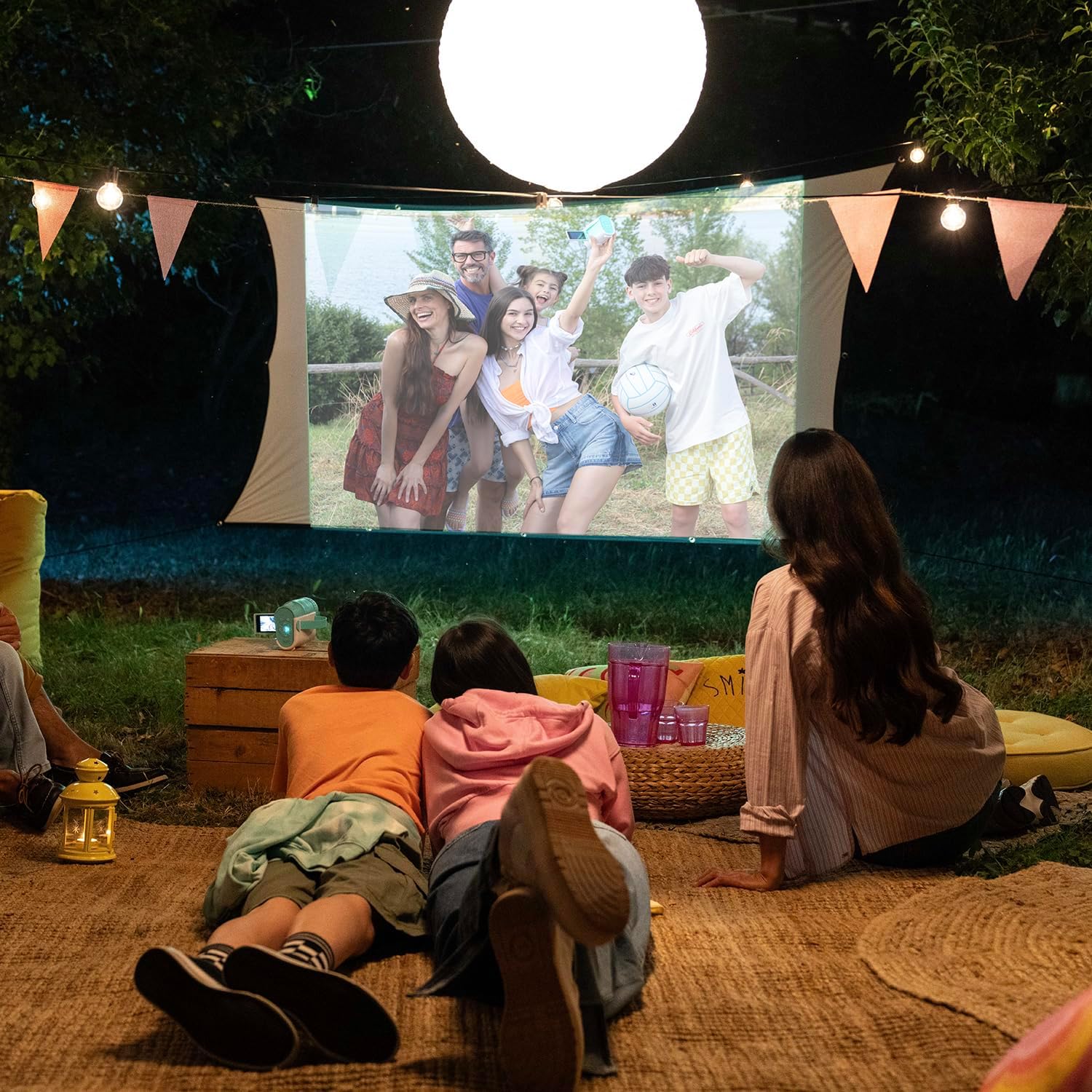
Image 6.2: Outdoor projection setup using the Photo Creator.
7. Cast Function: Projecting from Your Smartphone
The Photo Creator allows you to cast movies, series, photos, or applications directly from your Android or Apple smartphone.
- Activate Cast Mode: Select the cast icon from the device's menu.
- Connect Your Phone: Follow the on-screen instructions to connect your smartphone (Android or Apple) to the Photo Creator. This typically involves connecting via Wi-Fi or a direct casting protocol.
- Start Casting: Once connected, content played on your smartphone will be projected by the Photo Creator.

Image 7.1: Overview of Photo Creator features, including smartphone casting.
8. Creative Effects
The Photo Creator includes 27 integrated creative effects and filters to personalize your photos and videos. These effects can be applied during or after capture.
- Access Effects Menu: In camera or playback mode, navigate to the effects menu.
- Select Effect: Browse through the available filters and effects using the directional buttons.
- Apply Effect: Select your desired effect to apply it to your content.

Image 8.1: Applying creative filters to photos or videos.
9. Maintenance
9.1 Cleaning
To clean the device, use a soft, dry cloth. Do not use abrasive cleaners or solvents. For the lens, use a specialized lens cleaning cloth.
9.2 Storage
Store the Photo Creator in a cool, dry place away from direct sunlight and extreme temperatures. Ensure the device is turned off before storing.
10. Troubleshooting
| Problem | Possible Cause | Solution |
|---|---|---|
| Device does not power on. | Battery is depleted. | Charge the device using the USB-C cable. |
| Projected image is blurry. | Focus is not adjusted correctly. | Rotate the focus ring around the lens until the image is clear. |
| Cannot connect to smartphone for casting. | Incorrect connection steps or compatibility issue. | Ensure your smartphone is compatible and follow the on-screen instructions carefully. Check your phone's Wi-Fi settings. |
| Micro-SD card error. | Card not inserted correctly or corrupted. | Reinsert the Micro-SD card. If the problem persists, try formatting the card (this will erase all data) or use a different card. |
11. Specifications
- Model Name: CLK039
- Brand: Canal Toys
- Product Dimensions: 28 x 8.5 x 24 cm; 460 grams
- Recommended Age: 8 years and up
- Educational Value: Creativity
- Languages: English, Spanish, French
- Battery Type: 1 AAA rechargeable battery (non-replaceable)
- Main Material: Plastic
- Color: Blue
- Image Format: 16:9
- Photo Sensor Technology: CMOS
- Supported File Formats: JPEG, MP4
- Max Webcam Image Resolution: 48 Megapixels
- Photo Sensor Size: 1/2.3''
- Exposure Control Type: Automatic
- Effective Still Resolution: 48 Megapixels
- Input: USB DC 4.5-5.5V
- Maximum Power: 22 W
12. Warranty and Support
For customer service and support, please contact Canal Toys directly:
- Address: Canal Toys, 18, Rue Curnonsky, 75017 Paris, France
- Email: SAV@canaltoys.fr
Please retain your proof of purchase for any warranty claims.


