
1. Introduction and Overview
The anysun Smart Robot Dog is an interactive and programmable toy designed to provide entertainment and educational value. It features various modes including interactive learning, programmable actions, and realistic responses to commands and touch. This manual will guide you through the setup, operation, and maintenance of your robot dog.

Figure 1: The anysun Smart Robot Dog, showcasing its interactive nature.
2. Setup
2.1 Battery Installation and Charging
The robot dog is powered by a rechargeable lithium-ion battery. Ensure the battery is fully charged before first use.
- Locate the battery compartment on the underside of the robot dog.
- Open the battery box cover.
- Connect the battery to the robot dog's internal connector.
- Close the battery box cover.
- Connect the provided USB charging cable to the robot dog's charging port and a suitable USB power source.
- Charge for approximately 2 hours to achieve 60-80 minutes of playtime.

Figure 2: USB Charging and Battery Installation Steps.
3. Operating Instructions
3.1 Remote Control Functions
The robot dog is controlled using the provided 2.4GHz wireless remote. Familiarize yourself with the buttons for various commands.
3.2 Basic Movements and Actions
Use the remote control to command the robot dog to perform the following actions:
- Forward / Backward: Move the robot dog in the desired direction.
- Turn Left / Turn Right: Change the robot dog's orientation.
- Sit Down: Commands the robot dog to sit.
- Handstand: Commands the robot dog to perform a handstand.
- Get Down: Commands the robot dog to lie down.
- Push-up: Commands the robot dog to perform push-ups.
- Play Cute: Activates a cute interaction sequence.
- Dancing: Initiates a dancing routine.
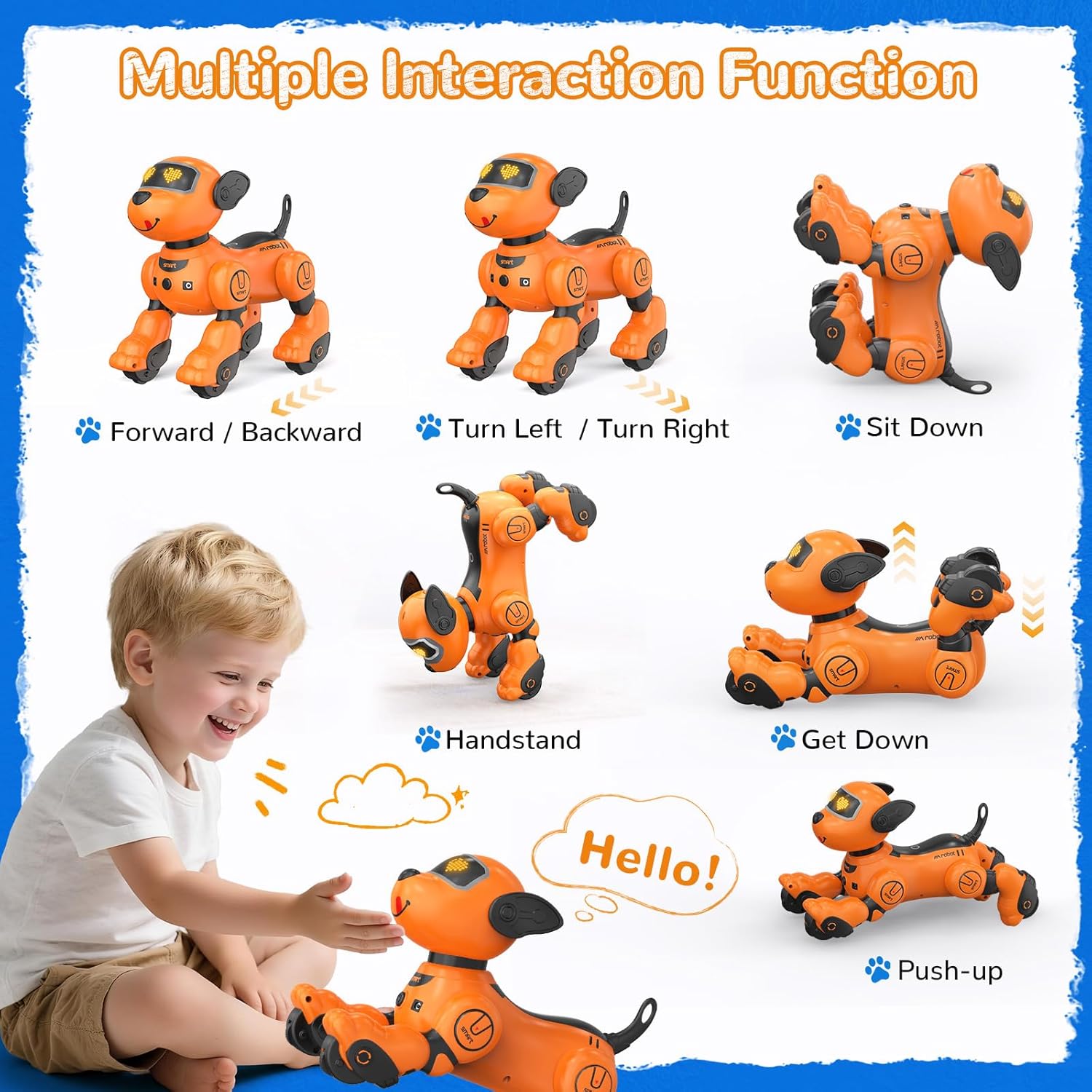
Figure 3: Multiple Interaction Functions of the Robot Dog.
3.3 Touch Sensing
The robot dog responds to touch. A simple pat on its chin can trigger barks and lively movements, simulating interaction with a real pet.
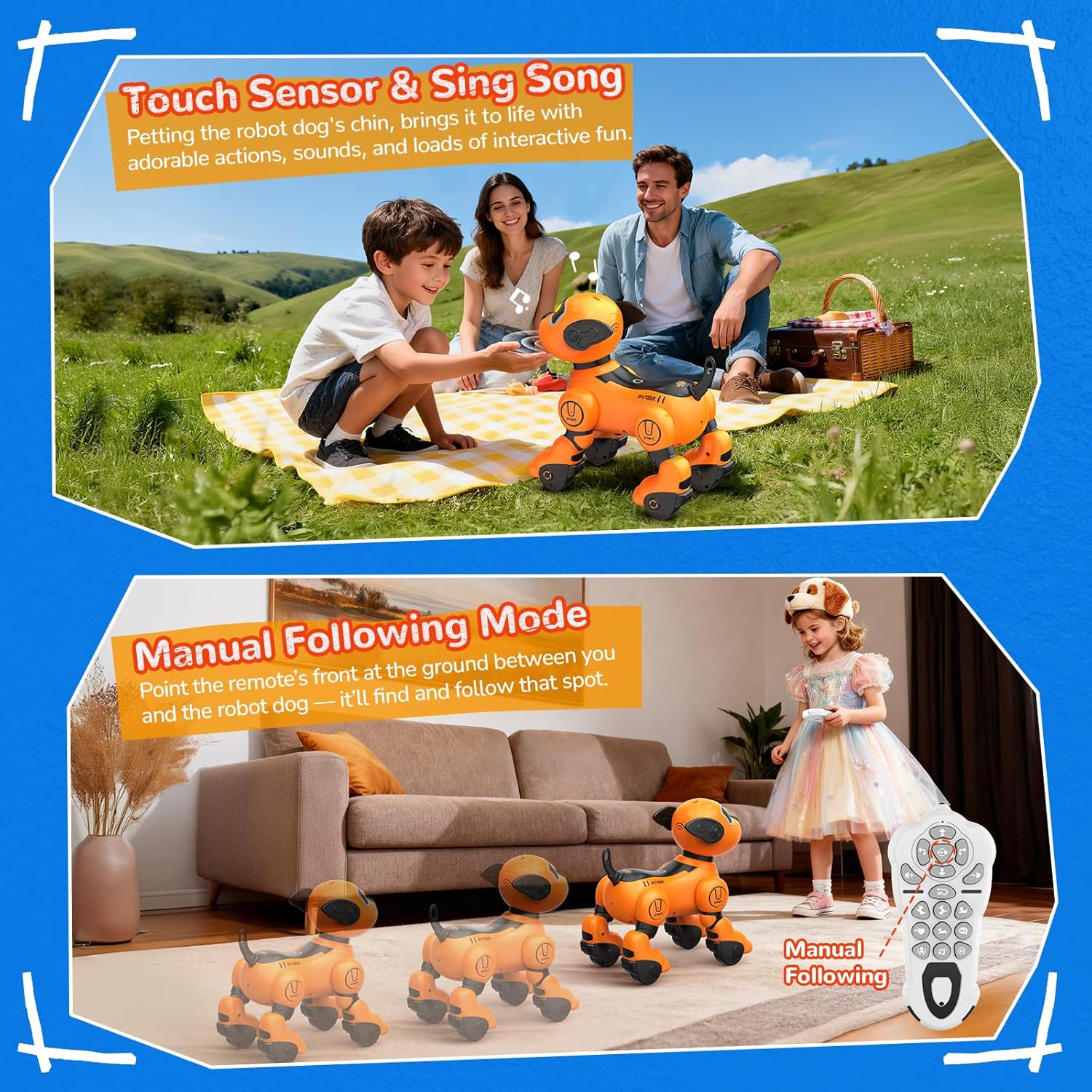
Figure 4: Demonstrating Touch Sensor and Manual Following Mode.
3.4 Manual Following Mode
In Manual Following Mode, point the remote's front at the ground between you and the robot dog. The robot dog will detect that spot and follow it.
3.5 Programmable Actions
Empower creativity by programming the robot dog. Using the remote control, you can sequence up to 100 unique actions. This feature helps develop logical thinking and problem-solving skills.
3.6 Interactive Learning Companion
The robot dog can tell stories, sing songs, and perform various actions, blending entertainment with education. This helps enhance language skills and sparks imagination.
Video 1: Demonstration of the Smart Interactive Toy Dog's features, including voice control, various movements, and touch responses.
4. Maintenance
- Keep the robot dog clean by wiping it with a dry, soft cloth.
- Avoid exposing the toy to water or excessive moisture.
- Store the robot dog in a cool, dry place away from direct sunlight when not in use.
- Ensure the battery is charged periodically even during long storage to maintain battery health.
5. Troubleshooting
- Robot not responding: Check if the robot dog is powered on and if the remote control has fresh batteries. Ensure they are within range.
- Limited movement: The battery might be low. Recharge the robot dog fully.
- Interference: The 2.4GHz wireless control is designed to minimize interference, but ensure no other strong wireless signals are nearby if issues persist.
- Unexpected behavior: Turn the robot dog off and on again to reset its system.
6. Specifications
| Feature | Detail |
|---|---|
| Brand Name | anysun |
| Model Name | 750880016553 |
| Model Number | BG1536 |
| Toy Figure Type | Interactive Gaming Figure |
| Character | Robot Dog |
| Manufacturer Minimum Age | 36.0 Months |
| Material Type | Plastic |
| Item Dimensions (L x W x H) | 8.5"L x 5.6"W x 8.5"H |
| Item Weight | 2.1 Pounds |
| Color | Yellow |
| Power Source | Rechargeable Battery |
| Number of Batteries | 1 Lithium Ion battery required (built-in, non-removable) |
| Additional Features | Interactive Learning & Realistic Interaction |
7. Warranty and Support
For warranty information or technical support, please refer to the contact details provided with your product packaging or visit the official anysun website. Keep your purchase receipt for any warranty claims.