Introduction
This manual provides detailed instructions for the safe and effective use of your Seesii D2 Lite Pro 3/8" Digital Torque Wrench. This precision tool is designed for accurate fastener tightening in various applications, including automotive, motorcycle, and bicycle maintenance. Please read this manual thoroughly before operation and retain it for future reference.
What's in the Box
Your Seesii D2 Lite Pro Digital Torque Wrench package includes the following items:
- 1 x Seesii D2 Lite Pro Digital Torque Wrench (3/8" drive)
- 1 x 3/8" to 1/2" Adapter
- 1 x 3/8" to 1/4" Adapter
- 1 x 3" Extension Bar
- 2 x AA Batteries
- 1 x Carrying Case
- 1 x User Manual

Image: All components included in the Seesii Digital Torque Wrench kit, neatly arranged for inspection.
Video: An unboxing demonstration showing the contents of the Seesii Digital Torque Wrench package, including the wrench, adapters, extension bar, batteries, and carrying case.
Key Features
- High Accuracy: The wrench provides a wide 0–220 N·m (0–162 ft-lbs) torque range with ±2% accuracy for precise tightening.
- Electronic Dual Modes: Features Peak Mode to capture maximum torque and Real-Time Mode for continuous tracking.
- Preset Function & Memory Storage: Save up to 10 preset torque values and record 400 sets of data for quick, repeatable work.
- HD LCD Display & Multi-Unit Conversion: Large LCD display supports N·m, lbf-ft, lbf-in, kgf·cm, and kgf·m.
- LED & Buzzer Dual Alarm System: Smart warning alerts (green light + slow beep at 80%, yellow light + fast beep at 90%, red light + long beep at 100%) prevent over-tightening.
- Durable Ratchet & Ergonomic Handle: Built with a reversible ratchet head and a non-slip ergonomic grip for comfortable and heavy-duty use.
- Compact & Portable: 3/8 inch torque wrench with a 72-tooth ratchet head and 5° swing arc, ideal for tight spaces. Includes a protective storage pouch.
Setup
1. Battery Installation
Locate the battery compartment, typically at the base of the handle. Insert the two AA batteries provided, ensuring correct polarity (+/-). Securely close the battery compartment cover.
2. Power On/Off
To power on the device, double-press the 'C' button. To power off, long-press the 'C' button.
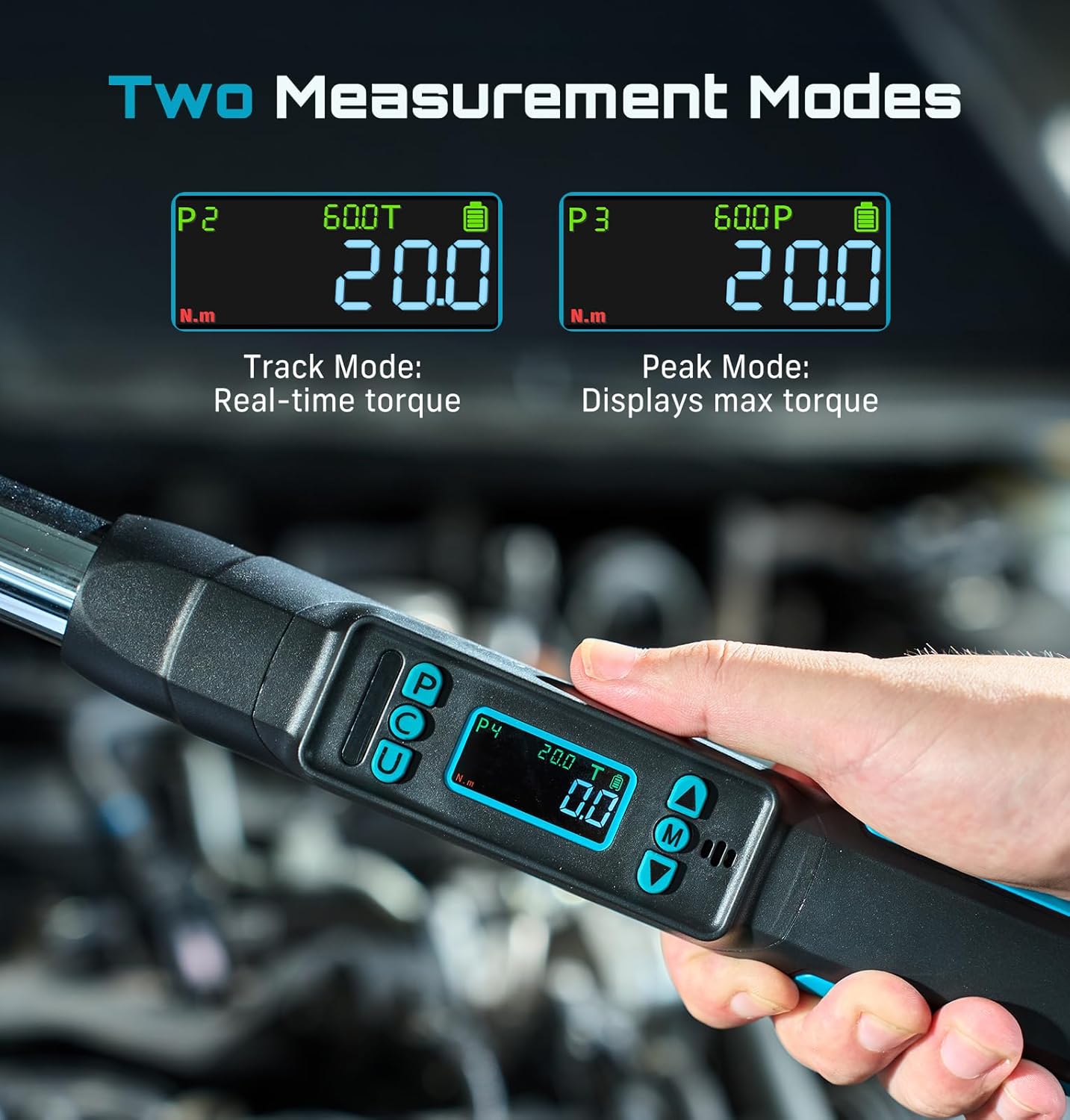
Image: The digital display of the torque wrench, illustrating the power on/off procedure using the 'C' button.
Operating Instructions
1. Unit Switching
Press the 'U' button to cycle through the available measurement units: N·m, lbf·ft, lbf·in, kgf·cm, and kgf·m. Select the unit appropriate for your task.
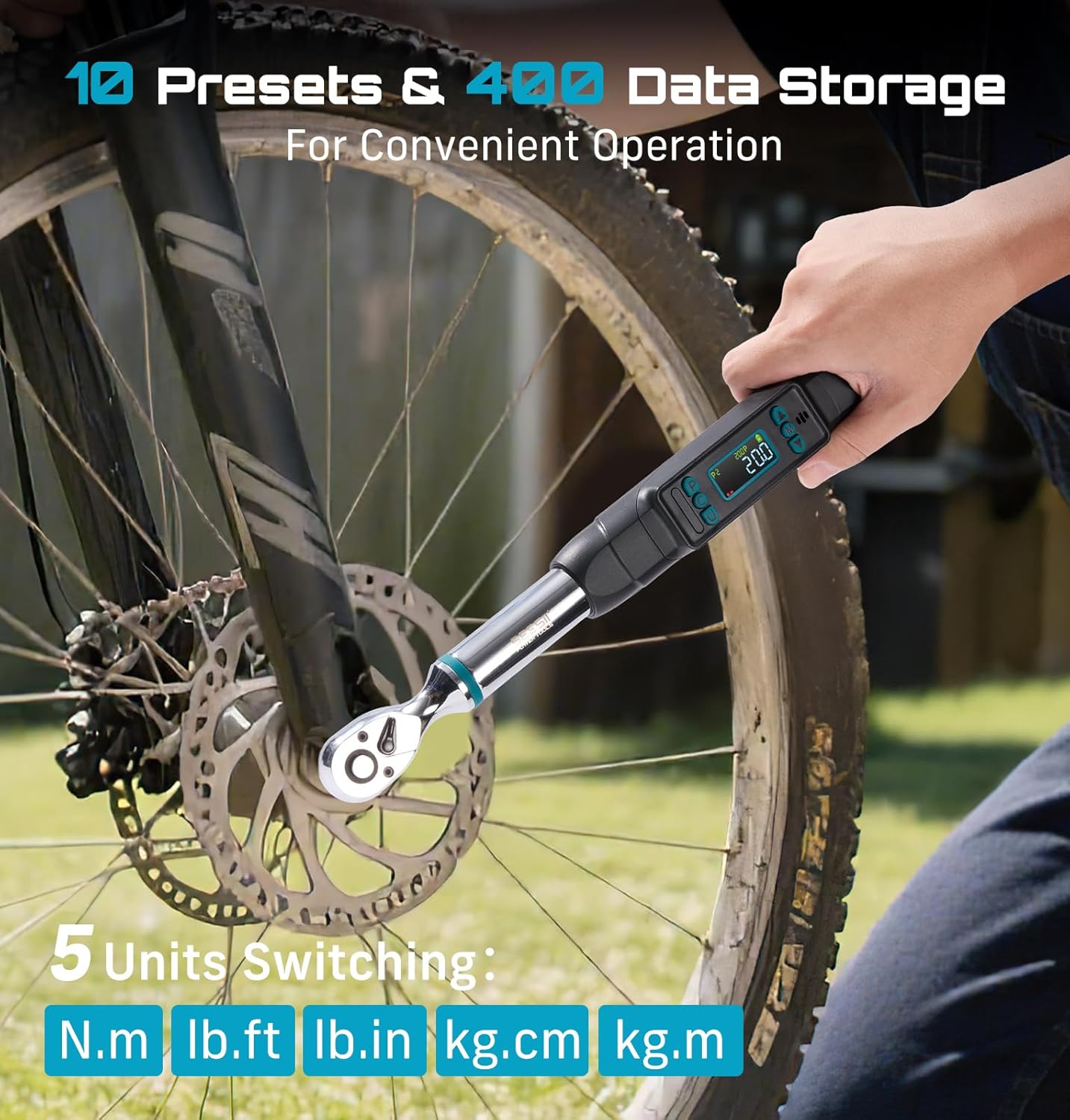
Image: The wrench's display showing the selection of different torque units (N·m, lb·ft, lb·in, kg·cm, kg·m).
2. Mode Selection (Peak & Real-Time)
Press the 'P' button to switch between Peak Mode and Real-Time (Track) Mode. Peak Mode captures the maximum torque applied, while Real-Time Mode displays the live torque value as it is being applied.
3. Setting Preset Torque Values
The wrench allows you to save up to 10 preset torque values. To set a preset:
- Enter Preset Mode by pressing the 'M' button until 'P' appears on the display.
- Use the Up/Down arrow buttons to select a preset group (P1-P10).
- Press 'M' again to enter the value adjustment. Use the Up/Down arrow buttons to set the desired torque value.
- Press 'M' to confirm and save the preset.
4. Data Storage & Recall
The wrench can store up to 400 sets of torque data. To recall stored data, press the 'M' button until 'M000' appears on the display. Use the Up/Down arrow buttons to navigate through the stored data sets.
5. Deleting Data
To delete stored data:
- Enter the data recall mode ('M000').
- Press the 'C' button. The display will show 'ONE' or 'ALL'.
- Use the Up/Down arrow buttons to select whether to delete a single record ('ONE') or all records ('ALL').
- Press 'C' to confirm deletion. The display will show 'SUCC' upon successful deletion.
6. Using the Wrench for Tightening
Attach the appropriate socket or adapter to the 3/8" drive head. Place the socket onto the fastener. Apply steady force to tighten the fastener. The LCD display will show the real-time torque. The dual alarm system (LED lights and buzzer) will provide visual and audible feedback as you approach and reach the target torque:
- 80% of Target Torque: Green LED light illuminates, slow beep.
- 90% of Target Torque: Yellow LED light illuminates, fast beep.
- 100% of Target Torque: Red LED light illuminates, long continuous beep.
Stop applying force immediately when the red light and long beep indicate 100% of the target torque has been reached to prevent over-tightening.
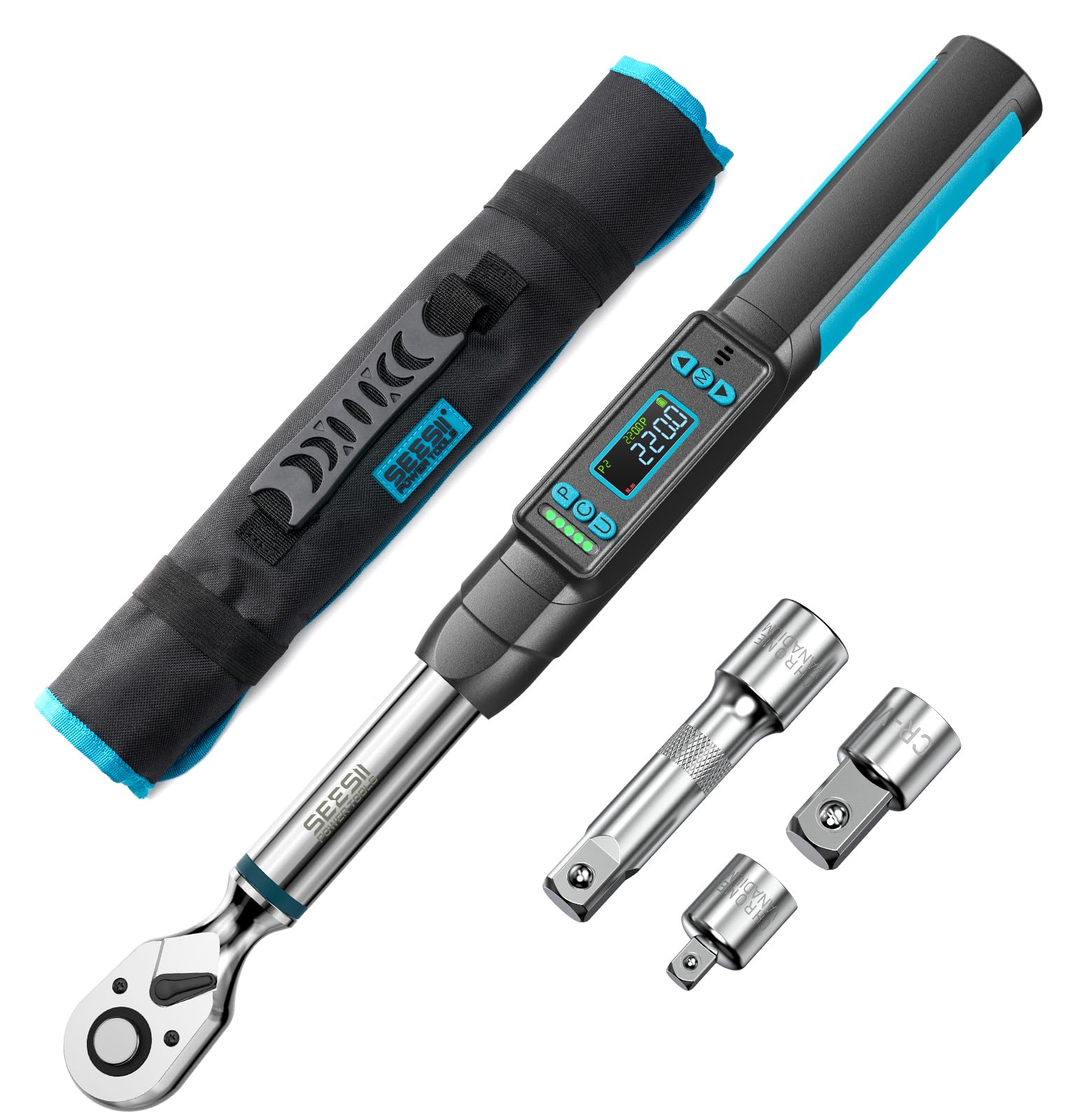
Image: The digital torque wrench in action, tightening a lug nut on a car wheel, with the display showing the applied torque.
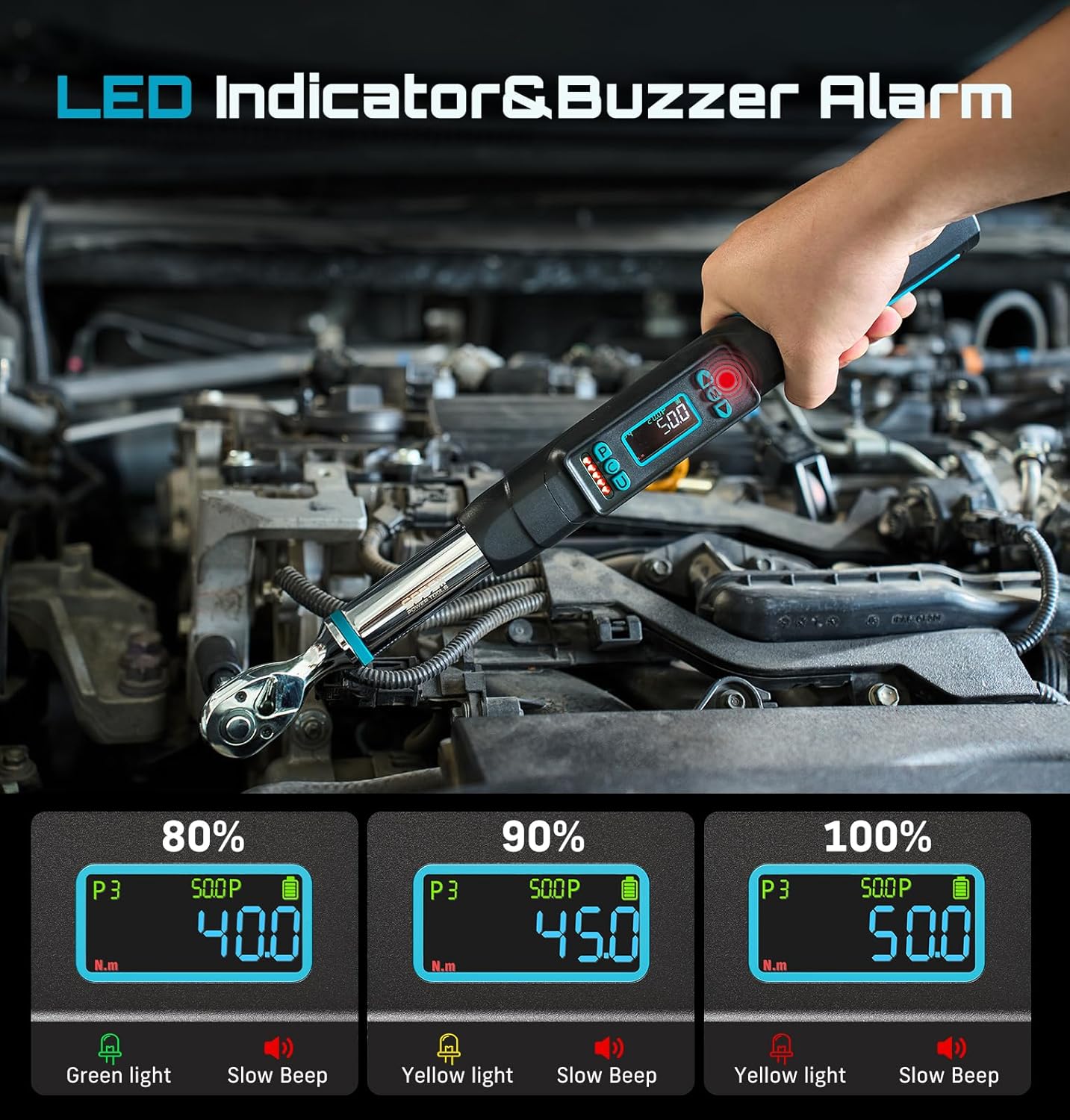
Image: The LED indicator and buzzer alarm system on the wrench's display, showing visual and audible alerts at different torque thresholds.
Video: A comprehensive demonstration of the torque wrench's features, including power on/off, unit switching, mode selection, setting presets, data storage, and data deletion.
Video: A demonstration of the digital torque wrench in various applications, showcasing its maximum torque capability, alert system, unit switching, preset groups, memory record, precision, and bi-directional functionality with a full adapter set.
Maintenance
- Cleaning: Wipe the wrench clean with a soft, dry cloth after each use. Do not use abrasive cleaners or solvents.
- Storage: Store the torque wrench in its protective carrying case in a dry, clean environment away from direct sunlight and extreme temperatures.
- Battery Replacement: Replace batteries when the low battery indicator appears on the display to ensure accurate readings.
- Calibration: For continued accuracy, periodic calibration by a qualified service center is recommended, especially after heavy use or impact.
Troubleshooting
| Problem | Possible Cause | Solution |
|---|---|---|
| Wrench does not power on. | Dead or incorrectly installed batteries. | Check battery polarity or replace with new AA batteries. |
| Inaccurate torque readings. | Wrench needs calibration or improper usage. | Ensure proper technique. Consider professional calibration if issues persist. |
| Display is dim or unreadable. | Low battery power. | Replace batteries. |
| Buzzer alarm not working. | Buzzer may be disabled or faulty. | Check user settings for buzzer activation. If still not working, contact support. |
Specifications
| Specification | Value |
|---|---|
| Brand | Seesii |
| Model Number | D2 Lite Pro |
| Drive Size | 3/8 inch |
| Torque Range | 0–220 N·m (0–162 ft-lbs) |
| Accuracy | ±2% (Clockwise & Counterclockwise) |
| Measurement Units | N·m, lbf·ft, lbf·in, kgf·cm, kgf·m |
| Modes | Peak, Real-Time (Track) |
| Preset Memory Groups | 10 |
| Data Storage | Up to 400 records |
| Alarm System | LED & Buzzer (80%, 90%, 100% thresholds) |
| Ratchet Head | 72-tooth, Reversible |
| Swing Arc | 5° |
| Material | Alloy Steel |
| Power Source | 2 x AA Batteries |
| Item Length | 12.5 Inches |
| Item Weight | 2.5 Pounds |
| Included Components | Digital Torque Wrench, 3/8" to 1/2" adapter, 3/8" to 1/4" adapter, 3" extension bar, 2xAA batteries, carrying case |
Warranty & Support
Your Seesii D2 Lite Pro Digital Torque Wrench is backed by a 3-Year Warranty. For any questions, technical assistance, or warranty claims, please contact Seesii customer support. Our team is available 24/7 to assist you.