
Puqo EV68
Puqo EV68 AI Language Translation Earbuds User Manual
Model: EV68
1. Introduction
Thank you for choosing the Puqo EV68 AI Language Translation Earbuds. This device combines real-time language translation with high-quality audio for music and calls, designed to facilitate seamless communication across language barriers. Please read this manual carefully to ensure proper use and optimal performance of your earbuds.
2. Package Contents
Verify that all items are present in your package:
- 2 x Puqo EV68 Translation Earbuds
- 1 x Portable Charging Case
- 1 x USB-C Charging Cable
- 3 x Pairs of Ear Tips (S, M, L)
- 1 x User Manual

Image: Package contents of the Puqo EV68 AI Language Translation Earbuds.
3. Product Overview
The Puqo EV68 earbuds are designed for versatility, offering 3-in-1 functionality for translation, calls, and music. They support real-time translation in 164 languages and feature Bluetooth 5.3 for stable connectivity and ENC noise cancellation for clear audio.

Image: Puqo EV68 Earbuds in charging case.
Key Features:
- 3-in-1 Functionality: Seamlessly switch between real-time translation, phone calls, and music playback.
- Extensive Language Support: Supports 164 languages for comprehensive global communication.
- Multiple Translation Modes: Includes Free Talk, Headset + Phone, Translation Mode, Camera Translation, and AI Conversation Mode.
- Advanced Connectivity: Bluetooth 5.3 ensures fast and stable connections.
- Clear Audio: ENC noise-canceling microphone for clear conversations and 13mm composite drivers for rich sound.
- Extended Battery Life: Up to 8 hours on a single charge, and up to 48 hours with the charging case.
- Comfortable Design: 45° in-ear design with soft ear pads for prolonged comfort.
- Smart Touch Controls: Intuitive touch sensors for managing calls, music, and voice assistant.
4. Setup
4.1 Charging the Earbuds and Case
Before first use, fully charge the earbuds and the charging case. The charging case features an LED display to show battery levels.
- Place the earbuds into the charging case.
- Connect the USB-C charging cable to the charging port on the case and to a power source.
- The LED display on the case will indicate charging status. A full charge typically takes about 1.5 hours.
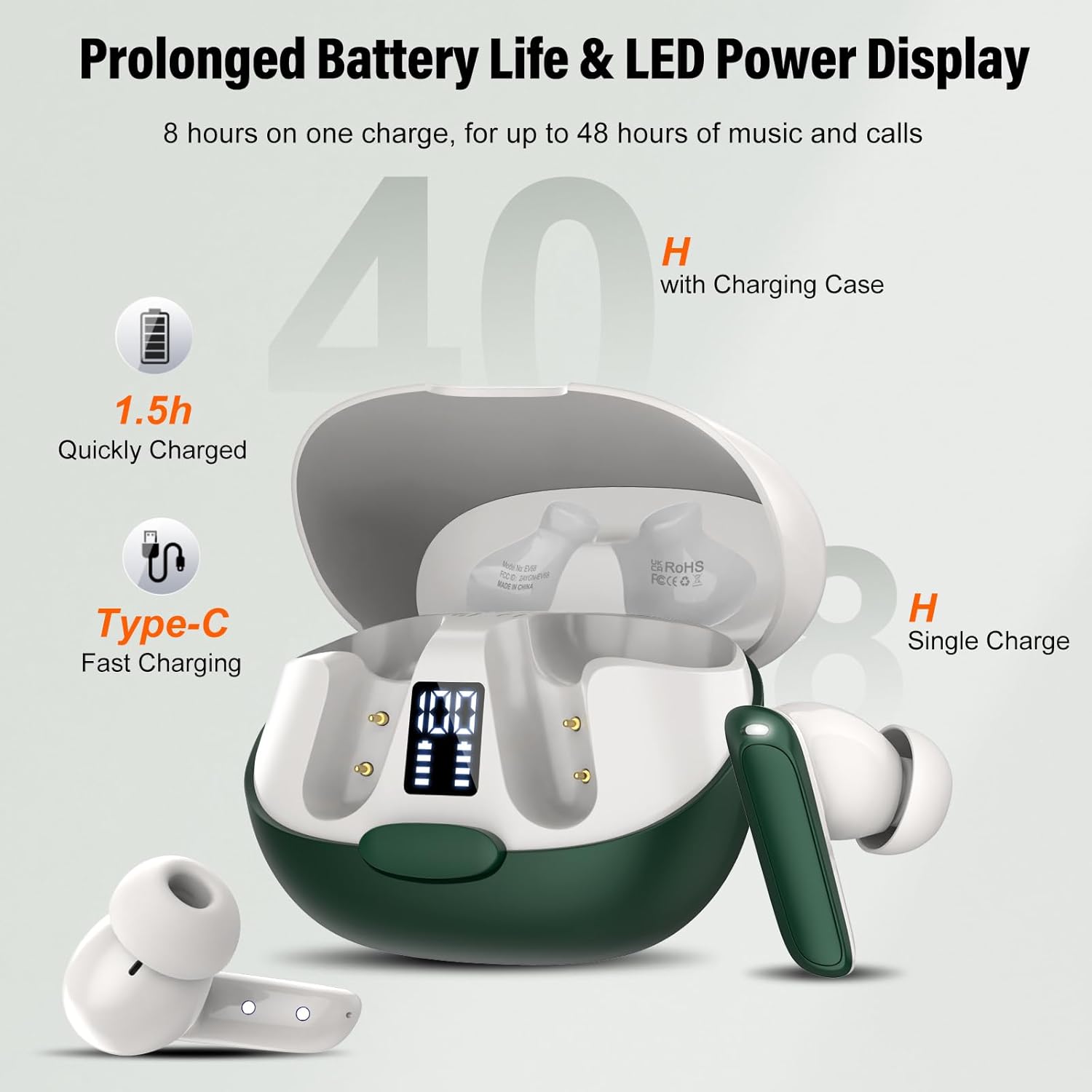
Image: Charging the Puqo EV68 Earbuds and case.
4.2 App Installation and Bluetooth Pairing
The Puqo EV68 earbuds require the "Ear Dance" app for full translation functionality.
- Download the App: Scan the QR code provided in the physical user manual or search for "Ear Dance" in your device's app store to download and install the application.
- Bluetooth Pairing:
- Open the charging case. The earbuds will automatically enter pairing mode.
- On your smartphone or device, enable Bluetooth and search for available devices.
- Select "EV68" from the list to connect.
- Connect within App: Open the "Ear Dance" app. It should automatically detect and connect to the earbuds. Navigate to the "My" page in the app and click "Bind Device".
- Authorization: Scan or enter the authorization code (2D code) found on the packaging box.
- After successful authorization, you can begin using the translation functions.

Image: App download and connection process.
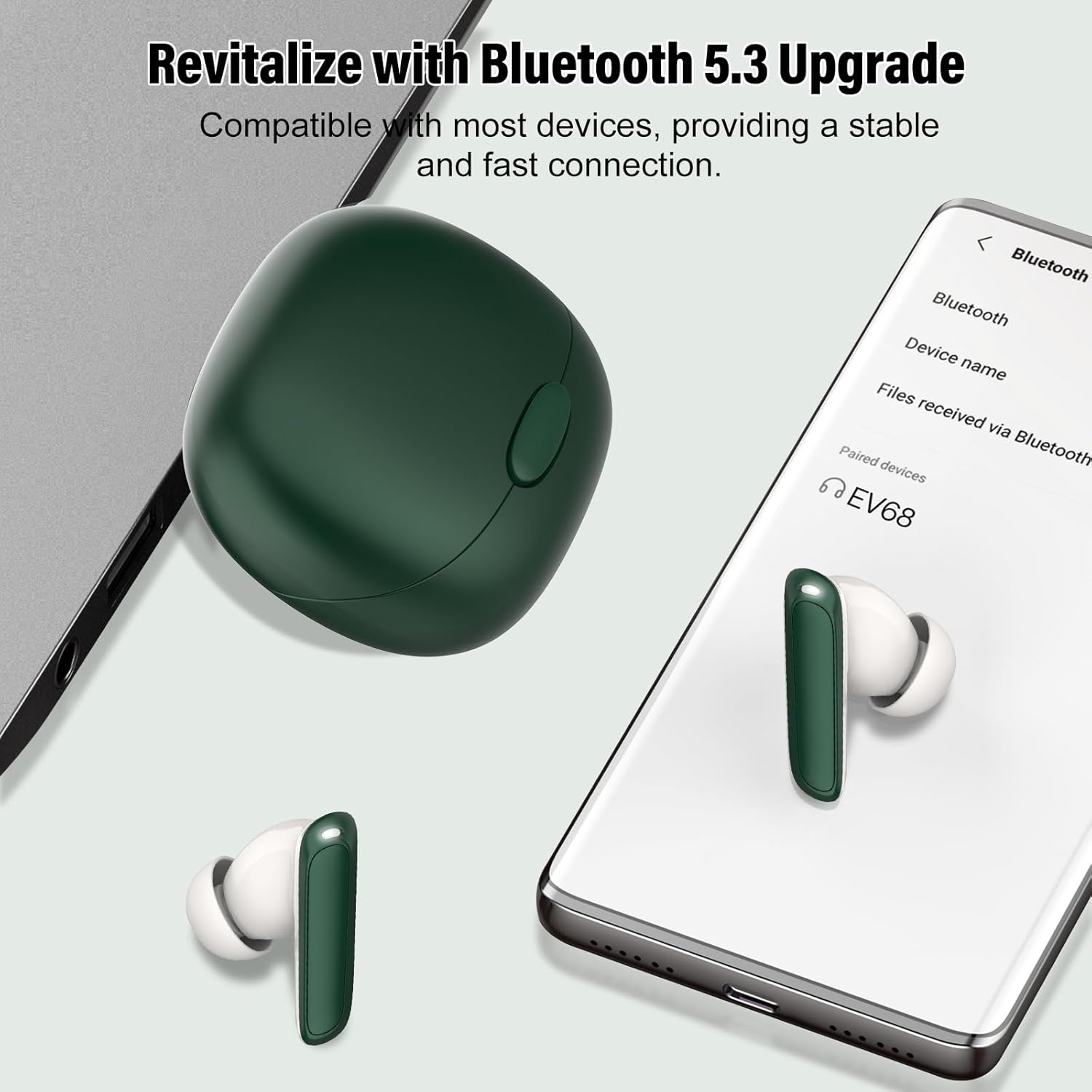
Image: Bluetooth 5.3 pairing with a mobile device.
5. Operating Instructions
5.1 Translation Modes
The Puqo EV68 offers five distinct translation modes to suit various communication needs:
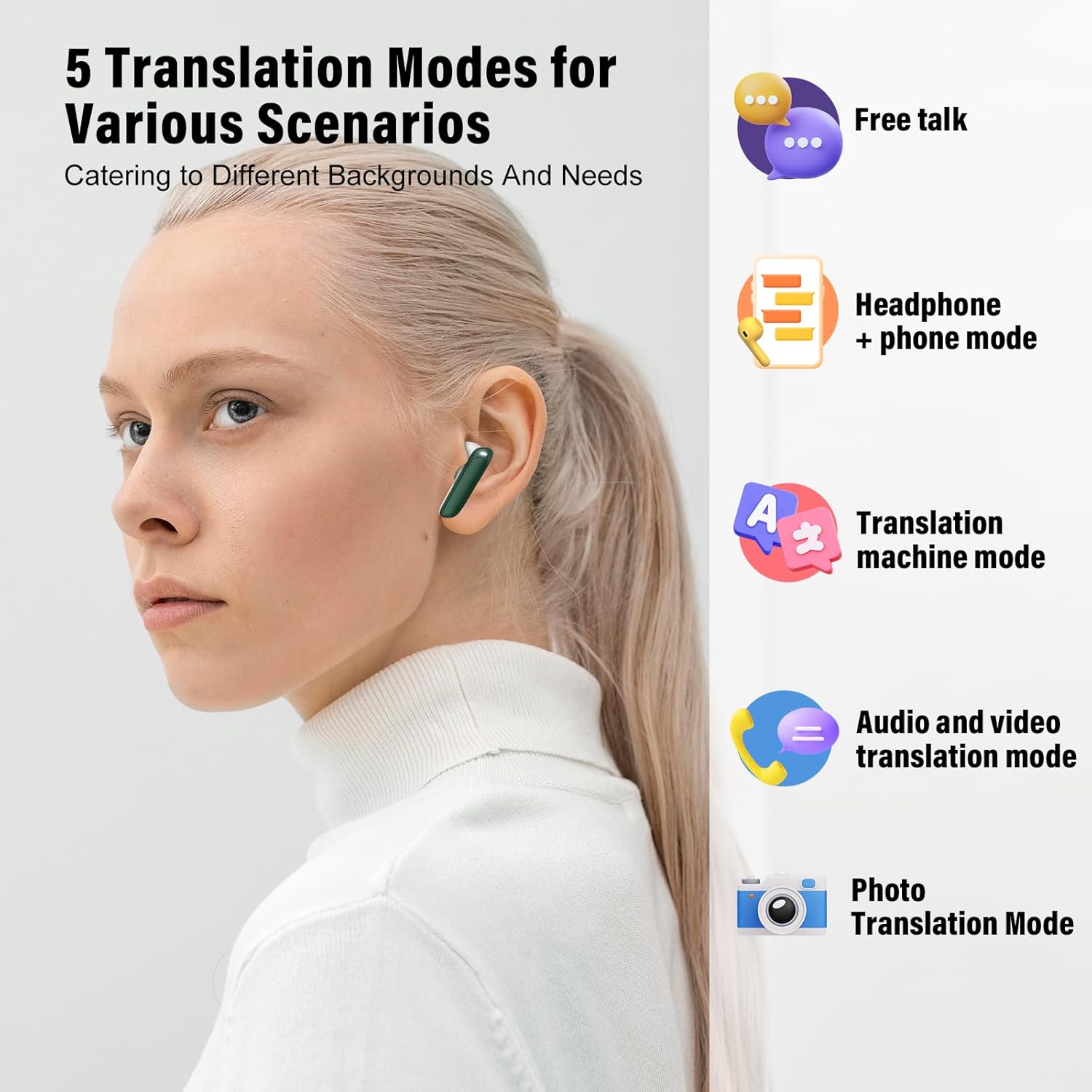
Image: Overview of the 5 translation modes.
- Free Talk Mode:
In this mode, the earbuds automatically detect and translate spoken language in real-time without requiring manual taps on the phone or headset. Ideal for natural, flowing conversations.

Image: Free Talk Mode in action.
- Headset + Phone Mode:
One person speaks into the headset (double-tap to activate), and the other person speaks into the phone (tap the phone button). This allows for smooth two-way conversations.

Image: Headset + Phone Mode for two-way communication.
- Translation Mode (Traditional Translator):
Functions similarly to a traditional handheld translator. Speak into the earbuds, and the translated language will play through the phone's speaker. This mode is managed via the app.

Image: Translator Device Mode using the app.
- Camera Translation Mode:
Utilize your phone's camera through the app to recognize and translate text from signs, menus, or documents in real-time.

Image: Camera Translation Mode for text recognition.
- AI Conversation Mode:
Engage with an AI assistant through the app to get intelligent answers to questions or assistance with tasks. This mode leverages advanced algorithms for practical solutions.

Image: AI Conversation Mode for intelligent assistance.
5.2 Music and Call Controls
The earbuds feature smart touch controls for managing audio and calls:

Image: Smart Touch Control functions.
- Play/Pause: Single tap on either earbud.
- Next Song: Double tap the right earbud.
- Previous Song: Double tap the left earbud.
- Volume Up: Triple tap the right earbud.
- Volume Down: Triple tap the left earbud.
- Answer/End Call: Single tap on either earbud during an incoming call or active call.
- Reject Call: Press and hold either earbud for 2 seconds during an incoming call.
- Activate Voice Assistant (Siri/Google Assistant): Press and hold either earbud for 3 seconds.
5.3 Personalized Sound Experience
The "Ear Dance" app allows you to customize your listening experience with various sound effects, including sleep, nature, and relaxation modes, to match your mood or environment.

Image: Personalized sound settings within the app.
6. Maintenance
Proper maintenance ensures the longevity and optimal performance of your Puqo EV68 earbuds.
- Cleaning: Regularly clean the earbuds and charging case with a soft, dry, lint-free cloth. Do not use abrasive cleaners or solvents.
- Ear Tips: Remove and clean the ear tips periodically with mild soap and water, then dry thoroughly before reattaching.
- Water Resistance: The earbuds are IPX7 waterproof, meaning they can withstand immersion in up to 1 meter of water for 30 minutes. However, the charging case is not waterproof. Avoid exposing the charging case to liquids. Always ensure earbuds are dry before placing them back in the charging case.
- Storage: Store the earbuds in their charging case when not in use to protect them from dust and damage. Store in a cool, dry place away from extreme temperatures.
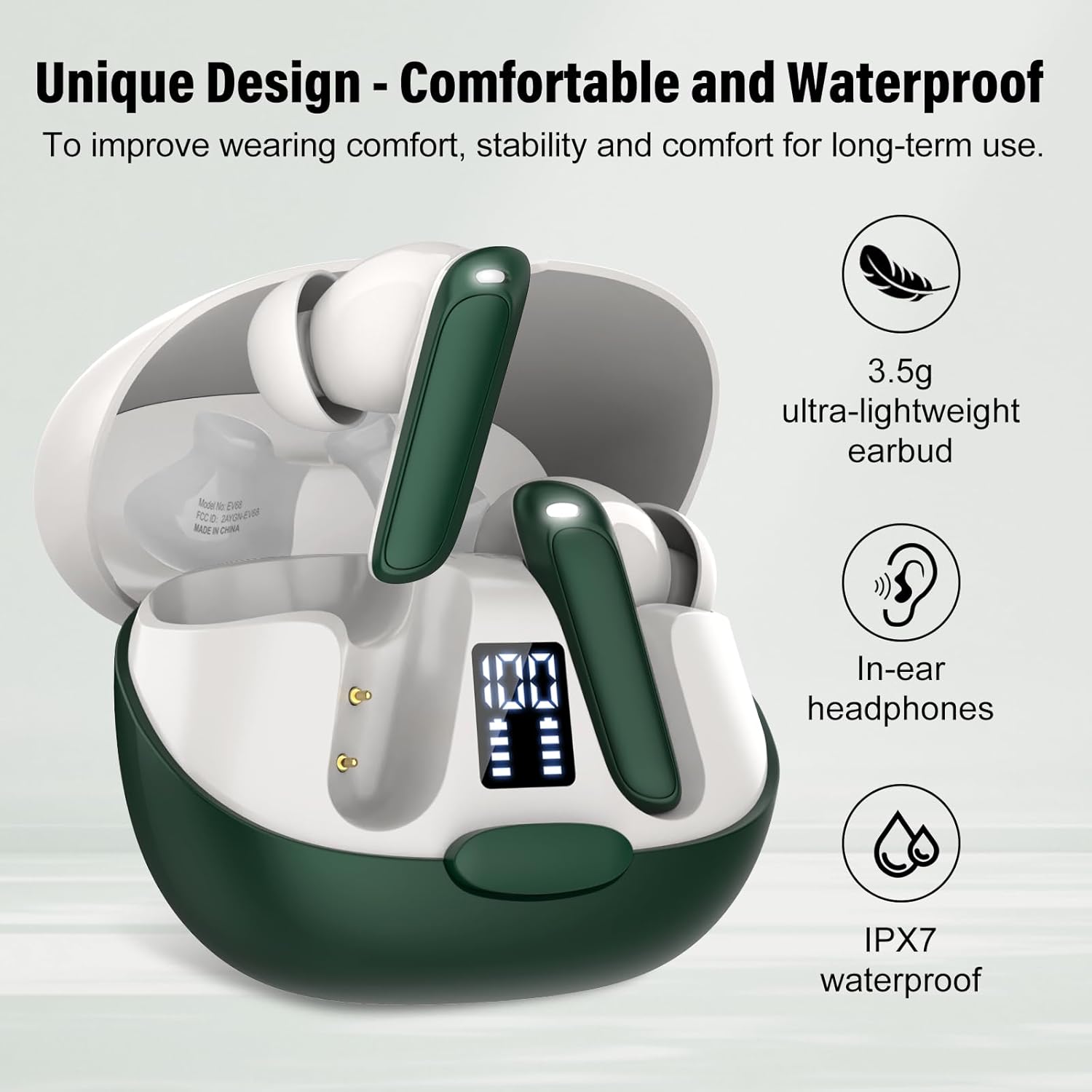
Image: Earbud design and IPX7 waterproof feature.
7. Troubleshooting
If you encounter issues with your Puqo EV68 earbuds, refer to the following common solutions:
| Problem | Possible Solution |
|---|---|
| Earbuds not pairing with device. |
|
| No sound or poor sound quality. |
|
| Translation not working or inaccurate. |
|
| Earbuds not charging. |
|
8. Specifications
- Model: EV68
- Brand: Puqo
- Bluetooth Version: 5.3
- Translation Languages: 164
- Single Earbud Playtime: Up to 8 hours
- Total Playtime (with Charging Case): Up to 48 hours
- Charging Port: USB-C
- Charging Time: Approximately 1.5 hours (for case and earbuds)
- Driver Size: 13mm Composite Driver
- Noise Cancellation: ENC (Environmental Noise Cancellation)
- Waterproof Rating: IPX7 (earbuds only)
- Earbud Weight: Approximately 3.5g (each)
- Item Weight: 5.3 ounces (total package)
- Package Dimensions: 4.33 x 3.5 x 1.54 inches
9. Safety Information
Please observe the following safety guidelines:
- Do not disassemble, repair, or modify the product.
- Keep the earbuds and charging case away from extreme temperatures, direct sunlight, and open flames.
- Avoid dropping or subjecting the device to strong impacts.
- Keep out of reach of children and pets.
- Do not use the earbuds at high volume for extended periods to prevent hearing damage.
- Dispose of the product responsibly according to local regulations.
10. Warranty and Support
For warranty information or technical support, please refer to the contact details provided with your purchase or visit the official Puqo website. Keep your proof of purchase for warranty claims.