
1. Introduction and Overview
The Rimoody 4.3-inch HD Display Baby Car Camera provides a clear, real-time view of your child in the backseat. It features an upgraded chip for zero-lag video, 360-degree adjustable viewing, and 940nm IR night vision for clear monitoring day and night. The system is designed for easy installation and universal compatibility with most vehicles.
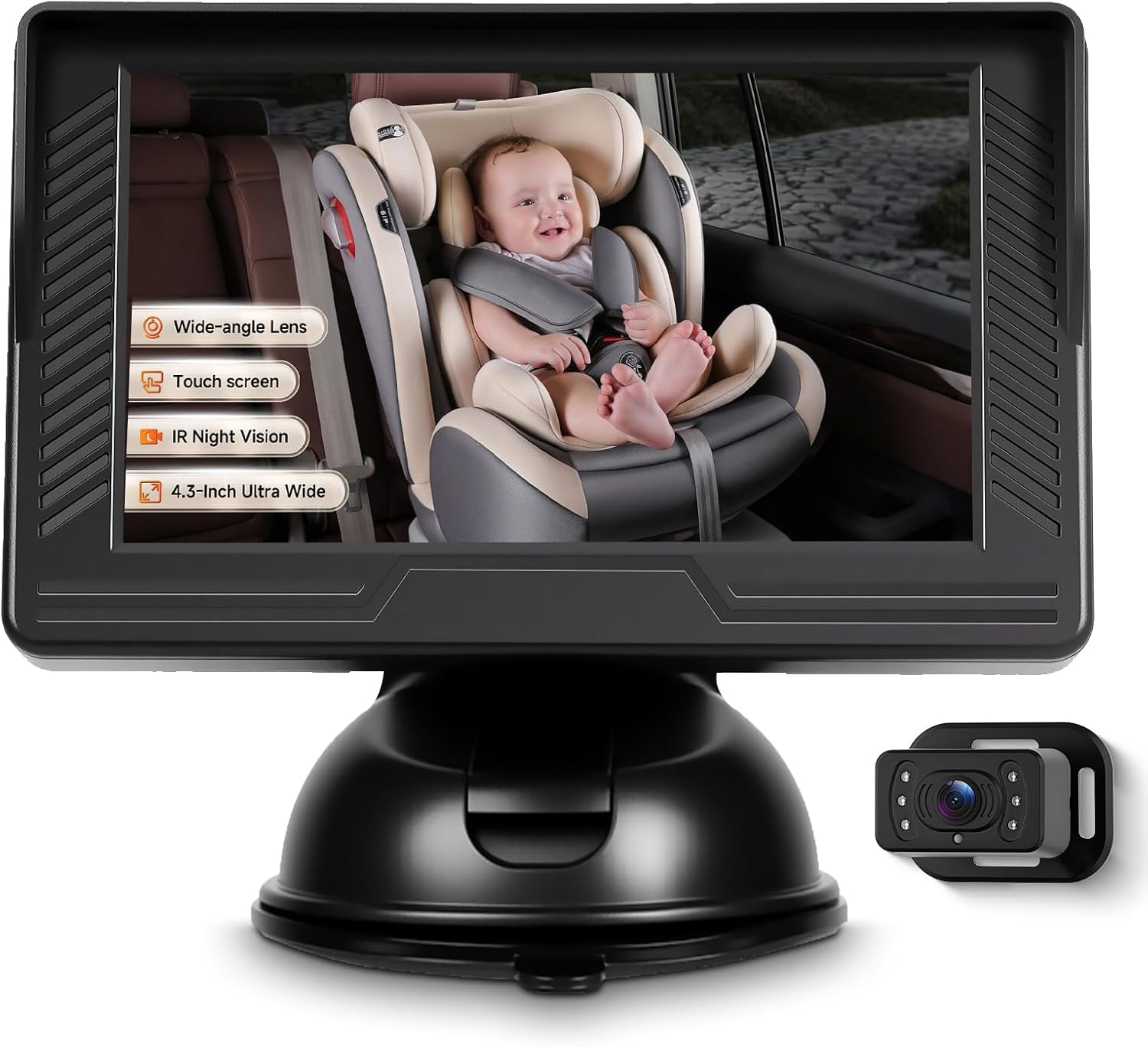
Image: The Rimoody 4.3-inch Baby Car Camera system, showing the monitor and camera unit.
- 4.3'' HD Clear Image: Features a bright 4.3-inch screen for clear viewing with upgraded chip technology for real-time, sharp daytime and color night vision video with zero lag.
- 360° Adjustable Viewing Angle: Easily rotate the camera a full 360° to achieve the perfect viewing position for optimal visibility of your rear-facing infant.
- Upgraded 940nm IR Night Vision: Advanced infrared technology automatically activates night vision in low light, capturing clear footage without visible light.
- Easy Installation & Universal Fit: Install in minutes without tools; compatible with most cars, trucks, vans, and SUVs.
2. Setup and Installation
Installation is tool-free and takes minutes. Follow these steps for proper setup:
- Mount the Camera: Secure the camera to the headrest of the seat facing your child using the provided strap. Ensure it is stable and provides a clear view.
- Mount the Monitor: Mount the LCD monitor on your dashboard or windshield using the suction cup bracket. Choose a location that does not obstruct your view of the road.
- Connect Power: Plug the power cable into your car's 12V power port (cigarette lighter).
- Adjust View: Adjust the camera and monitor for optimal viewing of your child.

Image: Visual guide for easy installation, showing camera placement, monitor mounting, and power connection.

Image: Diagram showing recommended camera and monitor placement in a car interior.
3. Operating Instructions
Once installed and powered on, the system operates automatically. The 4.3-inch HD monitor will display a live feed from the camera.
3.1 Adjusting the Viewing Angle
The camera features a 360-degree adjustable ball joint, allowing you to fine-tune the viewing angle. Gently rotate the camera unit to achieve the desired perspective of your child in the car seat.

Image: Illustration of the camera's 360-degree adjustable and wide viewing capabilities.
3.2 Night Vision Feature
The camera is equipped with advanced 940nm infrared (IR) night vision. This feature automatically activates in low-light conditions, providing a clear, high-definition view of your child without emitting visible light that could disturb them. The monitor will display a black and white image when night vision is active.

Image: Demonstration of the camera's IR night vision, showing clear visibility of a baby in a car seat during nighttime.
4. Maintenance
To ensure optimal performance and longevity of your Rimoody Baby Car Camera, follow these maintenance guidelines:
- Cleaning: Regularly clean the camera lens and monitor screen with a soft, dry, lint-free cloth. Avoid using abrasive cleaners, solvents, or chemical sprays, as these can damage the surfaces.
- Cable Inspection: Periodically check all cable connections to ensure they are secure and free from damage. Ensure cables are routed safely and do not interfere with vehicle operation or passenger movement.
- Storage: If storing the device for an extended period, disconnect it from the power source and store it in a cool, dry place away from direct sunlight and extreme temperatures.
5. Troubleshooting
If you encounter issues with your baby car camera, refer to the following common troubleshooting tips:
- No Image on Monitor:
- Ensure the power cable is securely plugged into both the monitor and the car's 12V power port.
- Verify that the car's 12V power port is functioning (e.g., by testing with another device).
- Check if the monitor has an on/off switch and ensure it is in the 'on' position.
- Unclear or Blurry Image:
- Clean the camera lens and monitor screen with a soft cloth.
- Ensure the camera is properly focused and not obstructed.
- Check for any protective films on the screen that may need to be removed.
- Monitor Detaches from Base:
- Ensure the suction cup is clean and applied to a smooth, flat, non-porous surface.
- Press firmly on the suction cup lever to create a strong vacuum seal.
- If the issue persists, consider using an alternative mounting method or a stronger adhesive pad (not included) for the universal mount.
- Night Vision Not Activating:
- Ensure the camera is in a sufficiently dark environment for automatic activation.
- Check if the camera lens is clean and free from obstructions.
- Cable Length Concerns:
- The power cable is approximately 14 feet long. Plan your cable routing carefully to ensure it reaches the 12V power port without being stretched or interfering with vehicle controls.
6. Specifications
| Brand | Rimoody |
| Screen Size | 4.3 Inches |
| Compatible Devices | Monitor |
| Installation Type | Suction Cup Mount |
| Optical Sensor Technology | Infrared |
| Lens Type | Wide Angle |
| Real Angle of View | 120 Degrees |
| Optical Sensor Size | 1/3 inch |
| Field Of View | 120 Degrees |
| Manufacturer | Rimoody |
| Display Technology | LCD |
| Video Capture Resolution | 720p |
| Unit Count | 1.0 Count |
7. Package Contents
The following items are included in your Rimoody Baby Car Camera package:
- 4.3-inch Color IPS Monitor
- Baby Car Camera
- Car Cigarette Lighter Power Adapter
- Universal Mount with Adhesive Pad (Suction Cup Bracket)
- User Manual
- Accessories (e.g., straps for camera mounting)

Image: Visual representation of all items included in the product package.
8. Warranty and Support
Warranty: This product is covered by a 2-year manufacturer's warranty from the date of purchase, covering defects in materials and workmanship.
Returns: A 30-day no-reason refund policy is available for this product. Please refer to your purchase platform's return policy for detailed instructions.
Technical Support: For any technical assistance, questions, or concerns regarding your Rimoody Baby Car Camera, please contact Rimoody Tech customer support. Contact information can typically be found on your purchase receipt, the product packaging, or through the seller's page on the platform where the product was purchased.


